Repository navigation
NabyScape 2.4.2 · Settings, performance & visual showcase

NabyScape 2.4.2
A more organized Settings app, more useful previews, and less background work—with the existing island design and motion preserved.
See it first
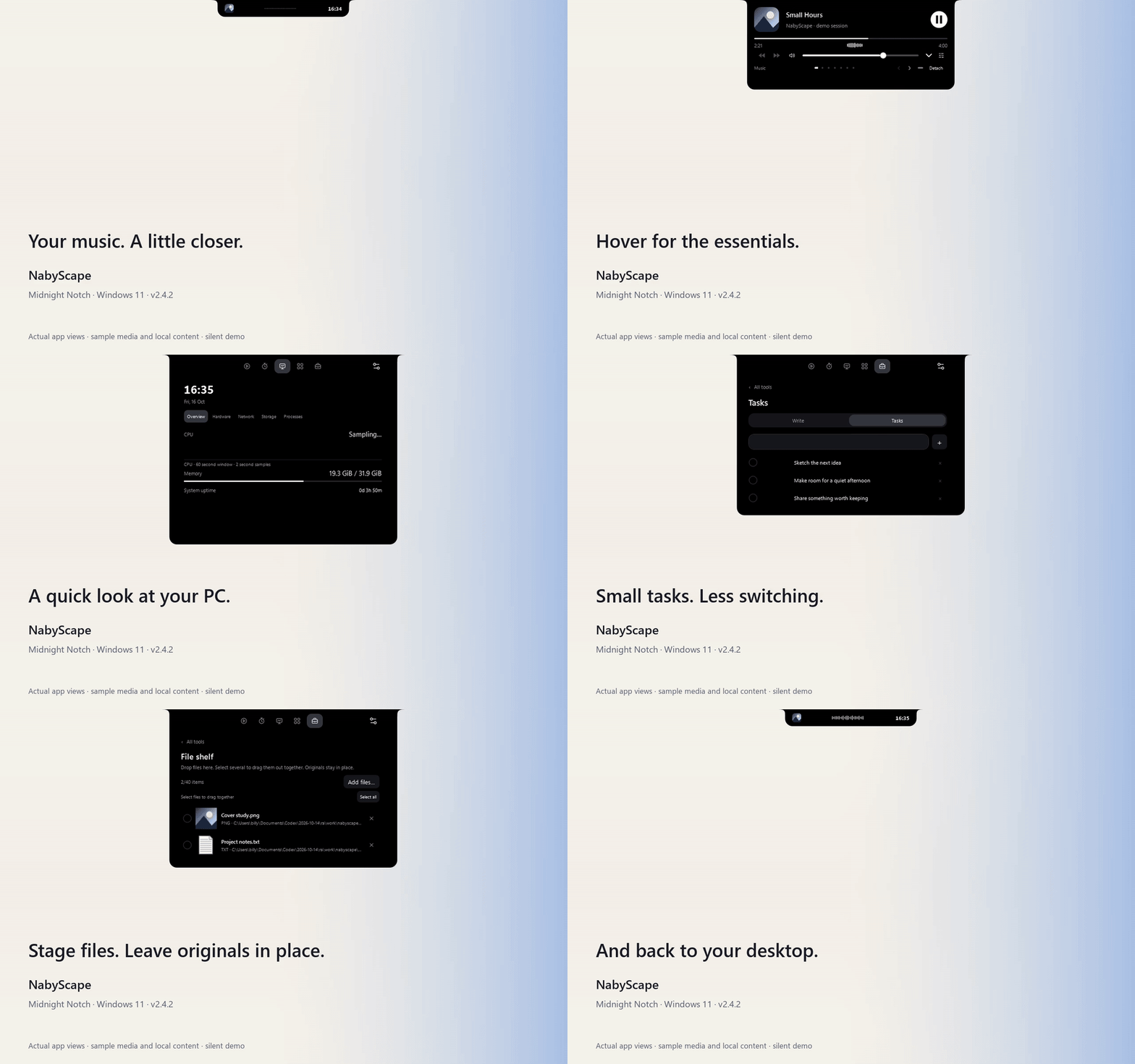
Watch the silent 26-second demo · Full visual tour
The demo uses actual WPF views and the author's Midnight Notch visual preferences, with original sample artwork/text and a synthetic audio signal. It includes no recorded song or personal clipboard/notes.
What's changed since 2.3
- Settings is organized around the task. Appearance, Layout, Content, Controls, Audio, System, Launch and Application. Widget order, tool visibility and hover pages are together in Content. Contextual examples and the live preview explain what you are changing.
- Your place stays put. Section navigation works repeatedly. Applying settings retains scroll position, editor content, selection and focus. Settings uses custom resizable window chrome.
- More useful previews. Clipboard and Tasks can join the hover carousel. Individual tools and Activities can be disabled independently. Open media panels omit the duplicate compact header.
- Cleaner interaction. Mouse clicks no longer leave the native keyboard outline behind. Notes text placement, mixer layout and compact monitoring presentation have been refined. Closed clocks use bold numerals.
- Waveform behavior. The existing centered waveform has more varied motion and adapts to small amplitude changes. Its signal follows the selected media app across active outputs; Settings can show the meter state.
- Less background work. Shared demand-driven audio sampling, scoped system monitoring, retained controls, reusable resources and render callbacks that stop when no visible consumer needs them. Waveform bars, spring/easing, effects, animation durations and frame-rate policy are retained.
- A new showcase. A detailed illustrated README, full Settings gallery, inline GIF, MP4 and importable Midnight Notch preset. The opt-in isolated capture tool is included for contributors.
The earlier Drag to Island, detachable previews, Activities, Smart Clipboard, cover gestures and companion activity remain available.
Download
| Asset | Use |
|---|---|
| NabyScape-Setup.exe | Install or update for your Windows user. |
| NabyScape-windows-x64-portable.zip | Extract and run NabyScape.exe. Preferences still use the Windows profile. |
| SHA256SUMS.txt | Verify the release asset hashes. |
| NabyScape-demo.mp4 | Silent H.264 demo, 1280 × 800, 30 fps capture. |
| Midnight-Notch.json | Import through Settings → Layout → Layout profile. |
Requires Windows 11 x64. The standalone builds include .NET. The installer is currently unsigned.
Updates retain data in the compatible %LOCALAPPDATA%\LumaIsland location and preserve your startup preference. The layout preset excludes personal content, app/activity targets, startup and clipboard history preference. Importing it does not enable clipboard capture.
Verification
- Release build: 286 logic checks passed.
- Isolated performance regression checks: 16 passed, zero failures.
- Isolated showcase capture completed with zero diagnostic failures; 780 frames at 30 fps, PNG/GIF/video decodes and local documentation links verified.
- The daily Settings file remained byte-identical before and after capture/checks.
In the matched local workload, median total-machine CPU changed from 0.322% to 0.019% hidden, 0.310% to 0.013% idle without music, and 1.710% to 0.666% in Media. These are three 60-second runs per scene on one 16-logical-processor PC with sample media, not guarantees for every system. Full measurements and limitations.
GPU utilization was unavailable; WPF callback pacing is distinct from GPU-presented FPS. Physical monitor hot-plug, alternate physical DPI configurations, device routing and sensor support remain device-specific checks. Waveforms show amplitude history, not frequency bands; the optional quiet fallback is decorative. Temperature/fan readings require a supported running sensor provider. No provider or driver is installed by NabyScape.