Repository navigation
Home
Open EPLAN electrical CAD projects (.epdz) and 3D parts (.e3d) right in
your browser — no EPLAN installation, no server, nothing uploaded. Every file is
parsed and rendered locally on your device, on desktop and mobile.
- Try it online: view.covaga.dev
- Source code: github.com/Canary-ECAD/ecad-view
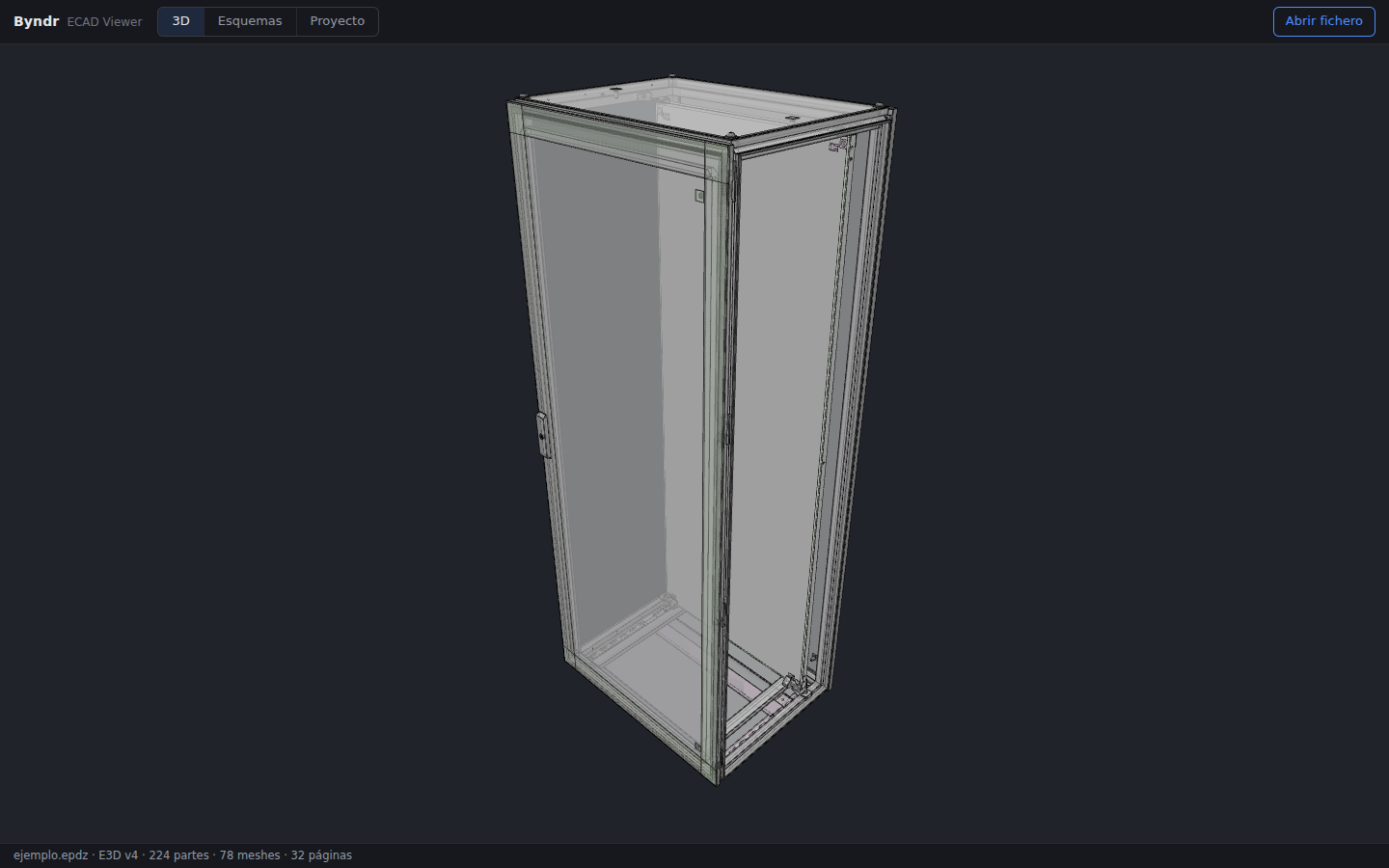
| 3D models | Orbit, zoom and pick parts of the EPLAN installation spaces (E3D v1–v4), with typeId / objectId metadata and camera presets. |
| 2D schematics | Pan, zoom and pinch through the SVG schematic pages. |
| Cross-references | Click a symbol or cross-reference to jump between the occurrences of a device — the target is framed and highlighted. |
| Device search | Search any device and cycle through where it appears. |
| Project tree | Browse the real project structure (functions, locations, installation spaces) read from the manifest.db SQLite database. |
| Privacy | Files never leave your device. |
- Getting Started — open your first project or the bundled demo.
-
Exporting a Project from EPLAN — how to produce a
.epdz. - Navigating the Viewer — 3D, schematics, cross-references and shortcuts.
- Installing Covaga ECAD Viewer — web app, PWA, Windows, macOS, Android, iOS.
- FAQ — common questions and troubleshooting.
This is an independent community project. It is not affiliated with, endorsed by, or supported by EPLAN GmbH & Co. KG. EPLAN is a trademark of its respective owner.