Guidance for Cpp unit tests for Arduino
To run the unit tests, we recommend downloading and installing the compatible versions of the following programs for your machine of
Windows
macOS
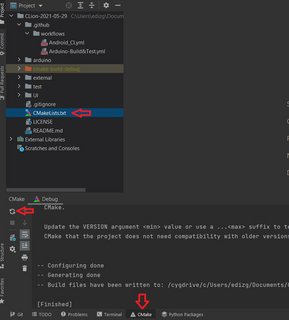
When you open the project on CLion, ensure of choosing CMakeList.txt in the main directory and run it by following arrows as in the image below.
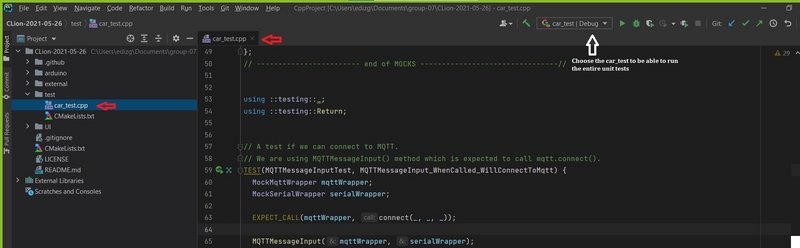
Choose the car_test.cpp class as below in the picture and press the run button.
You should be able to get a notification as below if the unit tests are passed or failed.

)