Understanding the UI
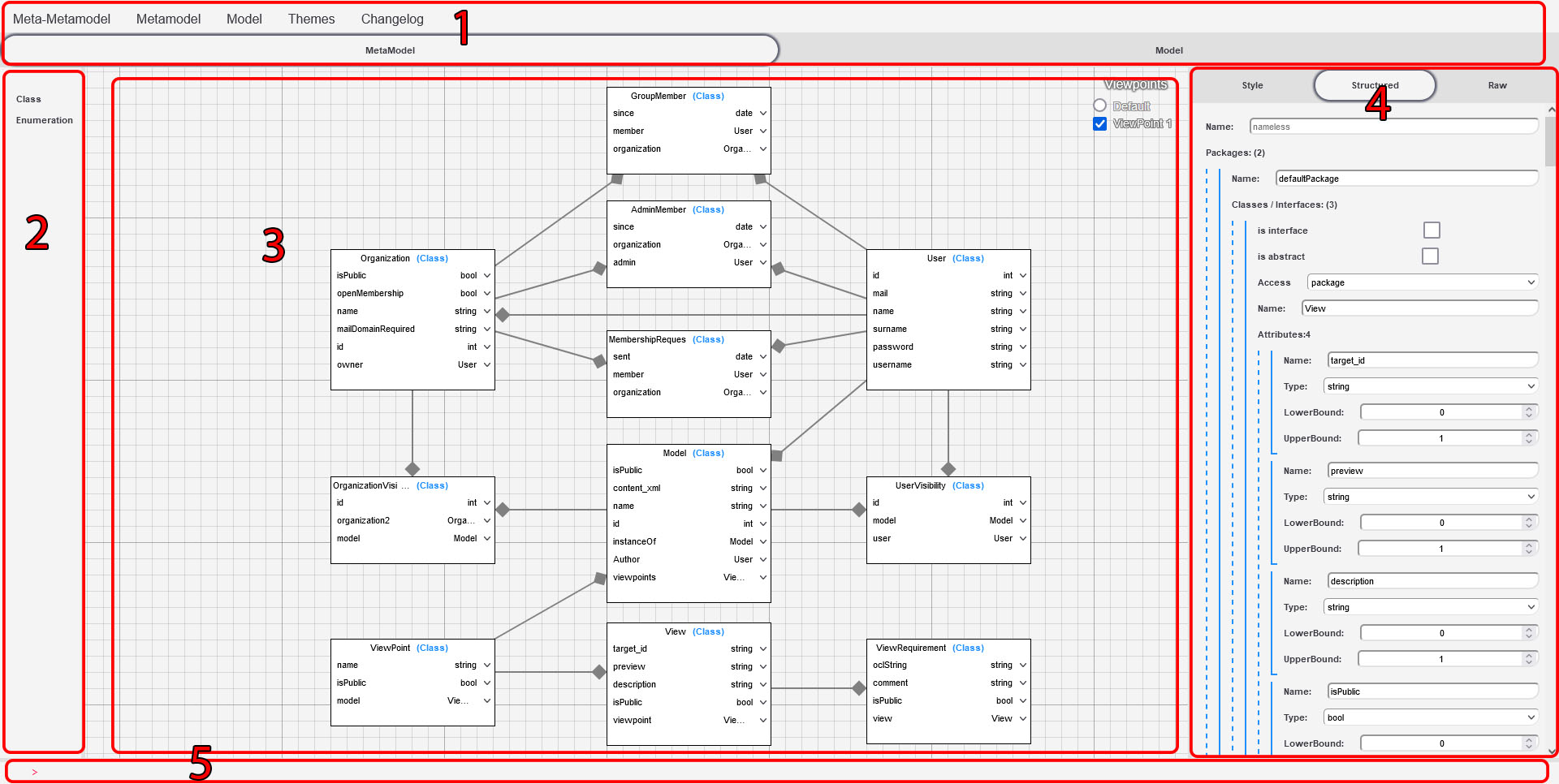
- The top bar - Contain app-wide or model-wide options and allows to change between modelling and meta-modelling.
- The left bar - Lists contents that can be inserted in the graph.
- The graph - Displays with a graphical notation the content of the current opened model.
- The right bar - His content is dynamic and always relative to the selected element on graph, it composed of 3 subsections:
- Structured view - Is a static tree-like view of the selected model element and his sub features which can be used to edit elements not displayed in the graph.
- Style editor - Allows to customize the graphical representation of the current modelling sub-object.
- Raw view - Shows the selected element data in eCore/JSON format.
- The console - Accepts queries for information retrieval and commands to update the model (mostly work-in-progress)