LakeDB v1.0.0-beta.5.4

LakeDB 1.0.0 Beta 5.4
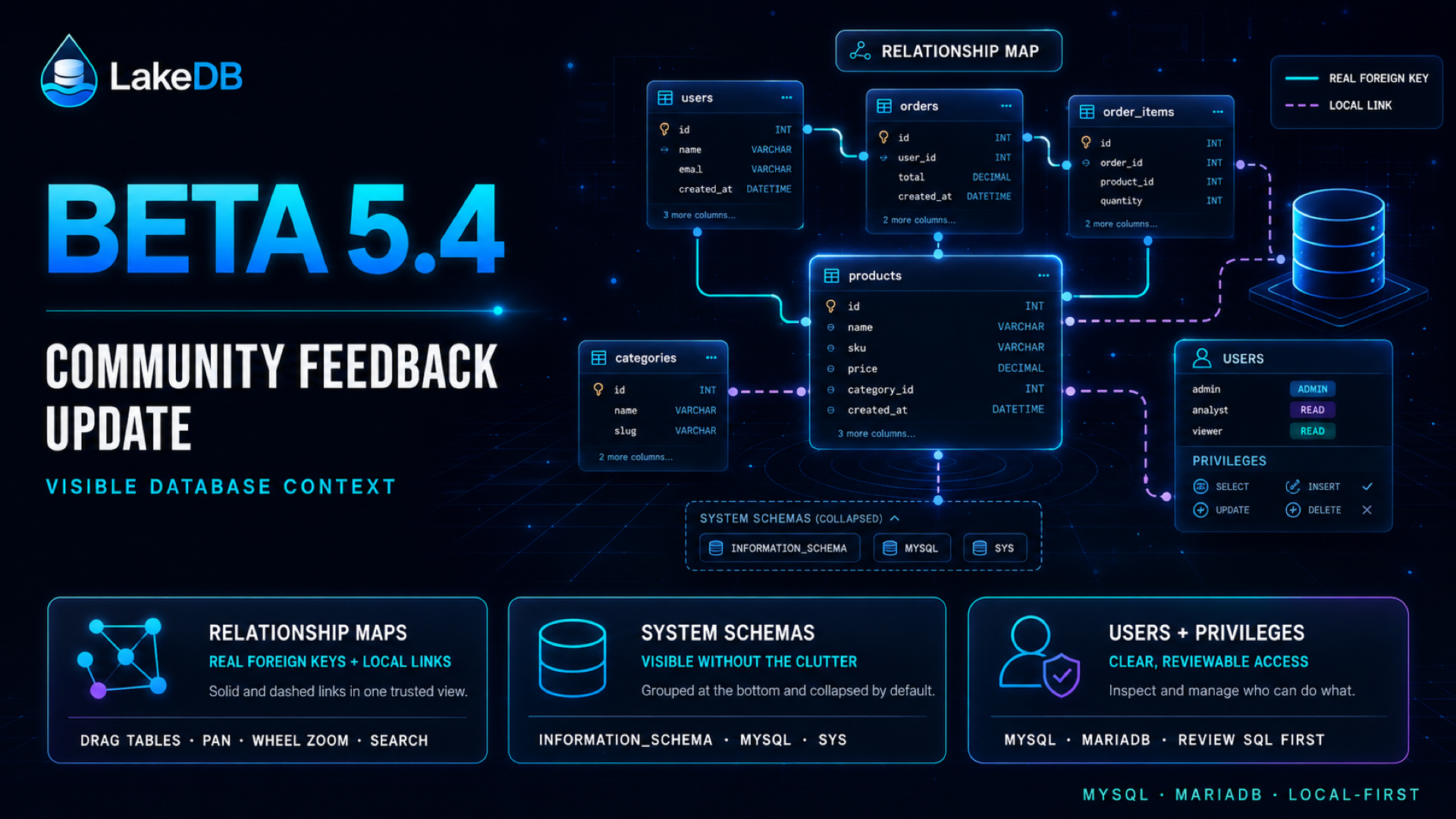
Beta 5.4 makes database relationships, system metadata and MySQL/MariaDB
access easier to see and manage without hiding what is local or server-backed.
Visual relationship maps
- Open a database relationship map from Object Explorer to see real foreign
keys as solid links and LakeDB-only relationships as dashed links. - Add, edit and remove local relationships without changing the database.
Missing tables or columns are marked as stale instead of being trusted
silently. - Drag tables, pan the canvas and zoom with the mouse wheel. Search, filters,
fit-to-view and position reset keep larger schemas manageable.
Local relationships are stored only in LakeDB. They do not create constraints,
alter autocomplete or influence QuerIA in this release. Custom table positions
last for the current open map and reset when it is reopened.
System schemas in Object Explorer
- MySQL and MariaDB system schemas are grouped at the bottom of Object Explorer
and collapsed by default, withINFORMATION_SCHEMAlisted first. - Expand and browse their objects like other schemas without letting a system
schema become the automatic default database. - Hide or show the complete group from Preferences.
MySQL and MariaDB access management
- Inspect the accounts visible to the current connection and review their
server-reported grants. - Create, lock, unlock, rename and delete accounts, change passwords and manage
privileges at global, database or table scope when the connected account is
allowed to do so. - Available privileges come from the active server. Every change shows the SQL
for review and retains the existing Production safeguards.
Existing connections, credentials, workspaces and settings are retained. There
are no database migrations or compatibility changes.
macOS packages use an ad-hoc signature and are not notarized. Windows packages
are unsigned during the public beta. Linux packages are provided as AppImage
and Debian formats. Every package includes a matching SHA-256 checksum.
This release resolves the first practical scope from
virtual relationship Discussion #18,
system schema Discussion #24
and user and privilege management Discussion #28.
Share follow-up workflows in
GitHub Discussions, or
report reproducible issues through
GitHub Issues.