Repository navigation

🎬 Video studio — Wan 2.1 text-to-video, next to your music
AceDeck now makes short videos too. A new Video section runs Wan 2.1 through a local ComfyUI that AceDeck installs and drives for you.
- Video engine — one click installs ComfyUI, Python 3.12 with PyTorch CUDA 12.8 (RTX 50xx ready) and the Wan 2.1 text encoder, VAE and 1.3B model (~16 GB), with per-step progress and resumable downloads. Or link a ComfyUI you already have (git checkout or the portable build).
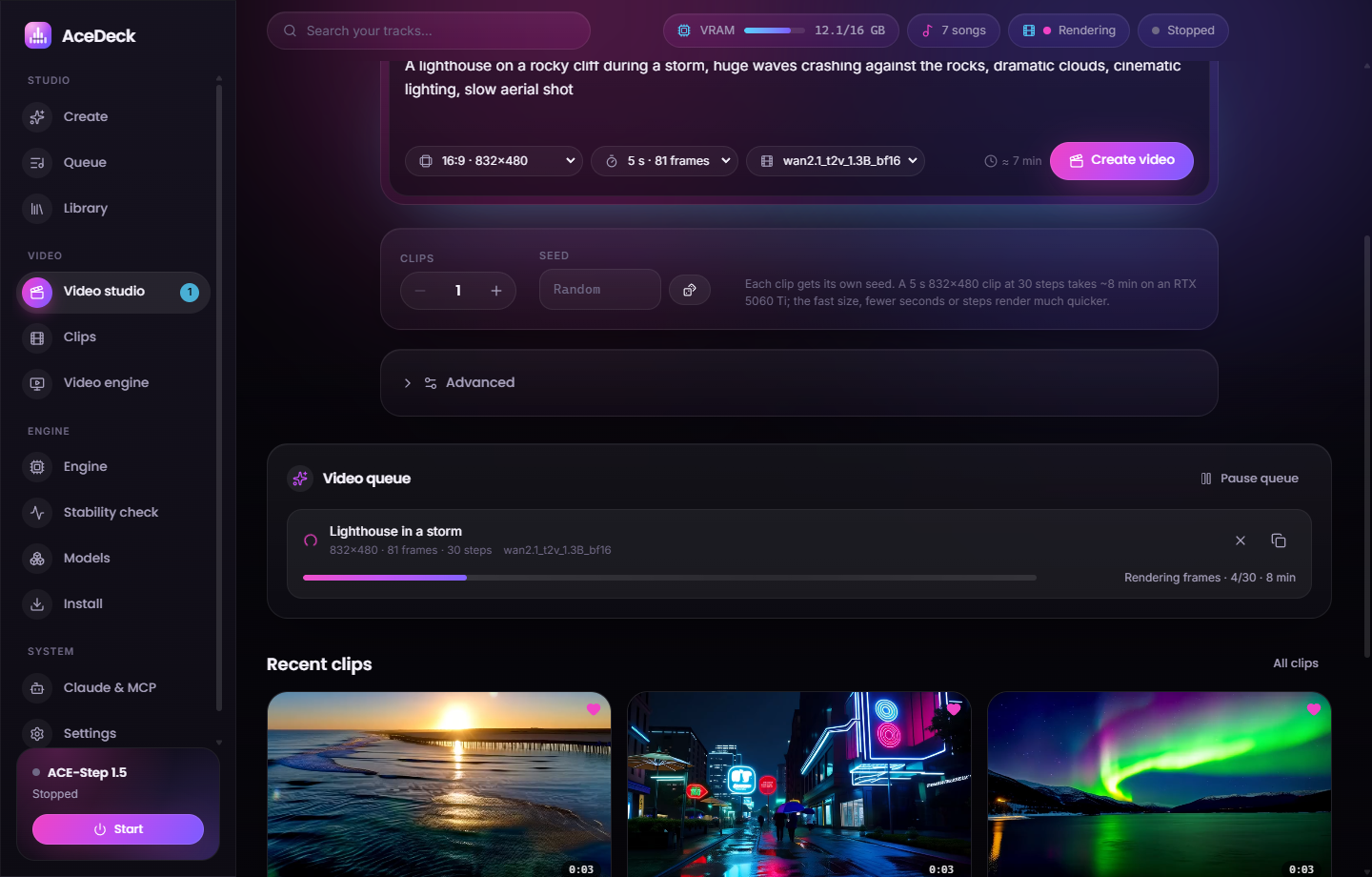
- Video studio — describe a scene, pick a size (16:9, 9:16, 1:1, fast presets), 1–7 s, the model and how many clips. Advanced: steps, CFG, shift, FPS, sampler, scheduler, custom size, negative prompt and up to four LoRAs.
- Live video queue — loading → reading the prompt → rendering frames n/N → decoding → saving, with an ETA that learns your GPU. Cancel, retry, duplicate, pause.
- Clips — gallery with hover previews, a player, search and favorites. MP4 files go to
Videos\AceDeckwith a JSON sidecar. - Your own models — paste a Hugging Face link to any Wan 2.1 1.3B fine-tune or LoRA, or import a local
.safetensors. - One GPU for music and video — jobs take turns. If the music engine would leave less than 9 GB of VRAM, AceDeck pauses it for the video and restarts it when the video queue is empty.
On an RTX 5060 Ti 16 GB a 2-second 832×480 clip takes ≈ 1.5 min including ComfyUI start; a 5-second clip at 30 steps ≈ 8 min.
On 1.0.2 or newer you get this update inside the app: Settings → Updates, or the badge in the sidebar.
On 1.0.0 / 1.0.1, install AceDeck-Setup-1.1.0.exe below once by hand.