Repository navigation
Releases: DenisHumen/ace-step-deck
Release list
AceDeck 1.1.0 — Video studio (Wan 2.1)

🎬 Video studio — Wan 2.1 text-to-video, next to your music
AceDeck now makes short videos too. A new Video section runs Wan 2.1 through a local ComfyUI that AceDeck installs and drives for you.
- Video engine — one click installs ComfyUI, Python 3.12 with PyTorch CUDA 12.8 (RTX 50xx ready) and the Wan 2.1 text encoder, VAE and 1.3B model (~16 GB), with per-step progress and resumable downloads. Or link a ComfyUI you already have (git checkout or the portable build).
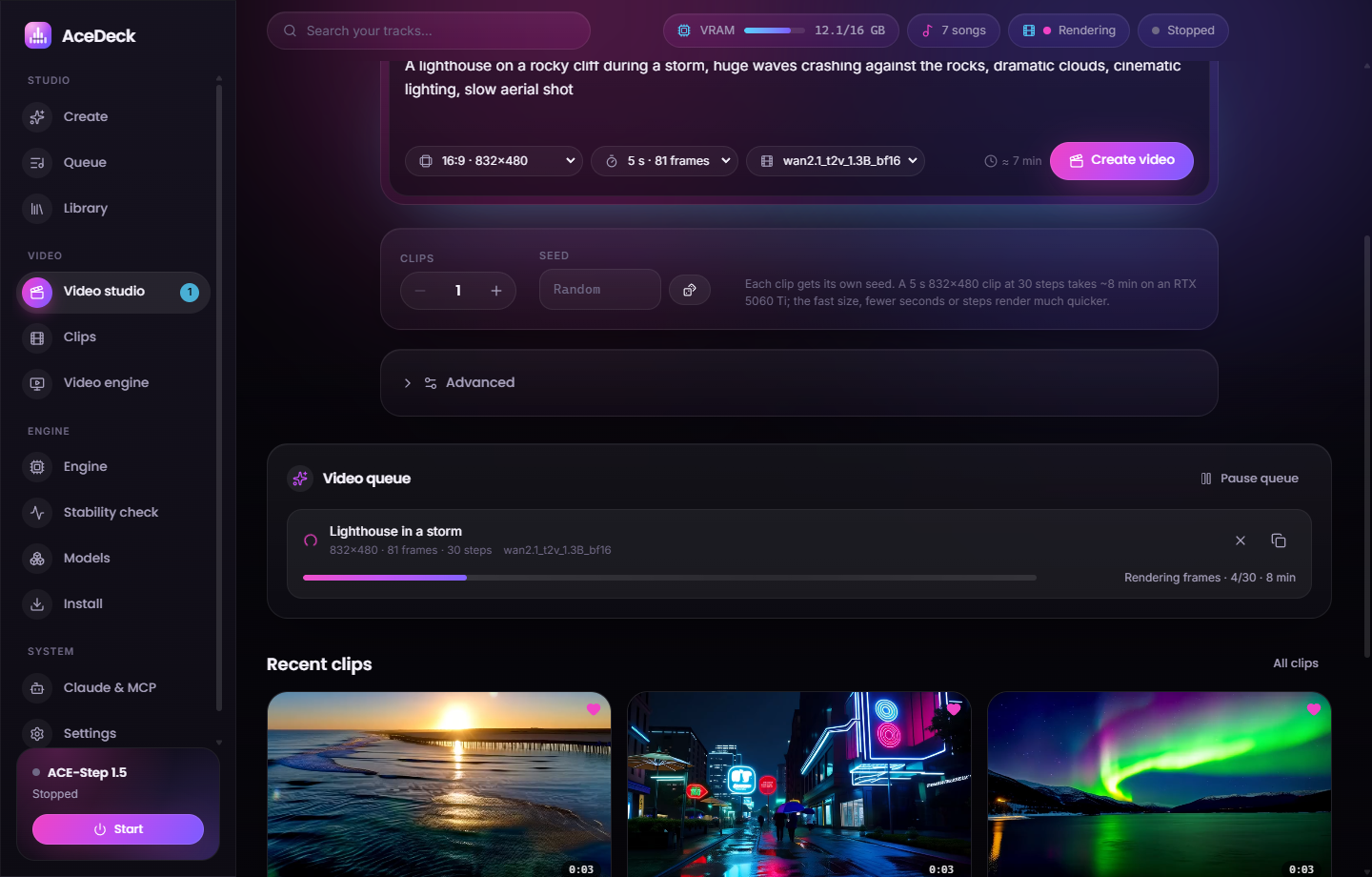
- Video studio — describe a scene, pick a size (16:9, 9:16, 1:1, fast presets), 1–7 s, the model and how many clips. Advanced: steps, CFG, shift, FPS, sampler, scheduler, custom size, negative prompt and up to four LoRAs.
- Live video queue — loading → reading the prompt → rendering frames n/N → decoding → saving, with an ETA that learns your GPU. Cancel, retry, duplicate, pause.
- Clips — gallery with hover previews, a player, search and favorites. MP4 files go to
Videos\AceDeckwith a JSON sidecar. - Your own models — paste a Hugging Face link to any Wan 2.1 1.3B fine-tune or LoRA, or import a local
.safetensors. - One GPU for music and video — jobs take turns. If the music engine would leave less than 9 GB of VRAM, AceDeck pauses it for the video and restarts it when the video queue is empty.
On an RTX 5060 Ti 16 GB a 2-second 832×480 clip takes ≈ 1.5 min including ComfyUI start; a 5-second clip at 30 steps ≈ 8 min.
On 1.0.2 or newer you get this update inside the app: Settings → Updates, or the badge in the sidebar.
On 1.0.0 / 1.0.1, install AceDeck-Setup-1.1.0.exe below once by hand.
AceDeck 1.0.3 — “No vocals” option
🎼 Music without words in one click
The vocal-language list next to the prompt now has No vocals (Без слов) right after Auto. Pick it to make an instrumental. Pick any language to switch vocals back on.
It stays in sync with the Instrumental toggle and is also in the Song card of Custom mode.
Already on 1.0.2? You'll get this update inside the app: Settings → Updates, or use the badge in the sidebar.
On 1.0.0 / 1.0.1, install AceDeck-Setup-1.0.3.exe below once by hand.
AceDeck 1.0.2 — Simple mode keeps your genre, in-app updates
🎯 Simple mode keeps your genre
Describing a song in Russian (or any non-English language) used to come out as lo-fi hip-hop or pop with rap. The reason: ACE-Step's music model only understands English captions, and its language model retold the description in its own words. AceDeck 1.0.2 fixes that:
- Engine hears preview: genres, instruments, mood, vocals and tempo are translated into a short English caption right under the prompt, so you see exactly what the engine gets.
- Exact style toggle (on by default): the music model follows your description, and the language model only writes the lyrics. In A/B tests this kept the requested genre 3/3 times; with LM thinking it drifted.
- The LM no longer rewrites your caption before rendering.
- Tempo comes from your words: «медленный» → 70 BPM, or write an explicit
84 bpm. - Instrumental-only genres (ambient, dark jazz, film score…) render as instrumentals unless you mention vocals.
- The same logic now covers Write with AI, Russian captions in Custom mode, the automation API and the Claude MCP tools.
🔄 Updates inside the app
Settings → Updates checks GitHub Releases on start and every 6 hours, then:
- shows what's new;
- downloads the update with a progress bar;
- restarts into the new version.
A badge in the sidebar tells you when an update is ready.
- Installer build: silent per-user install with a differential download.
- Portable build: downloads the new
.exenext to itself, starts it and moves the old one to the Recycle Bin.
🖥 Desktop shortcut
- The installer always creates the AceDeck icon on the desktop.
- The portable build creates one on first run.
- Settings has a Create desktop shortcut button.
Coming from 1.0.0 / 1.0.1? Those versions have no updater, so install this one manually once (download AceDeck-Setup-1.0.2.exe below). Every later version arrives inside the app.
| File | What |
|---|---|
AceDeck-Setup-1.0.2.exe |
Installer (recommended, auto-updates) |
AceDeck-Portable-1.0.2.exe |
Portable, no install |
latest.yml, *.blockmap |
Used by the in-app updater |
Full list of changes: CHANGELOG.md
AceDeck 1.0.1 — cover, repaint & stems fixed
AceDeck 1.0.1 — fixes from end-to-end testing
A new end-to-end suite (tests/e2e.mjs) now exercises every mode against the real ACE-Step engine. It found and this release fixes:
- 🎛 Cover, Repaint and Stems work — source/reference audio is uploaded to the engine (ACE-Step rejects absolute file paths). Also fixes the MCP
transform_audiotool. - 🧠 Your model choice is respected — picking SFT / Base / XL (and every stem task, which needs Base) no longer silently renders with turbo.
- ⏱ Real durations for covers, repaints and stems; older library entries are repaired automatically.
- ⏳ Engine start shows Loading models… and tolerates slow first starts (model downloads).
- 🌍 Localized library filters/badges, correct Russian plurals.
Upgrade: run the new installer over the old one — your library, settings and songs are kept.
SHA-256
C3249D0F2C7A183CFE1331ABF0DB24D2A9C18CE2BA9455A3915F3387A004B61B  AceDeck-Setup-1.0.1.exe
9FEC39C8C5877F649DCB3D552E3359BB15AFE781F237D13549C1957675D1A008  AceDeck-Portable-1.0.1.exe
🇷🇺 Коротко: исправлены кавер, перерисовка и стемы (файл теперь загружается в нейросеть), выбор модели (SFT/Base/XL) больше не подменяется на turbo, длительность каверов и стемов считается из файла. Обновление — установка поверх, библиотека и настройки сохраняются.
AceDeck 1.0.0 — desktop studio for ACE-Step 1.5
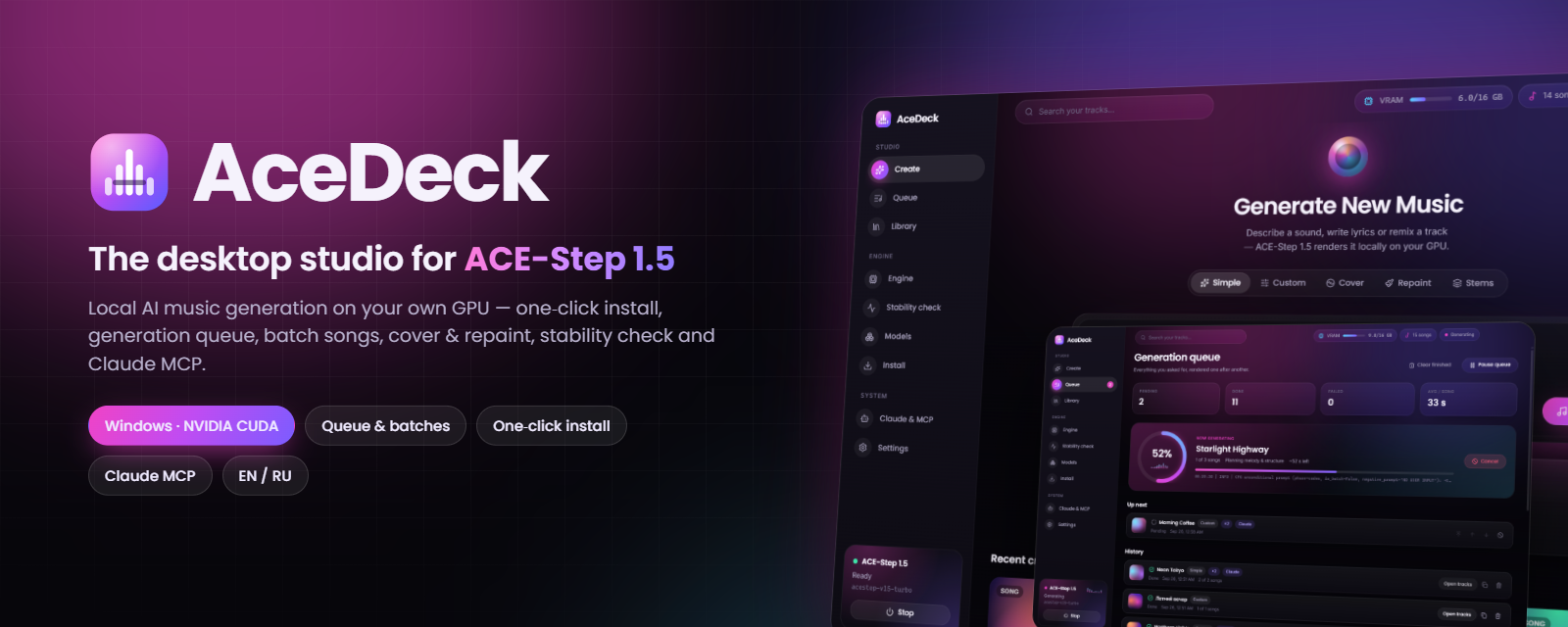
AceDeck 1.0.0 — first public release
The desktop studio & control deck for ACE-Step 1.5: generate full songs with vocals locally on your NVIDIA GPU.
Download
| File | For |
|---|---|
| AceDeck-Setup-1.0.0.exe | Installer (per-user, no admin, desktop & Start menu shortcuts) |
| AceDeck-Portable-1.0.0.exe | Portable single exe |
The build is not code-signed yet — Windows SmartScreen may show a warning: More info → Run anyway.
Highlights
- 🎹 Simple / Custom / Cover / Repaint / Stems modes with every ACE-Step 1.5 parameter + AI helpers
- 📋 Generation queue with song counts, batches, reorder, cancel, retry, pause — survives restarts
- 📈 Live progress with real engine stages and ETA
- 🎧 Library with generative covers, waveform player, Save as…, reuse settings, cover/repaint shortcuts
- ⚙️ Engine start / stop / restart / update, live GPU telemetry and log
- 🩺 Stability check with a real stress test → Stable / Unstable / Not working
- 📦 One-click install of ACE-Step 1.5 + Python + PyTorch CUDA + ~10 GB models with per-step progress bars
- 🤖 Claude MCP server (12 tools) — one click to add to Claude Desktop
- 🌍 English & Russian UI
Tested on Windows 11 + RTX 5060 Ti 16 GB: stability check Stable 100/100.
SHA-256
F6A94DF6ADF02B36EBBBC8B385C8AECA358B489191C2C8913E23CF645A368CF5  AceDeck-Setup-1.0.0.exe
A43C22B2EB750E2606A4A2CE1F2C57286DCE1A28F782461136BDC3213BA7430E  AceDeck-Portable-1.0.0.exe
🇷🇺 Коротко по-русски
Десктоп-студия для ACE-Step 1.5: установка нейросети в один клик, очередь и пакетная генерация песен, каверы и перерисовка, запуск / остановка / перезапуск нейросети, проверка стабильности, библиотека с плеером и управление через Claude (MCP). Скачайте AceDeck-Setup-1.0.0.exe, запустите и нажмите «Установить ACE-Step». Подробности — в README.ru.md.