Repository navigation
06. Changing and Creating Materials
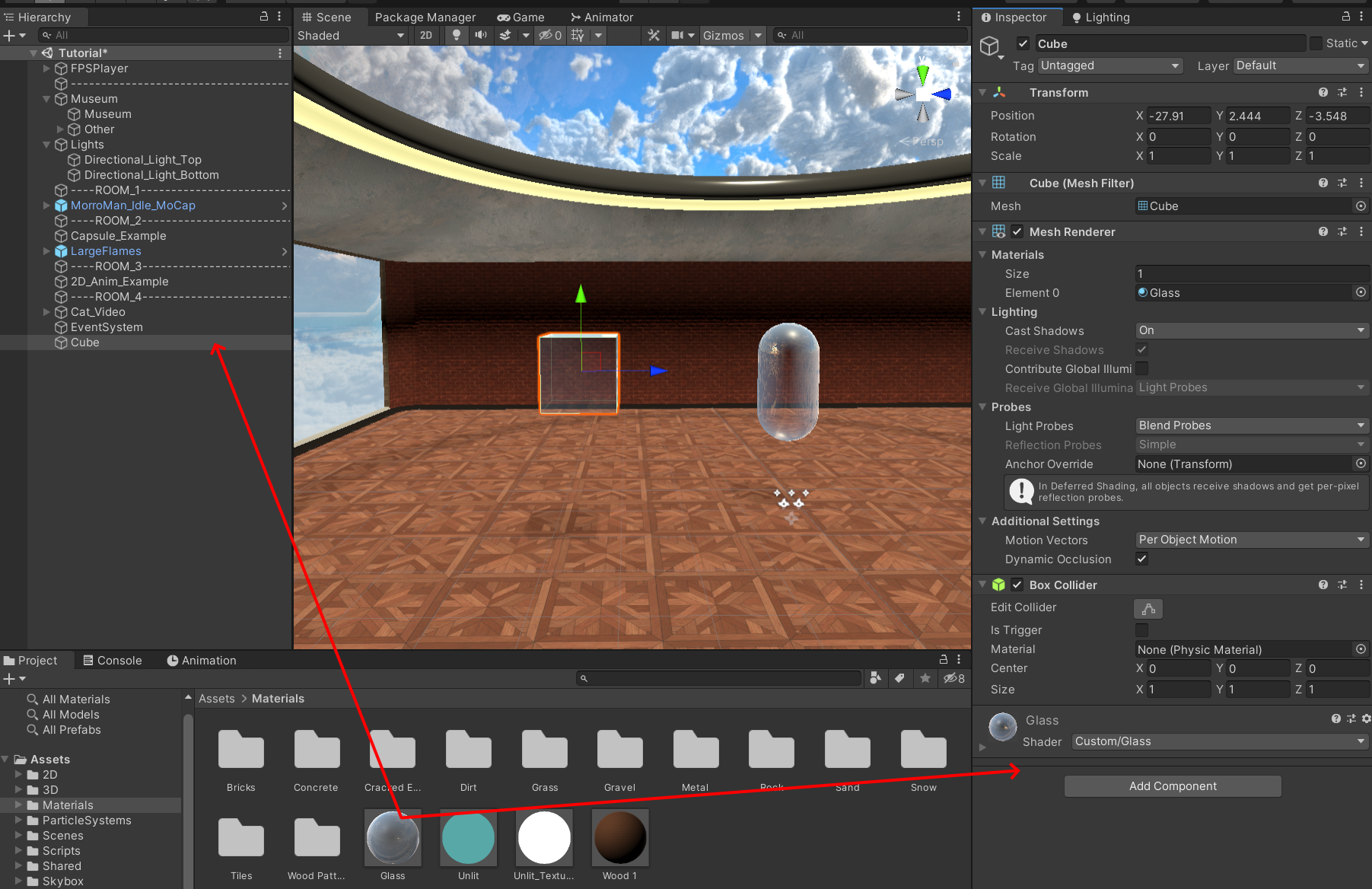
In order to change the Material on an object, simply drag and drop the Material into the **Inspector **of the object, that you want to change. You can also drop the Material directly onto the object in the Hierarchy.
In the inspector, you can afterwards change the Material settings, such as the size of the Material tiling and the color.
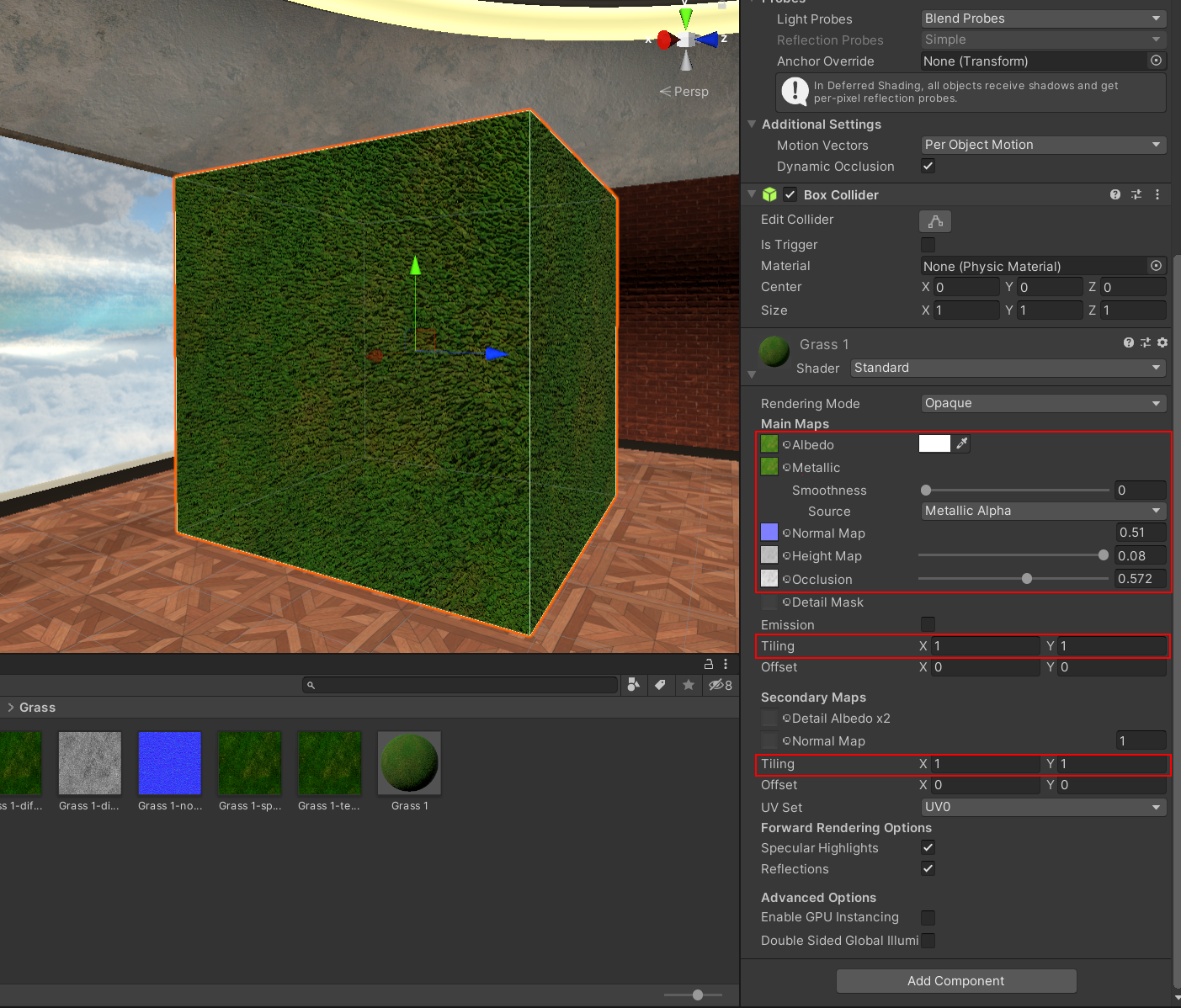
If you want to change the Material only for one specific object, please create a copy of the Material!
-
Right-click in the Project view, in the folder you want to place the Material file, and select Create > Material from the context menu.
-
Name the Material file. For example, you could describe the look or use of the Texture, such as "BrickWall" or "CheckeredTile".
-
The Shader properties appear in the Inspector.
-
Set a reference to the Texture file you want to use in the Albedo property.
