
Classic Home v5 — a games shelf for your TV, on your MiSTer, driven entirely by a controller. This is the first non-beta v5, 47 commits past beta 5.
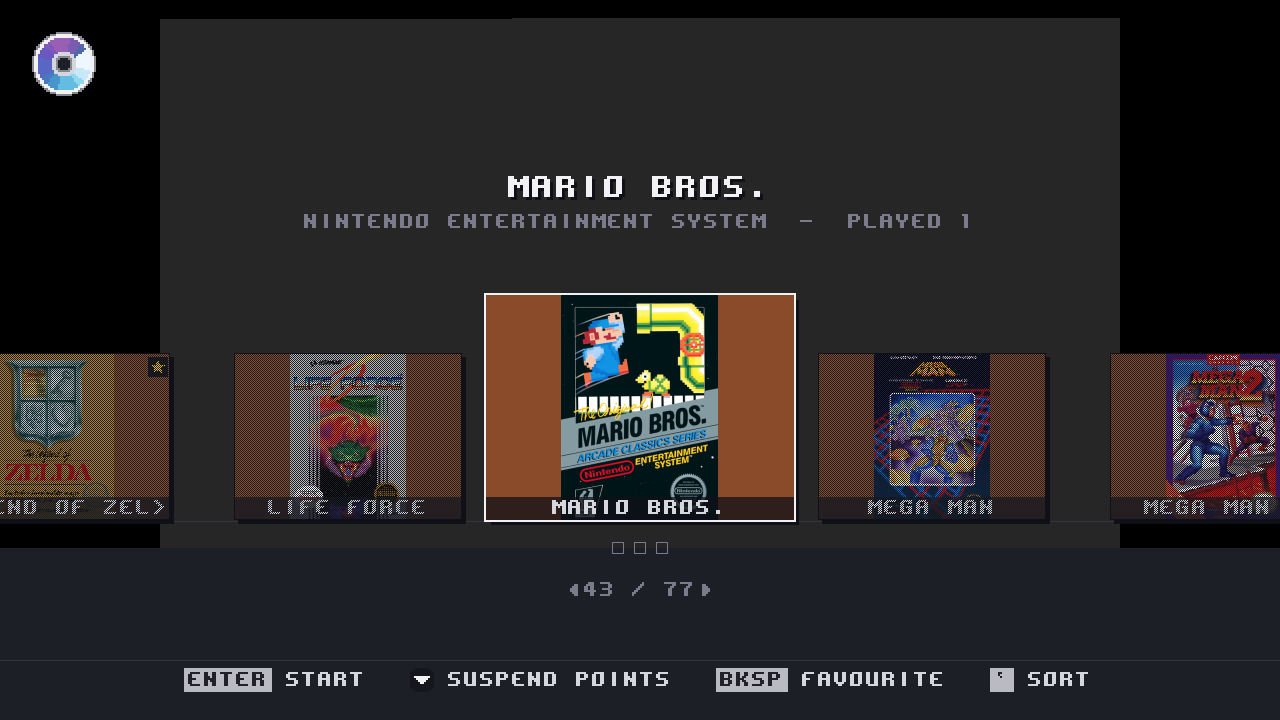
Firmware MiSTer md5 32e45f3e9f77eeda0376486a2c1d2549. That is the build these notes were tested on, byte for byte. Every screenshot below is a framebuffer capture off a real board, not a mock-up — several are 240p because that is what the front-end actually draws on a CRT.
Install
Merge the SD-CARD-ROOT folder in the zip onto the root of your SD card, keeping your existing MiSTer as MiSTer.backup first. Then run Scripts ▸ classic_home_protect.sh once, which teaches update_all to leave this firmware alone. classic_home_unprotect.sh undoes all of it.
Nothing is enabled without asking: classicui=1 in MiSTer.ini turns the front-end on. When you write that line, put it under a fresh [MiSTer] header — appending it to the end of the file lands it in whatever section happens to be last, where it is silently ignored.
Physical CDs
The headline of v5. Put a real disc in a drive attached to the board and the shelf shows it, names it, fetches its cover, and hands it to a core — for PlayStation, Saturn, Mega CD, PC Engine CD and Neo Geo CD.
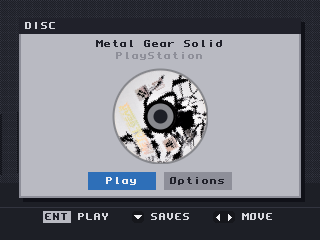
A pressed PlayStation disc: named from its Sony serial, with the disc scan fetched and cached on the card. Press A and the core is handed the drive.
Naming a disc turned out to be five different problems, one per console:
- PlayStation discs carry a Sony serial, which is an exact database key. It is now sent as a serial rather than as a title — sending it as a name returned confidently wrong covers, including "Beyblade Burst" for a Metal Gear Solid disc.
- Saturn and Mega CD discs carry a product code the database does not index, and a real title in their header. Measured across 37 discs: 30 of the header titles matched and none returned the wrong game, so the header title is what gets asked.
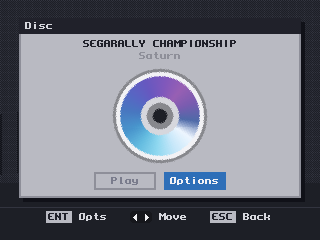
A Saturn disc named "SEGARALLY CHAMPIONSHIP" — read out of the disc's own header, because its product code MK-81207 is not in any database. The generated disc face is what you see until a scan arrives.
- PC Engine CD and Neo Geo CD discs carry no product code at all — a PCE disc has no filesystem, and a Neo Geo CD volume label is a house code (
SW2_CD01,DD_CD) as often as a name. These are identified by the shape of the disc's table of contents, matched against a table built from Redump: 595 shapes, 590 naming exactly one game. The five that are genuinely ambiguous are refused rather than guessed, because a wrong title feeds the artwork path and produces a confidently wrong cover.
A disc keeps that identity when a core takes the drive, so pausing a disc game shows the game, not the volume label. You can also copy a disc to the card from the disc dialog, named so that disc 2 does not overwrite disc 1:
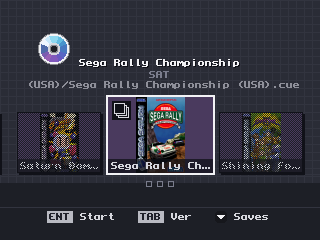
The same Saturn disc after copying it to the card: on the shelf with its cover, and the stack badge saying the folder holds more than one disc.
The badge in the top-left corner is the disc, and it appears the moment the drive reports something in it — before anything has been read:
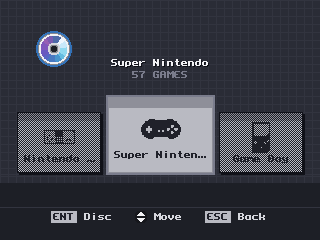
A disc in the drive while browsing systems. The badge is dim because the cursor is on the shelf — one cursor lights one thing.
Sorting, and the rest of the shelf
Six orders on the Select button, each with a line saying what it does:
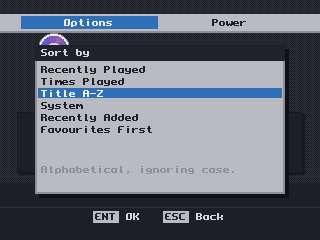
Favourites First is an order rather than a filter, so nothing disappears. Recently Played and Times Played are genuinely different orders now — an earlier note in the code claiming they could not be was simply wrong.
- Cover art comes from ScreenScraper first with libretro as a fallback, and the application's credentials are compiled in — you only need your own account if you want your own quota.
- Text that does not fit scrolls and is cut with a real ellipsis, and layout asks the font whether a string fits instead of counting characters.
Core options, without the keyboard
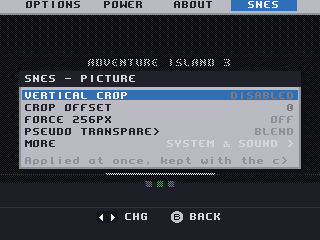
A core's own options, in the front-end, per game or per system. Saturn showed none at all before this release: the config string was being read from index 1, a slot the stock OSD skips.
Controllers
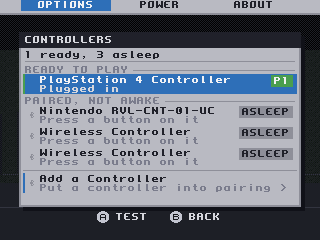
Which pads are awake, which are paired but asleep, and pairing a new one — without a keyboard.
- SNAC: a Settings row for the port, and the front-end says so when a core has no SNAC pad reader compiled in rather than leaving the pad silently dead. The
SNAC Adapterrow is the one row in Settings with no recommended value, because the right answer is a fact about your wiring. - Savestates: the suspend strip opens on the first filled slot, and the legend stops describing empty slots as though they held something.
Fixes worth naming
- The ScreenScraper password no longer reaches
/tmp/debug.txt. If you have run an earlier beta with an account configured, delete any logs you kept. - Nothing ever collected the child processes the front-end killed.
- The library scan did one whole system per frame where it meant to do one slice.
- Five arcade cores in the SNAC archive never loaded, because the build picked the wrong Quartus project.
Known and open
- One report of a whole-system reboot on a first SNAC launch, not reproduced across roughly fifteen attempts. If it happens to you, the log survives a restart now — please open an issue with it.
- On this card the Saturn core is region-locked to Japan, so Saturn discs need Region set before they boot. That is the core's default, not ours, and we ship upstream's default deliberately.
- Analog S-Video and composite output for the front-end needs an RTL change and is not fixed here.
- The disc badge now appears while the drive is still spinning a disc up, which it does by treating a busy drive as one holding a disc. That has been tested on one drive. If your drive reports itself busy while empty, you may see a disc badge with no disc in the tray — please open an issue if you do, with your drive model.
- There is no screenshot above of a PC Engine CD or Neo Geo CD disc named by its table of contents. The mechanism is proven on hardware for both — a Neo Geo CD disc resolved to Sonic Wings 2 ~ Aero Fighters 2 from shape
34:309854— but the capture was not taken, and a screenshot of something else would not be evidence of it.
Cores are not in this archive. PSX-over-SNAC cores are a separate release.