Repository navigation
Provider setup
Inboxora works with plain IMAP/SMTP — a mailbox needs no API registration at all — and can additionally use the provider APIs, which need an application registered by an administrator once per installation:
- Microsoft Graph carries a Microsoft account's mail, calendars and contacts. An existing account can be moved onto it in place, and the mailbox sign-in for OAuth2 IMAP/SMTP is a separate authorization.
- Google offers the Gmail API for mail and the Calendar and People APIs for calendars and contacts. Google mail also keeps working over IMAP/SMTP with an app password; the API is recommended but never forced, and neither path excludes the other.
This page is the procedure for that registration, with the exact fields, redirect URIs and scope names the current code uses. Everything here is per installation, not per user; users then connect their own accounts from Settings → Integrations → Email providers.
| Feature | Provider | What it uses | What it needs |
|---|---|---|---|
| Microsoft mail | Microsoft Graph | Mail read, send, drafts, search, flags, folders | Entra application + a Graph-scoped connection |
| Microsoft calendars | Microsoft Graph | Calendars and events (read, and write once enabled) | Entra application + a Graph-scoped connection |
| Microsoft contacts | Microsoft Graph | Every Outlook contact folder, one local address book each (read, and write once enabled) | Entra application + a Graph-scoped connection |
| Microsoft mailbox sign-in | Microsoft OAuth2 | IMAP/SMTP access token | Entra application (separate grant) |
| Google mail | Gmail API | Messages, labels, drafts, send | Google OAuth client |
| Google calendars | Google Calendar API | Calendars and events (read, and write once enabled) | Google OAuth client |
| Google contacts | Google People API | Personal contacts (read, and write once enabled) | Google OAuth client |
| Google IMAP/SMTP | app password | The classic mail path | Nothing |
| Variable | Used for |
|---|---|
GOOGLE_CLIENT_ID, GOOGLE_CLIENT_SECRET, GOOGLE_REDIRECT_URI
|
Google mail, calendars and contacts |
MS_CLIENT_ID, MS_CLIENT_SECRET, MS_REDIRECT_URI, MS_TENANT_ID
|
Microsoft mailbox sign-in and the Graph connector (browser method) |
MS_PROVIDER_REDIRECT_URI |
The Graph connector's own callback; derived from APP_URL when unset |
PROVIDER_SYNC_INTERVAL_MINUTES |
How often pulled collections are refreshed (default 15, 0 disables) |
PROVIDER_INTEGRATIONS_ENABLED |
0 disables the whole provider layer, including the sync paths |
MS_TENANT_ID defaults to common, which accepts both work/school and personal accounts. Use the tenant
id (or consumers) when the application is registered as single-tenant. The value is validated before it
is placed in a URL, and an unusable value falls back to common rather than being sent.
Set the variables in the same environment file the server reads at start-up (see Installation), then restart the container. The readiness shown on the provider cards is read from the environment, so a card that says the API is not configured means the variable is missing from the running process, not that the values need re-saving.
- In the Google Cloud Console, create (or pick) a project.
- Under APIs & Services → Library, enable Gmail API for mail, People API for contacts and Google Calendar API for calendars. Enable only what you intend to use.
- Under APIs & Services → OAuth consent screen, choose External (or Internal for a Workspace-only installation) and fill in the application name and support e-mail.
- Add every user who will connect an account as a test user while the app is in testing, or publish the app. Gmail, Calendar and Contacts scopes are sensitive, so a published app may require Google's review; an unverified app in testing is limited to its test users. A user outside the test list cannot authorize while the app is in testing — this is the most common "configured but not working" case.
-
Under Credentials → Create credentials → OAuth client ID, choose Web application.
-
Add the exact redirect URI (replace the host with your Inboxora address):
https://mail.example.com/oauth/google/callbackIt must match
GOOGLE_REDIRECT_URIcharacter for character, including scheme, host, port and path. A mismatch fails at Google withredirect_uri_mismatchbefore Inboxora is reached. -
Copy the Client ID and Client secret into
GOOGLE_CLIENT_IDandGOOGLE_CLIENT_SECRET, and setGOOGLE_REDIRECT_URIto the same URI. Restart the server.
- As any signed-in user, open Settings → Integrations → Email providers and expand Google.
- Choose the connection the feature needs. Inboxora asks only for the scopes that feature requires:
gmail.modifyfor mail,calendar.calendarlist.readonlypluscalendar.events(orcalendar.events.readonlyfor a read-only connection) for calendars, andcontacts(orcontacts.readonly) for contacts. Features never imply one another. - After consent, the card reports the connection, the mailbox appears in the mail sidebar on the recommended Gmail API path, Sync Google contacts appears in the Contacts page's address-book menu, and calendars appear in Settings → Calendar → Manage sources.
Google has no device-code option, and none is offered: Google's limited-input device flow does not carry the Gmail, Calendar or People scopes this integration needs. See There is no Google device code below.
Pulled data arrives read-only and with DAV access: Disabled. Enabling write-back for a collection is a per-collection decision (see Writing changes back).
-
In the Entra admin center open Applications → App registrations → New registration.
-
Choose the supported account types that match your users (single tenant, or multi-tenant and personal accounts).
-
Add both redirect URIs under Web if you want both the mailbox sign-in and the Graph connector (replace the host with your Inboxora address):
https://mail.example.com/oauth/microsoft/callback
https://mail.example.com/oauth/provider/microsoft/callback
The first belongs to the mailbox sign-in, the second to the Graph connector. Registering only one of them limits you to that feature. Inboxora derives the connector's URI from
APP_URL(or takesMS_PROVIDER_REDIRECT_URIwhen you set it), so the two flows never share a callback. -
Under Certificates & secrets, create a client secret and copy its value (not its id). The secret is needed for the browser method only.
-
Under Authentication → Advanced settings, enable Allow public client flows if you want the device-code method, which needs no secret and no redirect URI — for either the mailbox sign-in or the Graph connector.
-
Set
MS_CLIENT_ID,MS_CLIENT_SECRET,MS_REDIRECT_URI(the mailbox callback),MS_TENANT_IDand, when you do not want theAPP_URL-derived default,MS_PROVIDER_REDIRECT_URI, then restart the server.
Add the delegated Microsoft Graph permissions the features need, and grant admin consent if your tenant requires it:
| Permission | Needed for |
|---|---|
User.Read |
Identifying the account that was just authorized (always requested) |
Mail.ReadWrite, Mail.Send
|
The native Graph mailbox: reading, filing, drafting and sending |
Calendars.ReadWrite |
Calendars (Calendars.Read when a read-only connection is requested) |
Contacts.ReadWrite |
Contacts (Contacts.Read when a read-only connection is requested) |
For the mailbox sign-in over OAuth2 IMAP/SMTP the application needs the Outlook resource permissions
instead — IMAP.AccessAsUser.All and SMTP.Send on outlook.office.com. Those are the scopes the sign-in
flow actually requests; it does not request Microsoft Graph scopes.
Inboxora has three Microsoft authorizations, and confusing them is the most common mistake:
| Action | Button | Authorization |
|---|---|---|
| Mailbox sign-in (IMAP/SMTP) | Connect on the Microsoft card | Outlook-scoped token, creates or updates the mail account |
| Graph connector (mail, calendars, contacts) | Connect Microsoft Graph / the connector's own button | Graph-scoped grant; creates no account until a migration is performed |
| Device code | The device-code method on the card | The same two authorizations as above, without a secret or callback |
Each authorization has its own grant, its own refresh token and its own re-authorization state: revoking one does not affect the others, and an account connected for mail does not by itself grant Graph access.
An existing account keeps reading and sending over OAuth2 IMAP/SMTP until it is migrated. The migration is in place and deliberate:
-
Use the accounts settings. With an active Graph connection whose grant carries
Mail.ReadWriteandMail.Send, the account offers the migration. Inboxora switches the transport on the same account row — no second account is created, and every local message, folder, draft, alias, signature, rule and conversation is left exactly as it was. - Nothing is copied, moved or deleted. The first Graph sync is a normal ingest on top of the existing local data; there is no data migration step to wait for.
-
If the paperwork is missing, nothing changes. A missing or insufficient grant is recorded as
authorization_required, a missing application configuration asadmin_configuration_required, and the mailbox keeps working over IMAP/SMTP until it is fixed. - There is no fallback afterwards. Once native, the account's mail, health checks, rules and sends use Graph; Inboxora will not silently reopen an IMAP session for it.
The POST /api/accounts/:id/migrate endpoint is what the interface calls; it can also be driven directly
by an administrator with the account's own session.
The browser method needs a confidential client — a secret and the exact redirect URI. There is a second method for accounts where that is not possible or not wanted: the device code. It needs only the Client ID and the tenant, because no redirect happens.
In Entra, before this method can be used: Authentication → Advanced settings → Allow public client flows must be enabled and saved. Without it, Microsoft refuses the device authorization with an error that mentions a public client. The application registration itself is still required, as are the Graph or Outlook permissions the flow asks for.
In Inboxora, the device method has its own switch on the Microsoft card, and its own readiness: the browser method can be unconfigured while the device method works, and the other way round. The card will not offer a method whose requirements are missing, and switching the device method off hides it — the setting is enforced, not cosmetic. The Graph connector supports the device method too.
What the user does: press Start on the card, which produces a code and a verification address; open that address, enter the code, sign in with the account to connect, check the application name and the consents shown, and approve. Inboxora polls in the background and stores the tokens on the server — nothing is ever copied into the administration panel, and there is no token field to fill in.
The code is valid for the period shown on screen. Expiring it or declining the prompt are ordinary outcomes, not errors: the card says which happened ("code expired", "authorization was declined") and the user simply starts again. Two device flows can be in progress at once for different accounts; each is identified separately, so starting a second one does not invalidate the first.
Personal Microsoft accounts do not need this method — the browser method works for them. A work or school tenant can block device-code sign-in entirely; when it does, the browser method is the way in, or the tenant administrator must allow public client flows.
Google's limited-input device flow does not permit the Gmail, Calendar or People scopes this integration needs, so Inboxora does not offer one — and the card says so rather than showing a button that cannot work. Do not create a TVs and Limited Input devices client for Inboxora, and do not work around this with another application's Client ID: neither grants the scopes. The options are the browser OAuth flow for the API integrations, or an app password for mail on accounts that permit one.
 |
 |
|---|
Pulled collections are read-only until you enable write-back for that collection, and the switch is offered only where a write can actually reach the source:
- a Microsoft Graph or Google collection can be edited over the web interface once enabled;
- an external CalDAV/CardDAV collection can be edited over the web interface and from a DAV client
once enabled — a
PUT/DELETEis forwarded to the server the collection came from, keeping the client'sIf-Match/If-None-Matchprecondition; - an ICS subscription is read-only by nature and can never be written back.
A collection the provider itself reports as read-only (a calendar shared with you as a reader) cannot be made writable, and a refusal says which of the two it is.
- Access tokens are refreshed automatically, single-flight: only one worker refreshes a grant at a time, and a stored token is only replaced by a newer generation. Microsoft rotates refresh tokens, so the returned one replaces the stored value.
- When a provider reports that consent was revoked or the client changed (
invalid_grant), the grant is parked as needing re-authorization, and automatic refresh stops instead of retrying in a loop. The user reconnects the account from the same card. - Pulled collections are refreshed on a schedule, but only the collections a user already pulled:
connecting an account never starts an import by itself. Change the cadence with
PROVIDER_SYNC_INTERVAL_MINUTES, or set it to0to refresh only when a user asks. - A mailbox still on IMAP/SMTP is recommended the API when it is a Gmail mailbox and the configuration allows it. The recommendation lives in the accounts settings, with Ignore (this session) and do not show again (durable, per user and per mailbox). Nothing migrates on its own; Migrate to the Google API is the action that does, and it runs the Gmail authorization first when the mailbox does not have the Gmail scope yet.
The same guarantees as the Microsoft cutover, for Google mail:
-
Use the recommendation card in the accounts settings, or
POST /api/accounts/:id/migrate. Inboxora switches the transport on the same account row — no second account, and every local message, folder, draft, alias, signature, rule, conversation and preference is left exactly as it was. -
Gmail access is required, and it is not the same grant as Calendar/People. The switch needs an active
Google connection whose grant covers
gmail.modify; a calendar- or contacts-only authorization is refused withauthorization_requiredand the mailbox keeps working over IMAP/SMTP. The recommendation's action asks for the Gmail scope when it is missing, then retries — no part of the transport is switched by halves. -
The connection must be the same mailbox. A connection that belongs to another address is refused
(
ACCOUNT_MIGRATION_IDENTITY_MISMATCH) rather than silently moving the account onto a different mailbox;allowIdentityMismatch: trueexists for a deliberate alias and is never assumed. - There is no fallback afterwards. Once native, the account's mail, health checks, rules (including inbox-rule forwarding, which reads the body and attachments through the Gmail API), folder syncs and sends use the API; Inboxora will not silently reopen an IMAP session for it.
- Nothing changes if it fails. The account stays on IMAP/SMTP, the recommendation stays visible, and a retry is idempotent: a second call on an already-migrated account is a no-op.
A legacy mailbox is recognised as Google or Microsoft by one shared classifier, so the recommendation the
interface shows and the migration it then runs can never disagree. It reads the stored provider column, the
IMAP hosts Inboxora's own presets used (imap.gmail.com, imap.googlemail.com, outlook.office365.com,
imap-mail.outlook.com), and an existing active provider connection whose verified provider_user_id is
that mailbox — which is what recognises a Google Workspace address on a custom domain, where no host can tell.
The address domain alone is never a signal.
A classification is only a candidacy. The switch itself still requires an active provider connection of that
provider, owned by the same user, whose verified identity matches the account's address, with the scopes the
transport needs (gmail.modify for Gmail, Mail.ReadWrite + Mail.Send for Graph). If the authorization is
missing, the migration action starts the provider's flow first and continues afterwards, from the account card.
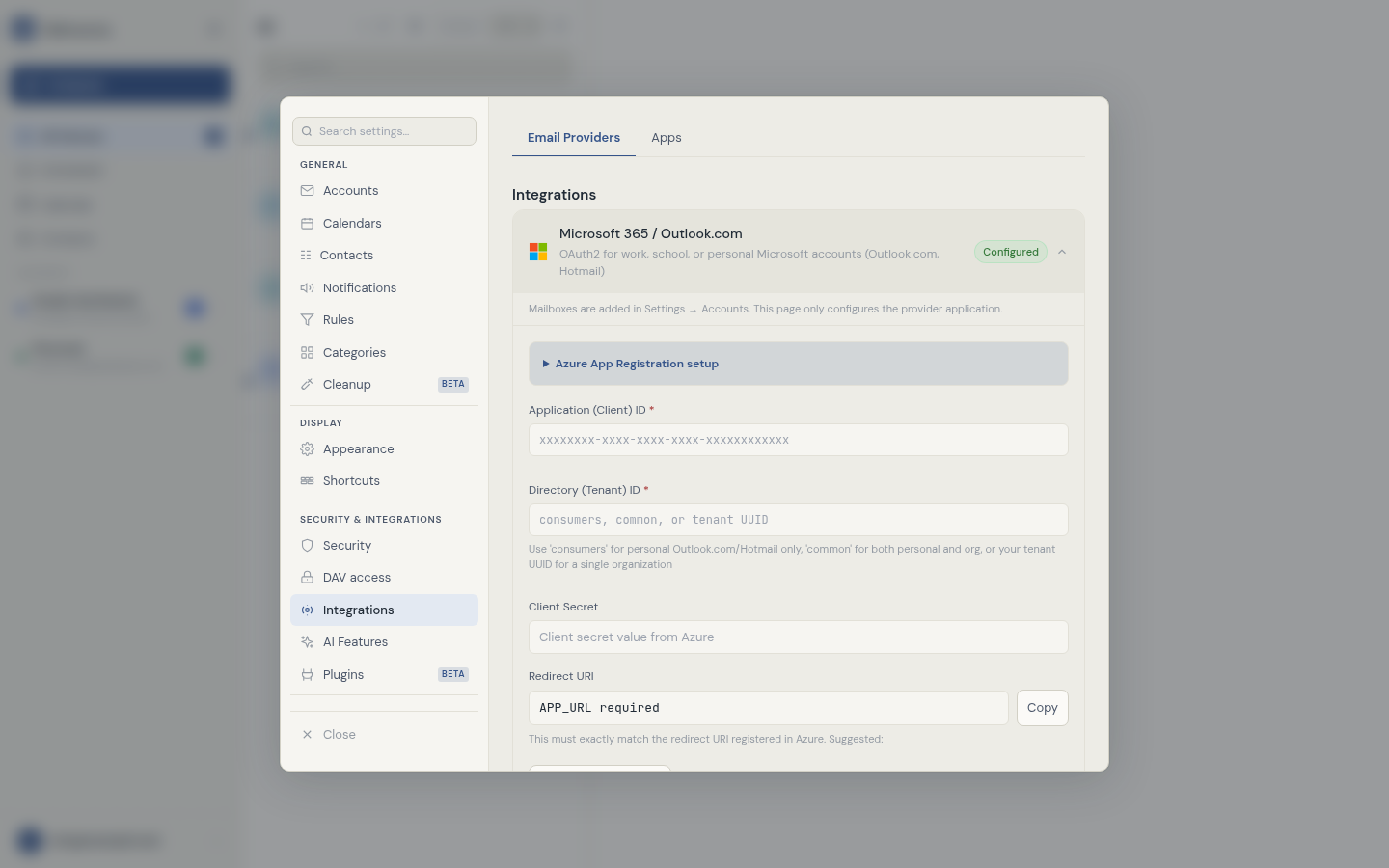
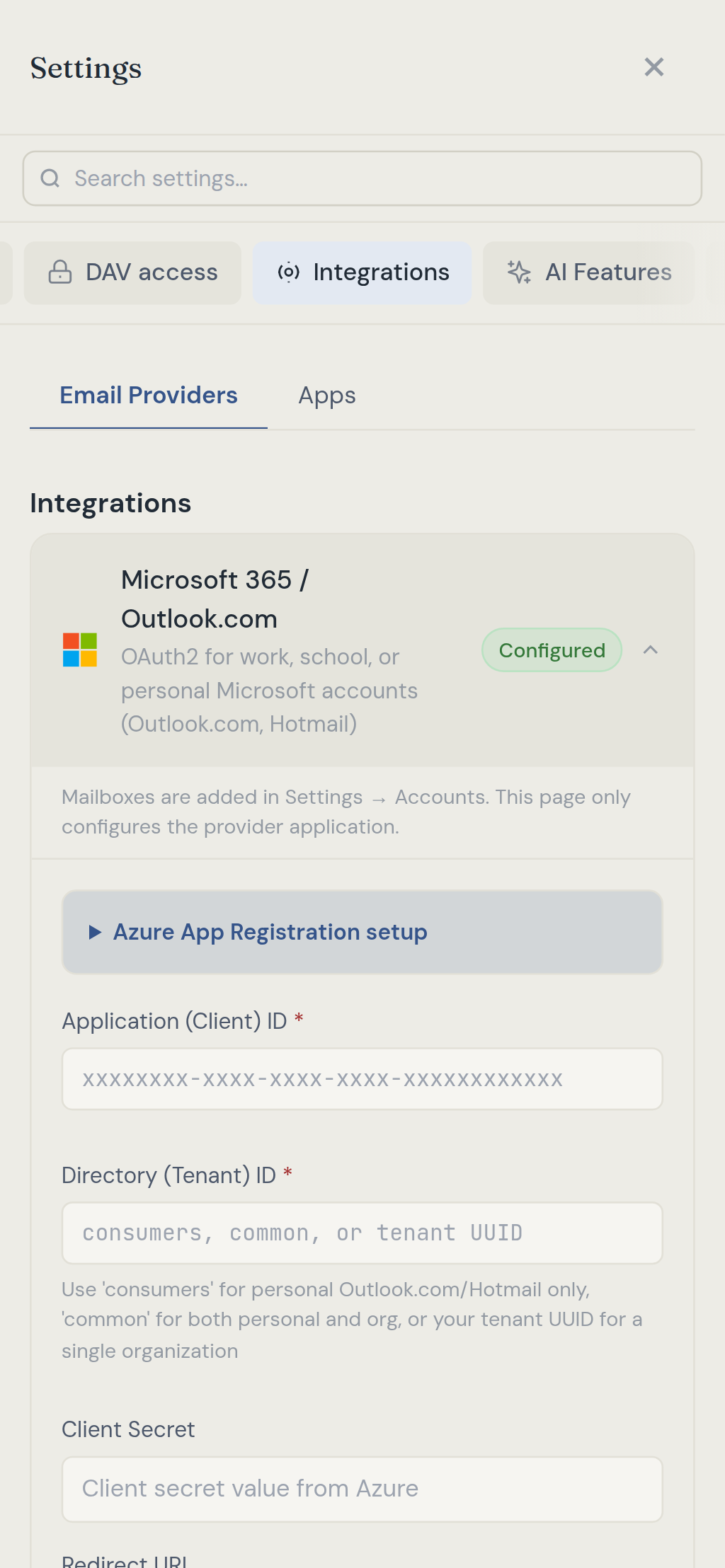
Integrations configure provider applications and global webhook infrastructure. Accounts manage each mailbox and its mail, calendar, contacts and per-account synchronisation. An administrator registers the OAuth client once, under Settings → Integrations: the Microsoft Entra application (client id, tenant, secret, redirect URI, browser and device-code readiness) and the Google Cloud OAuth client (client id, secret, redirect URI, API readiness, Pub/Sub for push). That page also carries the configuration test, the scopes and capabilities each authorization asks for, and the pointer to Accounts for adding mailboxes.
No authorization for a specific mailbox is started from Integrations: connecting a Microsoft or Google account, authorizing its calendar or contacts, migrating it to the provider API, disconnecting it or enabling instant synchronization for it are all actions on that account's own card. Integrations keeps the client credentials, the readiness of each method, the scopes, the global webhook and Pub/Sub configuration and the configuration test.
Each user then adds their own mailboxes under Settings → Accounts → Add account, choosing Microsoft (Outlook.com / Hotmail / Microsoft 365), Google (Gmail / Google Workspace) or another provider over IMAP/SMTP. The first two sign in with the provider and create a native account (Microsoft Graph, or the Gmail API) whose address comes from the provider — no IMAP host, port, login or password is involved. Gmail over IMAP/SMTP with an app password remains a supported alternative, offered on the same screen. A provider the administrator has not configured yet says so, and points to Integrations instead of failing later; users never see a client id or a secret.
If a mailbox is already added over IMAP and the user adds it again through the provider, Inboxora does not create a second account: it says the account already exists and offers the migration that turns it into a native one (Microsoft Graph, or the Gmail API).
Polling is the default and the safety net. Push shortens the delay between a change at the provider and its appearance in Inboxora, and it needs a public HTTPS endpoint:
- Set
APP_URLto the address users reach Inboxora on (HTTPS;http://localhostis accepted for local development only) andPROVIDER_PUSH_ENABLED=true. The callback URLs are derived fromAPP_URL— they are never typed per account — and are shown in the provider cards and byGET /api/integrations/push-status. -
Microsoft needs nothing else: Inboxora registers a Graph subscription per resource the connection
pulled (messages, events, personal contacts) and answers Graph's URL validation handshake. Each
subscription carries its own random
clientState; only its hash is stored, and an inbound notification is accepted only when it names a subscription Inboxora holds and presents the matching secret. -
Gmail uses Cloud Pub/Sub. Create a topic in the same Google Cloud project as the OAuth client, grant
gmail-api-push@system.gserviceaccount.comthe Publisher role on it, and create a push subscription whose endpoint ishttps://<APP_URL>/api/provider-webhooks/gmail?token=<GOOGLE_PUBSUB_VERIFICATION_TOKEN>. SetGOOGLE_PUBSUB_TOPICandGOOGLE_PUBSUB_VERIFICATION_TOKEN(at least 16 characters). Inboxora callsusers.watchfor the mailbox, stores the watch expiry, and renews it daily — Google requires at least one renewal every seven days. -
Google Calendar needs no extra configuration beyond
APP_URL: Inboxora opens one push channel per calendar collection that is enabled and has been pulled, stores its expiry, renews it before it lapses and stops the previous channel when it replaces one.
Turn it on per connection from the provider card (Instant synchronization → Turn on), or with
POST /api/integrations/push/connections/{id}/enable; disable stops and tombstones the subscriptions
without touching the connection. Disconnecting a connection, deleting an account or removing a calendar stops
the matching subscriptions — best effort at the provider, always locally — so nothing keeps being renewed for
something that is gone.
If push is unavailable or misconfigured, nothing breaks. Synchronisation continues on
PROVIDER_SYNC_INTERVAL_MINUTES; an account is never reported as broken because a notification could not be
delivered, and a missed notification (missed) is recovered by the ordinary delta sync rather than by
replaying webhooks.
The card reports each method's readiness, and readiness means the fields are present and the method is enabled — it does not mean the provider accepts them. A client id that was copied with a trailing space, or a secret whose value was taken from the wrong column, reads as ready until an authorization fails at the provider.
To find that out directly, an administrator can test the stored credentials:
curl -X POST https://inboxora.example.com/api/integrations/google/test \
  -H 'Cookie: <an administrator session cookie>'
The answer says which of the two it is:
{ "ok": true,  "code": "CREDENTIALS_ACCEPTED" }
{ "ok": false, "code": "invalid_client" }
ok: true means the provider accepted the client id and secret — the provider refused only the
deliberately unusable grant, which is all this check needs. ok: false with invalid_client or
unauthorized_client means the credentials themselves are wrong, which is the case readiness cannot
distinguish. ADMIN_CONFIGURATION_REQUIRED means no client id is stored, and UPSTREAM_UNAVAILABLE means
the provider could not be reached at all.
The stored secret is decrypted for the call and is never returned; no user data and no user grant are
touched, and the check costs the provider one refused token request. The same endpoint exists for
microsoft (/api/integrations/microsoft/test). The card also carries a Test configuration button that
calls the same endpoint and shows the answer in place.
Settings → Integrations lists the accounts connected for each provider, with a Disconnect button beside each one. Disconnecting:
- revokes the stored authorization and deletes the saved access and refresh tokens;
- stops the refresh schedule for that account and disables its imported collections, so nothing keeps syncing;
- keeps your imported data. Contacts, address books, calendars and events stay visible, and stay read-only.
Nothing imported is deleted, and that is deliberate: removing your data is a separate decision. You cannot delete an imported collection while its source is still able to write to it, because the next refresh would simply recreate it. To stop seeing it, hide it instead — the address book's visibility toggle or the calendar's visibility switch — which never deletes anything.
Reconnecting the same account restores the connection and re-enables its collections. The next refresh continues from where it stopped, and rebuilds from scratch if the provider rejects the old position.
Disconnecting a provider does not undo a mail migration: an account already moved to Graph or the Gmail API keeps using it while its grant is valid, and a revoked grant is reported on the account itself.
An administrator can switch a whole provider off, and switch individual methods off, in Settings →
Integrations. Those switches are enforced, not cosmetic: a provider or method that is switched off is no
longer offered by the interface and no longer startable, so the card and the flow always agree. The
Microsoft device-code method has its own switch, because it needs only a Client ID where the browser
method needs a secret and the exact redirect URI. PROVIDER_INTEGRATIONS_ENABLED=0 turns the whole layer
off installation-wide, including the sync paths.
Stated explicitly rather than left to be discovered, because a connector that silently ignores an operation is worse than one that says it will not perform it.
Both providers
-
No push notifications. Refreshes are scheduled (
PROVIDER_SYNC_INTERVAL_MINUTES) or requested by hand. A change at the provider is not seen until then. - No new remote collections. Inboxora discovers what exists; it does not create an address book, calendar or label at the provider.
- No remote sharing or permissions management, and no contact-group or label management beyond what the discovery returns.
- An imported collection is written back only when you enable it (see Writing changes back), and a collection the provider reports as read-only stays refused.
- Only the account's personal contacts are pulled (People API connections) — not the organization directory and not "Other contacts".
- Google contact groups are not carried over. A contact that belongs to several groups is stored once, as it should be, but its memberships are not represented locally.
- Photos are not fetched, and a Google calendar's own settings (colour, sharing, reminders) are not represented — its events are.
- Gmail's plural labels are modelled as one primary folder per message with the complete label set kept in the local row, so a message that is in the inbox and carries labels appears once, in the inbox.
Microsoft
- Contact photos and group categories are not carried over, and calendars beyond the account's own mailbox calendars are discovered the way Graph reports them.
- A file above the provider's own upload limit is refused with a named error rather than truncated.
- The authorizations are separate — the mailbox sign-in, the Graph connection and the device method each have their own callback, readiness and switch.
| Symptom | Cause and fix |
|---|---|
| The card says the API is not configured | The environment variable is missing from the running process. Set it and restart; readiness is read from the environment. |
Google returns redirect_uri_mismatch
|
The registered URI and GOOGLE_REDIRECT_URI differ. They must match exactly, including scheme and host. |
| A Google user cannot authorize although the app is configured | The consent screen is still in Testing and the user is not a test user. Add them or publish the app. |
AADSTS50011 after Microsoft consent |
The redirect URI is not registered on the application, or the wrong one of the two Microsoft callbacks was added. |
AADSTS70008 / revoked consent |
The grant was parked as needing re-authorization. Reconnect the account from the provider card. |
A connector reports a missing scope (403) |
The application is missing a delegated Graph or Google permission, or admin consent was not granted. Add the permission and reconnect. |
| Contacts or calendars stop updating after a while | Microsoft Graph expires a delta token that has not been used for long enough; the next run rebuilds that collection from a baseline and reconciles it, so nothing is lost. |
| The mailbox works but the Graph features do not | The mailbox sign-in token is scoped to outlook.office.com and cannot read Graph. Connect the Graph connector as well, then migrate the account. |
| A Microsoft migration refuses | The connection's grant does not carry Mail.ReadWrite/Mail.Send, the application is not configured, or the named connection belongs to a different mailbox. The account reports which, and keeps working over IMAP/SMTP. |
After configuring a provider, confirm all four:
- The provider card shows the API as ready instead of asking for configuration.
- Connect … completes and returns to Inboxora with a confirmation rather than an error.
- The connector's sync action reports counts (added, updated, removed) rather than failing.
- A second run shortly afterwards is incremental — it reports no new items — which shows the stored cursor is being reused rather than re-reading everything.
Real-provider acceptance (a live Google or Microsoft application, and a real mailbox migration) is NOT RUN in the environment this documentation was prepared in; see the 4.1.0 release notes for what that means.