Repository navigation
Mana HUD
The mana display is a client-side HUD element with six styles, its own mana number and a layout editor. Everything on
this page is in the client config (config/runelessrpg-client.toml), see Configuration.
| Style | Look |
|---|---|
AUTO (default) |
MIKI_DIAMOND when Miki's Fantasy HUD is installed, otherwise THIN
|
THIN |
Narrow bar like the experience bar |
MIKI |
Framed bar that matches Miki's HUD |
VERTICAL |
Upright bar that fills from the bottom |
MIKI_DIAMOND |
Half diamond behind Miki's hunger (or health) diamond, like Miki's own side diamonds; a whole diamond at other anchors or without Miki's HUD |
MIKI_BAND |
Band along the outer edges of Miki's diamond (bandWidth, bandGap); MIKI at other anchors or without Miki's HUD |
 |
AUTO / MIKI_DIAMOND at MIKI_RIGHT (default with Miki's HUD) |
 |
MIKI_BAND at MIKI_RIGHT
|
 |
MIKI at MIKI_RIGHT, text CURRENT_MAX
|
 |
MIKI at MIKI_LEVEL_RIGHT
|
 |
THIN at MIKI_LEVEL_RIGHT
|
 |
MIKI_DIAMOND at MIKI_LEFT
|
 |
THIN at TOP_CENTER
|
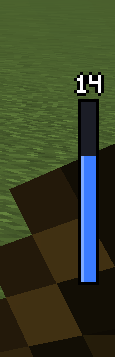 |
VERTICAL at CENTER_RIGHT
|
The fill uses its own texture, tinted with fillColor (default #3A7BFF). With animatedFill = true (default) it
moves and shimmers slowly in the MIKI_DIAMOND, MIKI_BAND and MIKI styles (animationSpeed). Negative mana
(debt) is drawn in debtColor.
The position is anchor + offset (offsetX, offsetY in GUI pixels), so the display keeps its place at every window
size and GUI scale.
| Anchor | Position |
|---|---|
TOP_LEFT, TOP_CENTER, TOP_RIGHT, CENTER_LEFT, CENTER, CENTER_RIGHT, BOTTOM_LEFT, BOTTOM_CENTER, BOTTOM_RIGHT
|
The nine screen anchors |
MIKI_RIGHT (default), MIKI_LEFT
|
Docked at the hunger (right) or health (left) diamond of Miki's HUD |
MIKI_LEVEL_RIGHT, MIKI_LEVEL_LEFT
|
Beside the level box at the top of Miki's hotbar. MIKI and THIN keep their length here (level box to diamond) and only get thicker with scale, up to 2.5 |
Miki's HUD shrinks itself on narrow screens and with many spell slots; the Miki anchors follow it, so the display stays at the diamond at every resolution. Without Miki's HUD the Miki anchors place the display beside the hotbar.
scale (0.25 – 4) sets the size. visible hides the bar; hideInCreative and hideInSpectator (both on by
default) hide it in those game modes.
With drawBehindMikiHud = true (default) the bar is drawn behind the hotbar and Miki's HUD, so Miki's vines may cover
it slightly; with false it is drawn in front. The half diamond at Miki's diamond is always drawn behind it, and the
mana number is always drawn in front.
AUTO becomes THIN, the Miki anchors sit beside the hotbar, MIKI_DIAMOND is a whole diamond and MIKI_BAND
becomes MIKI.
 |
AUTO (THIN) at MIKI_RIGHT
|
 |
MIKI_DIAMOND |
 |
MIKI at MIKI_LEVEL_RIGHT
|
Open it with the key Edit HUD Layout (unbound by default; set it under Options → Controls → RunelessRPG) or from the mod list: Mods → RunelessRPG → Config → Edit HUD Layout....
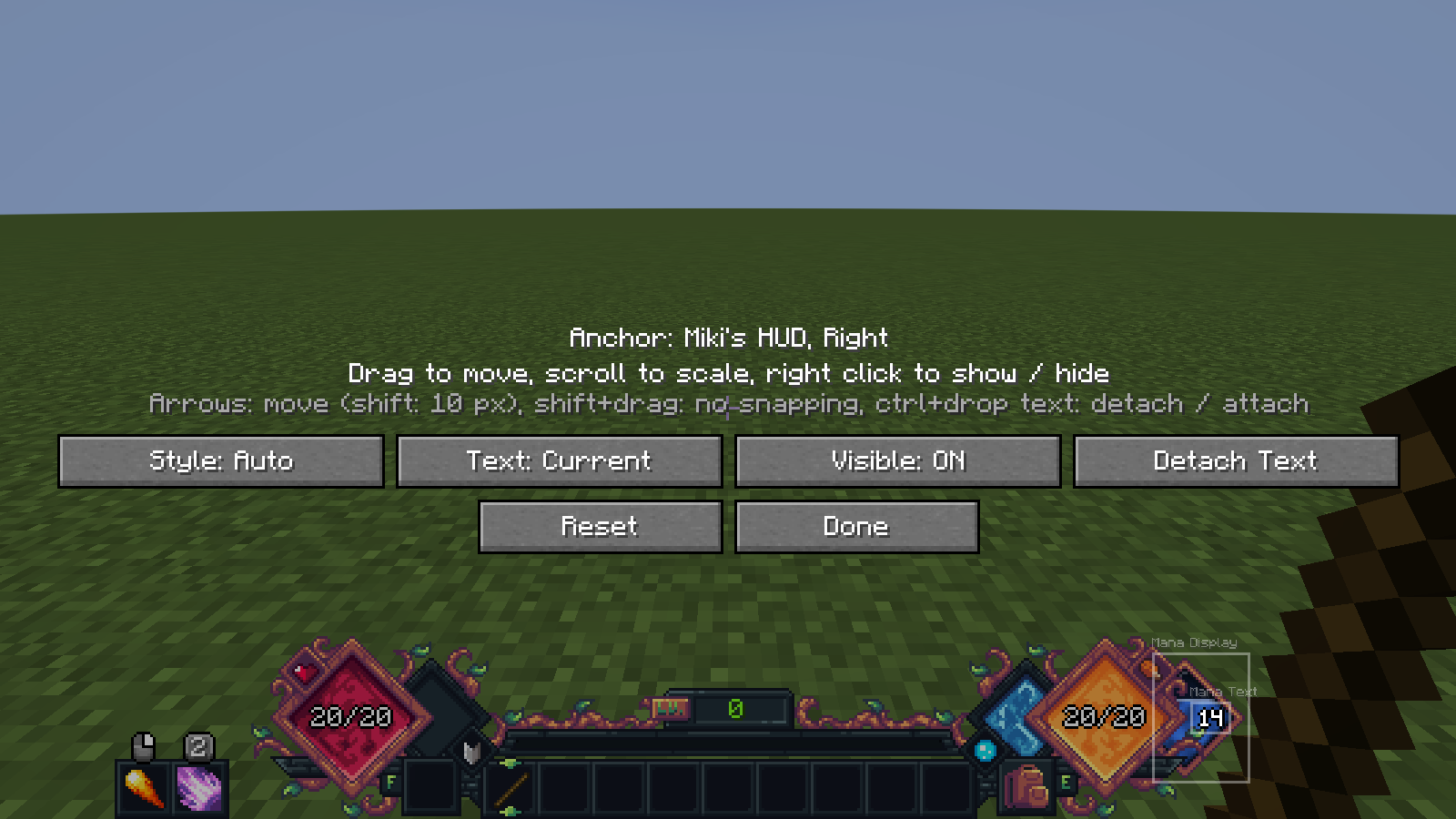
| Input | Action |
|---|---|
| Drag | Move the mana display or the mana number; snaps to the screen edges and the screen center. A display dragged within 4 px of a Miki docking position docks there again, and it keeps its Miki anchor while it stays within 48 px of it |
| Shift + drag | Move without snapping |
| Mouse wheel | Scale the element under the mouse |
| Right click | Show / hide the element |
| Arrow keys | Move by 1 px (with Shift: 10 px) |
| Ctrl + drop the number | Detach it from the display / attach it again |
| Style, Text, Visible | Cycle the style, the text mode and the visibility |
| Detach Text / Attach Text | Detach or attach the mana number |
| Reset | Back to the defaults |
| Done | Save to the client config |
The anchor of the selected element is shown at the top. Edit Config Values... in the same menu opens all options.
The number ("Mana Text") is its own HUD element with its own position, scale and visibility ([text] section).
-
Attached (
attachToBar = true, default): it sits at the default place of the style and moves with the display. Without offset and with scale 1 it is fitted automatically: smaller digits where needed,CURRENTinstead ofCURRENT_MAXorPERCENTif the longer text does not fit, and hidden when there is no room at all (for example when the half diamond is moved far under Miki's diamond). - Moved or scaled, it shows exactly the chosen text mode at the chosen size.
-
Detached (
attachToBar = false), it has its own anchor (anchor, the nine screen anchors or the Miki anchors). - Its size always snaps to whole screen pixels per font pixel, so it stays sharp. The fitted number never gets smaller than 2 screen pixels per font pixel (as tall as Minecraft's own text at GUI scale 2).
| Option | Values |
|---|---|
textMode |
NONE, CURRENT ("14", default), CURRENT_MAX ("14 / 20"), PERCENT ("70%"); from 1000 shortened ("1.5k") |
textFont |
VANILLA (Minecraft font, default) or PIXEL (own pixel digits). In a half diamond that is too small for the Minecraft font, the pixel digits are used instead |
textOutline |
Dark outline (default) or a drop shadow |
textVisibility |
ALWAYS (default) or ON_CHANGE: shown for 2 seconds (then fading out within half a second) after a noticeable change |
With ON_CHANGE, spell costs, potions, leech, commands, respawn, a change of max mana and "missing mana" show the
number. Regeneration (also negative) and the ticks of channeled spells do not, so the number does not stay on forever.
When a spell fails for lack of mana, the display flashes in flashColor (default red): two short pulses within half a
second, in addition to Spell Engine's message. It also flashes when only the server rejects a cast. Switch it off with
flashOnInsufficientMana = false.
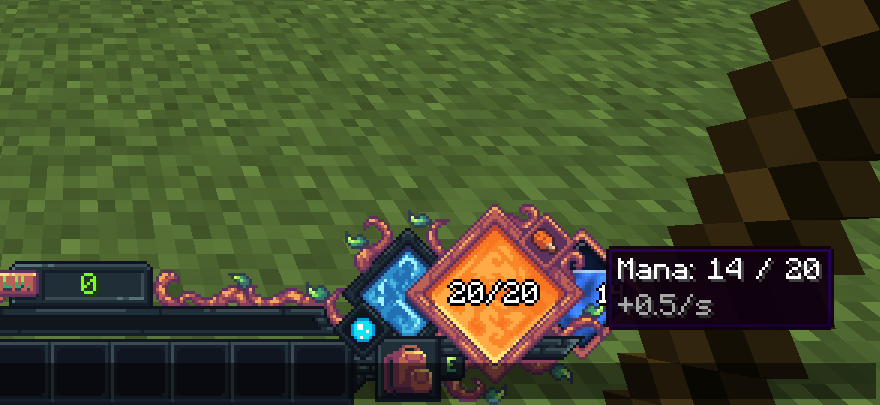
With the chat open, or in a container screen (inventory, chests …) with the mouse outside the container window, hovering the display or the number shows the current mana and the regeneration per second.