
Valve's native ARM64 Steam client on your Android handheld. Windows games run through Valve's ARM64 Proton and FEX, and an optional Linux desktop brings emulators along.
Needs: Android 9+, Adreno 730 or newer (or 8xx), ~3 GB free for the runtime (+1.1 GB for Desktop & apps).
This is the first release from the Droid-Deck org, so it covers everything DroidDeck does, not just what changed since 0.1.7. legacy#N links go to pull requests in The412Banner/DroidDeck, from before the move.
Highlights
Steam, running natively
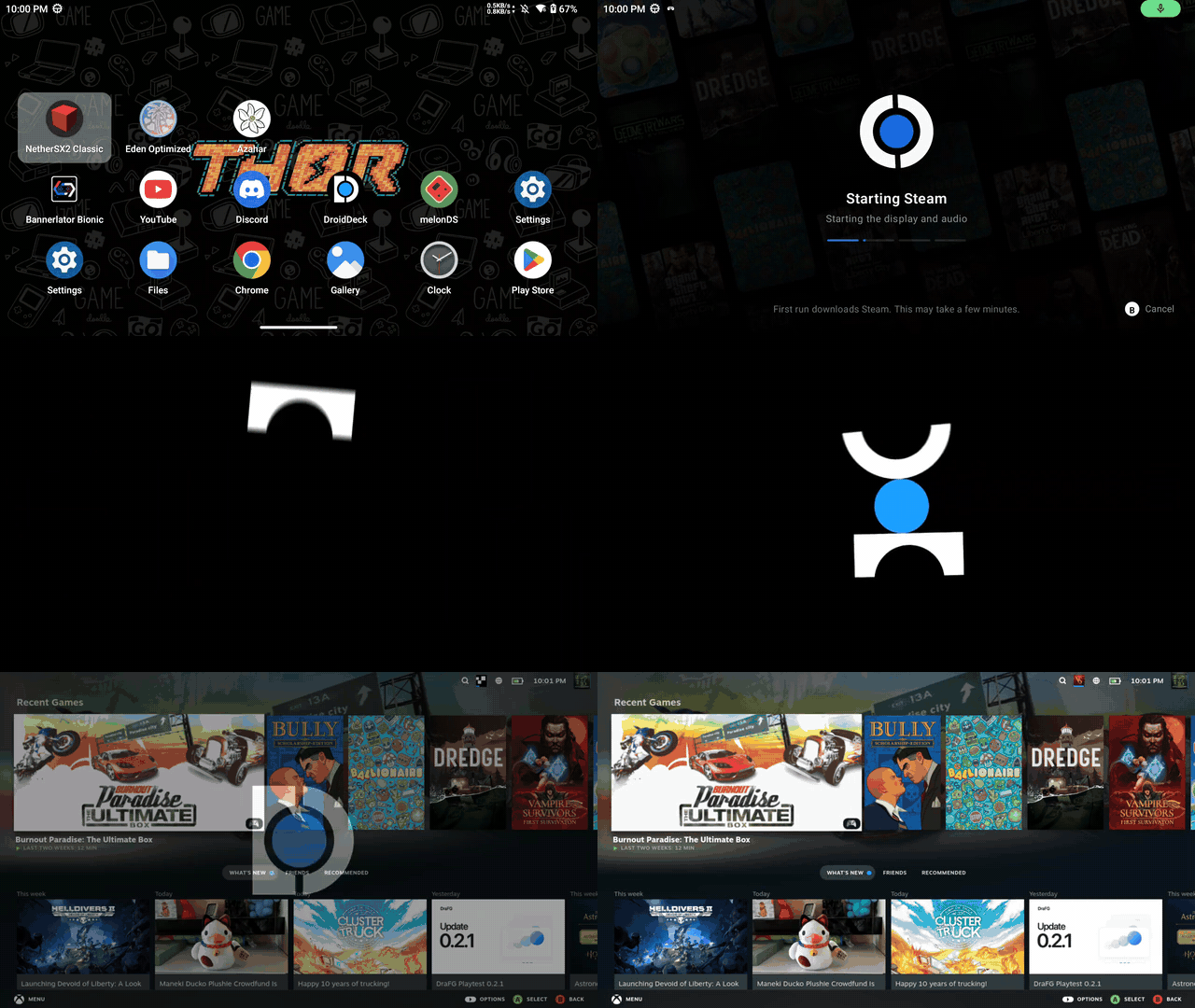
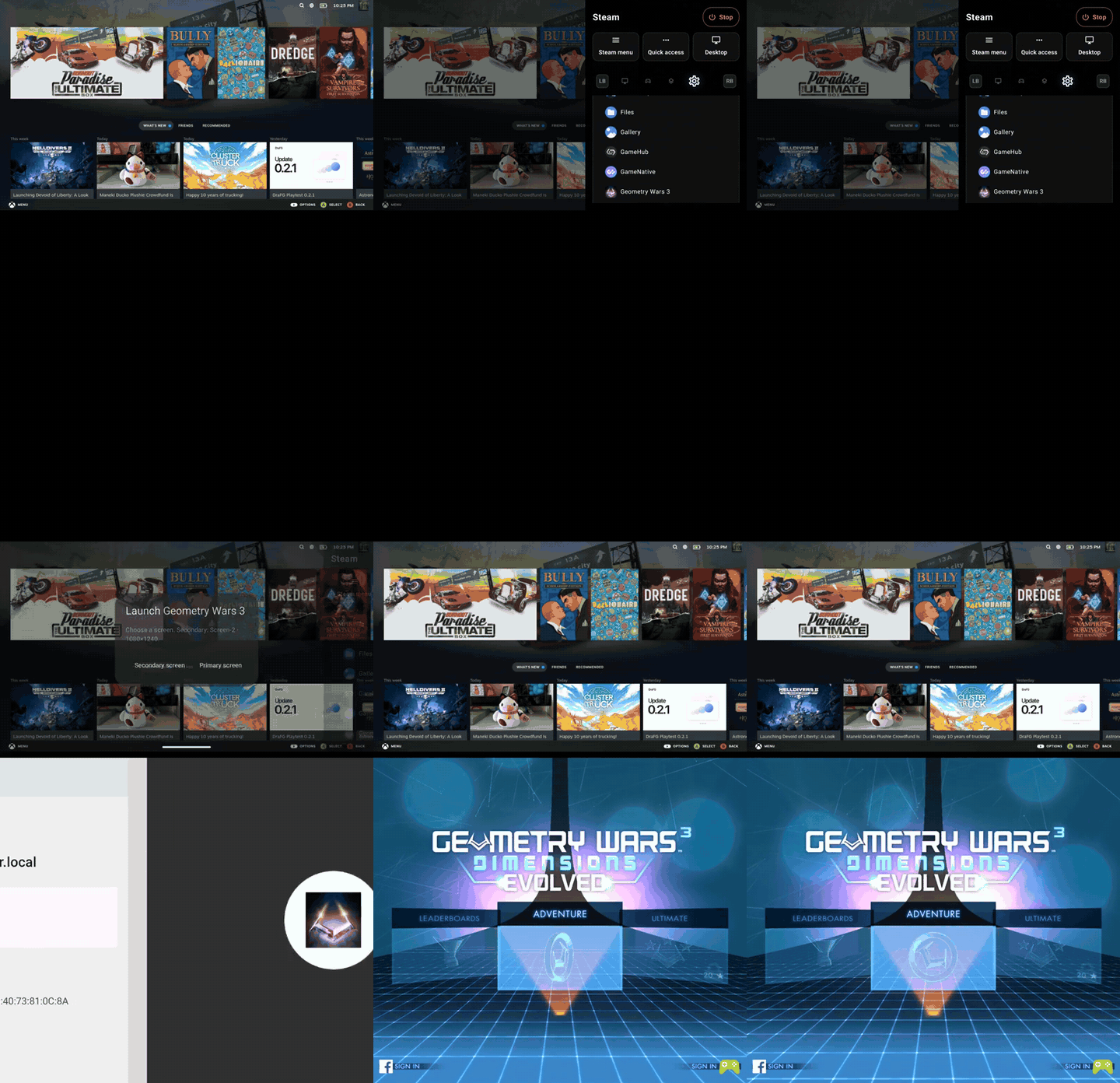
The real Steam client in Big Picture, fetched from Valve on your device. Turn on Run Steam when DroidDeck starts and the app icon takes you straight in, as above.
A launcher made for handhelds
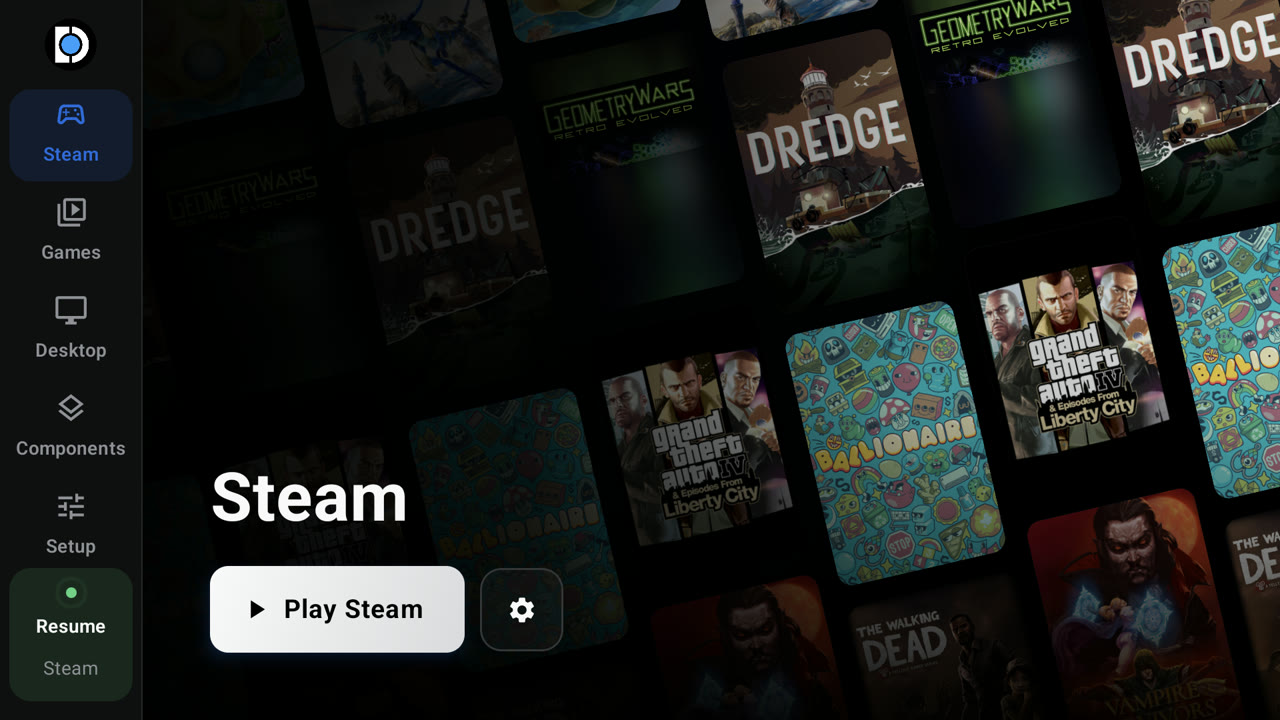
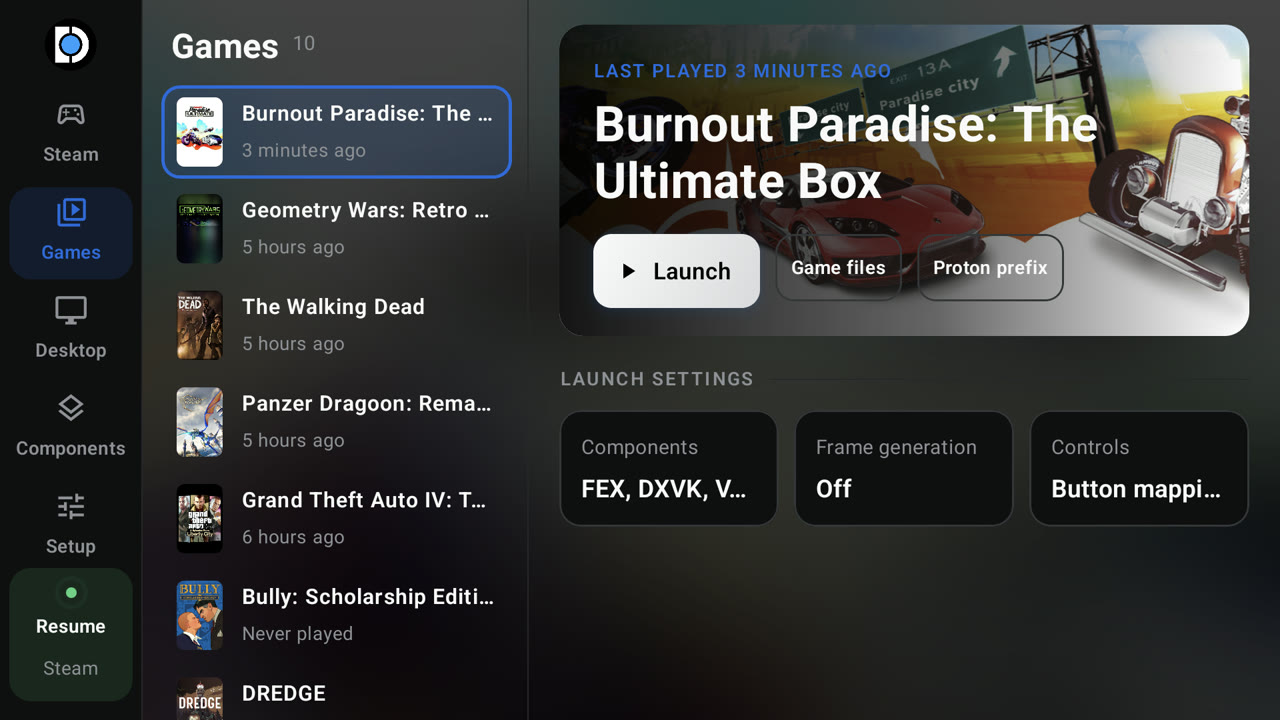
Your Steam library as a capsule wall, and a Games tab with per-game settings.
Your Android home screen
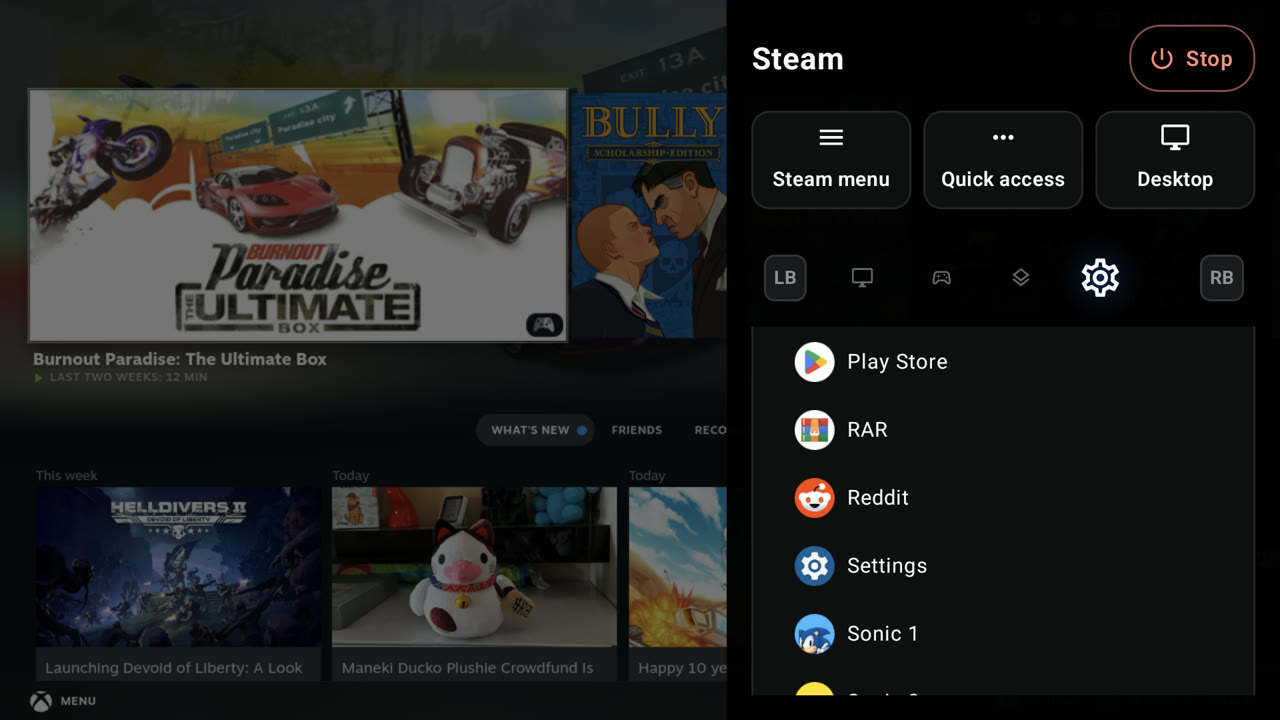
Set DroidDeck as the Home app and your Android apps live in the launcher too, and in the session menu, so you can open one without leaving your game.
Made for two screens
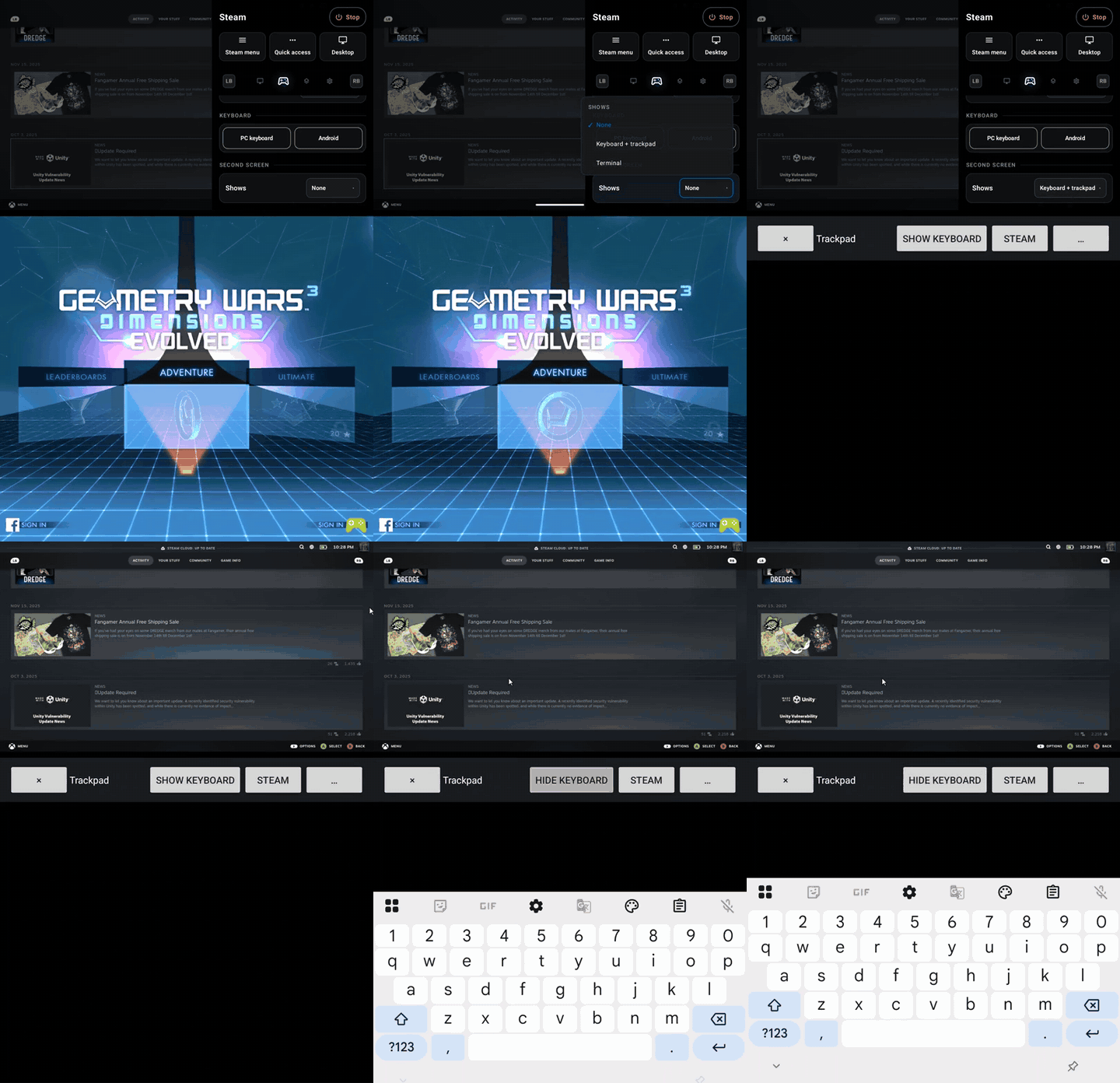
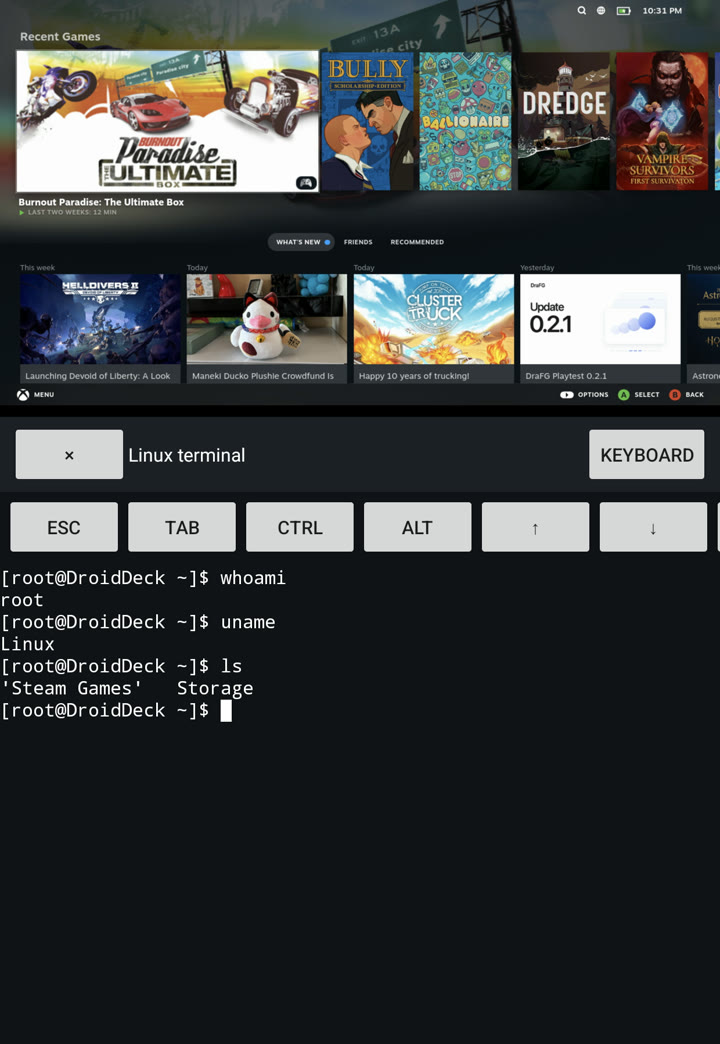
On a dual-screen handheld, launch an Android app on the second screen while Steam keeps the first, or turn the second screen into a keyboard and trackpad, or a Linux terminal.
A session menu over any game
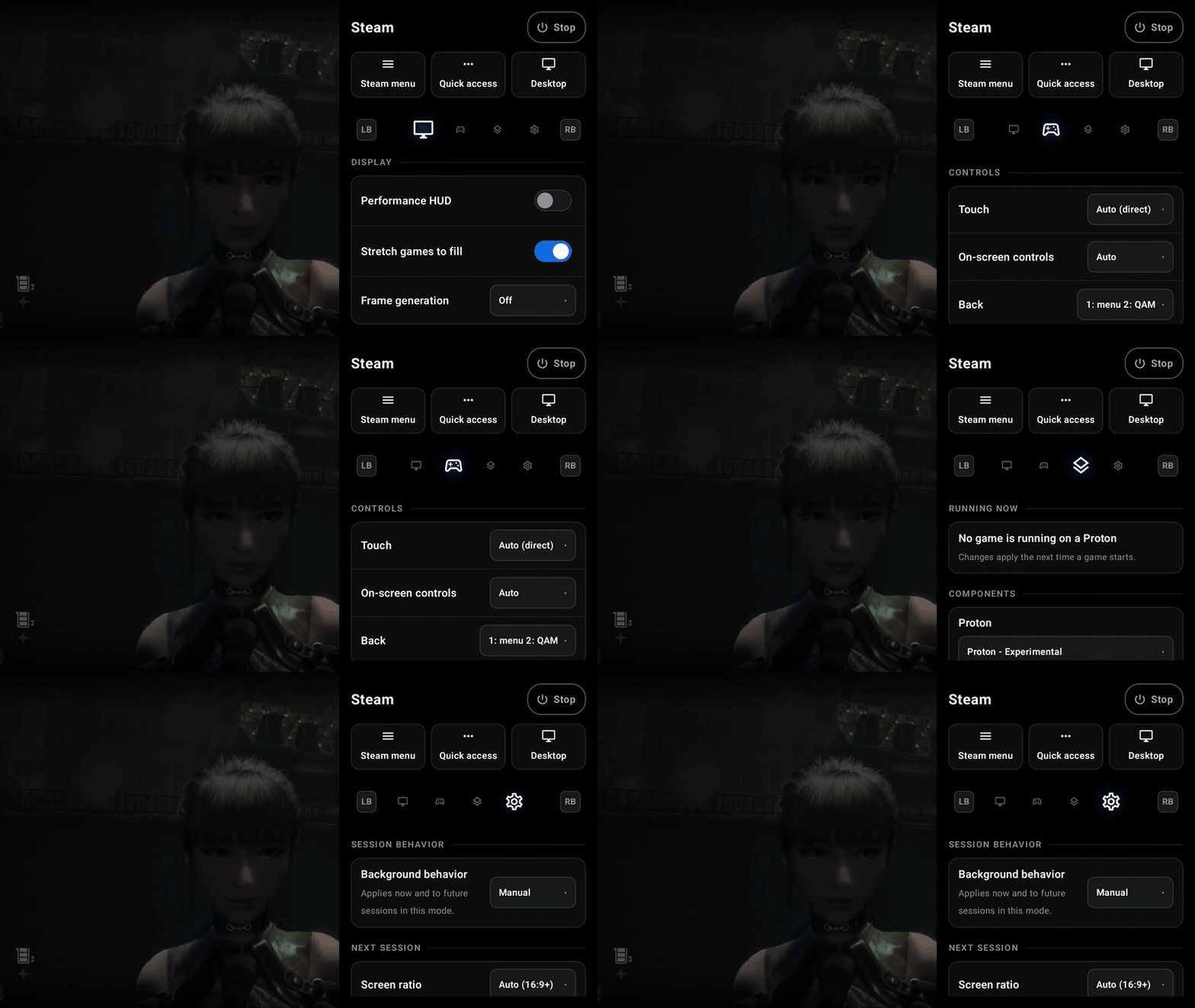
Press Back mid-game for display, controls, components and session settings, paged with LB/RB.
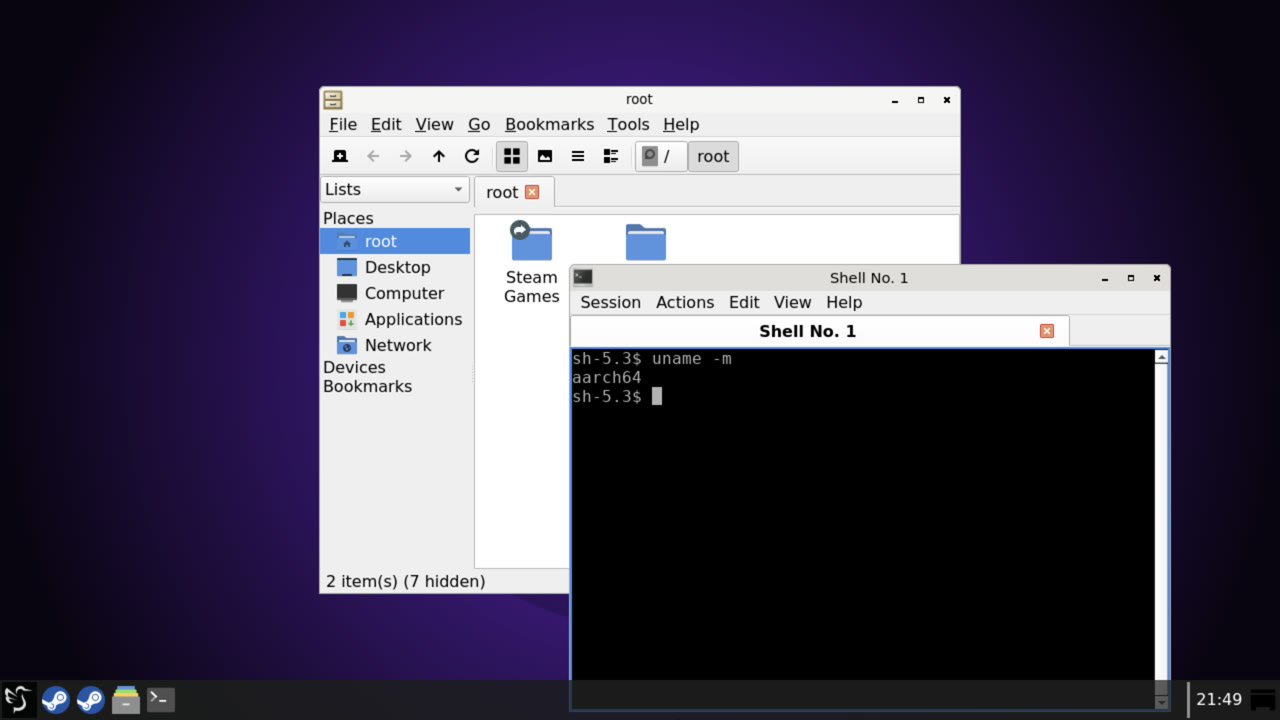
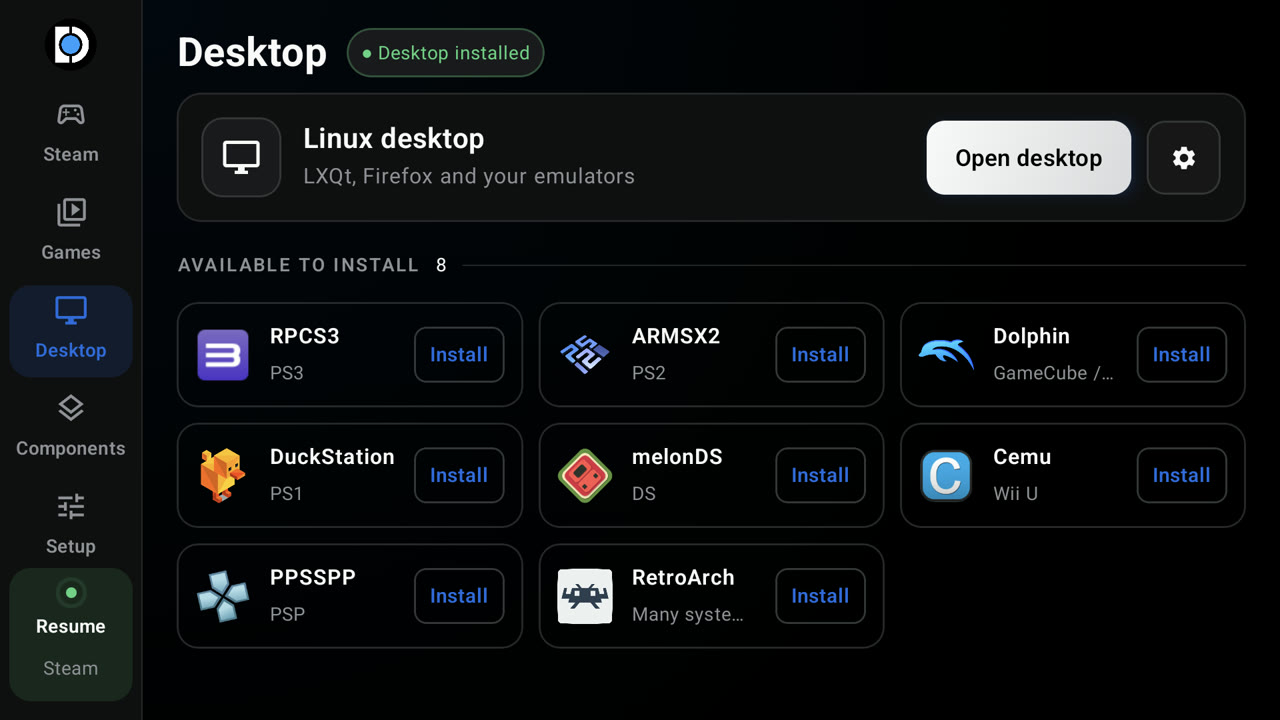
A Linux desktop, with emulators one tap away
LXQt on the GPU, plus RPCS3, ARMSX2, Dolphin, DuckStation, melonDS, Cemu, PPSSPP and RetroArch.
Everything in 0.2.0
Steam
- Native ARM64 Steam client under gamescope, on DroidDeck's own Vulkan compositor (@The412Banner)
- Valve's ARM64 Proton and FEX, ready at first sign-in (@The412Banner, legacy#22, #33)
- Start offline after one sign-in (@The412Banner)
- Steam Deck mode: battery and NIS in Quick Access, MangoHud overlay (@The412Banner, legacy#9, legacy#16)
- Games from your own folders appear in Steam, with store art (@The412Banner, legacy#9)
- Components manager for FEX, DXVK and VKD3D-Proton, applied on every launch (@The412Banner, #29)
- GE-Proton and proton-cachyos as extra compatibility tools (@The412Banner, @xXJSONDeruloXx, legacy#18)
- FEX presets per session, Stability to Extreme + TSO (@The412Banner)
- Decky Loader, with plugins in Big Picture (@xXJSONDeruloXx, #16)
- Steam's Internet settings and connection indicator work (@maxjivi05)
- Steam sees the device as "DroidDeck" (@xXJSONDeruloXx, #15)
- Steam launchers on the Linux desktop (@The412Banner, #10)
- DroidDeck startup movie, and optionally straight into Steam when the app opens (@xXJSONDeruloXx, #25, #27, #36, #38)
Launcher
- Side rail, Games tab, capsule wall, graphite theme, controller hints, phone layouts (@xXJSONDeruloXx, #13, #35, #41)
- Launch buttons flood into the loading screen (@xXJSONDeruloXx, #46)
- Game files and Proton prefix shortcuts on each game's page (@xXJSONDeruloXx, #39)
- Controller navigation everywhere, remembered across the rail (@The412Banner, legacy#29, legacy#34, legacy#38)
- Built-in file manager, a ROMs folder anywhere (SD cards too), app files in Android's picker (@The412Banner, legacy#41)
- Themes and the split-D logo (@The412Banner, @xXJSONDeruloXx, legacy#4, legacy#37, #34)
- Use DroidDeck as your Android home app, with Android apps in the front end (@xXJSONDeruloXx, @The412Banner, legacy#17, legacy#44)
- Build identity and latest-build link in the top bar (@xXJSONDeruloXx, legacy#24, #26)
Sessions
- Sessions keep running when you leave the app (@The412Banner)
- Pause policy (Auto, Manual, Never), changeable mid-session, audio recovers after a pause (@xXJSONDeruloXx, legacy#7, #14)
- Paged session menu with Display, Controls and Settings tabs (@xXJSONDeruloXx, @The412Banner, legacy#40, #6, #24)
- Back opens the menu; a double press opens Steam's Quick Access (@xXJSONDeruloXx, legacy#3, legacy#20)
- First run sets itself up from the loading screen (@The412Banner, legacy#12, legacy#15)
- Launch on any connected display; a second screen can be a keyboard, trackpad or terminal (@xXJSONDeruloXx, legacy#13, legacy#33)
- Share session logs from the app or the ended-session screen (@xXJSONDeruloXx, @The412Banner, legacy#11, #17, #41)
Controls
- Any controller shows up as an Xbox 360 pad; an on-screen pad fills in when none is connected (@The412Banner)
- On-screen controller editor with adaptive sticks (@maxjivi05, #9)
- On-screen sticks that use the letterbox bars, plus Steam and QAM touch buttons (@The412Banner, @xXJSONDeruloXx, legacy#6)
- Real touch in Big Picture; a desktop touchpad that hovers, clicks, scrolls and two-finger drags (@The412Banner, #10, #22)
- Cursor shapes, hidden while you play on a pad (@The412Banner, #18)
- Soft keyboard and a full PC keyboard (@The412Banner, legacy#25)
Display and performance
- Frame generation: built-in Win-FG, or LSFG from your own Lossless Scaling, 2×–4× (@The412Banner)
- Import or download Turnip drivers per mode, from Banners-Turnip and WinNative (@The412Banner)
- Resolution and shape per mode, including "Exactly this panel" for 4:3 and 3:2 screens (@The412Banner, legacy#14)
- Stretch games to fill; Quake-engine games windowed to fit (@The412Banner, legacy#32)
- HDR10 on supported panels (experimental) (@The412Banner)
- Runs as a game on Android: sustained performance, fastest panel mode, ADPF hints (@The412Banner)
- Steam's interface stays on the GPU (@maxjivi05)
- Pin Steam and games to chosen CPU cores (@The412Banner)
- Faster proot with WinNative's seccomp and tracing fixes (@maxjivi05, #4, #37)
Desktop and emulators
- LXQt on labwc, on the GPU with Vulkan by default (@The412Banner, legacy#25)
- Emulators downloaded on request: RetroArch, PPSSPP, RPCS3, DuckStation, ARMSX2, Dolphin, melonDS, Cemu and more (@The412Banner)
- Emulator games launch full screen from the front end, one tile per disc, with box art (@The412Banner, legacy#29, legacy#34, legacy#38)
- ARMSX2 replaces PCSX2 for PS2: 60 fps where PCSX2 managed 17 (@The412Banner, legacy#26)
- Dolphin, melonDS and Cemu set up out of the box (@The412Banner, #10, #18, #42)
- Emulator controllers preconfigured, and RPCS3 shader fixes (@The412Banner, legacy#25)
Audio
- DirectAudio for games, straight to Android (@The412Banner, legacy#9, legacy#11)
- Microphone for voice chat, on by default (@The412Banner, legacy#11)
Fixed
- Steam updates failing on read-only files (@The412Banner, #33)
- A dropped finger-up blocking later touches (@The412Banner, #22)
- Stopped sessions leaving stray processes and log spam (@The412Banner, #43)
- Cemu and shadPS4 crashing on the input shim; no cursor on the GPU desktop (@The412Banner, #42)
- Leftovers from crashed or killed sessions cleaned up at the next start (@The412Banner, legacy#16)
- The menu's dim layer staying over Steam after switching apps (@xXJSONDeruloXx, #45)
- Steam library capsule art (@xXJSONDeruloXx, #12)
- The menu's Desktop button wrapping (@xXJSONDeruloXx, #28)
- Launcher restarting when a controller connects (@xXJSONDeruloXx, #40)
- Runtime installs racing, or stopping when you leave the app (@xXJSONDeruloXx, #40)
- Steam blocked by Android's child-process limit; Setup lifts it over wireless ADB (@xXJSONDeruloXx, #21)
Security
- SHA-256 checked on every catalog, release and Proton download (@xXJSONDeruloXx, #40)
- Runtime archives can't link outside the rootfs (@xXJSONDeruloXx, #40)
- Logs scrub account and persona names, public IPs and device IDs (@The412Banner, #19)
- Signed with DroidDeck's own release key (@The412Banner, legacy#41)
Behind the scenes
- Every PR's APK published to DroidDeck-CI (@maxjivi05, #3), with signed builds gated on review (@xXJSONDeruloXx, #5)
- Local builds matching CI, and a debug-only ADB agent bridge (@xXJSONDeruloXx, legacy#5, legacy#35, #7, #20)
- CI hardening, branch protection and copy clean-ups (@The412Banner, @xXJSONDeruloXx, legacy#8, legacy#10, legacy#41, #8)


