Set up a repository
After the machine install, each repository you want PA3 in is set up once. The setup copies PA3's project files into the repository and records them in one commit; it never pushes. There are three ways to run it, and all three do the same install.
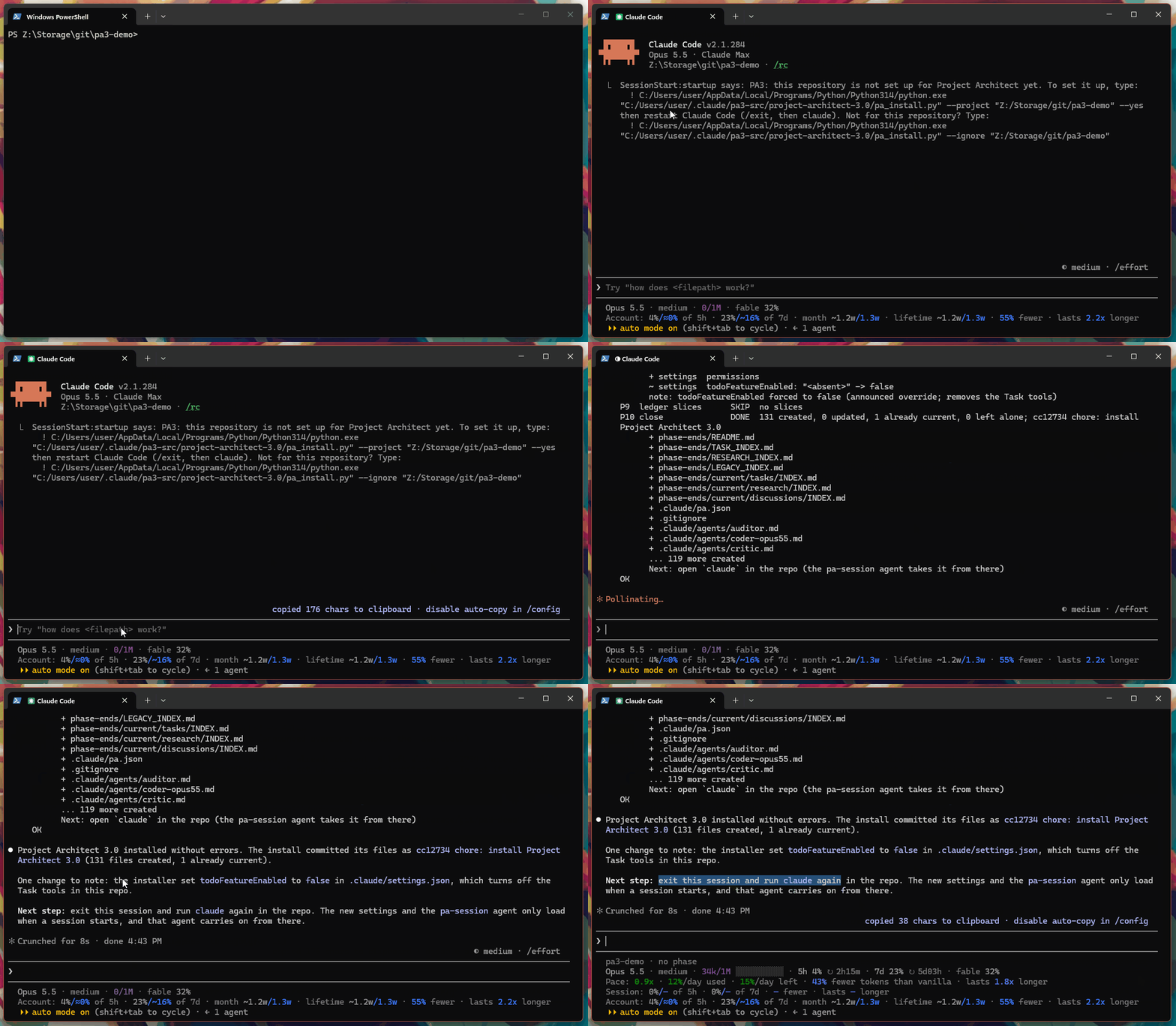
Setting up a repository from inside Claude Code: the line PA3 shows at startup, the install and its commit, and the reminder to restart.
-
Open Claude Code in the repository (
claudein its folder). Until the repository is set up, PA3 shows this at every start, with your paths filled in:PA3: this repository is not set up for Project Architect yet. To set it up, type: ! <python> "<pa3-src>/project-architect-3.0/pa_install.py" --project "<your repository>" --yes then restart Claude Code (/exit, then claude). Not for this repository? Type: ! <python> "<pa3-src>/project-architect-3.0/pa_install.py" --ignore "<your repository>" -
Type the first
!line, or copy it from the message. A line that starts with!runs straight from your prompt, without a permission prompt, and its output lands in the conversation. -
When it has finished, restart Claude Code:
/exit, thenclaude. The router only takes over a session when the session starts.
This way asks nothing: it takes every default. The second line tells PA3 to leave the repository alone, and it never
offers again there. To turn the offer off on this machine altogether, set "setup_offer": "off" in
~/.claude/usage-ledger/config.json.
Double-click setup-project.cmd, beside install.cmd in the project-architect-3.0 folder, and pick the repository's
folder, or drop the folder onto it. The window shows the install and stays open at the end so you can read it.
Run python project-architect-3.0/pa_install.py --project path/to/your/repo from the folder you downloaded. Without a
folder it asks which one, the current folder by default.
These two ways ask a few questions first: one line describing the project, a short interview for the project's card
(your name, experience, domain, how much autonomy you want, how PA3 should notify you, your working rhythm and your
plan), and a confirmation. From the ! line the card takes the defaults instead: your git user.name, the folder
name as the domain, advanced, full autonomy inside an approved plan, and toasts. Edit the ## Developer section of
HOW_WE_WORK.md to change them.
It prints an inventory of the repository first, then:
- PA3's agents, the
project-architectskill and the slash commands into.claude/, its tools intotools/, and the templates and 32 seed rules; - a short
CLAUDE.md(an existing one moves todocs/retired/),HOW_WE_WORK.md(the project's card of standing facts), thephase-ends/folders for plans, task summaries and logs,.claude/pa.json(PA3's switches for the repository, such as the toast level) and a.gitignoreblock for its scratch folder,.run/; -
.claude/settings.json: the router as the session's agent, permissions for PA3's tools, and auto-compact, recaps and the Task tools turned off; - a link from Claude Code's memory folder for the project into the repository, so the project's memory lives with its code.
All of it goes into one commit, chore: install Project Architect 3.0. Running the setup again later is harmless: it
updates PA3's own files and keeps your edits (Updating).
The same command migrates a Project Architect 2.0 repository. Run it with --dry-run first to see every move;
INSTALL.md has the details.
Open claude in the repository. The router works out where the project stands and takes it from there; for a new
project, that starts with the generation plan (A day in the life).