en tutorial 02 omens config
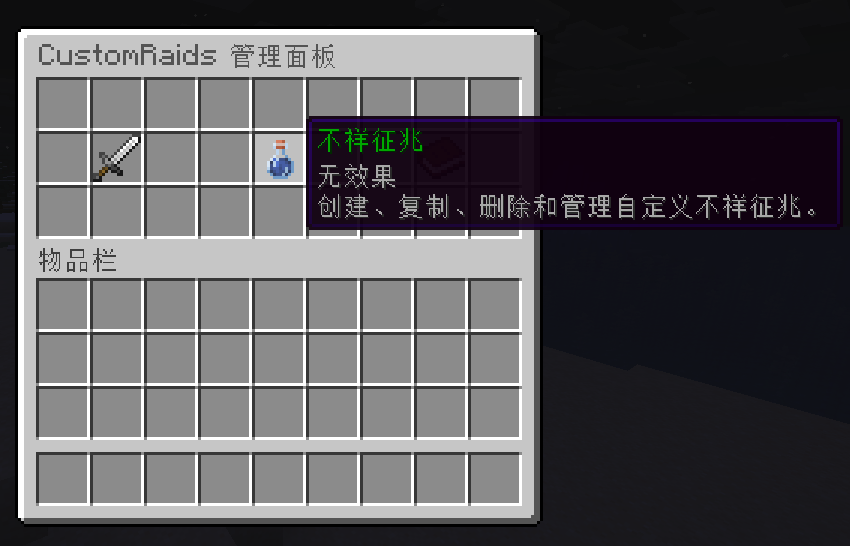
Use /raids gui to open the in-game management menu and create Omens quickly.
Custom Omen configuration files are stored in plugins/CustomRaids/omens/.
The built-in example is example_bad_omen.yml.
# Omen definitions; each child key is a unique Omen ID
# Commands and PlaceholderAPI placeholders use this ID
omens:
  example_bad_omen:
    # Colored Omen display name
    display_name: "&2Example Bad Omen"

    # Whether the vanilla BAD_OMEN effect can trigger this Omen
    use_vanilla_bad_omen: true

    # Whether drinking milk clears the player's custom Omen state
    milk_clears_custom_omen: true

    # Whether the custom Omen is consumed after triggering a raid
    consume_custom_omen: true

    # Whether the vanilla BAD_OMEN effect is removed after triggering a raid
    consume_vanilla_bad_omen: true

    # Notification shown when a player obtains the Omen
    obtain_notify:
      # Notification mode: msg, actionbar, or title
      mode: msg

      # Chat message used when mode is msg
      msg: "&aYou obtained %omen% Lv.%level%"

      # ActionBar text used when mode is actionbar
      actionbar: "&a%omen% Lv.%level%"

      # Main title and subtitle used when mode is title
      title: "&2Omen Obtained"
      subtitle: "&a%omen% Lv.%level%"

      # Title fade-in, stay, and fade-out durations, in ticks
      title_fade_in: 5
      title_stay: 40
      title_fade_out: 10

      # Optional sound played when the Omen is obtained
      # Falls back to omen.default_obtain_sound in config.yml when omitted
      sound: { id: "minecraft:entity.experience_orb.pickup", volume: 1.0, pitch: 1.0 }

    # Raid presets this Omen can trigger
    # A matching entry is selected by relative weight and Omen level
    presets:
      # preset: raid preset name
      # weight: relative selection weight
      # min_level / max_level: optional minimum and maximum Omen levels
      - preset: example_raid
        weight: 100
        min_level: 1
max_level: 5When a custom Omen triggers, the plugin selects a matching raid preset based on the Omen level and relative weights.
Each player's current custom Omen state is stored in plugins/CustomRaids/omen_state.yml.