Wireless
Conduits are cheap but they have to be laid tile by tile. Two other things let a network cover ground without a line on the floor. Both start at the Demonic tier, because before that a storage network is still small enough to walk across.

An item you carry. Use it and the terminal screen opens wherever you are.
It has to be paired with a Wireless Transceiver first. Hold the terminal and click a transceiver to pair them. After that, using the terminal opens the network that transceiver is on.
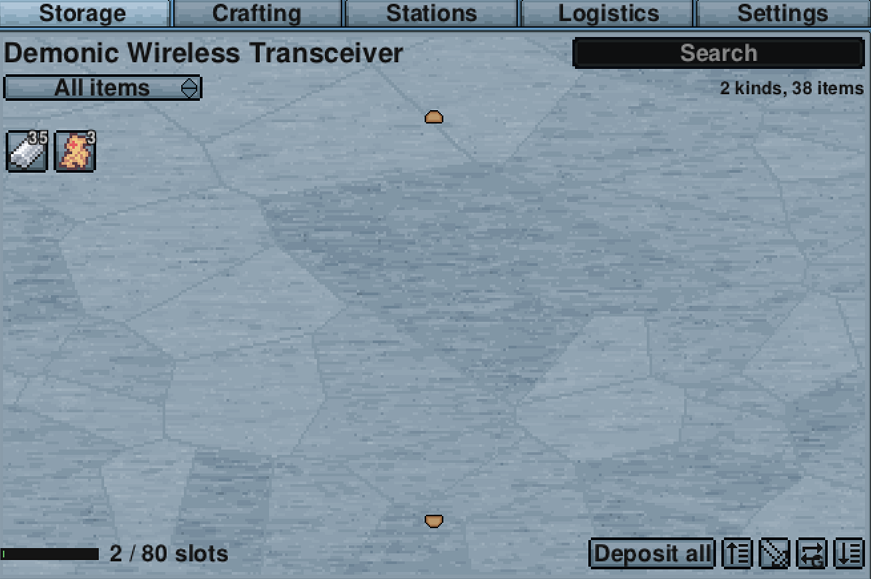
It is the same screen as the placed terminal, with the same tabs and the same controls.

Placed on the network, and it is what a Wireless Terminal connects to. One is enough for a base.
How far away you can be depends on the tier:
| Tier | Reach |
|---|---|
| Demonic | 120 tiles, on the same island |
| Tungsten | The whole island, however far you have walked |
| Fallen | Any island, including caves and incursions |
Those numbers are the defaults and a server can change them. The terminal's Settings tab shows what your own config says.
These two are a pair, and they solve a different problem. A Wireless Terminal brings you to the network. An Access Point brings distant storage onto it.

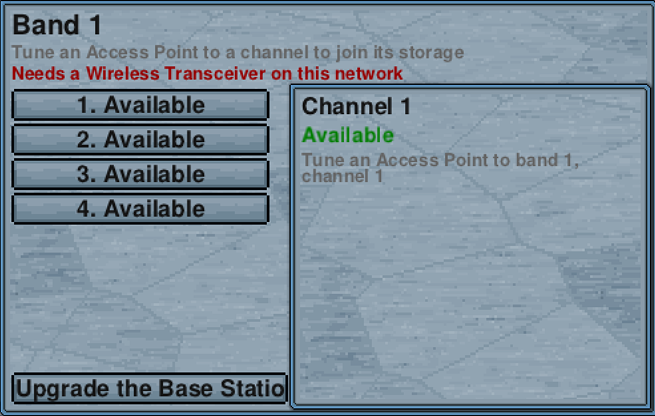
A Base Station also needs a Wireless Transceiver on its own network to transmit through. Without one it says so and does nothing:
Only one Base Station may run on a network. Put two on the same one and both go dark rather than one quietly winning, because a station that had silently lost would be impossible to tell apart from a working one.
With a transceiver present it transmits, and its panel lists every channel and what is tuned to it:
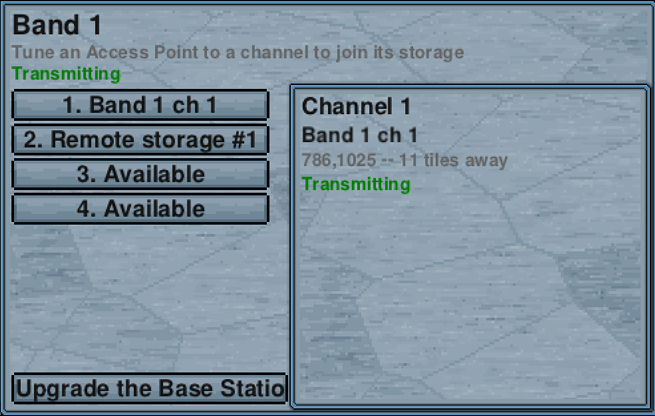
Put a Base Station on your main network. Put an Access Point next to storage somewhere else, up to 200 tiles away, and tune it to one of the base station's channels. That storage is now part of the main network, exactly as if you had run conduit to it.
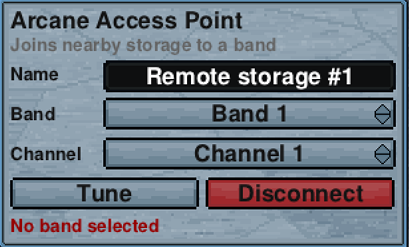
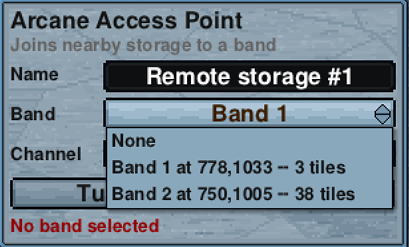
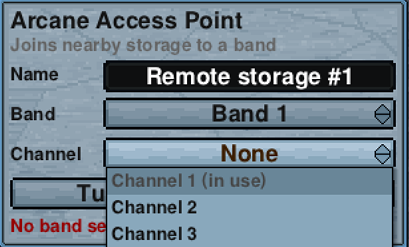
Tuning an Access Point is three steps in its panel. Name it, pick the band, pick a free channel, then press Tune.
Once tuned it confirms which band and channel it is on:

It behaves the same as conduit in every way. The items show up in your terminal, they count towards capacity, crafting can use them, and a Station Unit out there works too.
Each channel carries one Access Point, so the number of channels is the number of separate outposts a Base Station supports:
| Tier | Channels |
|---|---|
| Demonic | 4 |
| Tungsten | 8 |
| Fallen | 16 |
The typical use is one channel per outbuilding. Grain by the farm, ore by the mine, timber by the trees, and one spare.
- You want to check your storage while out exploring. That is a Wireless Terminal.
- You want the chest at your farm to be part of your main network. That is an Access Point and a Base Station.
- Your storage is all in one place and you are happy walking to it. You need neither. Conduit is cheaper.
At the Demonic Workstation and its later versions:
| Item | Demonic | Tungsten | Fallen |
|---|---|---|---|
| Wireless Terminal | 10 Demonic Bar, 5 Sapphire | 10 Tungsten Bar, 5 Ruby | 10 Upgrade Shard, 5 Pearlescent Diamond |
| Wireless Transceiver | 15 Demonic Bar, 10 Sapphire | 15 Tungsten Bar, 10 Ruby | 15 Upgrade Shard, 10 Pearlescent Diamond |
| Base Station | 15 Demonic Bar, 10 Sapphire | 15 Tungsten Bar, 10 Ruby | 15 Upgrade Shard, 10 Pearlescent Diamond |
The Access Point has only one version, because there is nothing a tier could buy it. It costs 40 Any Log, 10 Iron Bar and 1 Sapphire at a Workstation.