Repository navigation
Title Block
The title block follows ISO 7200: fill in the fields you need, empty ones are left out.
Main fields: Title, Project, Drawing No. (also the file name), Company, Logo (any image Blender reads: PNG, JPEG…), Author, Revision. The date, sheet number, scale, size and unit are filled in automatically.
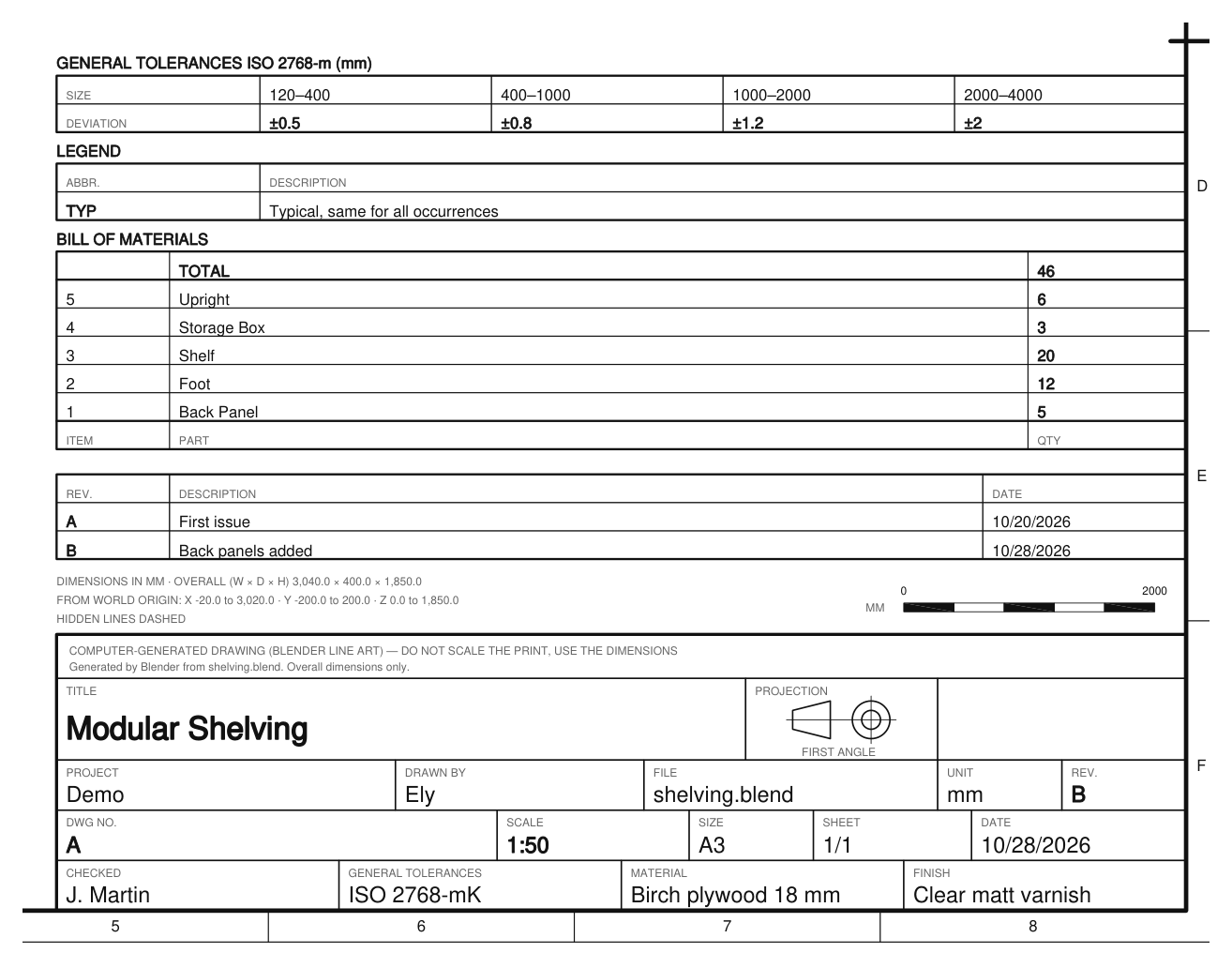
- Checked and Approved: who checked and approved the drawing.
- Material: material and finish.
-
General Tolerances: the tolerance of every dimension without its own tolerance.
-
ISO 2768: choose the Class of lengths and angles (f fine, m medium, c coarse, v very coarse) and the Geometrical class of straightness, flatness, perpendicularity and symmetry (H, K, L or none). Tick Envelope Requirement (E) for parts that must fit together. The title block shows, for example,
ISO 2768-mK-(E). - Table of Deviations: a small table above the title block with the permitted deviations (± mm) of the class, only for the size ranges dimensioned on the sheet. The workshop reads the values without opening the standard.
-
ISO 22081, or Custom with your own text (e.g.
±0.5, ANGLES ±1°).
-
ISO 2768: choose the Class of lengths and angles (f fine, m medium, c coarse, v very coarse) and the Geometrical class of straightness, flatness, perpendicularity and symmetry (H, K, L or none). Tick Envelope Requirement (E) for parts that must fit together. The title block shows, for example,

- Revisions: a table of revisions (Rev., Description, Date) above the title block; the latest revision letter goes in the title block.
- Custom Fields: your own Field / Value pairs, added to the title block (client, order number, finish…).
- Legend: a table of abbreviations used on the drawing (e.g. TYP = Typical).
- Remarks: pick a Text from Blender's Text Editor; its lines are printed as notes above the title block.
- Ownership: a notice at the bottom of the title block, e.g. “This drawing is the property of … — all rights reserved”.