Repository navigation
Views and Style
Pick the views and the drawing standard in Views; Style sets how the lines look.
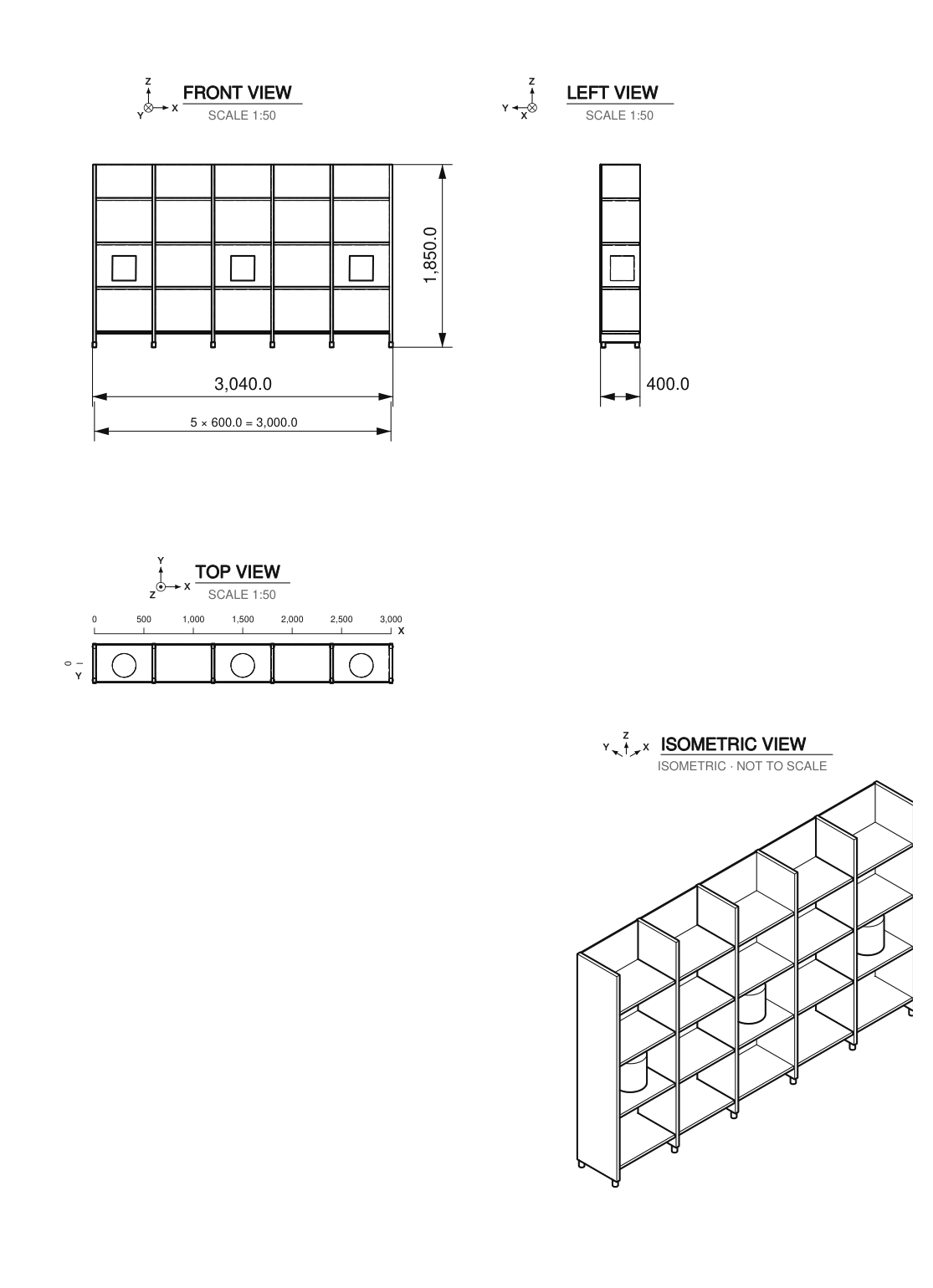
- Front, Side, Top: tick the orthographic views to draw.
- Isometric view and its Viewpoint: Auto (front and the side shown by the side view), Front Left, Front Right, Back Left, Back Right, or Viewport (the angle of your current 3D view).
- Front View: which side of the model is the front: Front (−Y), Back (+Y), Right (+X), Left (−X), Top (+Z), Bottom (−Z).
- Projection: European (first angle, ISO E: left view on the right, top view below) or American (third angle, ISO A). The projection symbol is drawn in the title block.
- Standard: ISO or ASME. Auto follows the projection (first angle → ISO, third angle → ASME). It changes the dimension text, arrows and extension lines (see Dimensions).
- Fast: about a third faster on heavy models (back faces ignored, no intersection lines). Use it for drafts.
- Line weight: Fine, Normal or Bold. Visible edges and thin lines keep the ISO 128 ratio of 2:1.
- Crease angle: edges sharper than this angle are drawn. Raise it to hide the facets of curved surfaces.
- Marked Edges: edges marked in Edit Mode are always drawn, even where the surface is smooth (seams, panel joints, tangent edges of a fillet, folds). In Edit Mode, Mark, Clear and Select under the option. They are Blender's Freestyle edge marks, read by Line Art (also as hidden lines).
- Hidden lines: dashed hidden lines on the front, side and top views, and optionally on the isometric view (usually cluttered). They slow down heavy models.
- Axes: a small X, Y, Z triad next to each view title.
- View Titles: name and scale above each view. Workshops usually leave them out.
- Layer Colours: in the SVG and the viewer, one colour per layer (visible lines, hidden lines, dimensions, text, frame, hatching), each one adjustable. Also in the PDF: off by default (black, as workshops expect).
- Filing Margin (ISO only): a 20 mm margin on the left side for binding (ISO 5457).