Repository navigation
Orbit v1.4.0 — Windows 95 style

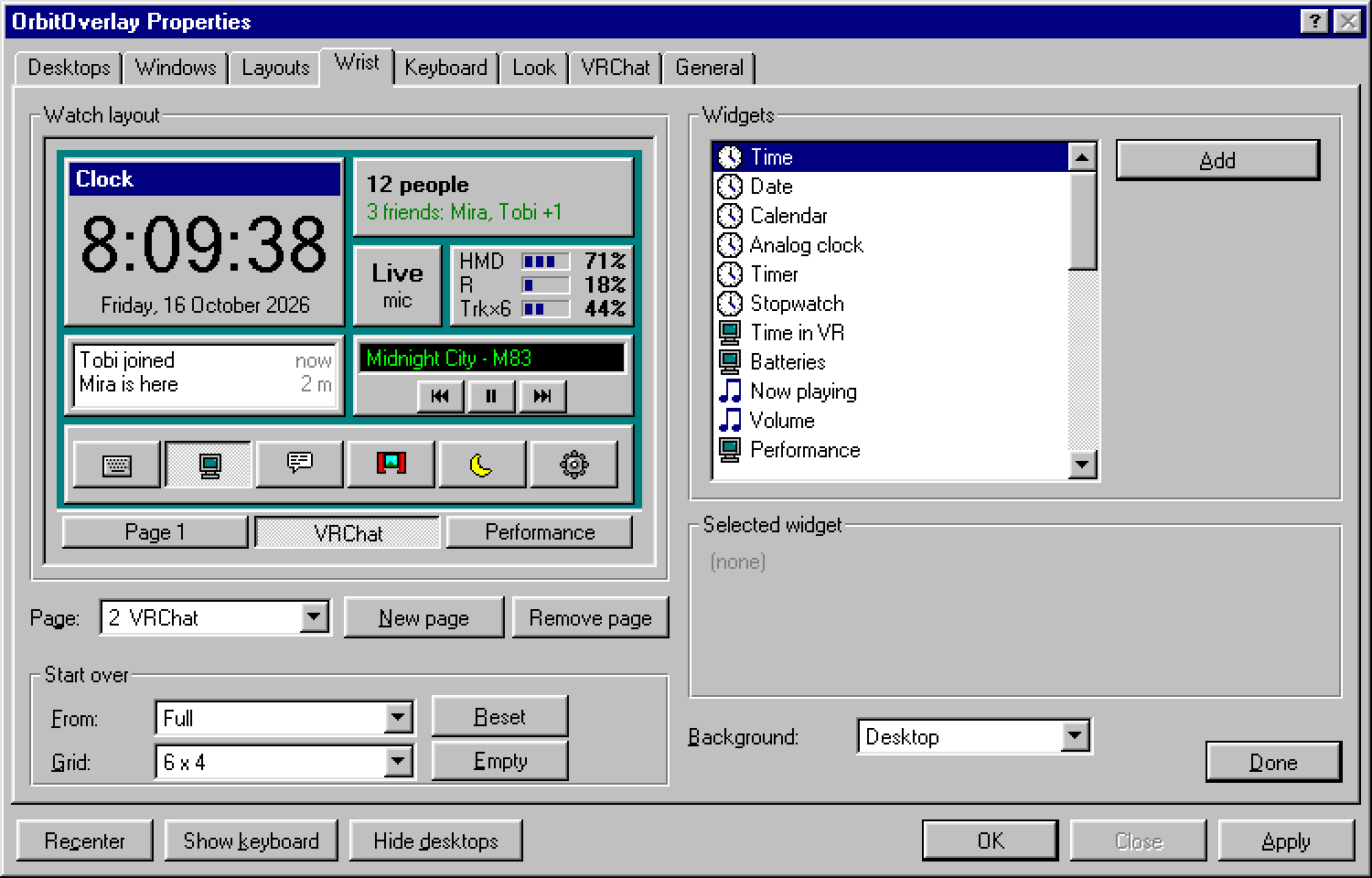
New: an optional Windows 95 style. Settings > Look > Style: Modern (default, as before) or Windows 95.
It switches instantly and can be switched back the same way.
In the Windows 95 style the settings, the watch, the keyboard and the notifications are drawn the way they
looked in 1995 - at their original pixel size in 8 pt MS Sans Serif, then enlarged without smoothing:
- Orbit Properties: a real property sheet - tabs, group boxes, drop-down lists, trackbars, access keys,
OK / Close / Apply. On the desktop the settings window is the 95 window (drag it by its blue caption). - The watch is a Date/Time window: big time with seconds, the long date, an analog dial with bevelled
teal hands, a CD Player row for what's playing, battery bars, a toolbar and a status bar (or the frame graph). - The keyboard gets 95 push buttons, notifications become little 95 message windows.
Update from Settings > General > Check for updates, or download OrbitSetup.exe below.