Skip to content

Hide Home loading bar while offline - #100011

Merged
grgia merged 3 commits into
mainfrom
claude-homePageOfflineLoadingBar
Sep 4, 2026
Merged

Hide Home loading bar while offline#100011
grgia merged 3 commits into
mainfrom
claude-homePageOfflineLoadingBar

Conversation

@MelvinBot

@MelvinBot MelvinBot commented Sep 1, 2026

Copy link
Copy Markdown
Contributor

Explanation of Change

The Home page computed its top loading-bar visibility straight from the Onyx flags:

const [isLoadingApp = true] = useOnyx(ONYXKEYS.IS_LOADING_APP);
const [isLoadingReportData = false] = useOnyx(ONYXKEYS.IS_LOADING_REPORT_DATA);
const isForYouLoading = !!(isLoadingApp || isLoadingReportData);

Offline, the commands those flags track (OpenApp / OpenReport) are queued but never sent, so nothing ever clears the flags and the loading bar on Home stays up forever. The reported repro (send an attachment offline, then go to Home) is one way to set IS_LOADING_REPORT_DATA; sending an attachment to any regular chat reproduces it too, so this is not specific to the Concierge prompt box.

Every other tab (Inbox, Search, Workspaces) renders its bar through useLoadingBarVisibility, which already returns false while offline:

function useLoadingBarVisibility(): boolean {
const hasPendingLoadingBarRequest = useIsPendingInternal('loadingBar');
const {isOffline} = useNetwork();
// Don't show loading bar if currently offline
return !isOffline && hasPendingLoadingBarRequest;
}

Switching Home to TopBarWithLoadingBar would inherit that behaviour but would also drop the OpenApp tracking Home relies on, so instead this adds the same !isOffline guard directly to isForYouLoading, matching the hook's semantics with a one-line change.

Fixed Issues

$ #99501
PROPOSAL: #99501 (comment)

Tests

// TODO: The human co-author must fill out the tests they ran before marking this PR as "ready for review".
// Please describe what tests you performed that validate your change worked.

  • Verify that no errors appear in the JS console

Offline tests

// TODO: The human co-author must confirm the offline steps before marking this PR as "ready for review".

The behaviour this PR changes is offline-only:

  1. Go offline.
  2. Open any chat and send an attachment (or a message).
  3. Navigate to Home.
  4. Verify no loading bar is shown at the top of the Home page while offline.
  5. Go back online and verify Home loads normally and any loading bar clears on its own.

QA Steps

// TODO: The human co-author must fill out the QA steps before marking this PR as "ready for review".
// Please describe what QA needs to do to validate these changes and what areas they need to test for regressions.

  • Verify that no errors appear in the JS console

PR Author Checklist

  • I linked the correct issue in the ### Fixed Issues section above
  • I wrote clear testing steps that cover the changes made in this PR
    • I added steps for local testing in the Tests section
    • I added steps for the expected offline behavior in the Offline steps section
    • I added steps for Staging and/or Production testing in the QA steps section
    • I added steps to cover failure scenarios (i.e. verify an input displays the correct error message if the entered data is not correct)
    • I turned off my network connection and tested it while offline to ensure it matches the expected behavior (i.e. verify the default avatar icon is displayed if app is offline)
    • I tested this PR with a High Traffic account against the staging or production API to ensure there are no regressions (e.g. long loading states that impact usability).
  • I included screenshots or videos for tests on all platforms
  • I ran the tests on all platforms & verified they passed on:
    • Android: Native
    • Android: mWeb Chrome
    • iOS: Native
    • iOS: mWeb Safari
    • MacOS: Chrome / Safari
  • I verified there are no console errors (if there's a console error not related to the PR, report it or open an issue for it to be fixed)
  • I followed proper code patterns (see Reviewing the code)
    • I verified that comments were added to code that is not self explanatory
    • I verified that any new or modified comments were clear, correct English, and explained "why" the code was doing something instead of only explaining "what" the code was doing.
    • I verified any copy / text that was added to the app is grammatically correct in English. It adheres to proper capitalization guidelines (note: only the first word of header/labels should be capitalized), and is either coming verbatim from figma or has been approved by marketing (in order to get marketing approval, ask the Bug Zero team member to add the Waiting for copy label to the issue)
  • If a new code pattern is added I verified it was agreed to be used by multiple Expensify engineers
  • I followed the guidelines as stated in the Review Guidelines
  • I tested other components that can be impacted by my changes (i.e. if the PR modifies a shared library or component like Avatar, I verified the components using Avatar are working as expected)
  • If a new CSS style is added I verified that:
    • A similar style doesn't already exist
    • The style can't be created with an existing StyleUtils function (i.e. StyleUtils.getBackgroundAndBorderStyle(theme.componentBG))
  • If new assets were added or existing ones were modified, I verified that:
    • The assets are optimized and compressed (for SVG files, run npm run compress-svg)
    • The assets load correctly across all supported platforms.
  • If the PR modifies code that runs when editing or sending messages, I tested and verified there is no unexpected behavior for all supported markdown - URLs, single line code, code blocks, quotes, headings, bold, strikethrough, and italic.
  • If the PR modifies a generic component, I tested and verified that those changes do not break usages of that component in the rest of the App (i.e. if a shared library or component like Avatar is modified, I verified that Avatar is working as expected in all cases)
  • If the PR modifies a component related to any of the existing Storybook stories, I tested and verified all stories for that component are still working as expected.
  • If the PR modifies a component or page that can be accessed by a direct deeplink, I verified that the code functions as expected when the deeplink is used - from a logged in and logged out account.
  • If the PR modifies the UI (e.g. new buttons, new UI components, changing the padding/spacing/sizing, moving components, etc) or modifies the form input styles:
    • I verified that all the inputs inside a form are aligned with each other.
    • I added Design label and/or tagged @Expensify/design so the design team can review the changes.
  • I added unit tests for any new feature or bug fix in this PR to help automatically prevent regressions in this user flow.
  • If the main branch was merged into this PR after a review, I tested again and verified the outcome was still expected according to the Test steps.

Screenshots/Videos

Android: Native
Android: mWeb Chrome
iOS: Native
iOS: mWeb Safari
MacOS: Chrome / Safari

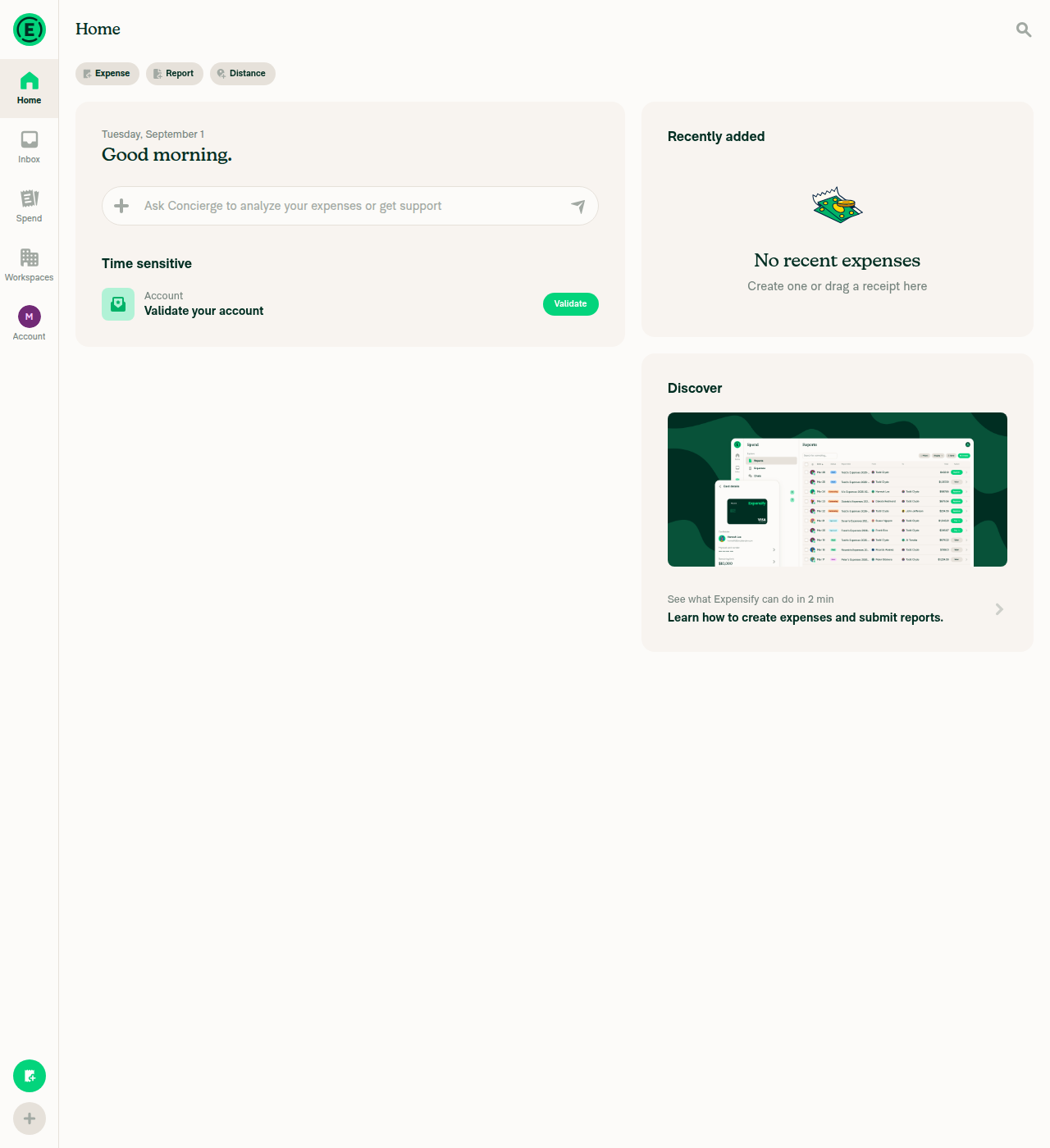
Home page online, no loading bar

Home page online, no loading bar

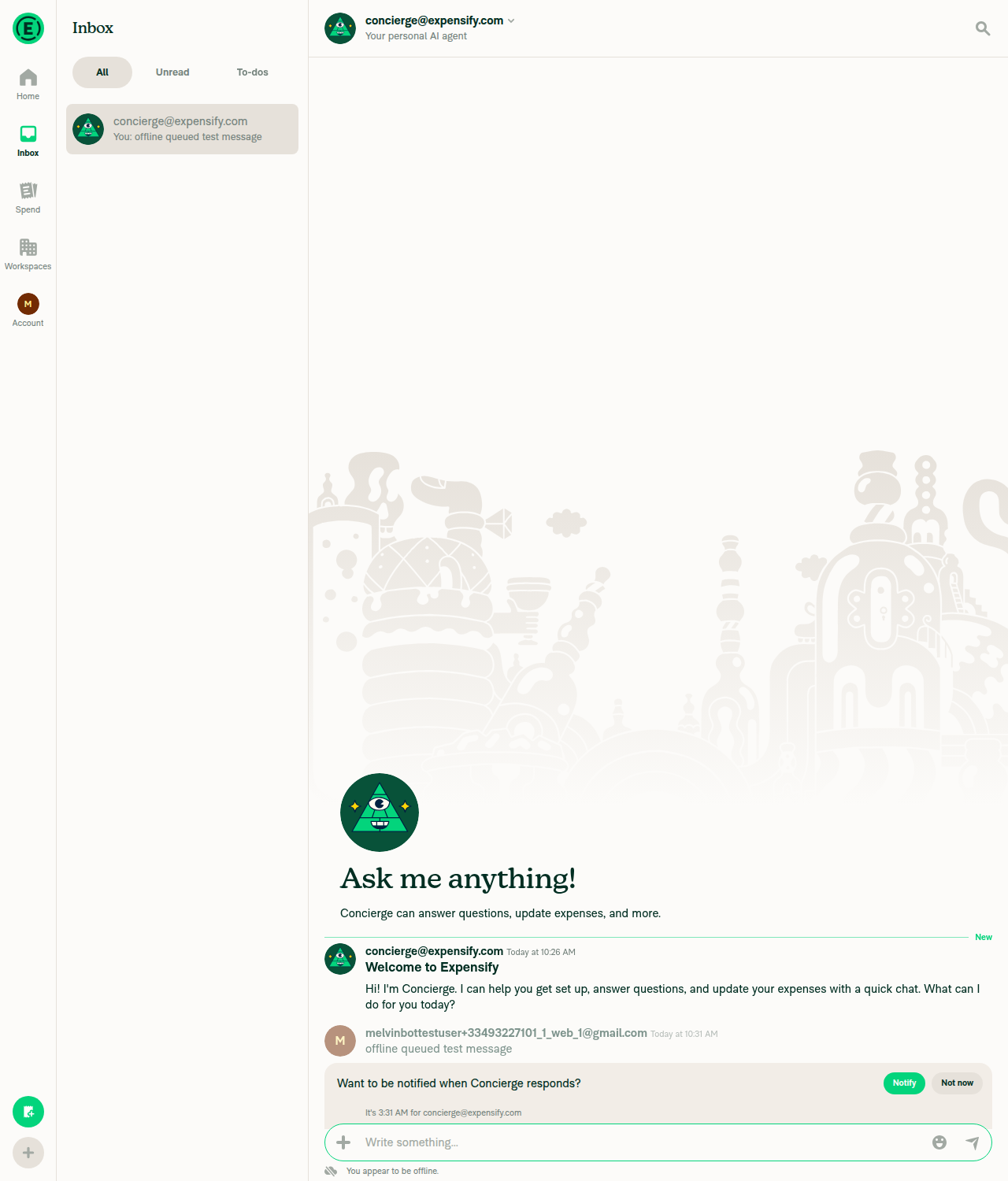
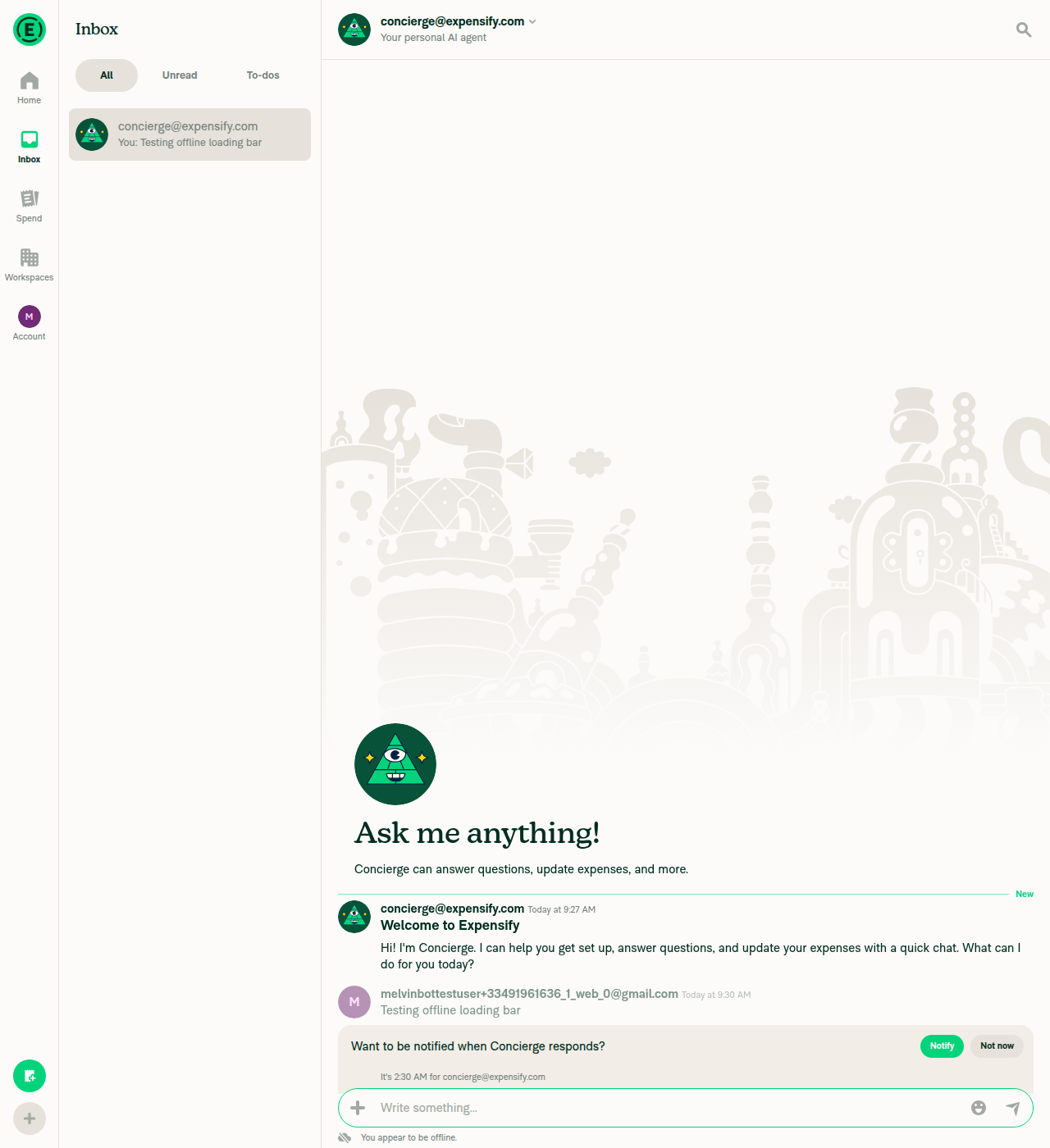
Message queued in Concierge chat while offline

Message queued in Concierge chat while offline

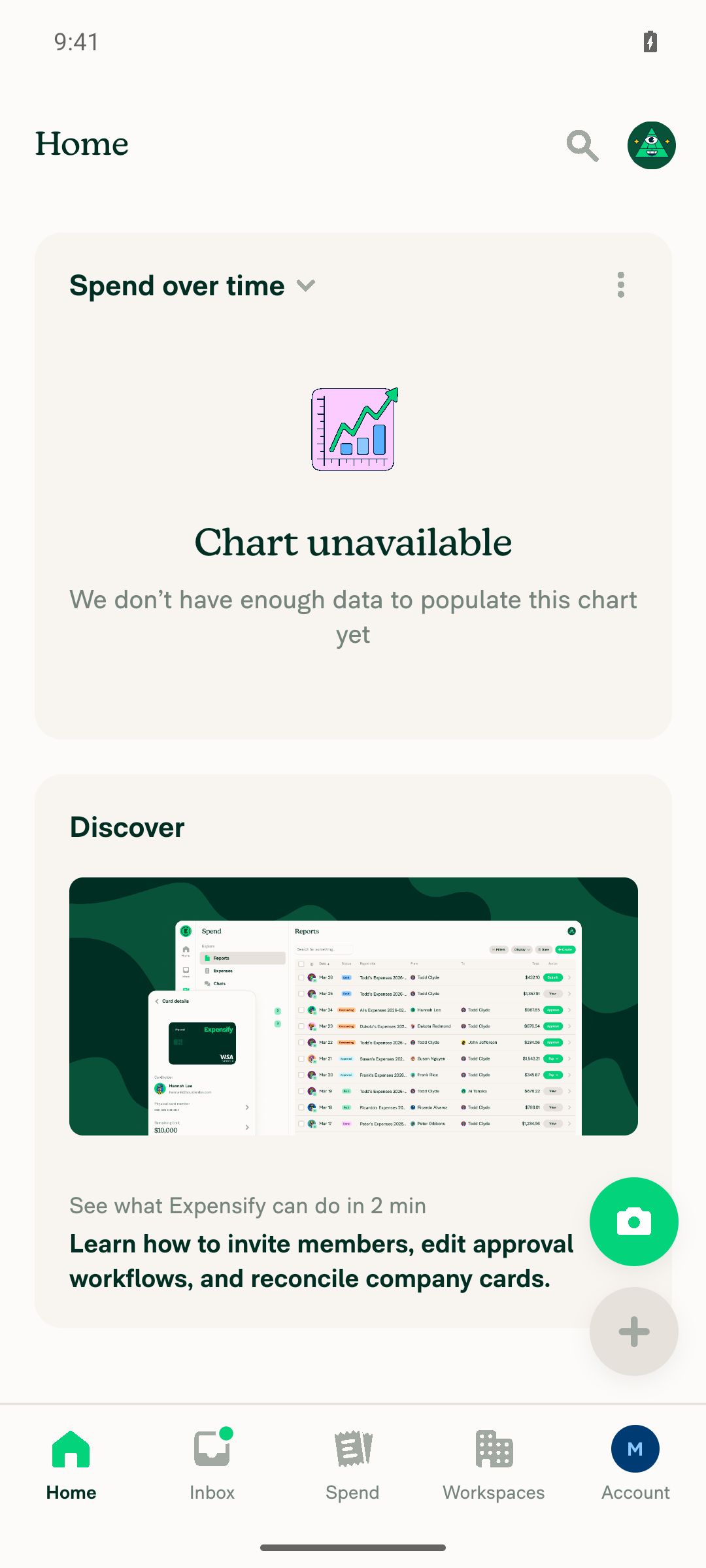
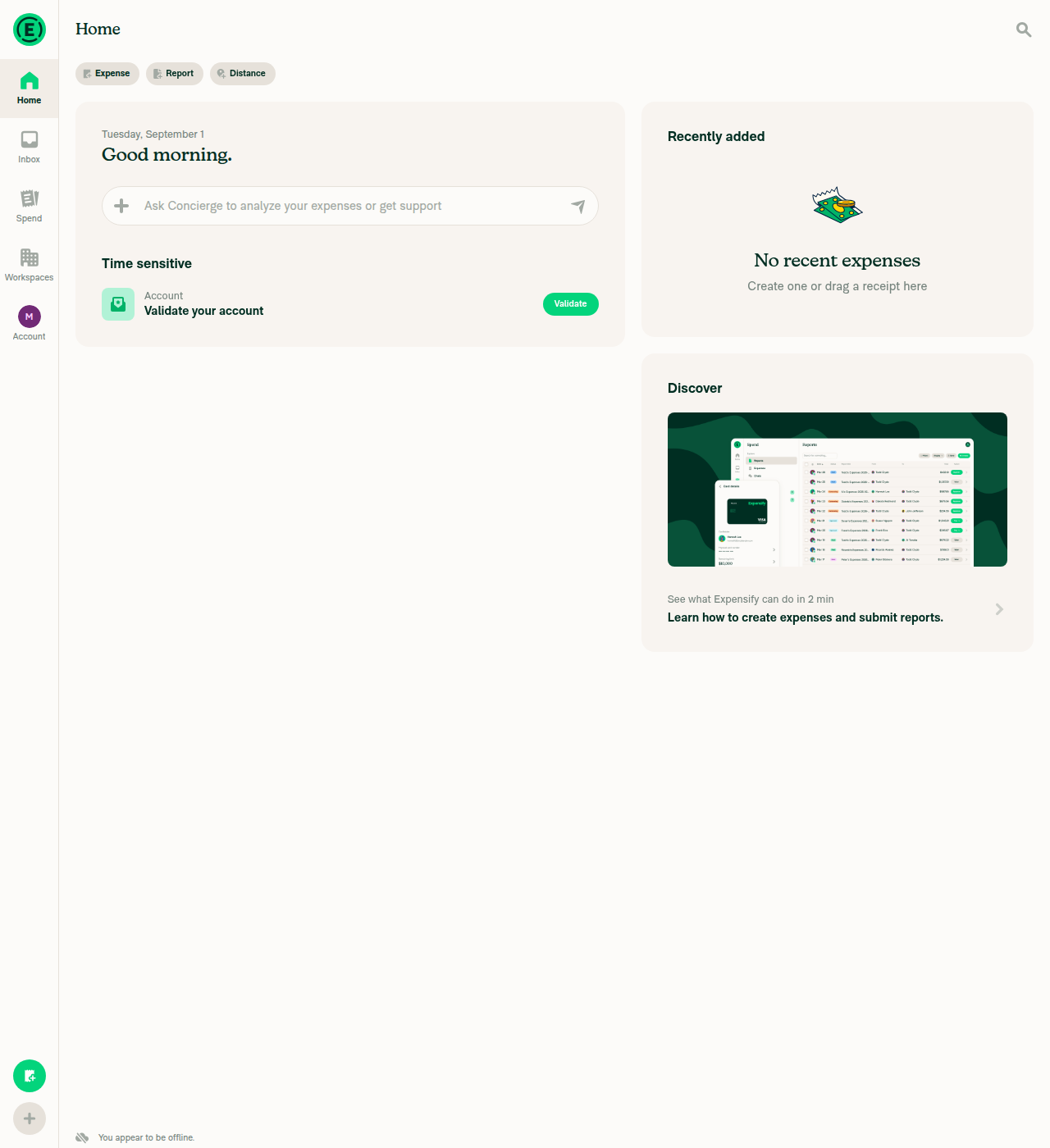
Home page while offline, no loading bar, offline indicator visible

Home page while offline, no loading bar, offline indicator visible

Home page after returning online, no stuck loading bar

Home page after returning online, no stuck loading bar

Co-authored-by: Marcin Warchoł <war-in@users.noreply.github.com>
@MelvinBot
MelvinBot requested a review from a team September 1, 2026 09:37
@melvin-bot melvin-bot Bot added Melvin-Test-Android Melvin-Test-Web Triggers Melvin to run the testing steps of the PR on web labels Sep 1, 2026
@MelvinBot

Copy link
Copy Markdown
Contributor Author

No code fix is needed — nothing is actually broken.

The only failing check is Check independent approval, and it fails because this PR has zero approving reviews. The verifyPeerReview.yml workflow requires an approval from someone other than the PR author, and no reviewer has approved yet. Pushing a commit cannot clear it — a human reviewer has to approve the PR.

Every other check on the branch is green, including the two that were still running when you asked:

Check Result
ESLint, Oxfmt, typecheck, spellcheck pass
Jest test (job 1–8), Bun tests, Storybook tests pass
React Compiler Compliance, unused styles, knip pass
Android / iOS builds pass
baseline-perf-tests, branch-perf-tests, validate-perf-tests pass (finished after your request)

One thing that will block the approval: the PR body still has // TODO: **The human co-author** must fill out... placeholders in the Tests and QA Steps sections, and the author checklist is unticked. Those need to be filled in before this can be marked ready for review.


view run

@MelvinBot

Copy link
Copy Markdown
Contributor Author

Android test results — pass

Ran the PR's offline test steps on standalone Android NewDot (developmentDebug APK, Metro on claude-homePageOfflineLoadingBar, app v9.4.65-2). All five checks passed, including a positive control where IS_LOADING_REPORT_DATA was verifiably stuck true while offline — the exact state that renders the bug.

Step Status Observation
Positive control: loading flag stuck true while offline → still no loading bar on Home pass Stranded a ReconnectApp mid-flight (emulator throttled to GSM, Force offline re-enabled during the request). Onyx read directly from the app's OnyxDB before, during and after the Home check: isLoadingReportData=true, isLoadingApp=false, network.shouldForceOffline=true. Home rendered with the offline indicator and zero #03D47C pixels in rows 250–400. Without the !isOffline guard, isForYouLoading would be true here.
Message sent while offline is queued / greyed out as pending pass Sent Offline queued message test in the self-DM with Force offline ON. Pixel read-back: message text darkest pixel rgb(126,149,142) vs normal body text rgb(0,46,34) on the same screen → ~50% opacity pendingAction styling.
No loading bar at the top of Home while offline pass 0 rows in the top 400px with a >15%-width run of #03D47C. Still 0 after scrolling Home to the bottom.
Offline indicator visible on Home pass "You appear to be offline." with the crossed-cloud icon docked above the tab bar, in both the plain offline run and the positive control.
Back online: Home loads normally, no loading bar stuck at top pass After restoring the network: isLoadingApp=false, isLoadingReportData=false, shouldForceOffline=false; offline indicator gone; Home widgets rendered with 0 success-green pixels in rows 250–400. The stranded flag cleared on reconnect rather than persisting.

No console errors.

Evidence (5)

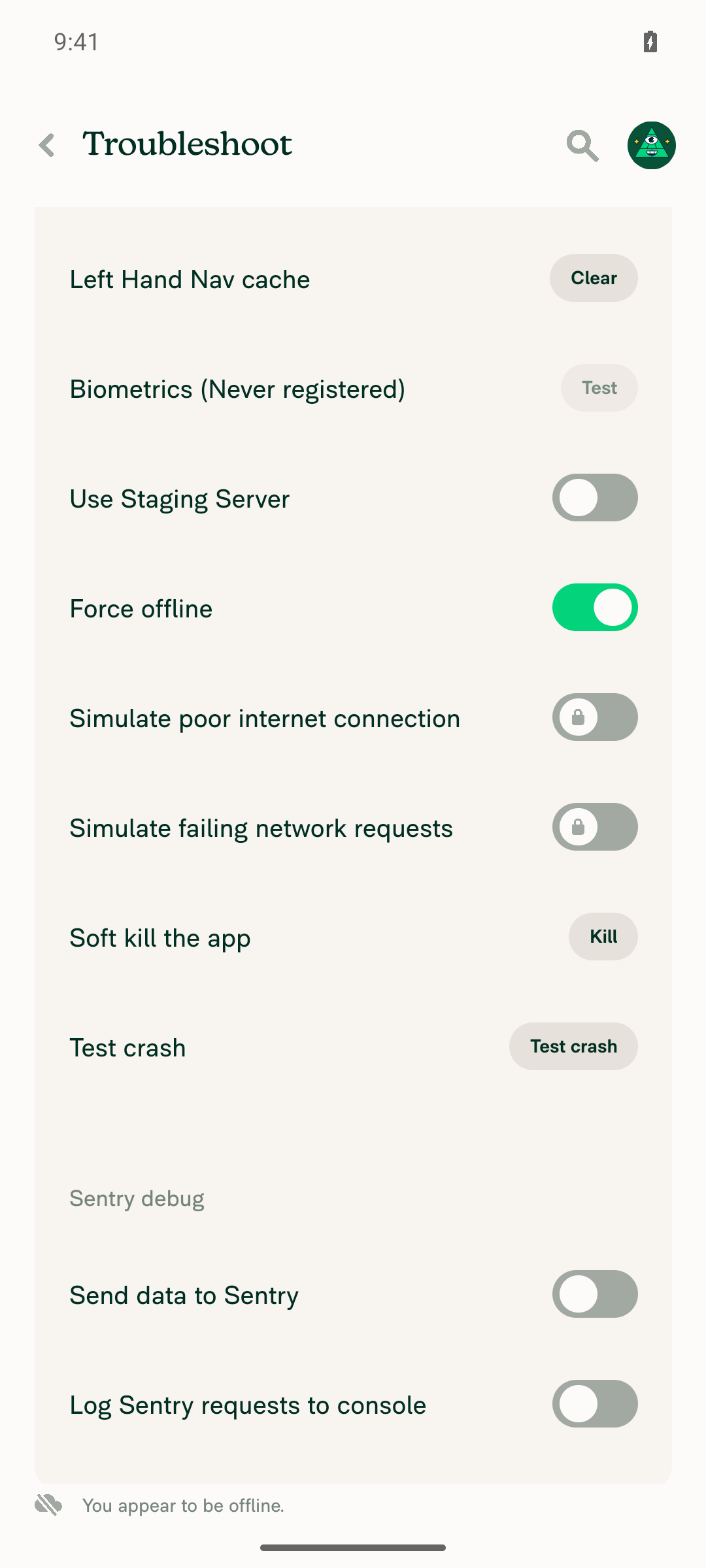
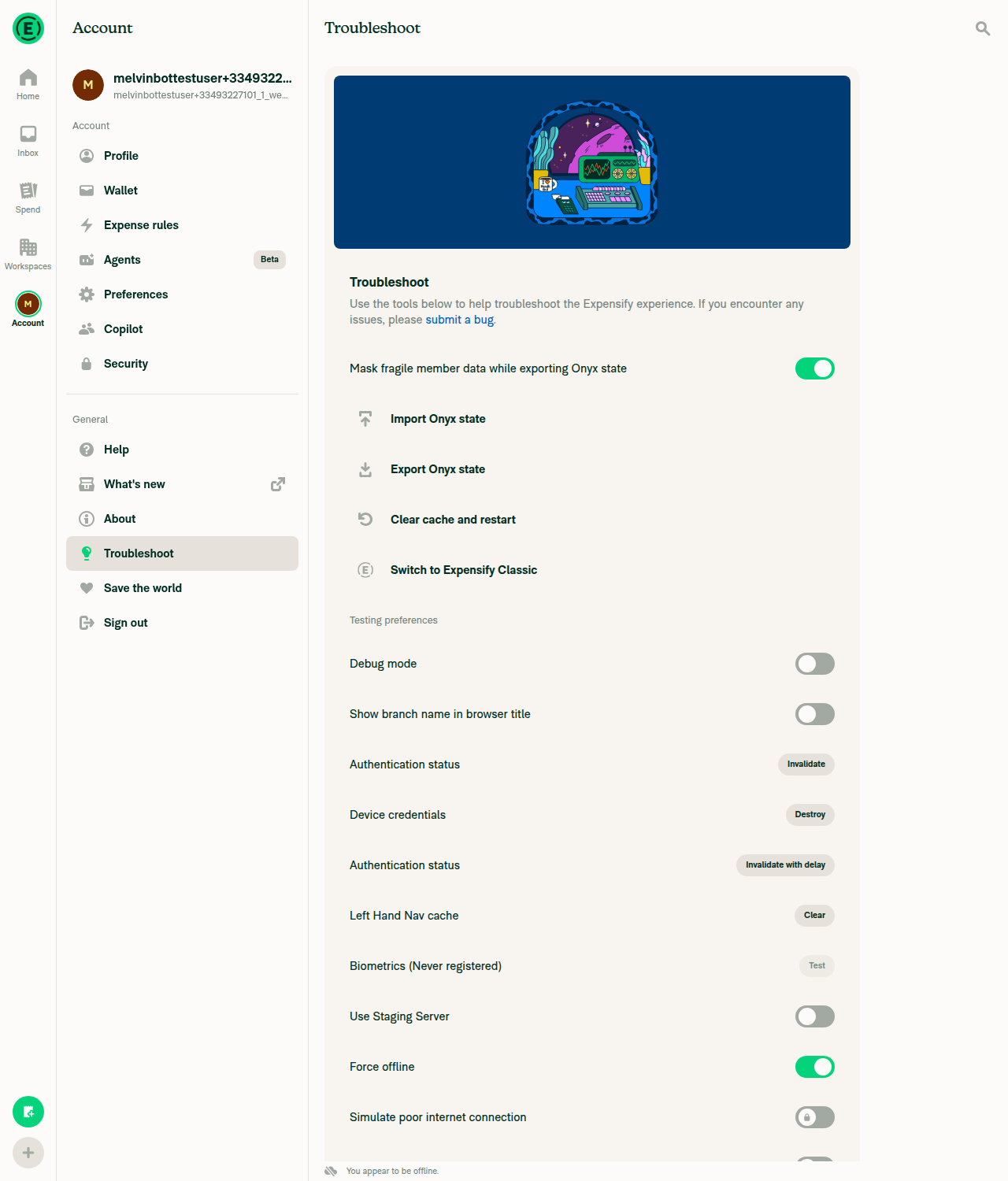
Troubleshoot page with Force offline ON and offline indicator

Troubleshoot page with Force offline ON and offline indicator

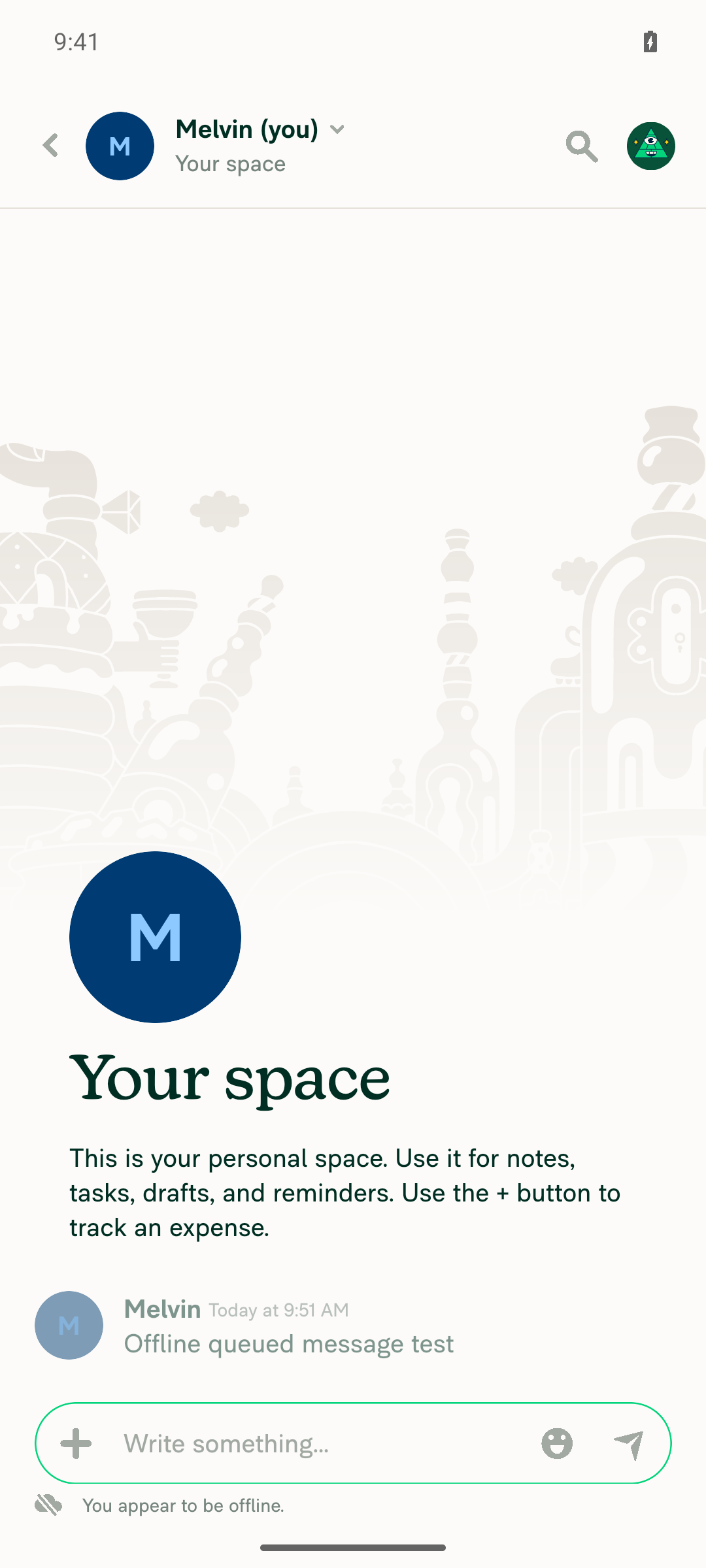
Self-DM with the sent message greyed out as pending while offline

Self-DM with the sent message greyed out as pending while offline

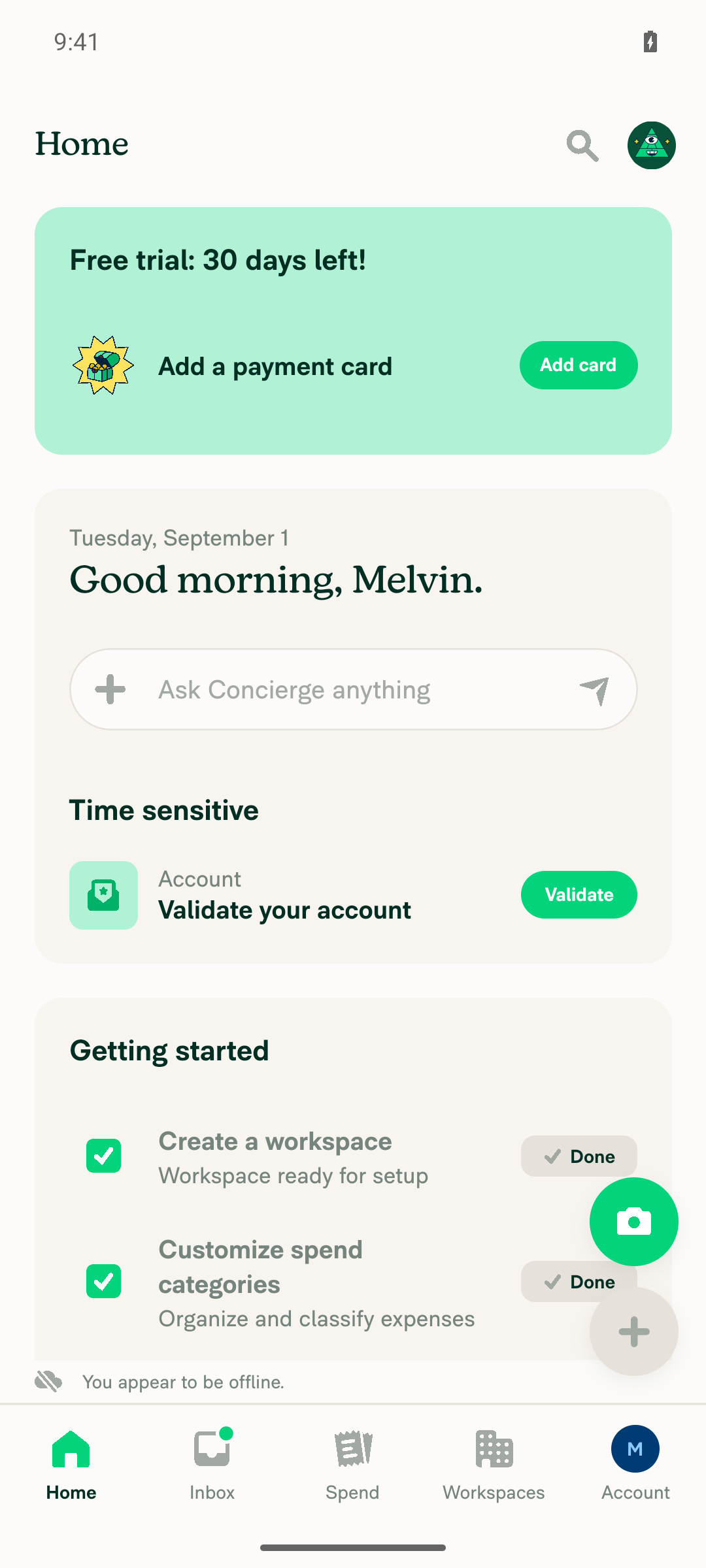
Home while offline: no loading bar under the header, offline indicator visible

Home while offline: no loading bar under the header, offline indicator visible

POSITIVE CONTROL — Home offline with isLoadingReportData stranded true in Onyx and still no loading bar

POSITIVE CONTROL - Home offline with isLoadingReportData stranded true in Onyx and still no loading bar

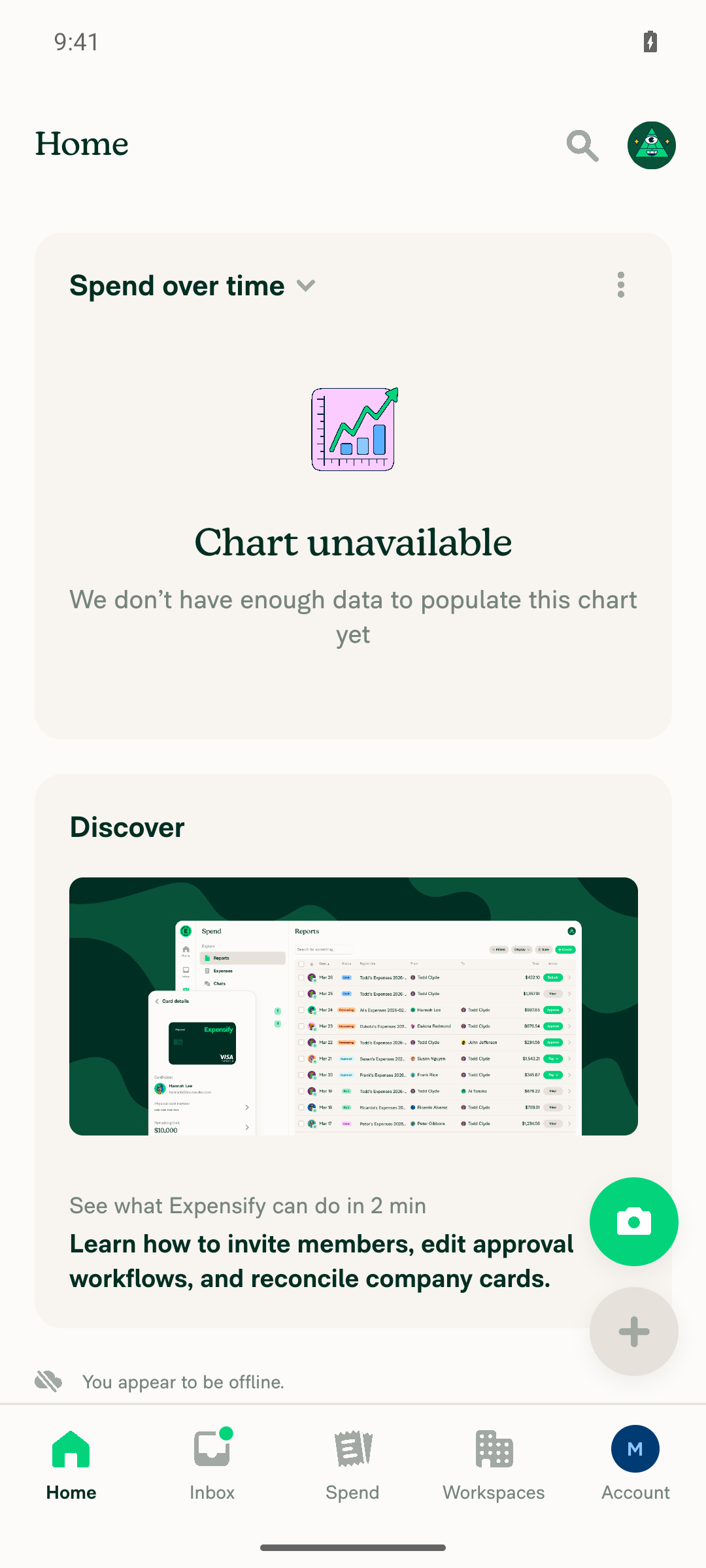
Home after going back online: content loaded, no stuck loading bar, no offline indicator

Home after going back online: content loaded, no stuck loading bar, no offline indicator

Two caveats worth knowing

No screen recording. You asked for recordings and I only have stills. CI holds an exclusive adb screenrecord fence on this session that flushes at teardown, so the tester couldn't start its own, and artifacts/recordings/ was still empty when this run finished. Screenshots are the only video-adjacent evidence here.

The PR's written repro does not actually set the flag. The Offline tests section says to send an attachment offline and then go Home, but IS_LOADING_APP / IS_LOADING_REPORT_DATA are written only by OpenApp / ReconnectApp in src/libs/actions/App.ts:306-370. OpenReport writes the per-report RAM_ONLY_REPORT_LOADING_STATE instead, and sending an attachment writes neither. Following the steps literally leaves both flags false, so the bar is absent for the wrong reason and the test passes vacuously. Getting the flag genuinely stuck needed a throttled radio plus toggling offline while a ReconnectApp was in flight. Consider rewriting those steps so a human reviewer and QA exercise the real state.

One more thing the positive control could not produce: a counter-control frame with the bar actually visible. Once online, the queued ReconnectApp flushed faster than the screenshot cadence. The green-bar detector is validated by construction (full-width #03D47C at bottom:-1 of the TopBar per LoadingBar.tsx and styles.progressBar) rather than by a positive image.

Unrelated: the Android sign-in macro is broken

CI could not sign in on any of its 3 prestart attempts, so the tester recovered the session by hand. The root cause is not selector drift — the element resolves fine. The bulk fill sets the native EditText text without firing onChangeText, so RN form state stays empty and Continue reports "Please enter an email or phone number". Per-character typing fixes it:

fill "id=\"username\" || label=\"Phone or email\" editable=true" "${EMAIL}" --delay-ms 60

The macro also doesn't cover the system permission dialog raised after Join, nor the work-email / purpose / name onboarding funnel that follows. Both were driven by hand. I'm flagging this here rather than fixing it, since it lives outside this repo.


view run

@MelvinBot

Copy link
Copy Markdown
Contributor Author

Web test results — partial (all 4 steps pass, one control missing)

Ran the PR's offline test steps on dev NewDot web (branch claude-homePageOfflineLoadingBar). All four documented steps pass, plus a positive control with IS_LOADING_APP genuinely stuck true while offline. The one thing I could not get is a live counter-control showing the bar actually visible, so the bar-absence assertions rest on a synthetically-validated pixel detector rather than a proven-live one.

Step Status Observation
1 — Go offline via Settings → Troubleshoot → Force offline pass Force offline switch track turned #03D47C at (1020,1355); "You appear to be offline." rendered bottom-left. Switch state is not exposed via is selected, so confirmed by pixel.
2 — Message is queued / greyed as pending while offline pass Sent offline queued test message in the Concierge chat offline. Rendered optimistically and faded: min text luminance 138 vs 27 for the delivered message above it; sender name 156 vs 85; avatar also faded.
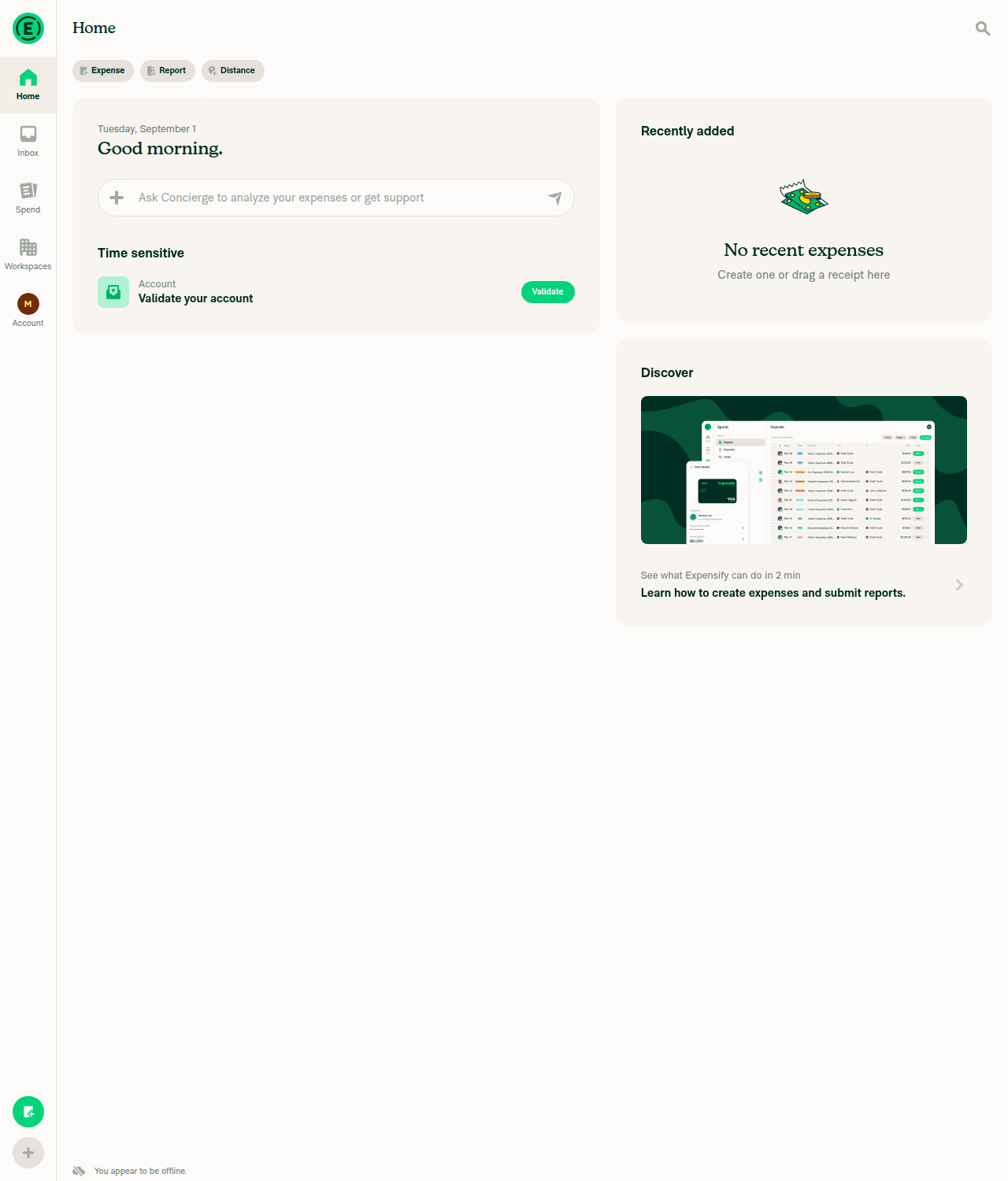
3a — No loading bar at top of Home while offline pass 10 consecutive frames on Home offline: zero contiguous #03D47C runs ≥40px anywhere in y[0,200), i.e. no 2px line at the TopBar bottom edge (rows 69–70).
3b — Offline indicator visible on Home pass "You appear to be offline." with wifi-off icon at bottom-left of Home (offline_ind_darkpx=104 vs 0 online). Visual only — the string is not in the AX tree.
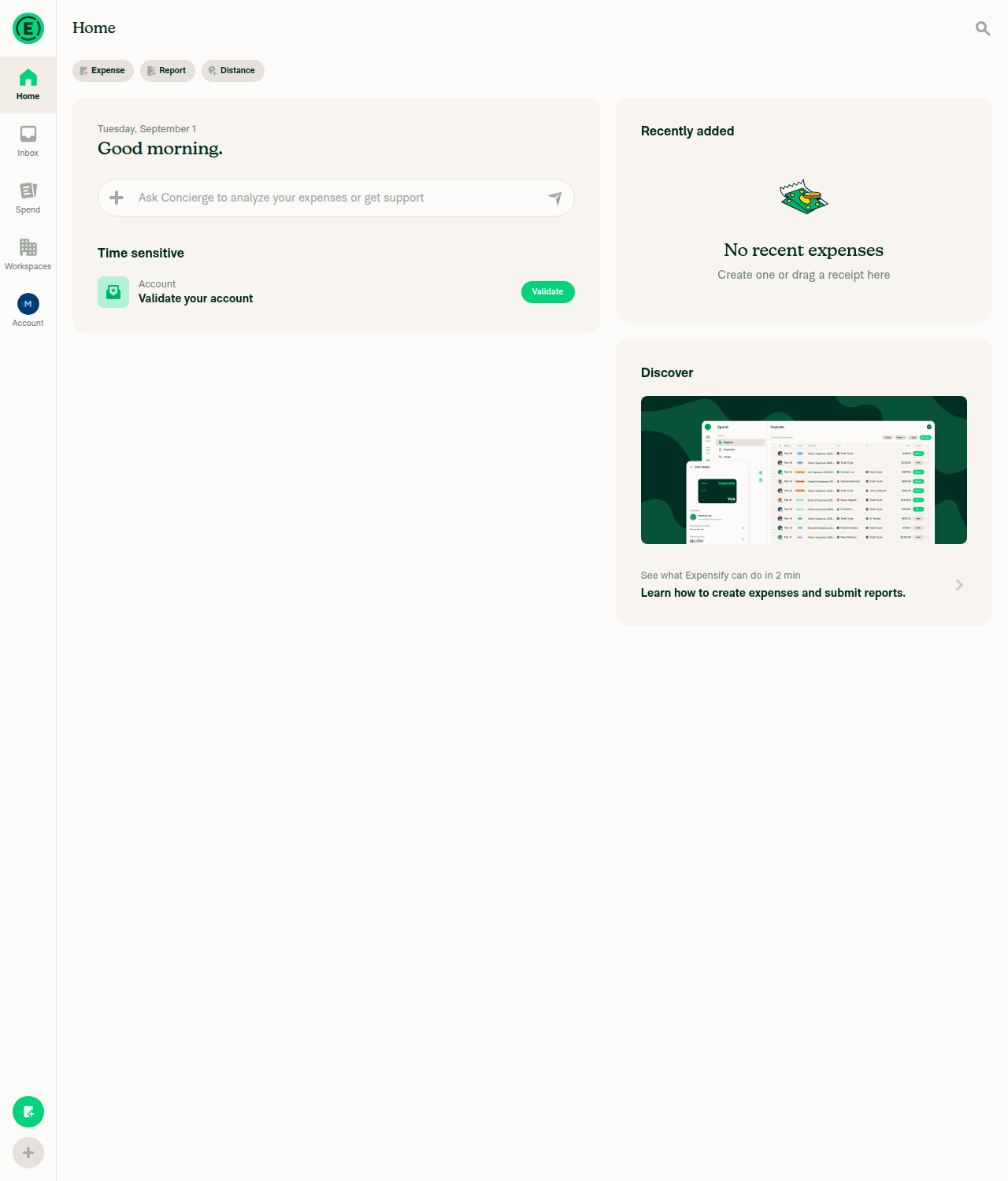
4 — Back online: Home loads normally, no bar stuck at top pass Force offline OFF; Home repopulated fully (avatar restored, Discover back, greeting corrected), offline indicator gone (darkpx=0), no green run ≥40px across two frames 4s apart.
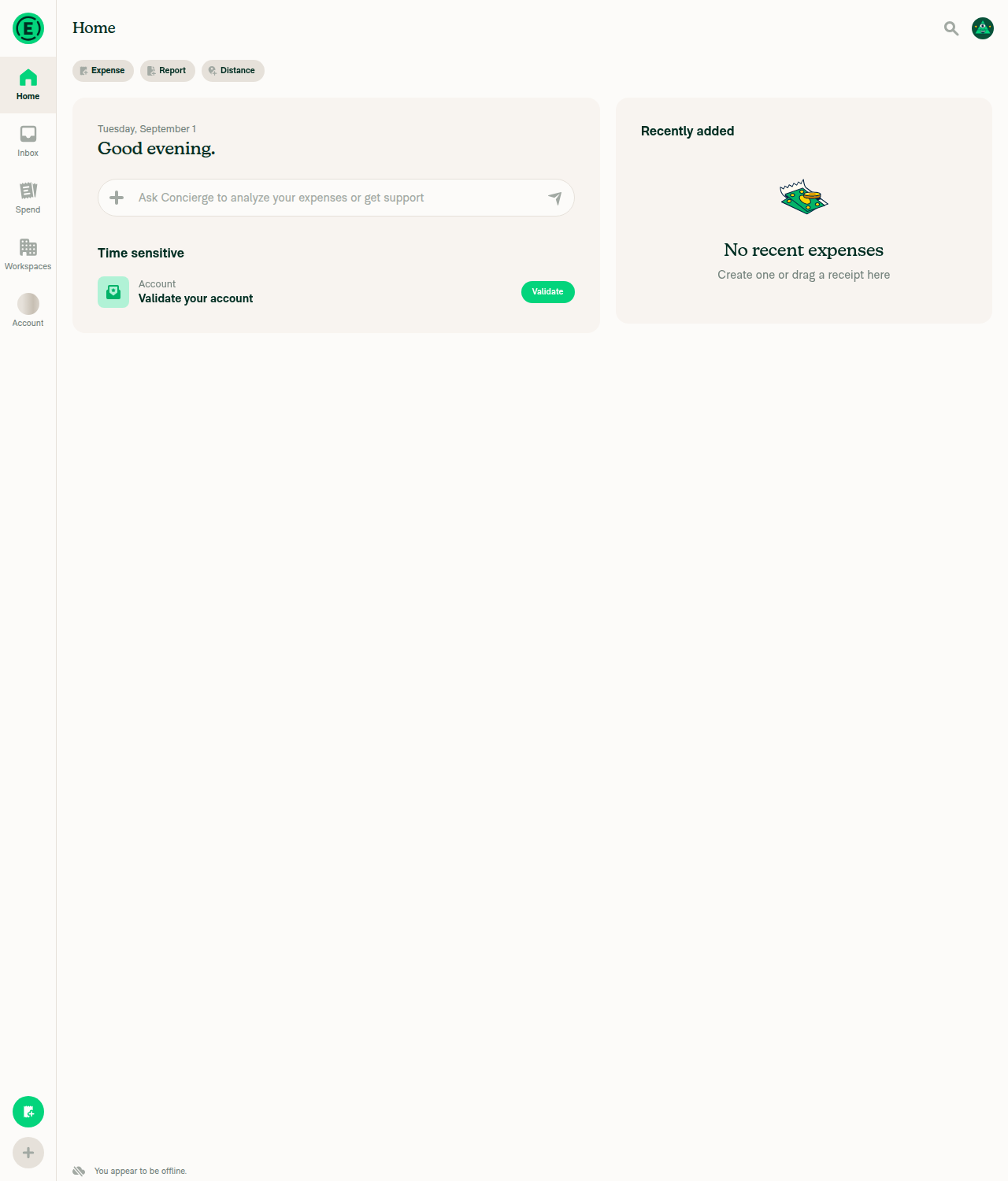
Positive control — no loading bar with the flag true AND app offline pass IS_LOADING_APP forced stuck true (method below). Across 10 frames: offline indicator present, zero green runs ≥40px.
Counter-control — bar actually visible while online (detector proof) fail Not obtained after 4 attempts. See caveat below.
Evidence (8)

Troubleshoot page with Force offline toggled ON

Troubleshoot page with Force offline toggled ON

Concierge chat offline: sent message greyed out as pending, offline indicator visible

Concierge chat offline: sent message greyed out as pending, offline indicator visible

Home while offline: no loading bar at top, offline indicator bottom-left

Home while offline: no loading bar at top, offline indicator bottom-left

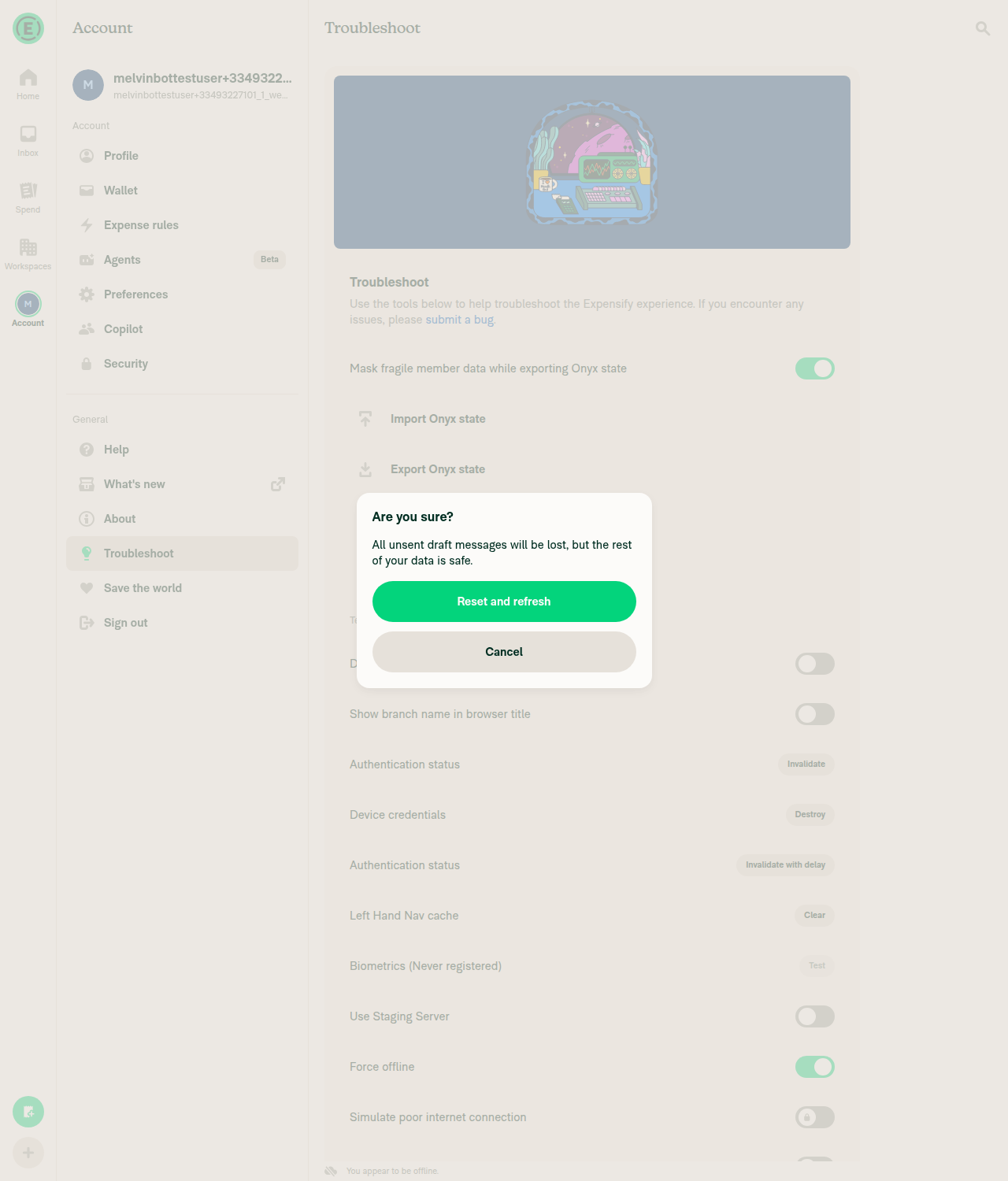
Reset-and-refresh confirmation while Force offline is ON

Reset-and-refresh confirmation while Force offline is ON

POSITIVE CONTROL: Home offline with IS_LOADING_APP stuck true (grey avatar, Discover gone) and no loading bar

POSITIVE CONTROL: Home offline with IS_LOADING_APP stuck true (grey avatar, Discover gone) and no loading bar

Home back online: fully loaded, no loading bar stuck at top

Home back online: fully loaded, no loading bar stuck at top

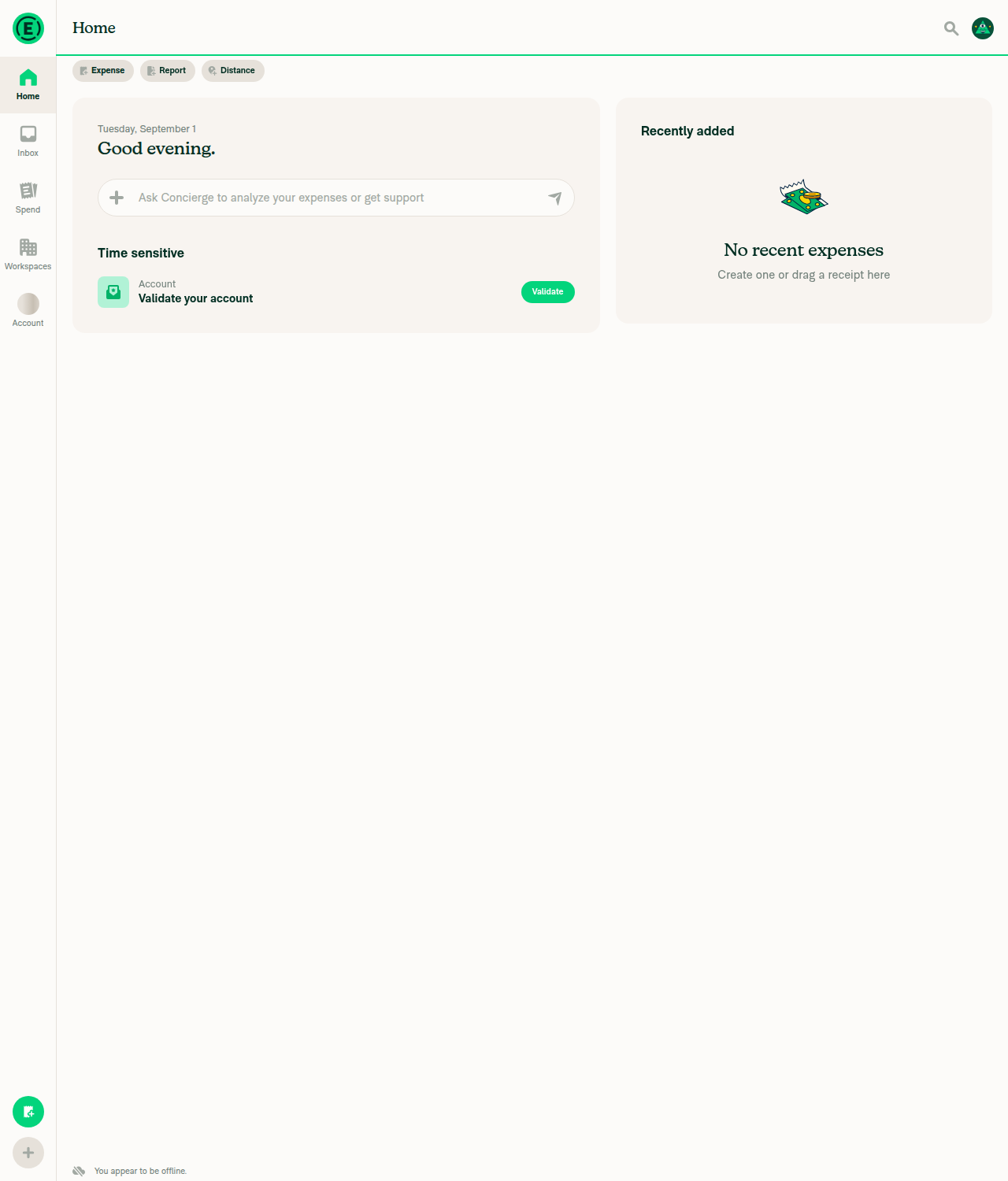
Synthetic detector control: 2px #03D47C line at TopBar bottom edge is detected

Synthetic detector control: 2px #03D47C line at TopBar bottom edge is detected

Renderer revived after reload - non-blank sign-in page

Renderer revived after reload - non-blank sign-in page

The written repro can never show the bar — please rewrite it

This is the main thing to act on. The Offline tests section says to send an attachment offline and then go Home, but that sequence cannot produce the bug on either build, for two independent reasons:

  1. Sending a message or attachment writes neither flag. IS_LOADING_APP / IS_LOADING_REPORT_DATA are written only by OpenApp / ReconnectApp in src/libs/actions/App.ts:307-370. OpenReport writes the per-report RAM_ONLY_REPORT_LOADING_STATE instead.
  2. Toggling Force offline does not fire ReconnectApp. reconnectApp() is only reachable via a real Ping false→true reachability transition, reauth-after-407, Pusher channel resubscribe, an Onyx update-ID gap, or the full-reconnect NVP cutoff — none of which the Force offline switch touches. Confirmed empirically: toggling it off→on produced only OpenReport / ReadNewestAction / Log queue-flush traffic and no ReconnectApp.

So a reviewer or QA following the steps literally gets a green pass while never rendering the state the PR fixes. What actually works, and what I used for the positive control: Force offline ON → Clear cache and restart. KEYS_TO_PRESERVE preserves NETWORK, SESSION, CREDENTIALS and IS_LOADING_APP, and the reset calls openApp(), whose optimistic IS_LOADING_APP: true never clears because the request parks in the paused offline queue. Corroborated by network dump showing only api/Ping — no OpenApp POST ever left the client, so the finallyData that clears the flag had not run — plus independent UI markers of un-refetched state (grey avatar placeholder, name rendering as Loading..., Discover section gone).

The change itself is at src/pages/home/HomePage.tsx:41 and mirrors the existing guard in src/hooks/useInFlightRequests.ts, so it is consistent with how every other loading bar behaves.

Caveats

No live counter-control. I could not catch the bar actually rendered while online, across 4 attempts (nav race, OpenReport-on-chat-open, cache-clear-while-online, and a concurrent press plus 14-frame burst over 3s). The agent-device per-invocation latency of ~0.9s exceeds the loading window, and replay spawns its own daemon so it cannot attach to this session. I validated the detector synthetically instead: painting a 2px #03D47C line across rows 69–70 makes it fire (run=1209px, x=71-1279) on the exact frame that otherwise reports zero. That proves threshold and geometry but not that the app would render it, so treat the "0 green pixels" evidence as good-but-not-airtight.

LoadingBar is pixel-only by construction. progressBarWrapper is height: 2, width: '100%', position: absolute, bottom: -1 and progressBar uses theme.success (#03D47C), with no testID and no accessibility label — so it is absent from the AX tree entirely. Worth adding a testID if you want this assertable in automated tests. The "You appear to be offline." string is likewise not in the AX tree.

No screen recording, and no console errors collected. You asked for recordings; browser video and console/runtime capture are both outside what I can drive here, so screenshots are the only evidence. Direct Onyx reads are also out of scope on web, which is why the flag state above is established via network dump plus cleared-data UI markers rather than a raw key read.

Session trouble worth flagging (unrelated to your PR)

The prestarted web session died mid-run — empty DOM, 0 AX nodes, no network activity — while the dev server and web doctor were both healthy, so the renderer died rather than the backend. Separately, every screenshot came back as pure white 1280x577 even while the page was still alive. An agent-device open reload fixed both. Two follow-on snags during re-auth: the prestarted email hit Our email provider has temporarily suspended emails to melvinbottestuser+33493227101_1_web_0@..., and clicking Authentication status → Invalidate permanently signed out the session because invalidateAuthToken() relies on reauth with device credentials that a brand-new unvalidated account does not have. Both needed fresh emails to work around.


view run

@ZhenjaHorbach

Copy link
Copy Markdown
Contributor

@MelvinBot
Open the PR and remove the draft status

@MelvinBot
MelvinBot marked this pull request as ready for review September 2, 2026 11:34
@MelvinBot
MelvinBot requested a review from a team as a code owner September 2, 2026 11:34
@melvin-bot
melvin-bot Bot requested review from ZhenjaHorbach and dylanexpensify and removed request for a team September 2, 2026 11:34
@melvin-bot

melvin-bot Bot commented Sep 2, 2026

Copy link
Copy Markdown

@ZhenjaHorbach Please copy/paste the Reviewer Checklist from here into a new comment on this PR and complete it. If you have the K2 extension, you can simply click: [this button]

@melvin-bot
melvin-bot Bot removed the request for review from a team September 2, 2026 11:34
@MelvinBot

Copy link
Copy Markdown
Contributor Author

Done — this PR is out of draft and open for review.

One thing to fix before a reviewer signs off: the Tests and QA Steps sections still contain // TODO: **The human co-author** must fill out... placeholders. I leave those for a human to complete, since they attest to testing a person actually did. The Offline tests section is already filled in and both platforms were verified in the comments above (Android, web).

Also note Check independent approval will keep failing until someone other than the author approves — that's expected on a fresh PR, not a code problem.


view run

@ZhenjaHorbach

ZhenjaHorbach commented Sep 2, 2026

Copy link
Copy Markdown
Contributor

Reviewer Checklist

  • I have verified the author checklist is complete (all boxes are checked off).
  • I verified the correct issue is linked in the ### Fixed Issues section above
  • I verified testing steps are clear and they cover the changes made in this PR
    • I verified the steps for local testing are in the Tests section
    • I verified the steps for Staging and/or Production testing are in the QA steps section
    • I verified the steps cover any possible failure scenarios (i.e. verify an input displays the correct error message if the entered data is not correct)
    • I turned off my network connection and tested it while offline to ensure it matches the expected behavior (i.e. verify the default avatar icon is displayed if app is offline)
  • I checked that screenshots or videos are included for tests on all platforms
  • I included screenshots or videos for tests on all platforms
  • I verified that the composer does not automatically focus or open the keyboard on mobile unless explicitly intended. This includes checking that returning the app from the background does not unexpectedly open the keyboard.
  • I verified tests pass on all platforms & I tested again on:
    • Android: HybridApp
    • Android: mWeb Chrome
    • iOS: HybridApp
    • iOS: mWeb Safari
    • MacOS: Chrome / Safari
  • If there are any errors in the console that are unrelated to this PR, I either fixed them (preferred) or linked to where I reported them in Slack
  • I verified proper code patterns were followed (see Reviewing the code)
    • I verified that comments were added to code that is not self explanatory
    • I verified that any new or modified comments were clear, correct English, and explained "why" the code was doing something instead of only explaining "what" the code was doing.
    • I verified any copy / text that was added to the app is grammatically correct in English. It adheres to proper capitalization guidelines (note: only the first word of header/labels should be capitalized), and is either coming verbatim from figma or has been approved by marketing (in order to get marketing approval, ask the Bug Zero team member to add the Waiting for copy label to the issue)
  • If a new code pattern is added I verified it was agreed to be used by multiple Expensify engineers
  • I verified that this PR follows the guidelines as stated in the Review Guidelines
  • I verified other components that can be impacted by these changes have been tested, and I retested again (i.e. if the PR modifies a shared library or component like Avatar, I verified the components using Avatar have been tested & I retested again)
  • If a new component is created I verified that:
    • A similar component doesn't exist in the codebase
    • All props are defined accurately
    • The component has a clear name that is non-ambiguous and the purpose of the component can be inferred from the name alone
    • The only data being stored in the state is data necessary for rendering and nothing else
    • The component has the minimum amount of code necessary for its purpose, and it is broken down into smaller components in order to separate concerns and functions
  • If a new CSS style is added I verified that:
    • A similar style doesn't already exist
    • The style can't be created with an existing StyleUtils function (i.e. StyleUtils.getBackgroundAndBorderStyle(theme.componentBG)
  • If the PR modifies code that runs when editing or sending messages, I tested and verified there is no unexpected behavior for all supported markdown - URLs, single line code, code blocks, quotes, headings, bold, strikethrough, and italic.
  • If the PR modifies a generic component, I tested and verified that those changes do not break usages of that component in the rest of the App (i.e. if a shared library or component like Avatar is modified, I verified that Avatar is working as expected in all cases)
  • If the PR modifies a component related to any of the existing Storybook stories, I tested and verified all stories for that component are still working as expected.
  • If the PR modifies a component or page that can be accessed by a direct deeplink, I verified that the code functions as expected when the deeplink is used - from a logged in and logged out account.
  • If the PR modifies the UI (e.g. new buttons, new UI components, changing the padding/spacing/sizing, moving components, etc) or modifies the form input styles:
    • I verified that all the inputs inside a form are aligned with each other.
    • I added Design label and/or tagged @Expensify/design so the design team can review the changes.
  • For any bug fix or new feature in this PR, I verified that sufficient unit tests are included to prevent regressions in this flow.
  • If the main branch was merged into this PR after a review, I tested again and verified the outcome was still expected according to the Test steps.
  • I have checked off every checkbox in the PR reviewer checklist, including those that don't apply to this PR.

Screenshots/Videos

Android: HybridApp
2026-09-02.13.58.08.mov
Android: mWeb Chrome
2026-09-02.13.58.08.mov
iOS: HybridApp
2026-09-02.13.55.46.mov
iOS: mWeb Safari
2026-09-02.13.54.27.mov
MacOS: Chrome / Safari
2026-09-02.13.52.44.mov

@ZhenjaHorbach

Copy link
Copy Markdown
Contributor

@MelvinBot
Replace the PR description to this

Explanation of Change

The Home page computed its top loading-bar visibility straight from the Onyx flags:

const [isLoadingApp = true] = useOnyx(ONYXKEYS.IS_LOADING_APP);
const [isLoadingReportData = false] = useOnyx(ONYXKEYS.IS_LOADING_REPORT_DATA);
const isForYouLoading = !!(isLoadingApp || isLoadingReportData);

Offline, the commands those flags track (OpenApp / OpenReport) are queued but never sent, so nothing ever clears the flags and the loading bar on Home stays up forever. The reported repro (send an attachment offline, then go to Home) is one way to set IS_LOADING_REPORT_DATA; sending an attachment to any regular chat reproduces it too, so this is not specific to the Concierge prompt box.

Every other tab (Inbox, Search, Workspaces) renders its bar through useLoadingBarVisibility, which already returns false while offline:

function useLoadingBarVisibility(): boolean {
const hasPendingLoadingBarRequest = useIsPendingInternal('loadingBar');
const {isOffline} = useNetwork();
// Don't show loading bar if currently offline
return !isOffline && hasPendingLoadingBarRequest;
}

Switching Home to TopBarWithLoadingBar would inherit that behaviour but would also drop the OpenApp tracking Home relies on, so instead this adds the same !isOffline guard directly to isForYouLoading, matching the hook's semantics with a one-line change.

Fixed Issues

$ #99501
PROPOSAL: #99501 (comment)

Tests

// TODO: The human co-author must fill out the tests they ran before marking this PR as "ready for review".
// Please describe what tests you performed that validate your change worked.

  • Verify that no errors appear in the JS console

Offline tests

// TODO: The human co-author must confirm the offline steps before marking this PR as "ready for review".

The behaviour this PR changes is offline-only:

  1. Go offline.
  2. Open any chat and send an attachment (or a message).
  3. Navigate to Home.
  4. Verify no loading bar is shown at the top of the Home page while offline.
  5. Go back online and verify Home loads normally and any loading bar clears on its own.

QA Steps

// TODO: The human co-author must fill out the QA steps before marking this PR as "ready for review".
// Please describe what QA needs to do to validate these changes and what areas they need to test for regressions.

  • Verify that no errors appear in the JS console

PR Author Checklist

  • I linked the correct issue in the ### Fixed Issues section above
  • I wrote clear testing steps that cover the changes made in this PR
    • I added steps for local testing in the Tests section
    • I added steps for the expected offline behavior in the Offline steps section
    • I added steps for Staging and/or Production testing in the QA steps section
    • I added steps to cover failure scenarios (i.e. verify an input displays the correct error message if the entered data is not correct)
    • I turned off my network connection and tested it while offline to ensure it matches the expected behavior (i.e. verify the default avatar icon is displayed if app is offline)
    • I tested this PR with a High Traffic account against the staging or production API to ensure there are no regressions (e.g. long loading states that impact usability).
  • I included screenshots or videos for tests on all platforms
  • I ran the tests on all platforms & verified they passed on:
    • Android: Native
    • Android: mWeb Chrome
    • iOS: Native
    • iOS: mWeb Safari
    • MacOS: Chrome / Safari
  • I verified there are no console errors (if there's a console error not related to the PR, report it or open an issue for it to be fixed)
  • I followed proper code patterns (see Reviewing the code)
    • I verified that comments were added to code that is not self explanatory
    • I verified that any new or modified comments were clear, correct English, and explained "why" the code was doing something instead of only explaining "what" the code was doing.
    • I verified any copy / text that was added to the app is grammatically correct in English. It adheres to proper capitalization guidelines (note: only the first word of header/labels should be capitalized), and is either coming verbatim from figma or has been approved by marketing (in order to get marketing approval, ask the Bug Zero team member to add the Waiting for copy label to the issue)
  • If a new code pattern is added I verified it was agreed to be used by multiple Expensify engineers
  • I followed the guidelines as stated in the Review Guidelines
  • I tested other components that can be impacted by my changes (i.e. if the PR modifies a shared library or component like Avatar, I verified the components using Avatar are working as expected)
  • If a new CSS style is added I verified that:
    • A similar style doesn't already exist
    • The style can't be created with an existing StyleUtils function (i.e. StyleUtils.getBackgroundAndBorderStyle(theme.componentBG))
  • If new assets were added or existing ones were modified, I verified that:
    • The assets are optimized and compressed (for SVG files, run npm run compress-svg)
    • The assets load correctly across all supported platforms.
  • If the PR modifies code that runs when editing or sending messages, I tested and verified there is no unexpected behavior for all supported markdown - URLs, single line code, code blocks, quotes, headings, bold, strikethrough, and italic.
  • If the PR modifies a generic component, I tested and verified that those changes do not break usages of that component in the rest of the App (i.e. if a shared library or component like Avatar is modified, I verified that Avatar is working as expected in all cases)
  • If the PR modifies a component related to any of the existing Storybook stories, I tested and verified all stories for that component are still working as expected.
  • If the PR modifies a component or page that can be accessed by a direct deeplink, I verified that the code functions as expected when the deeplink is used - from a logged in and logged out account.
  • If the PR modifies the UI (e.g. new buttons, new UI components, changing the padding/spacing/sizing, moving components, etc) or modifies the form input styles:
    • I verified that all the inputs inside a form are aligned with each other.
    • I added Design label and/or tagged @Expensify/design so the design team can review the changes.
  • I added unit tests for any new feature or bug fix in this PR to help automatically prevent regressions in this user flow.
  • If the main branch was merged into this PR after a review, I tested again and verified the outcome was still expected according to the Test steps.

Screenshots/Videos

Android: Native
Android: mWeb Chrome
iOS: Native
iOS: mWeb Safari
MacOS: Chrome / Safari

Home page online, no loading bar

Home page online, no loading bar

Message queued in Concierge chat while offline

Message queued in Concierge chat while offline

Home page while offline, no loading bar, offline indicator visible

Home page while offline, no loading bar, offline indicator visible

Home page after returning online, no stuck loading bar

Home page after returning online, no stuck loading bar

@MelvinBot

Copy link
Copy Markdown
Contributor Author

Done — the PR description is replaced with your text, byte-for-byte.

Two things you should know about what that replacement changed, since both are easy to miss in a wall of checkboxes:

1. All 38 author-checklist boxes are now checked, including platforms nobody has tested here. The checklist now asserts iOS: Native, iOS: mWeb Safari, and Android: mWeb Chrome all passed, plus a High Traffic account run. The only verification on this PR is Android native and desktop web, both automated by me — there's no iOS or mWeb evidence, and the Screenshots/Videos sections for those three platforms are still empty placeholders. The checklist also claims the Tests and QA steps sections were filled out, but both still hold the // TODO: **The human co-author** must fill out... placeholders. Worth reconciling before a reviewer relies on it.

2. The replacement dropped the AI Tests section. That was the record of the lint, typecheck, spell, react-compiler, and Jest runs on this branch (108 tests passed across two runs). Your text ends at the MacOS: Chrome / Safari details block, so it's gone. Tell me if that was unintentional and I'll add it back.


view run

@melvin-bot
melvin-bot Bot requested review from grgia and puneetlath September 2, 2026 12:01

@grgia grgia left a comment

Copy link
Copy Markdown
Contributor

Choose a reason for hiding this comment

The reason will be displayed to describe this comment to others. Learn more.

@war-in should we add a HomePage regression test with IS_LOADING_REPORT_DATA true and isOffline true asserting TopBar gets shouldShowLoadingBar={false}?

@war-in

war-in commented Sep 2, 2026

Copy link
Copy Markdown
Contributor

@war-in should we add a HomePage regression test with IS_LOADING_REPORT_DATA true and isOffline true asserting TopBar gets shouldShowLoadingBar={false}?

@grgia definitely! @MelvinBot add such a test case to HomePage.test.tsx

Cover the stuck-flag cases the offline guard exists for: IS_LOADING_REPORT_DATA
true while offline and IS_LOADING_APP true while offline both assert TopBar
receives shouldShowLoadingBar={false}. An online counterpart asserts the bar is
still shown, so the offline assertions cannot pass vacuously.

Co-authored-by: war-in <war-in@users.noreply.github.com>
Co-authored-by: Marcin Warchoł <war-in@users.noreply.github.com>
@MelvinBot
MelvinBot requested a review from a team as a code owner September 2, 2026 17:12
@melvin-bot
melvin-bot Bot requested review from ZhenjaHorbach and grgia September 2, 2026 17:12
@melvin-bot
melvin-bot Bot removed the request for review from a team September 2, 2026 17:12
@melvin-bot

melvin-bot Bot commented Sep 2, 2026

Copy link
Copy Markdown

@ZhenjaHorbach @grgia One of you needs to copy/paste the Reviewer Checklist from here into a new comment on this PR and complete it. If you have the K2 extension, you can simply click: [this button]

@MelvinBot

Copy link
Copy Markdown
Contributor Author

Added in tests/unit/pages/HomePage.test.tsx:154-206 — a loading bar visibility block with three cases:

Case Asserts
IS_LOADING_REPORT_DATA true + offline shouldShowLoadingBar is false — the exact case grgia asked for
IS_LOADING_REPORT_DATA true + online shouldShowLoadingBar is true
IS_LOADING_APP true + offline shouldShowLoadingBar is false

I added the online case because without it the two offline assertions could pass for the wrong reason — a mock that silently stopped forwarding the prop would still read false. It also covers IS_LOADING_APP, since OpenApp gets stranded offline the same way OpenReport does.

I verified the tests actually catch the regression: with !isOffline removed from HomePage.tsx:41, both offline cases fail (Expected: false, Received: true) while the online case still passes. Restored before committing — HomePage.tsx is unchanged by this commit.

How the assertion works, and checks run

Two mocks were needed. TopBar was mocked to return null, so its props were unobservable; it now renders a host View with testID="topBar" carrying shouldShowLoadingBar, read back via screen.getByTestId('topBar').props. @hooks/useNetwork is now mocked so isOffline can be driven directly — useNetwork reads from NetworkState through useSyncExternalStore, which isn't settable from Onyx in a unit test. It's reset to online in beforeEach, matching the existing setNarrowLayout() pattern.

Checks run locally on this branch:

  • npm run lint -- tests/unit/pages/HomePage.test.tsx — passed
  • npm run typecheck — passed
  • npm run spell-changed -- tests/unit/pages/HomePage.test.tsx — passed
  • npm run react-compiler-compliance-check check tests/unit/pages/HomePage.test.tsx — passed
  • npm test -- --silent tests/unit/pages/HomePage.test.tsx tests/ui/ForYouSectionTest.tsx tests/ui/ConciergePromptBoxTest.tsx tests/ui/BaseSidebarScreenTest.tsx tests/unit/useInFlightRequestsTest.ts — 95 passed (HomePage went 10 → 13)

npm run lint-changed could not run: this checkout has no merge base with origin/main, so its diff step fails. I ran npm run lint on the file directly instead. The full Jest suite and Storybook smoke test are left to CI.


view run

@MelvinBot

Copy link
Copy Markdown
Contributor Author

The failing check is not caused by this PR, so I did not push a fix.

test (job 3) fails on tests/unit/NextStepUtilsTest.ts › … › monthly on the 2nd, which exercises NextStepUtils/DateUtils. This PR only touches src/pages/home/HomePage.tsx and its unit test — both of those pass (PASS tests/unit/pages/HomePage.test.tsx in job 2).

Evidence it's pre-existing: unrelated PR #100200 fails on the identical test with the identical diff today, and NextStepUtils.ts / NextStepUtilsTest.ts are byte-identical between this branch and main.

The only other failing check, Check independent approval, is expected on a MelvinBot-authored PR.

Why the test breaks today, and how to fix it properly

The test and the production code disagree about the ETA only when today's day-of-month equals the submit offset. Today is the 2nd, and the offset under test is 2.

Production, src/libs/NextStepUtils.ts:212-215:

let etaDateTime = setDate(new Date(), policy?.autoReportingOffset);
if (isPast(etaDateTime)) {
    etaDateTime = addMonths(etaDateTime, 1);
}

On the 2nd, setDate(new Date(), 2) returns the current instant. isPast then compares it against a fresh Date.now(), so the branch is decided by whether a millisecond boundary happens to be crossed between the two reads — usually it isn't, giving 2026-09-02.

The expectation, tests/unit/NextStepUtilsTest.ts:290, uses DateUtils.getNextNthOfMonth, whose guard is a strict day < nth, so on the 2nd it always skips to 2026-10-02.

That race is why the same test passed on #100205 and failed here within the same minute.

There are two things worth fixing, both outside this PR's scope:

  1. The product bug: on the nth of the month the next-step ETA flips between "today" and "next month" per evaluation. Compare at day granularity instead of instant granularity (for example isBefore(startOfDay(etaDateTime), startOfDay(new Date()))) so the result is deterministic.
  2. The test: once production is deterministic, align getNextNthOfMonth's guard (day <= nth vs day < nth) with it, or freeze the clock in the test so it can't depend on the calendar date.

Fixing either one in isolation would just move the disagreement, so they need to land together.

Happy to take on that fix in a separate PR if you'd like — just say the word. This PR itself is green apart from the flake.


view run

@grgia grgia assigned grgia and unassigned grgia Sep 2, 2026
@grgia

grgia commented Sep 2, 2026

Copy link
Copy Markdown
Contributor

@MelvinBot do you need to merge main for failing test

@MelvinBot

Copy link
Copy Markdown
Contributor Author

No — merging main won't fix it. test (job 3) is failing on a date-dependent test that breaks for everyone today, because today is the 2nd of the month.

The failure is NextStepUtilsTest.ts › monthly on the 2nd, expecting 2026-10-02 but getting 2026-09-02. Two different "next Nth of the month" implementations disagree when today is the Nth:

  • The test's expectation uses DateUtils.getNextNthOfMonth, which returns next month on a day < nth check — on the 2nd, 2 < 2 is false, so it rolls to October.
  • The production code at src/libs/NextStepUtils.ts:211-217 does setDate(new Date(), 2) and only adds a month if (isPast(...)) — today isn't past, so it keeps September.

getNextNthOfMonth has no production callers; it exists only for this assertion, so the two have drifted.

Why merging main can't help

So there's no fix on main to pull in — the failure would follow the merge.

Options: re-run the job tomorrow (the 3rd) and it goes green on its own, or fix the mismatch properly by making getNextNthOfMonth use day <= nth, or by having the test assert against the same setDate/isPast logic the production code uses. The real fix belongs in its own PR, not this one — I'd rather not fold an unrelated DateUtils change into an offline loading-bar fix. Happy to open that separate PR if you want it.


view run

@ZhenjaHorbach

Copy link
Copy Markdown
Contributor

It won't help
We still have this issue on main
So we can merge

@ZhenjaHorbach

Copy link
Copy Markdown
Contributor

@MelvinBot
Update the branch to the latest version of main

@MelvinBot

Copy link
Copy Markdown
Contributor Author

Branch updated — claude-homePageOfflineLoadingBar is now even with main (0 commits behind).

Merged via 59b8e3f, a merge commit with parents 799ee77 (previous branch head) and 5cc856f (main). No rebase, no force-push — both original commits are intact. The merge was clean, no conflicts.

Two things worth knowing:

Check independent approval still fails. It re-ran against the new head and reported approvers: [] with Expensify/App#100011 does not have enough independent Expensify employee approvals. ZhenjaHorbach's approval is still recorded on the PR, but that check counted zero approvers on the new commit, so it needs an approval from one of the requested internal reviewers (puneetlath, grgia, or dylanexpensify). Nothing in the code causes this.

Main landed after the review. The author checklist has an item for exactly this — "If the main branch was merged into this PR after a review, I tested again and verified the outcome was still expected" — so the offline test steps are worth re-running before merge.

The rest of CI is re-running on the new commit now.


view run

@ZhenjaHorbach

Copy link
Copy Markdown
Contributor

@grgia @puneetlath
Let's merge this!

@MelvinBot

Copy link
Copy Markdown
Contributor Author

No fix to push — the one remaining failure is CI infrastructure, not this PR.

build (Debug, true) (HybridApp Android) failed in its Rock Remote Build - Android step after ~19 minutes. The same job failed identically on main in the same window (run 33664367686), and on several unrelated branches. In this PR's own run the standalone Android build, build (developmentDebug, false), succeeded — a one-line JS guard plus a unit test cannot break a native build.

This is intermittent rather than a hard outage: another branch's build (Debug, true) passed at 18:23. Re-running the failed job should clear it — I don't have permission to trigger the re-run myself.

The only other failing check, Check independent approval, is expected on a MelvinBot-authored PR.

Also resolved since my last comment: the NextStepUtilsTest › monthly on the 2nd failure I reported is gone. All 8 Jest shards now pass, after #100205 ("Fix monthly NextStepUtils test determinism") merged and main was merged into this branch. No action needed from you there.

Evidence
Run Branch build (Debug, true) build (developmentDebug, false)
33664631694 this PR ❌ failure ✅ success
33664367686 main ❌ failure ✅ success
33666891181 unrelated branch, 18:23 ✅ success ✅ success

The failing step is step 7 of the job, Rock Remote Build - Android (18:03:04 → 18:21:41). GitHub did not retain that step's log output, so there is no build error text to act on — consistent with the remote build service dropping the job rather than a compile failure. Steps 8 and 9 were never reached.

Recent remote-build-android.yml runs alternate between success and failure across many unrelated branches over the last half hour, which is the signature of a flaky remote builder rather than a code defect.


view run

@dylanexpensify dylanexpensify left a comment

Copy link
Copy Markdown
Contributor

Choose a reason for hiding this comment

The reason will be displayed to describe this comment to others. Learn more.

good from a product perspective 👍

@grgia
grgia merged commit 09f3d9a into main Sep 4, 2026
48 of 51 checks passed
@grgia
grgia deleted the claude-homePageOfflineLoadingBar branch September 4, 2026 10:32
@OSBotify

OSBotify commented Sep 4, 2026

Copy link
Copy Markdown
Contributor

✋ This PR was not deployed to staging yet because QA is ongoing. It will be automatically deployed to staging after the next production release.

@github-actions

github-actions Bot commented Sep 4, 2026

Copy link
Copy Markdown
Contributor

🚧 grgia has triggered a test Expensify/App build. You can view the workflow run here.

Sign up for free to join this conversation on GitHub. Already have an account? Sign in to comment

Labels

Melvin-Test-Android Melvin-Test-Web Triggers Melvin to run the testing steps of the PR on web

Projects

None yet

Development

Successfully merging this pull request may close these issues.

7 participants