Repository navigation
pcbridge v2.3.0

Every pcbridge setting can now be read and changed from a terminal, without opening the config file. pcbridge alone opens a terminal UI for the settings, the desktop grant and the tools, and each part of it is also a plain command for scripts and quick changes.
Full documentation for everything below: https://github.com/Eymistaken/Pcbridge/tree/main/docs
A terminal UI for settings, the grant and the tools
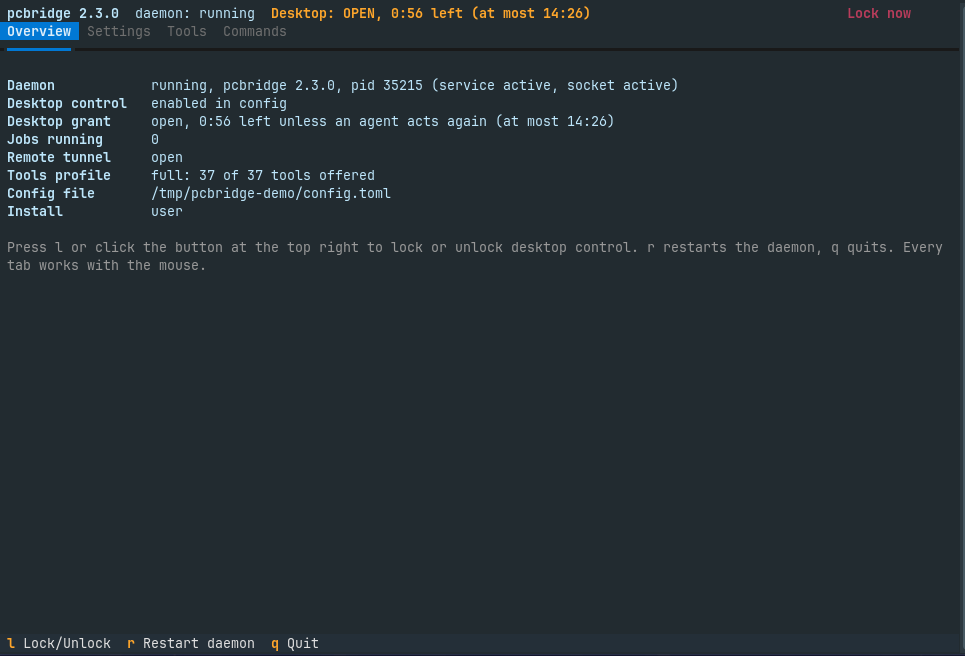
Typing pcbridge in a terminal opens the UI. It uses the terminal's own colors with a single accent, and it takes mouse clicks in terminals that report them; this was measured in GNOME Terminal, and Konsole, kitty and tmux with mouse on use the same protocol. Everything also works from the keyboard: 1 to 4 switch tabs, r restarts the daemon and q quits.
A bar at the top stays on every tab. It shows whether the daemon is running and the state of the desktop grant, with the time left. While the grant slides, that is, while it closes a set time after the last desktop action, the bar shows both that end and the hard ceiling, since either can be the one that ends the grant. One button next to it locks or unlocks the grant. The l key locks at once but asks before it unlocks: during testing, a key typed while the focus was elsewhere reached the bar, and an accidental lock is harmless where an accidental unlock is not.
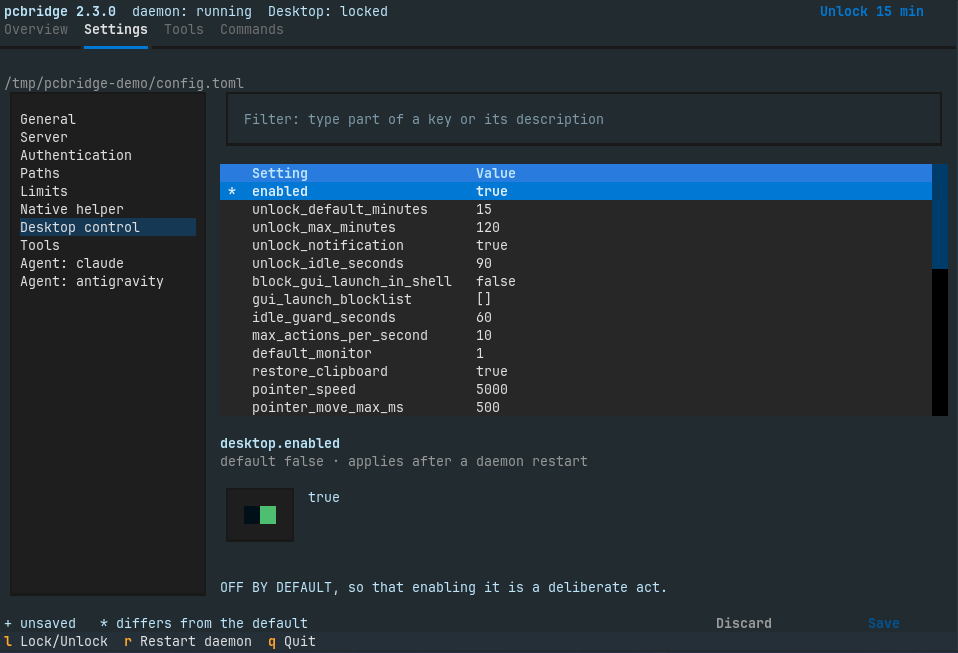
The Settings tab lists the sections on the left and their settings on the right, with a filter box that searches keys and descriptions. The selected setting is edited with a control that fits its type: a switch, a list of choices, or a text field, with TOML for lists and tables. Its description is the comment above it in config.example.toml, so the UI and the reference file say the same thing. Changes are collected and written together by Save. Changing desktop.enabled, anything under [auth], host, port or public_url asks once more before it is written, and Restart daemon appears when a saved change needs it.
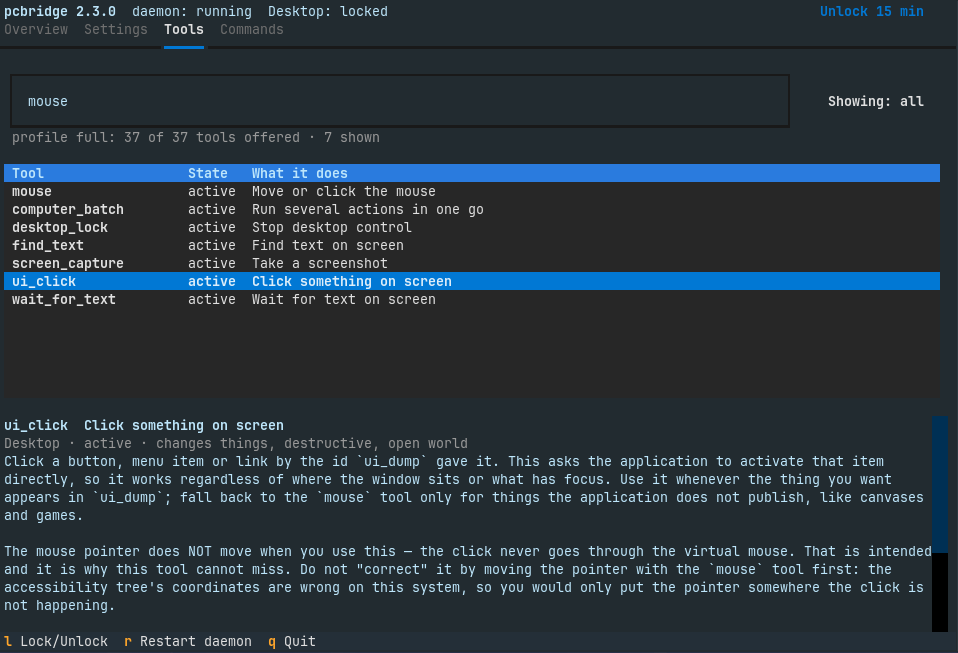
The Tools tab lists all 37 tools with their state: active, left out by the [tools] profile, or waiting for desktop control to be enabled. A search box filters by name, title and description as you type, a toggle shows only the offered tools, and the selected tool's description, hints and parameters appear below the list.
Piped or started from a script, pcbridge with no arguments still prints the help as before, so nothing that already calls it changes.
Every setting from the command line
The same work is available as commands. pcbridge settings lists every setting with its value and marks the ones that differ from the default; pcbridge get KEY explains one setting; pcbridge set KEY VALUE changes it and pcbridge reset KEY puts it back to its default. pcbridge tools lists and searches the tools and shows one tool's parameters, pcbridge restart restarts the daemon to apply settings, and pcbridge list prints every command by group.
A save is built so that it cannot lose anything. The new file is checked with the loader the daemon itself uses, so a value it would refuse is reported and never written. The old file is copied to config.toml.backup-<timestamp> next to it, and the new one is written atomically with mode 0600. Only the changed lines change: comments and every other block stay as they were. A file edited by hand while the UI had it open is not overwritten.
The password and the static token are never shown, in the UI or in any command's output. A new password is not accepted on the command line, where it would stay in the shell history: pcbridge set auth.password asks for it or reads it with --stdin, and pcbridge set auth.static_token --generate makes a new token without printing it.
pcbridge restart restarts only when no job is running and the desktop grant is closed; otherwise it says what is still running and restarts nothing.
Compatibility
The config format is unchanged (config_version = 2) and no setting was added, so existing files keep working as they are. The MCP tools are unchanged, still 37 (core offers 21, desktop 23). The UI needs two new Python packages, Textual and tomlkit, which ship inside the venv of the .deb, the Arch package and the wheel, so no distribution package is needed.