Repository navigation
Finding the Mods Folder
Installed mods, custom bros, and UMM's log file are all inside your r2modman profile's UMM folder.
The UMM folder is located at:
-
Windows:
%APPDATA%\r2modmanPlus-local\Broforce\profiles\Default\UMM\ -
Linux:
~/.config/r2modmanPlus-local/Broforce/profiles/Default/UMM/
You can also get there from r2modman itself: open its settings, click the Browse profile folder button, and open the UMM subfolder inside.
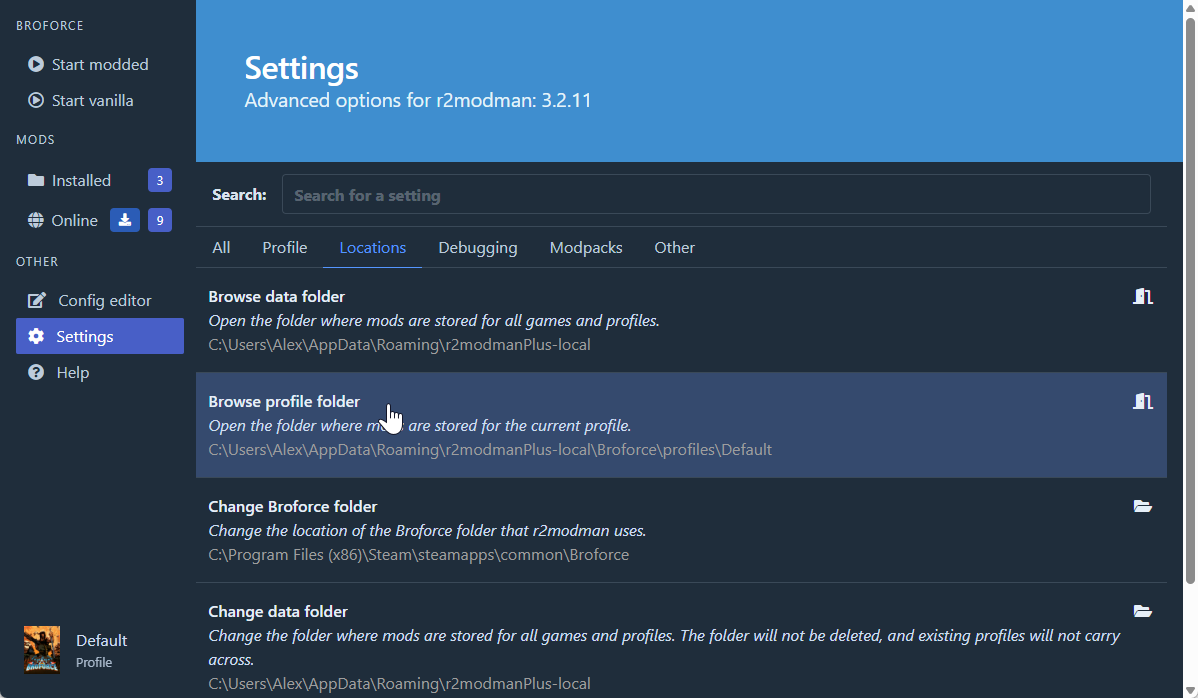
Inside the UMM\ folder you'll find:
-
Mods\: contains one folder per installed mod. Thunderstore namespaces the outer folder (Author-PackageName\), and each package adds its own inner folder. For example,BroMakerLib.dllis atMods\BroMaker-BroMaker\BroMakerLib\BroMakerLib.dll, andRocketLib.dllis atMods\RocketLib-RocketLib\RocketLib\RocketLib.dll. -
BroMaker_Storage\: contains custom bros. Thunderstore-installed bros are underBroMaker_Storage\Author-BroName\BroName\, each containing the bro's.dll,.mod.json,.json, and sprite files. -
Core\Log.txt: the UMM log file. See the Debugging page for how to use it.