Dexter USB Connection
The Zedboard on Dexter has as MicroA USB connector at the bottom of the board, left of the CAT5 and USB A connector, which provides a serial connection to a PC via a SiLabs CP2104 adapter.
Installing the CP2104 USB adapter driver on Windows
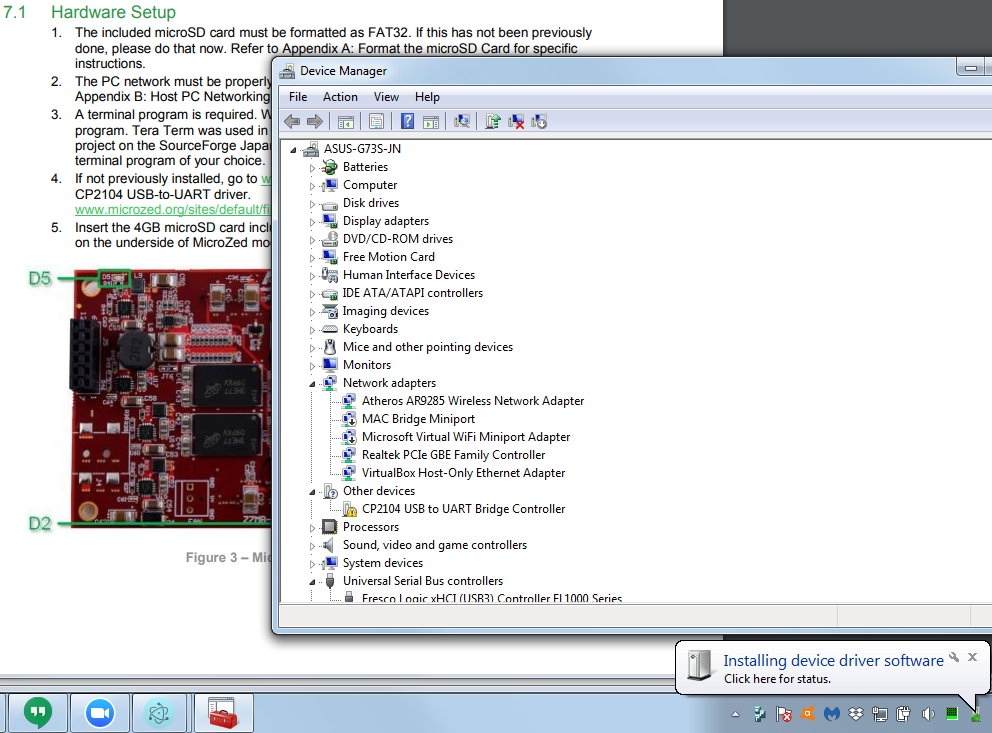
If your computer doesn't find the driver, you can download it from
https://www.silabs.com/products/development-tools/software/usb-to-uart-bridge-vcp-drivers
CP2104 USB Port Installed
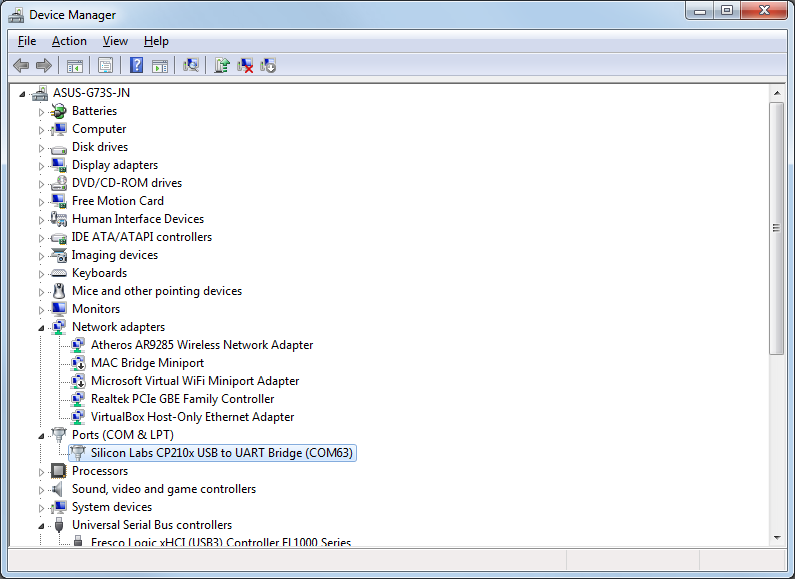
Once the driver is installed, you should see it under Ports, as COM# where # is some number. E.g. COM63 in this case.
Eval result of serial_devices() before installing: INSPECTing A Array of 0
Eval result of serial_devices() after installing:
 <    > Refresh INSPECTing  An Object of 7 properties
{comName: "COM63"
  locationId: "Port_#0001.Hub_#0006"
  manufacturer: "Silicon Labs"
  pnpId: "USB\\VID_10C4&PID_EA60\\01255890"
  productId: "EA60"
  serialNumber: "01255890"
  vendorId: "10C4"
}
In PuTTY, on the "Session" screen, select "Serial", then enter the port name (e.g. "COM" and the number as shown in the ports list) then change the "Speed" to 115200.
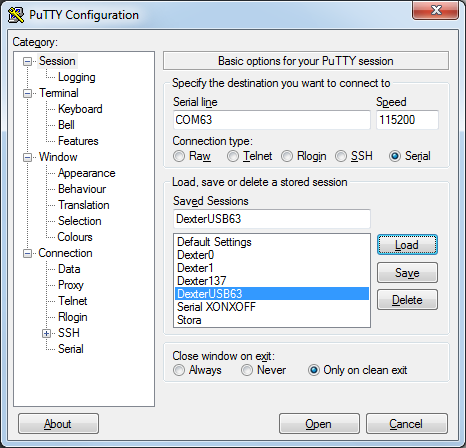
You can enter and name for this setting and save it here as well.
Under "Connection" on the "Serial" screen, make sure the "Data bits", "Stop bits" and "Parity" are 8, 1 and None.
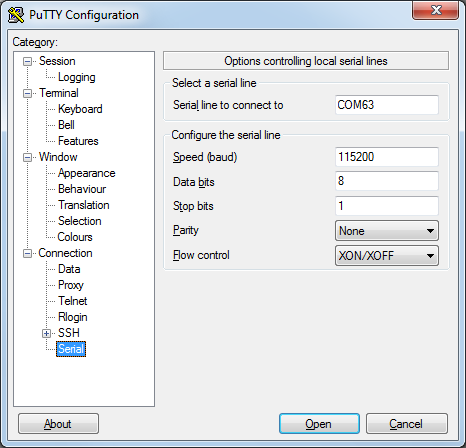
Press "Open" and the connection should be made. You may not see any text, just press enter to get a prompt.