Dexter USB Connection
The Zedboard on Dexter has as MicroA USB connector at the bottom of the board, left of the CAT5 and USB A connector, which provides a serial connection to a PC via a SiLabs CP2104 adapter.
Installing the CP2104 USB adapter driver
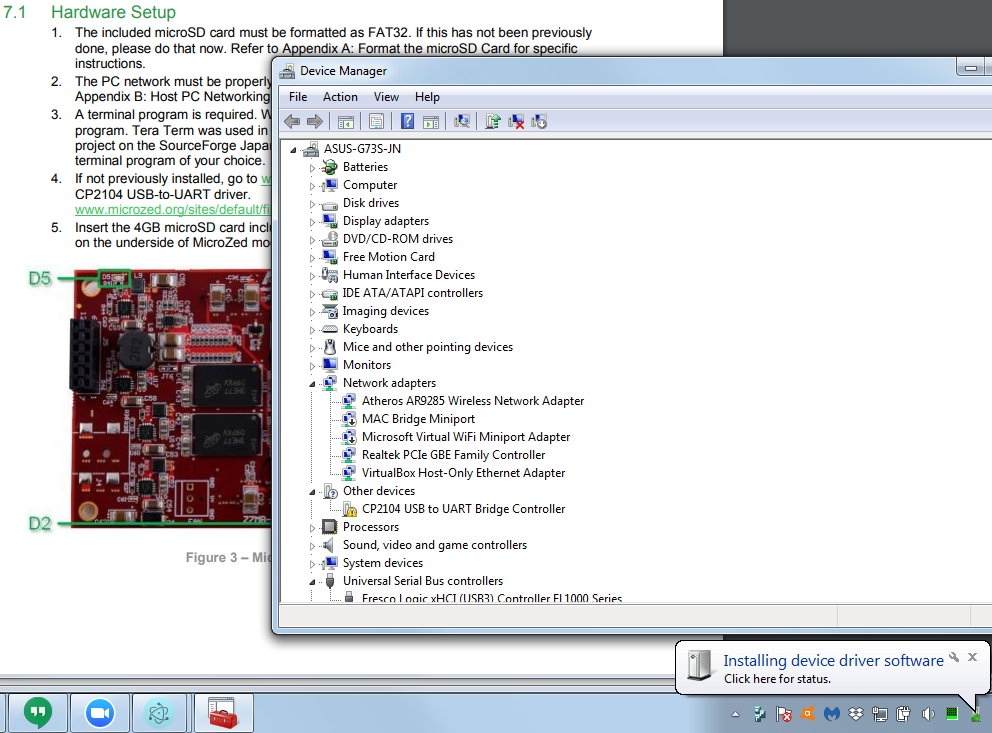
If your computer doesn't find the driver, you can download it from
https://www.silabs.com/products/development-tools/software/usb-to-uart-bridge-vcp-drivers
CP2104 USB Port Installed
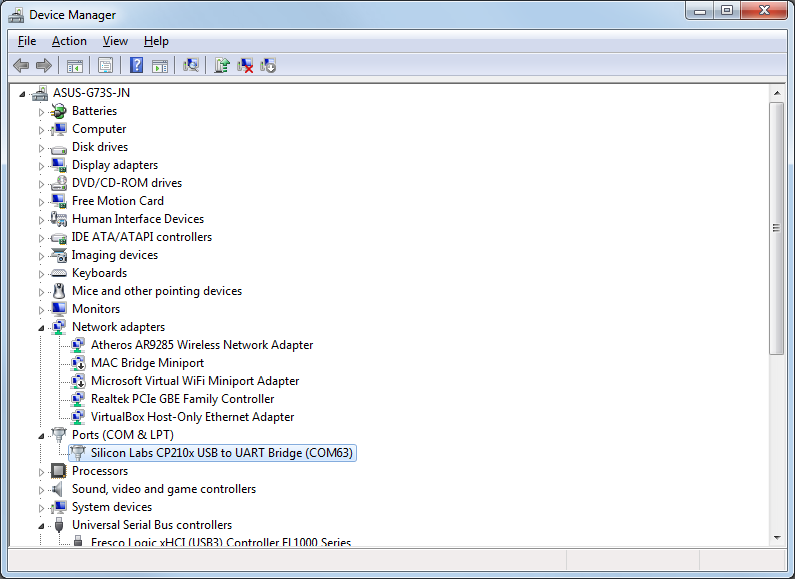
Once the driver is installed, you should see it under Ports, as COM# where # is some number. E.g. COM63 in this case.
Eval result of serial_devices() before installing: INSPECTing A Array of 0
Eval result of serial_devices() after installing:
 <    > Refresh INSPECTing  An Object of 7 properties
{comName: "COM63"
  locationId: "Port_#0001.Hub_#0006"
  manufacturer: "Silicon Labs"
  pnpId: "USB\\VID_10C4&PID_EA60\\01255890"
  productId: "EA60"
  serialNumber: "01255890"
  vendorId: "10C4"
}
Select terminal