Repository navigation
Releases: Hugo291/ollama-gui
Release list
Ollama GUI 3.1.0

New
- The app updates itself: an Update button appears in the toolbar when a new version is published. One click installs it and restarts the app.
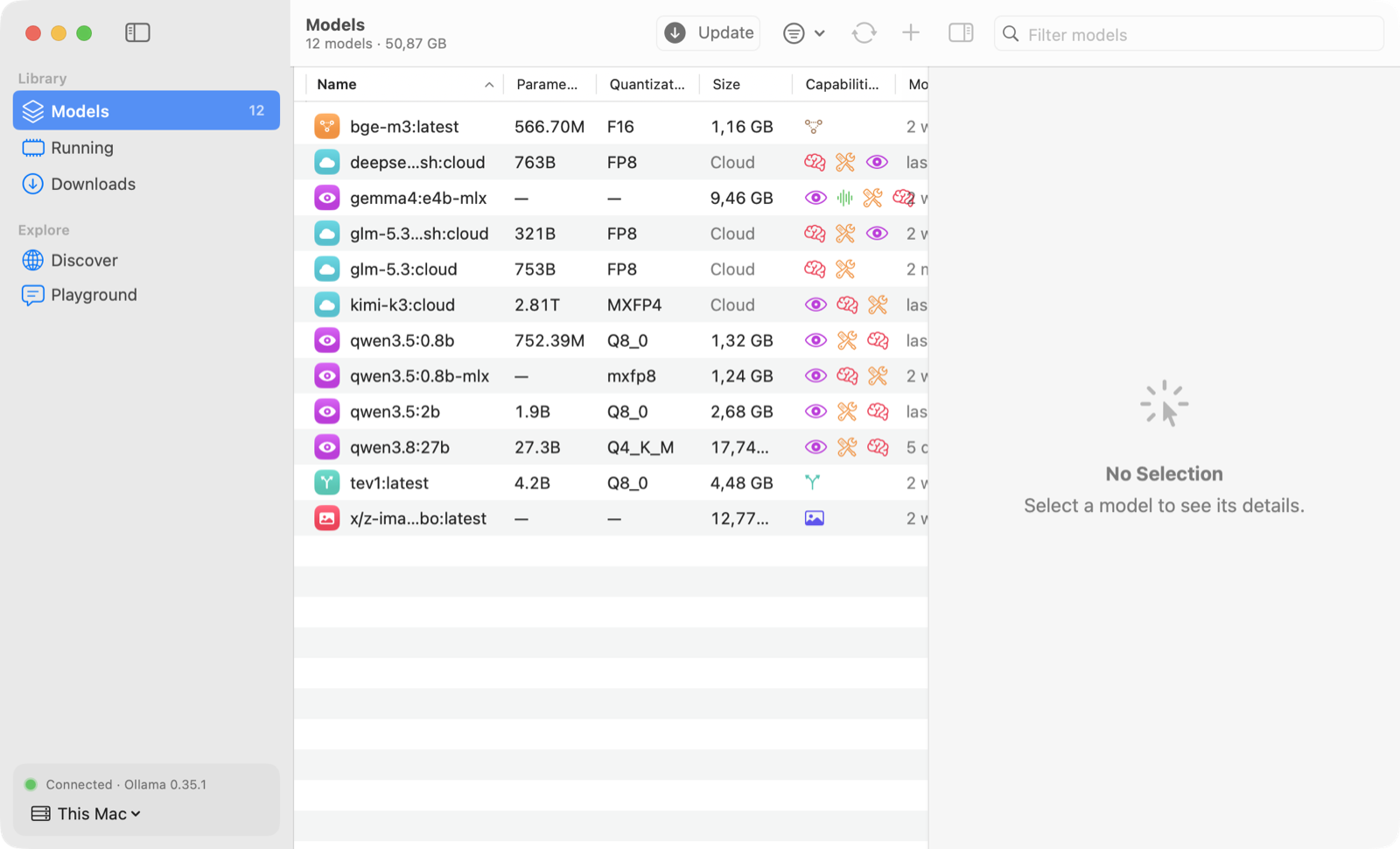
- What's New: after an update, the app shows what changed.

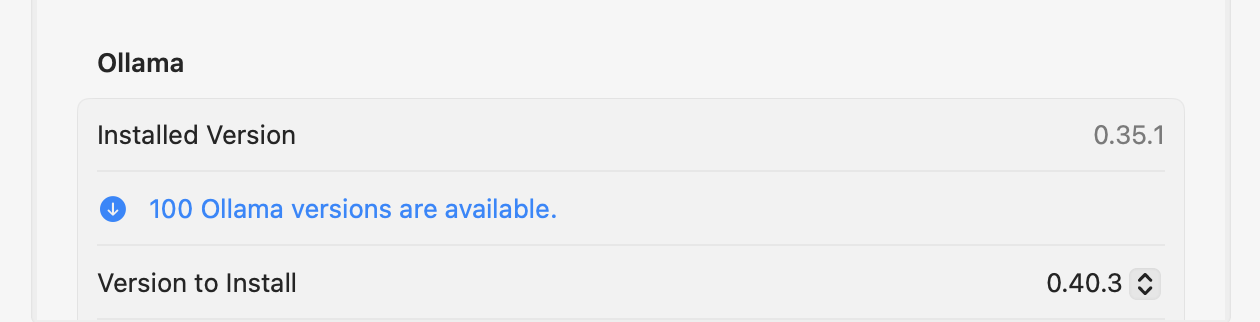
- Ollama versions in Settings: choose a recent stable or preview release of Ollama, including older ones, and install it with download progress, SHA-256 verification and an automatic restart of Ollama on this Mac.
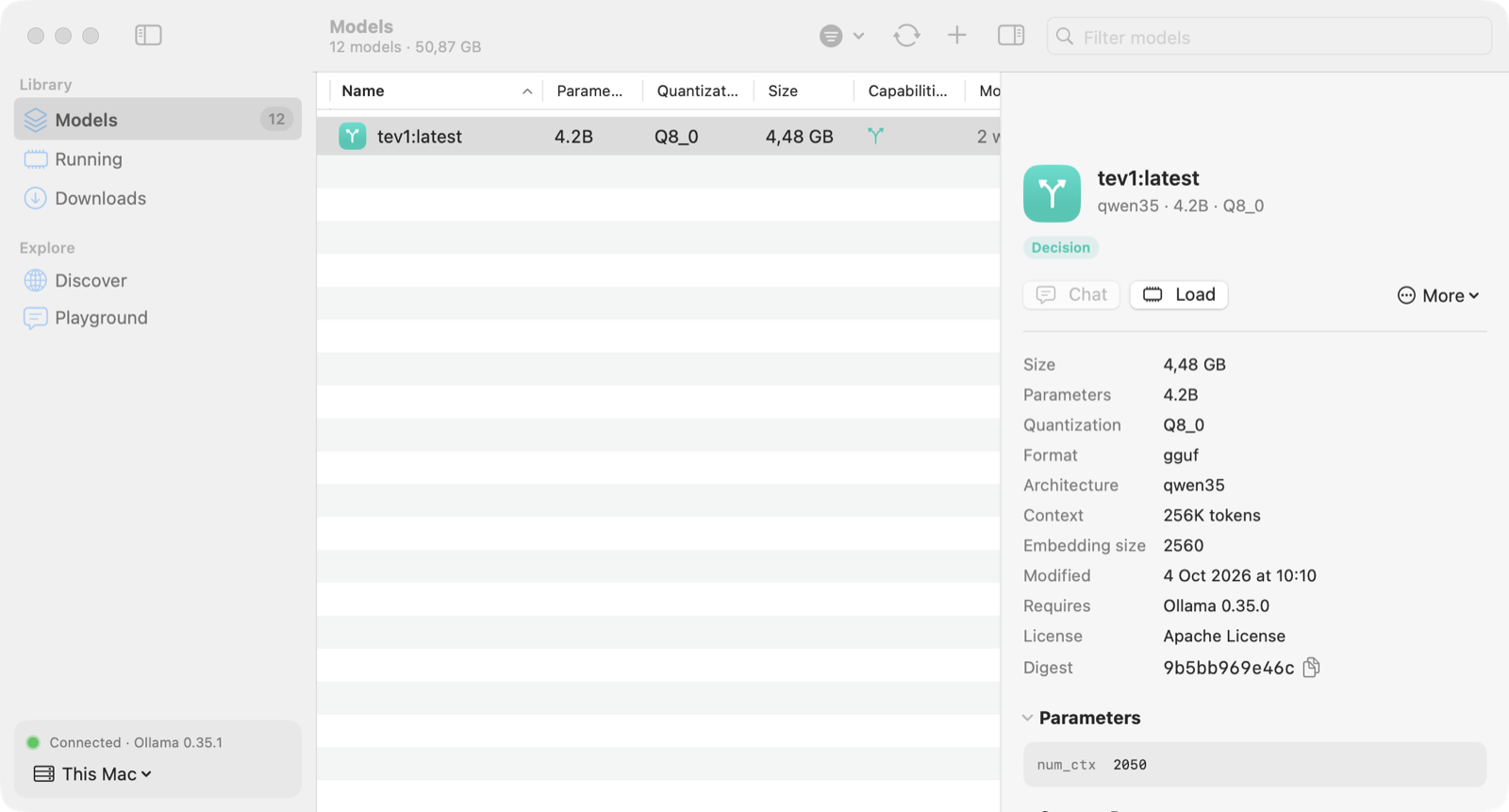
- Decision models are recognized: a badge in Models and Discover, and a filter.
- Install from Terminal:
curl -fsSL https://raw.githubusercontent.com/Hugo291/ollama-gui/main/install.sh | shinstalls or updates Ollama GUI in Applications and opens it. - The macOS download is now a disk image: open
OllamaGUI-macOS.dmgand drag the app to Applications.
Coming from version 3.0
Version 3.0 cannot update itself: run the command above once, or download the disk image. From this version on, updates are installed from the app.
Not notarized: after a download in a browser, right-click → Open the first time. The Terminal command needs no such step.
Ollama GUI 3.0.0
The Mac app is a native SwiftUI app again: the interface of version 1, with everything versions 2.x added. Windows stays on version 2.2.
Download
| System | File |
|---|---|
| macOS 14 or later, Apple silicon and Intel | OllamaGUI-macOS.zip (3 MB) |
| Windows 10 or 11, 64-bit | Version 2.2, no longer updated: OllamaGUI-Windows-Setup.exe or OllamaGUI-Windows-Portable.exe |
Not notarized: right-click → Open the first time.
Coming from version 2 on the Mac
- Native macOS table, inspector, sidebar and Settings window (⌘,), and a 3 MB download instead of 22 MB.
- Your version 2 settings are imported at first launch: servers, keep-alive, refresh interval, update check at launch, menu bar icon and appearance.
- Everything from 2.x is here: multiple selection with batch update, unload and delete; resizable panes and table columns (right-click a column title to hide or show columns); Discover loads more results as you scroll; ollama.com values in French; Markdown tables in the Playground; server addresses with IPv6, a port alone,
/apior credentials; a finite keep-alive, never "forever". - macOS 14 Sonoma or later is now required (version 2 ran on macOS 11).
Fixed and improved, compared with version 1
- Safer batch actions: models hidden by the search or the filter leave the selection, so Delete never reaches a model you can't see. Deleting several models, or renaming one, stays on the server it started on even if you switch servers meanwhile.
- Servers are edited on a copy and saved with Save: the app no longer talks to a half-typed address. Requests to this Mac skip any proxy; user names and passwords are hidden where addresses are shown.
OLLAMA_HOSTis read like the Ollama CLI. - Playground: replies render headings, code, quotes, nested lists, tables and rules; links open only when they are web pages; a copy button under each reply; at most 8 images of 20 MB per message; a model that disappears is replaced.
- Update checks ignore results for another server or for a model that changed during the check.
- Several models selected: the inspector shows how many are loaded and offers Update N (local models only), Unload and Delete N; the confirmation lists the models.
- Settings: Appearance (System, Light, Dark), version and source link.
- Customize suggests a free name and checks the seed; "Show in Models" clears a filter that hides the model; the CPU/GPU split never reads 0% or 100% for a split model.
Français : l'app Mac redevient une app SwiftUI native (l'interface de la v1) avec tous les apports des v2.x : sélection multiple, panneaux et colonnes redimensionnables, Découvrir avec défilement infini, valeurs d'ollama.com en français, tableaux Markdown dans le bac à sable, adresses de serveur IPv6. Les réglages de la v2 sont importés au premier lancement. Actions groupées plus sûres (jamais sur un modèle masqué ni sur un autre serveur), éditeur de serveur avec Enregistrer, apparence Système/Clair/Sombre. macOS 14 minimum. Windows reste en version 2.2, sans mises à jour.
Ollama GUI 2.2.0
Multiple selection in the Models table and resizable panes, two features of version 1.
Download
| System | File |
|---|---|
| macOS 11 or later, Apple silicon and Intel | OllamaGUI-macOS.zip |
| Windows 10 or 11, 64-bit | OllamaGUI-Windows-Setup.exe (installer) or OllamaGUI-Windows-Portable.exe |
Not notarized or code-signed: right-click → Open the first time on macOS; More info → Run anyway if SmartScreen warns you on Windows.
Added
- Multiple selection in the Models table: ⌘-click (Ctrl-click on Windows) adds or removes a model, Shift-click and ⇧↑/⇧↓ select a range, ⌘A selects every model shown.
- With several models selected, the context menu and the inspector update, unload or delete them together. The inspector shows how many are selected, their total size and how many are loaded. Delete asks once and lists the models.
- Resizable panes: drag the edge of the sidebar, the inspector, the Discover list or a table column. Double-click an edge to reset it. The layout is kept between launches.
- A pane never shrinks the table below a readable width. In a narrow window the inspector and the Discover list get narrower instead of disappearing.
Français : sélection multiple dans la liste des modèles (⌘-clic, Maj-clic, ⇧↑/⇧↓, ⌘A ; Ctrl sous Windows) pour mettre à jour, décharger ou supprimer plusieurs modèles d'un coup. Barre latérale, inspecteur, liste Découvrir et colonnes redimensionnables : double-clic sur un bord pour revenir à la taille par défaut. La disposition est mémorisée.
Ollama GUI 2.1.0
Fixes from a full review of the app, keyboard shortcuts, and more results in Discover.
Download
| System | File |
|---|---|
| macOS 11 or later, Apple silicon and Intel | OllamaGUI-macOS.zip |
| Windows 10 or 11, 64-bit | OllamaGUI-Windows-Setup.exe (installer) or OllamaGUI-Windows-Portable.exe |
Not notarized or code-signed: right-click → Open the first time on macOS; More info → Run anyway if SmartScreen warns you on Windows.
Fixed
- Dark mode with the "System" appearance: the app's colors and the standard controls now follow the system together.
- Playground: Return sends the message; the selected model no longer changes when the model list changes; the message box scrolls past 8 lines; your draft is kept when you visit another page; replies update in place while they stream.
- Dialogs: Escape cancels, Return confirms, the first field has the focus, the list behind no longer reacts to keys; tall dialogs scroll in small windows; Delete is shown in red.
- Results arriving late (after switching server or closing a dialog) no longer affect the wrong server or dialog; update checks only apply to the version that was checked.
- Open menus (Load Model, tray icon) are no longer rebuilt every second.
- Server addresses: an explicit port 80, bare IPv6 addresses,
:8080,[::]and addresses ending in/apiare understood; requests to this computer skip any proxy; user names and passwords in addresses are hidden. - Settings: a settings file with an unexpected value is read field by field (a backup copy is kept) instead of being reset; an invalid server address can't be saved.
- French: network errors, sizes and values from ollama.com are translated.
- Accessibility: text contrast meets WCAG AA; screen readers announce the sidebar, lists, menus and icon buttons.
- Narrow windows: the Models table and the Discover tags drop columns instead of hiding their buttons.
Added
- Keyboard shortcuts from version 1: ⌘1–⌘6 pages, ⌘N pull a model, ⌘R refresh, ⇧⌘U check for updates, ⌘↩ chat, ⌘D duplicate, ⌘⌫ delete (Ctrl on Windows).
- Discover loads more results as you scroll (it stopped at 20).
- Cancel button next to a download in Discover; natural sort (
8bbefore14b); unload time in the tray menu; memory gauge in orange above 80 %.
Français : corrections issues d'une revue complète de l'app (mode sombre, touche Entrée du bac à sable, dialogues au clavier, adresses de serveur, réglages, traductions, accessibilité), raccourcis clavier de la v1 et chargement de plus de résultats dans Découvrir.
Ollama GUI 2.0.0
Ollama GUI 2.0 is a rewrite in Rust with Slint: one app for macOS and Windows, with the look of version 1.
Download
| System | File |
|---|---|
| macOS 11 or later, Apple silicon and Intel | OllamaGUI-macOS.zip |
| Windows 10 or 11, 64-bit | OllamaGUI-Windows-Setup.exe (installer, no administrator rights) or OllamaGUI-Windows-Portable.exe |
- macOS: unzip, move Ollama GUI to Applications. The app is not notarized: the first time, right-click it and choose Open.
- Windows: the files are not code-signed. If SmartScreen warns you, choose More info → Run anyway.
What's new
- Windows version, with the same features as on macOS.
- Playground replies are rendered as Markdown, with code blocks and tables.
- Tray icon on both platforms: menu bar on macOS, notification area on Windows.
- Website: https://hugo291.github.io/ollama-gui/
Everything from 1.0 is still there: models with their details and capabilities, update check against the Ollama registry, pulls with progress, the ollama.com library, models in memory (always with a finite keep-alive), duplicate, rename, customize, delete, the Playground, several servers, light and dark themes, English and French.
Version 1.0, a SwiftUI app for macOS only, is still available in v1.0.0 and in legacy/macos-swift.
Français : Ollama GUI 2.0 est réécrit en Rust avec Slint et fonctionne sur macOS et Windows, avec la même apparence que la version 1. Téléchargez le zip pour macOS ou l'installeur pour Windows ci-dessus.
Ollama GUI 1.0.0

First release of Ollama GUI, a native macOS app to manage your Ollama models.
- Installed models with size, parameters, quantization and capabilities; inspector with parameters, template, Modelfile, license and model info
- Update check against the Ollama registry, update one or all models
- Pull with live progress, speed and time remaining; browse the ollama.com library and its tags
- Running models: memory, CPU/GPU split, unload countdown; load, unload, keep loaded (always with a finite keep-alive)
- Duplicate, rename, customize (system prompt and parameters), delete
- Playground: streaming chat with tokens per second, thinking and image attachments
- Several servers, menu bar item, English and French
Install: unzip, move Ollama GUI to Applications, then right-click → Open the first time (the app is not notarized), or run xattr -dr com.apple.quarantine "/Applications/Ollama GUI.app".
Requires macOS 14 or later (universal: Apple silicon and Intel) and a running Ollama.
SHA-256 of OllamaGUI-1.0.0.zip: 0882817e814abf940be106e0fe2dc2387c85bd9988f16988e8da0bbcb355c70d