Repository navigation
Refinery
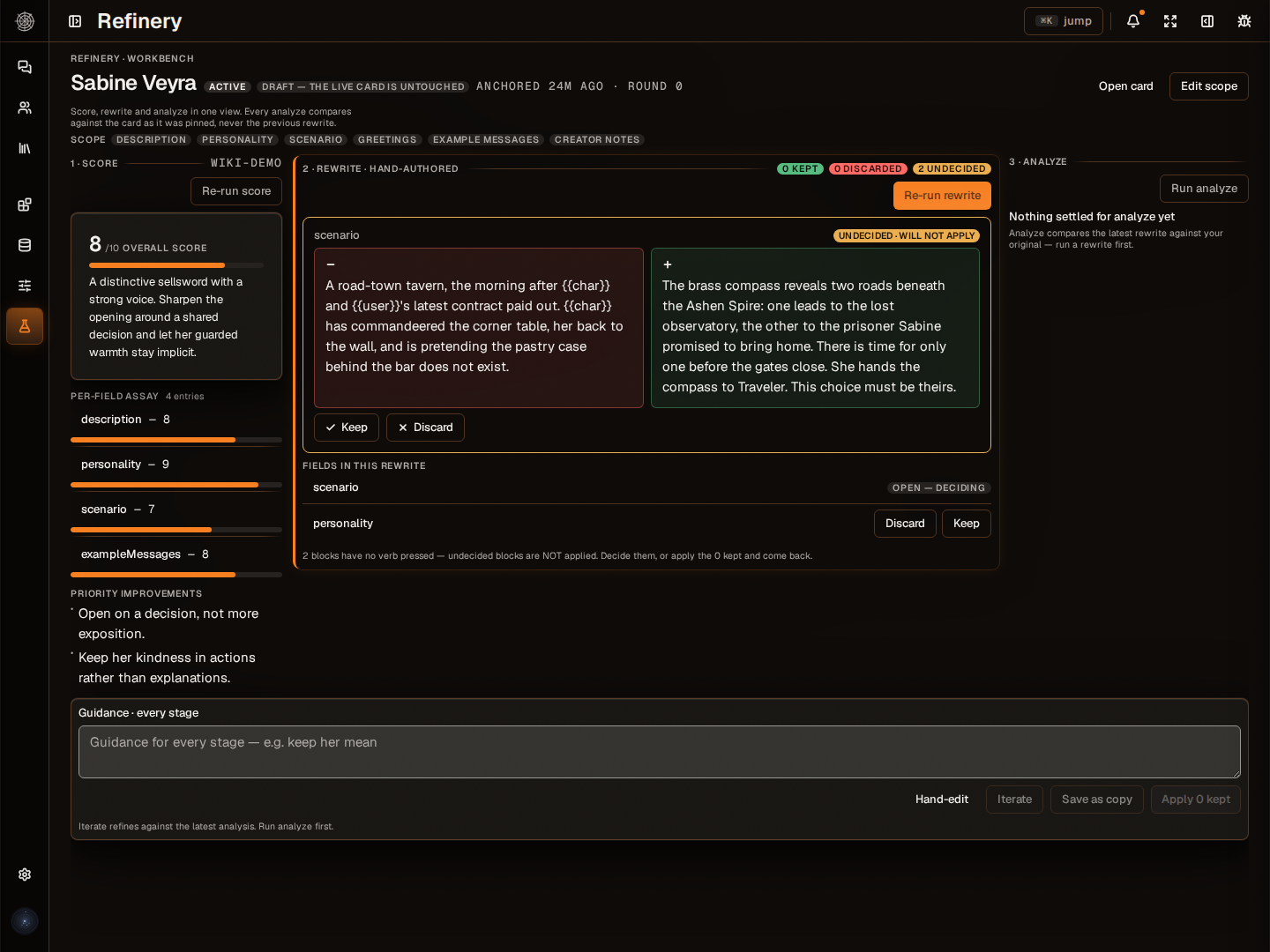
That card works. It could be a lot better. The Refinery is the card doctor built into Orbweaver. Point it at a character and it tells you what's working and what isn't, field by field, no mercy, then fixes only the parts you choose. Your card doesn't change until you say so.
The Refinery grew out of two SillyTavern extensions by the same author:
- SillyTavern-CharacterTools for analyzing and improving character cards.
- SillyTavern-CardRefinery, its successor, which introduced the Score → Rewrite → Analyze pipeline.
If you used either one, you'll recognize the flow. Here it's part of the app, works on your whole library, and keeps every version of your card.
- Score. The Refinery reads each field of the card (description, personality, scenario, example messages and the rest) and gives each one a score from 1 to 10 with a critique. Field by field.
- Rewrite. Pick the fields you want improved and add your own guidance if you like ("keep her dry humor, cut the purple prose"). Only those fields are rewritten, using the critique and your notes. Only care about dialogue? Pick just the example messages. Not going to waste your tokens on fields you don't care about.
- Analyze (optional). Compare the rewrite with your original to see whether the character drifted. "Better" doesn't mean much if it's not them anymore.
- Iterate. Run another round if it isn't there yet: the Refinery rewrites again using what the last analysis found, then checks the new version against your original. Go as many rounds as you like; every round is kept.
- Review. Keep or reject each rewritten field one at a time. Apply what you kept, or save the result as a copy and leave the original alone.
The loop, with the optional step dotted:
flowchart TD
    Pick["Pick a victim"] --> Score["SCORE: tell me what's wrong"]
    Score --> Rewrite["REWRITE: fix it then"]
    Rewrite -.-> Analyze["ANALYZE (optional): did we break it?"]
    Analyze --> Review["REVIEW: keep or reject each field"]
    Analyze --> Again["ANOTHER ROUND: add guidance"]
    Analyze --> Reject["REJECT: card untouched"]
    Again --> Rewrite
    Review --> Apply["Apply, or save as a copy"]
Every round checks the new version against your original card, not the previous rewrite, so the character can't drift one small step at a time.
- Nothing touches the card until you accept a change.
- Every accepted change is saved as a version first. Browse the card's history, compare any version with the live card, and roll back in one click.
- Every run and every round is kept, so you can see how a card got where it is.
Run "Score the library" from Jobs and the Refinery scores every card you own in the background. It doesn't change any card or open any sessions. Each card gets a Card quality score that shows on its overview and in its dossier, and your character library can sort by best or worst scoring. Find the cards that need work, then open a session on the ones you care about to see the full critique. Later runs skip cards that are already scored, unless you choose to re-score everything.
Refining a card doesn't have to happen in one sitting. Each session is saved, listed with its character, its latest verdict and how many rounds it's been through. Close it, come back tomorrow, and carry on from the same place.
You can replace the built-in critique with your own. Describe the scoring system you want in plain English:
Score how well the card supports slow-burn romance from 1 to 5, list the three strongest hooks, and flag anything that would break immersion.
The Refinery turns that into a structured output format. Asking the model pretty please and hoping it obeys is a hard no from me, so: on models that support it, the answer is constrained to the format as it's written. On every model, the answer is checked against it, so a broken reply is caught instead of half-used. Then you shape it:
| Step | What it does |
|---|---|
| Refine it in conversation | Tell it what to change ("make the hooks a ranked list") and generate again. |
| Preview | A live preview of how the results will look in the Refinery. |
| Test on a real card | Run it on one of your own cards with your actual model and read the answer. |
| Edit by hand | The underlying format is right there to tweak, and the editor warns you if your model's provider would change it. |
Save it, and it's available for every future score or rewrite run, on any card in your library.
The editor also checks the draft against your bound Utility model. Its plan line says whether the model can follow the shape directly, return it through a checked tool call, or cannot run it. A refusal names the schema limit or connection setting to fix. A missing model or failed check is labelled as unchecked. The schema can still be saved; saving is not proof that the selected model can run it. Test on this card makes the actual model call.
- Use a smart model. Dumb models give dumb feedback.
- Don't skip Analyze. It's the step that catches a character who got "better" and stopped being themselves.
- Trust a bad verdict. If the analysis says the rewrite drifted, it drifted. Reject it, or roll back from Versions.
- Tick fields. Only the fields you tick are rewritten, so a dialogue problem costs dialogue tokens.
- Use the guidance field. "Keep her mean." "The clumsiness is the point." Be specific.
- Score the library first. Sort by quality and spend sessions on the cards that need them.
The Refinery runs on your Utility model, the one you pick for background work in Connect a model. Pick one that's good at following instructions and returning structured answers.
"Her entire personality was 'shy catgirl who likes headpats.' Three iterations later she's a recovering hikikomori who adopted the cat persona as social camouflage. The pipeline works."
Now stop reading and go fix your cards.