Repository navigation
Home

Community servers for Tom Clancy's Ghost Recon: Future Soldier multiplayer, and a launcher that sets the game up for you. Every adversarial mode, Guerrilla and co-op, years after the official servers went dark.
This wiki is the help desk: how to get playing, what every screen and setting does, how to host a server for your friends, and what to do when something goes wrong. It describes version 0.1.3.
| I want to… | Read |
|---|---|
| Play for the first time | Getting Started: download, run, make an account, Play |
| Join a friend's server | Join Codes: paste their code into the launcher |
| Host a server for my friends | Hosting from the Launcher: one click, a join code to send |
| Run a server that's always on | Hosting a Server: Windows, Linux or Docker |
| Fix something that's yellow or red in the launcher | The Launcher, Your Connection |
| Fix a join, a match or a connection that fails | Troubleshooting |
| Fix my server, or a friend who can't reach it | Server Troubleshooting |
| Look up a message I'm seeing | Error Messages |
| Get past an antivirus warning | Antivirus Warnings |
| Find a quick answer | FAQ |
- Getting Started: what you need, and the first run step by step.
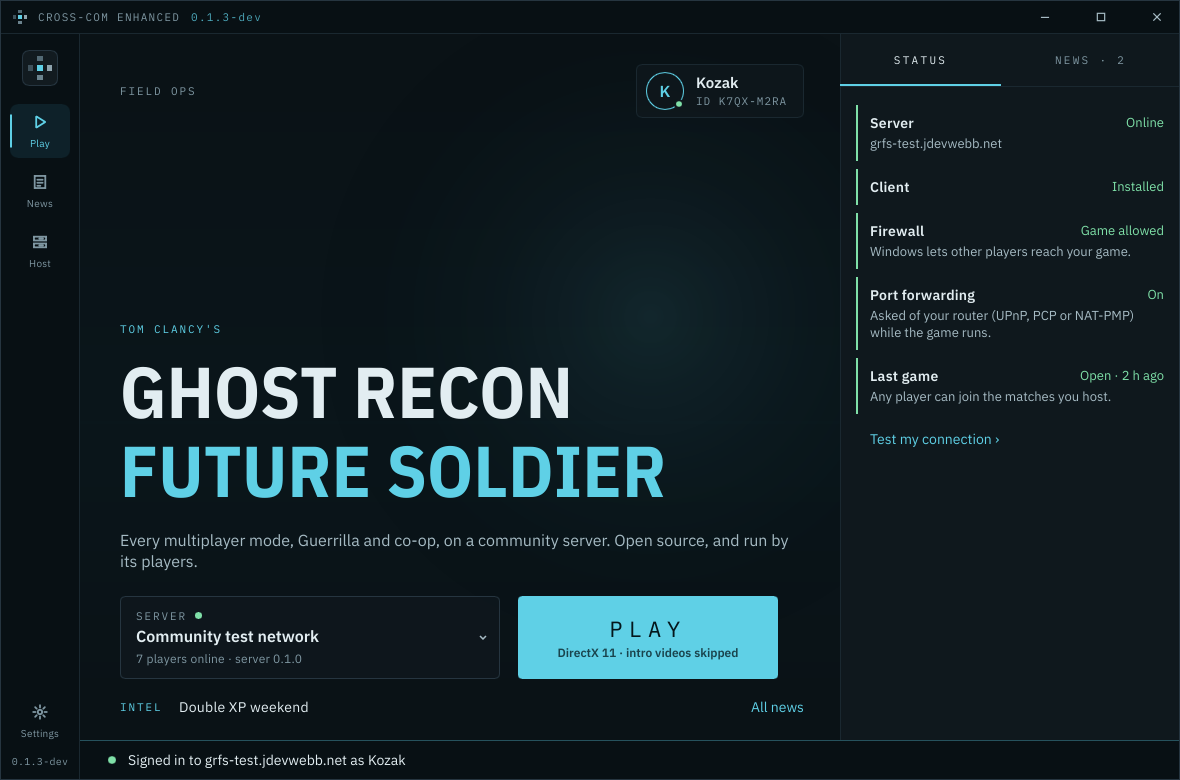
- The Launcher: the Play, News, Host and Settings screens, and the status panel.
- Launcher Settings: every section and option.
- Your Account and Identity: no passwords, accounts on each server, moving to another PC.
- Your Connection: Open, Moderate, Strict and Blocked, the connection test, and port forwarding for your game.
- The In-Game Overlay: F5 in the game: the server, news, leaderboards and your lobby.
- DLC Packs: what each pack adds, and what you can play without it.
- Hosting a Server: the ways to host, and which to choose.
- Hosting from the Launcher: the Host screen, step by step.
- Join Codes: what's in one, sharing it, and joining with one.
- Port Forwarding and Routers: UPnP, forwarding by hand, carrier-grade NAT, VPNs.
- Windows Dedicated Server and Linux and Docker Server: the server on its own.
-
Server Settings: every setting in
crosscom-server.toml. - Server Troubleshooting: what goes wrong, and how to fix it.
- FAQ · Troubleshooting · Error Messages · Antivirus Warnings · Reporting a Problem · Files and Folders
Cross-Com Enhanced is open source (MIT for its own code), developed by JDevWebb as a sister project to 5th Echelon Enhanced for Splinter Cell: Blacklist. The README has what works, how it works and the credits.
You need your own copy of the game (Ubisoft Connect or Steam). The project contains no game files, and can't help you get them.