Repository navigation
DLC Packs
What Future Soldier's three DLC packs add, how the launcher checks for them, and what you can play without them.
No. The base game is enough to play online, including the two night maps (Market and Harbor at night). Every base-game map and mode works without any pack.
But a match that uses a pack needs every player in it to have that pack installed.
Note
Cross-Com doesn't provide the game or its DLC, and can't help you get them: you need your own copy of each pack you want to play. Please don't ask for game files in issues or discussions.
| Pack | Folder in the game | Adds |
|---|---|---|
| Arctic Strike | DLC\dlc1 |
The Stockade mode (on every map), the Riot, Skyline and Evicted maps, and the Arctic Base Guerrilla map |
| Raven Strike | DLC\dlc2 |
Co-op only: its campaign missions and the Sawmill Guerrilla map |
| Khyber Strike | DLC\dlc3 |
The Takeover mode (on every map), the Switchback, Palace and Transit maps, and the Village Guerrilla map |
A map from one pack in the other pack's mode (Takeover on Riot, say) needs both Arctic Strike and Khyber Strike.
| Missing | You can't play |
|---|---|
| Arctic Strike | Stockade, and the Riot, Skyline and Evicted maps |
| Raven Strike | Its co-op missions and the Sawmill Guerrilla map |
| Khyber Strike | Takeover, and the Switchback, Palace and Transit maps |
The game loads a pack only when it's installed and the server grants it. Cross-Com's servers turn on every pack you have installed, so there's nothing else to do: no Uplay or Ubisoft Connect sign-in, no codes.
The launcher looks in the game's DLC folder:
- in the setup's first step (The game), under the folder it found, with each pack installed, incomplete or not installed;
- in Settings › Game, under the game's folder;
- on the Play screen, each time you press Play.
If a pack is missing, you'll see a DLC warning such as:
Not installed: Khyber Strike. You can play everything else online, but not Takeover, and the Switchback, Palace and Transit maps: a match that uses it needs every player in it to have it.
It's only a warning: the game still starts.
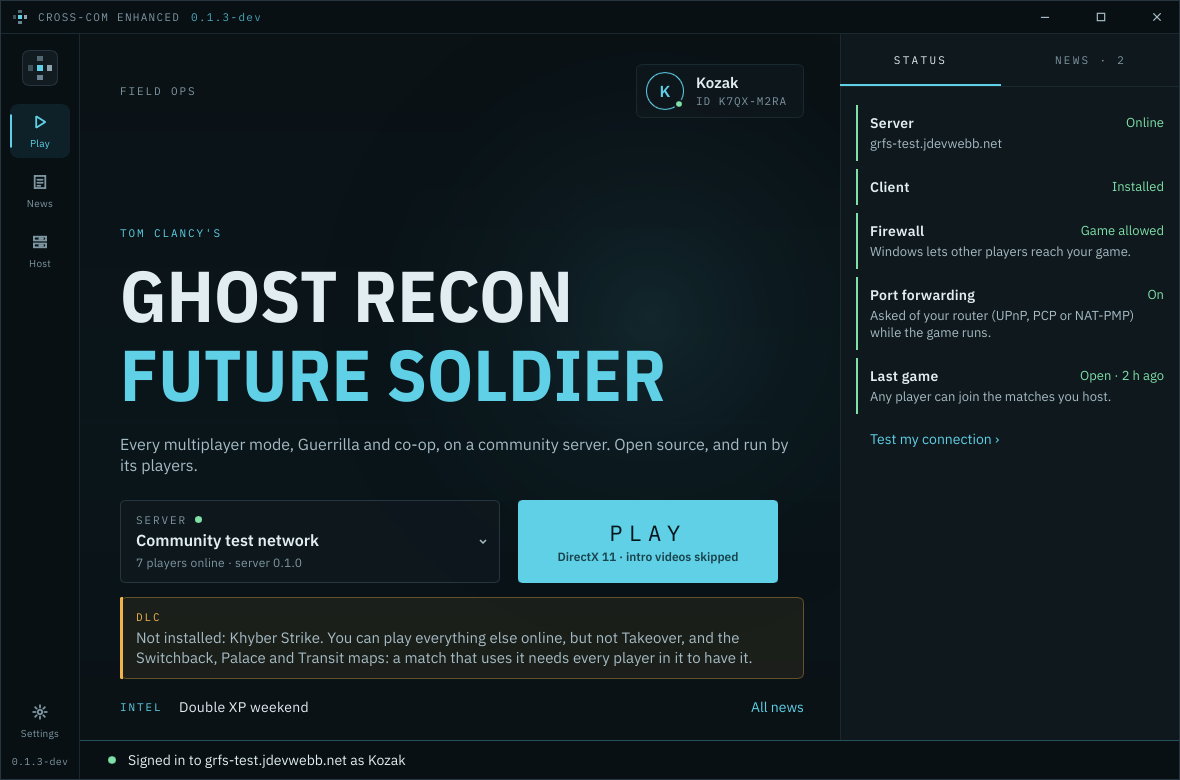
A pack whose folder is there but whose files can't load is incomplete, and the warning says what's wrong:
| The warning says | Meaning |
|---|---|
DLC\dlc1\dlc1.big is missing |
The pack's archive isn't there |
DLC\dlc1\dlc1.big is only N bytes |
The archive is far too small: a download that stopped, or a placeholder |
DLC\dlc1\dlc.ini is missing |
The pack's dlc.ini isn't there |
The game won't load an incomplete pack. Check (verify) the game's files in Ubisoft Connect or Steam.
Each pack you have is a dlc1, dlc2 or dlc3 folder in the game's DLC folder, with a .big file (dlc1.big and so on) and a dlc.ini inside. DLC\dlc is the game's own update, not a pack.
When the game signs in, Cross-Com's client tells the server which packs you have. Quick Match then only finds you lobbies your game can load: the server leaves out lobbies that use a pack you're missing.
If a friend invites you into a match that uses a pack you don't have, the game itself refuses it, with "The host is using content that you have not yet downloaded".
See also FAQ and Troubleshooting.