
A fully local, real-time voice assistant for AMD Radeon GPUs (NVIDIA experimental), on Linux or Windows.
Talk to it and it answers out loud, usually starting about a quarter of a second after you stop talking.




Ming Voice turns inclusionAI/Ming-3.0-audio-tiny, a speech-to-speech model, into an assistant you can leave running at home. It hears you, decides when you've finished, thinks, and speaks back, all on your own GPU. It checks the weather, searches the web, sets timers, keeps your shopping list, remembers what you tell it, and controls Home Assistant and Jellyfin.
No audio leaves your machine. With tools on, only search terms and place names go out (to DuckDuckGo or Brave Search, and Open-Meteo); turn tools off in Settings to stay fully offline.
Conversation that feels natural
- ~0.23 s from the end of your sentence to the first sound of the answer
- Smart turn detection (Smart Turn v3) hears from your words and intonation whether you've finished, so it answers sooner when you're done and waits when you're mid-thought
- Interrupt it any time, even on a speakerphone: it recognises its own voice coming back through the mic and only stops for yours
- Pause and carry on: if it starts answering and you keep talking within a second, the answer is withdrawn and everything you said is answered as one turn
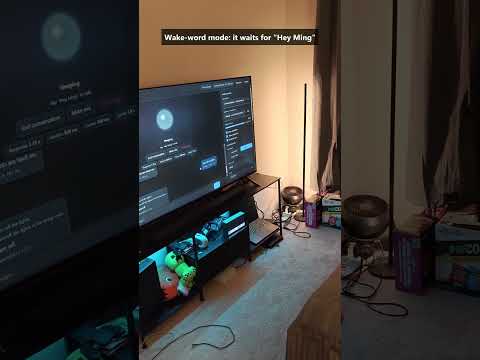
- Hands-free, push-to-talk, or wake word ("Hey Ming, …"), with a follow-up window so you don't repeat the name
- Survives restarts: the conversation is saved after every turn and picked up again
Useful out of the box
- Web search, weather, calculator and clock
- Timers and reminders that ring again until you answer
- Shopping and to-do lists, and remembering things you tell it ("I parked on level 3")
- Home Assistant: lights and plugs (on/off, brightness, "dimmer", colours, warm white), music and TVs (pause, skip, volume, "what's playing?"), thermostat, locks, the car (climate, temperature, defrost), the vacuum, scripts and scenes by name. Follow-ups work ("now turn it off", "and the living room too"), and the user's own words are used, not the model's rewording. Clear commands skip straight to Home Assistant. Two at once ("turn off the desk lamp and lock the car"), for later ("turn off the lights in 20 minutes", "start the vacuum at 9 am"), and rooms: pick the room the device is in, and "turn off the lights" means that room's. "Play some jazz on the kitchen speaker" works with Music Assistant installed. Heads-ups: a lock or garage door left open at night, the vacuum stuck or finished. Also Jellyfin, and hand-off to a Hermes Agent for bigger jobs
- Risky actions (unlocking, opening the garage) are confirmed first
- Jarvis mode: a dry-witted British robot butler ("Certainly, sir.") with its own designed voice and wake word
- Say "that's all, bye" and it ends the conversation (in wake-word mode it goes back to sleep)
Made to be lived with
- Runs always on with the PC's own mic and speakers, no browser tab needed
- Use it from your phone over HTTPS on your home network (QR code, installable web app)
- 7 built-in voices plus voice cloning from a 5–15 s sample
- Speaks numbers, money and units properly ("$1,299.99", "−5°C", "24-17", "12 km/h")
- OpenAI-compatible API for text-to-speech, transcription, and chat with audio in and out
- English and Chinese
 |
 |
| On your phone: the same app over your home Wi-Fi, installable on the home screen. | Tune everything: turn-taking, voice, timing and persona. |
Measured on a Radeon RX 7900 XTX (24 GB):
| End of your speech → first audio | ~0.23 s median. The reply is generated during the end-of-turn pause (0.2 s when Smart Turn is confident) and is ready when the pause ends |
| Thinker (audio LLM, 9.3B MoE / 2.7B active) | ~115 tokens/s; first token ~80 ms after a short spoken turn |
| Talker (speech synthesis) | ~0.3× real time; 13 ms per 80 ms of audio for the core step |
| Startup | ~30 s (first start after install: 1–2 min to compile kernels) |
| VRAM | ~20.5 GB in bf16, ~12.5 GB with int8 experts (automatic on cards under 23 GB) |
| Speech quality | 1.0% word error rate when its speech is transcribed back (same as the reference implementation) |
- Linux (x86_64): Arch, CachyOS, EndeavourOS, Manjaro, Ubuntu, Debian, Pop!_OS, Mint, Fedora, Nobara or openSUSE (others work too if they have git and curl), or Windows 11 with WSL2 (the installer sets it up)
- A GPU with 16 GB+ VRAM:
- AMD Radeon RX 6800 or newer: RX 7000 / 9000 series and Radeon PRO cards (tested on the RX 7900 XTX).
On Linux it only needs the standard
amdgpudriver that comes with your kernel: PyTorch brings its own ROCm 7.2, so there's no ROCm to install. On Windows: a recent Adrenalin driver with WSL support. - NVIDIA RTX 30 series or newer (e.g. RTX 3090, 4060 Ti 16 GB, 4080, 4090, 5080, 5090), with a current
driver (on Linux: your distro's NVIDIA driver, e.g.
nvidia-openon Arch/CachyOS). Experimental: the installer sets it up with CUDA PyTorch and the code is vendor-neutral, but it hasn't been tested on a 16 GB NVIDIA card yet. Reports welcome!
- AMD Radeon RX 6800 or newer: RX 7000 / 9000 series and Radeon PRO cards (tested on the RX 7900 XTX).
On Linux it only needs the standard
- ~30 GB free disk (20 GB model + Python environment)
Linux: open a terminal and paste:
curl -fsSL https://raw.githubusercontent.com/JMS1717/ming-voice/main/install.sh | bashIt installs what's missing (git, curl, openssl, PortAudio) with your package manager, finds your GPU, sets up
Python and PyTorch for it (ROCm 7.2 or CUDA 12.8, nothing system-wide), downloads the model (~20 GB) into
~/ming-voice, and adds Ming Voice to your app menu. It may ask for your password (for the packages, and on
AMD to add you to the render group that may use the GPU; log out and back in once after that). If anything
stops halfway, run it again: finished steps are skipped. Set MING_DIR to install somewhere else.
Windows: open PowerShell and paste:
irm https://raw.githubusercontent.com/JMS1717/ming-voice/main/install.ps1 | iexThat's it. It sets up WSL and Ubuntu 24.04 if you don't have them yet, then installs ROCm (AMD only), the Python
environment and the model (~20 GB download), and puts a Ming Voice shortcut on your Desktop. On AMD it asks for
your Linux password once (for ROCm). If anything stops halfway, run it again: finished steps are skipped.
(Prefer not to paste commands? Download the repo and double-click Install.cmd.)
Already in a WSL Ubuntu shell? Same thing from there:
git clone https://github.com/JMS1717/ming-voice.git ~/ming-voice
bash ~/ming-voice/install.sh
What the installer runs (manual install)
sudo bash scripts/install_rocm_wsl.sh      # AMD only: ROCm 7.2.4 + librocdxg (WSL GPU bridge); then wsl --shutdown
bash setup_env.sh # Python env (ROCm or CUDA PyTorch, needs uv) + model download (~20 GB)- Windows: double-click Ming Voice on your Desktop (or
windows\Ming Voice.cmdin the repo, at\\wsl.localhost\Ubuntu-24.04\home\<you>\ming-voice). It starts the server, waits for the model, and opens http://localhost:8000. - WSL shell:
./run.sh, then open http://localhost:8000. - Linux: Ming Voice in your app menu, or
ming-voicein a terminal. It starts the server in the background, waits for the model, and opens http://localhost:8000.ming-voice --stopstops it (it holds ~20 GB of VRAM),ming-voice --statusandming-voice --logsshow what it's doing,ming-voice --helplists the rest. (Or run./run.shin the folder, in the foreground.)
Press Start conversation, allow the microphone, and talk. Pause when you're done.
Windows: keep the server window open while you use it: WSL shuts its VM down when nothing is attached. Close it when you're done, since it holds ~20 GB of VRAM.
- Interrupt by talking over it. If it still interrupts itself in a very echoey room, turn barge-in off in Settings.
- Shortcuts: Space hold to talk (push-to-talk mode), M mute, Esc stop the reply, N new conversation.
- Wake word (Settings → Turn-taking) is for a PC, tablet or old phone that listens all the time. It only answers speech that starts with its name: "Hey Ming, turn off the lamp", or "Hey Ming" on its own and wait for the chime. For 8 s after each reply you can follow up without the name. Any name works; "Ming" is recognised best.
- Clone a voice in the sidebar: record or upload 5–15 s of one person speaking. Voices are saved in
voices/. - Type instead of talking in the box at the bottom; the answer is still spoken.
- Jarvis mode: pick Jarvis (robot butler) under Settings → Persona. It switches to the Jarvis voice and the
wake word "Jarvis" (your own come back when you pick another preset), and even the tool confirmations are in
character ("Very good, sir. I've turned off the lamp."). The voice is an original one made with the Talker's voice
design (
dev/design_voice.py), not a copy of anyone's. - End the conversation by saying goodbye ("that's all, thanks", "goodnight", "end the conversation"): it says goodbye and stops listening, or goes back to sleep in wake-word mode.
windows\Ming Voice (always on).cmd starts the server (minimized), phone access, and windows\ming_client.py,
a background client that uses the PC's own microphone and speakers. Just say "Hey Ming, …" any time. Timer alarms
and announcements play through the speakers too.
On Linux: ming-voice --always-on (or Always on in the app menu entry's right-click menu) does the same, with
the same client and settings. ming-voice --autostart --always-on starts it when you log in (add --phone for
phone access too; --no-autostart undoes it), and ming-voice --stop stops it. The notes below apply to both,
with the paths on Linux being .venv/bin/python windows/ming_client.py and ming_client.log.
- Start at sign-in: run
powershell -ExecutionPolicy Bypass -File windows\install_autostart.ps1once (-Removeundoes it;-Browserautostarts the browser app instead). - Needs Python for Windows with
pip install sounddevice websockets numpy. - Settings go in
.client.jsonin the project folder (not committed), for example{"wake_word": "Ming", "home": "Paris", "voice": "US_Emma", "input_device": "USB Mic", "barge_in": false}. - Pick the right microphone:
python windows\ming_client.py --test-micsshows each microphone's level while you talk (--list-deviceslists them all). The log,windows\ming_client.log, names the mic in use and warns when it has heard nothing for 10 minutes.--stopstops the client. - On speakers the mic is muted while Ming talks, so it never answers itself. With a headset, set
"barge_in": trueto talk over it. - One device at a time: opening the app on your phone takes over, and the PC client takes it back 15 s after the phone app is closed.
- The server restarts by itself after a crash or an unrecoverable GPU error (
run.shwithMING_SUPERVISE=1, which the launcher sets).
Start with windows\Ming Voice (phone).cmd (or run python windows\lan_proxy.py on Windows next to a running
server), press Phone in the app on the PC, and scan the QR code. The phone opens
https://<pc-ip>:8443/?key=…; the key is swapped for a cookie, so the link only has to be opened once.
- Phones only allow the microphone over HTTPS, so the proxy uses a self-signed certificate (created on first
run in
certs/). The phone warns once that the connection isn't private: tap Advanced → Proceed (Safari: Show Details → visit this website). - Everything arriving from the network needs the access key (
.lan_key, created on first start). Delete the file and restart to change it. - WSL2 isn't reachable from the network by itself, which is why the proxy runs on Windows (standard library only). If Windows Firewall asks, allow Python on private networks.
- Linux:
ming-voice --phonestarts the same proxy next to the server. With a firewall on (Fedora and openSUSE have one by default), allow port 8443/tcp:sudo firewall-cmd --add-port=8443/tcp --permanent && sudo firewall-cmd --reload(ufw:sudo ufw allow 8443/tcp). - Add the page to your home screen to use it like an app; the screen stays on during a conversation.
With Web search & tools on (Settings, default), the model decides when to call a tool; Ming-3.0's LLM was trained for function calling. It says "Let me look that up" while a slow one runs, and the reply shows what it used and its sources.
| Tool | Try saying | Needs |
|---|---|---|
web_search |
"Who won the game last night?", "research the best electric cars this year". DuckDuckGo, or Brave Search (fresher) with a key | optional .brave_key or MING_BRAVE_KEY (Brave Search API, free tier) |
get_weather |
"What's the weather like this weekend?" Current weather and a 3-day forecast from Open-Meteo; "Your location" in Settings is the default | – |
calculate, get_current_time |
Exact arithmetic; the time in other time zones (the local date and time come with every turn, so "what time is it?" needs no tool) | – |
timer |
"Set a timer for 10 minutes", "remind me to call mom at 5 pm", "how long is left?", "cancel the pasta timer". When one goes off it chimes and says so, again every minute (twice more) until you answer. Kept in .timers.json, so they survive a restart |
– |
lists |
"Add milk and eggs to my shopping list", "what's on my to-do list?", "I bought the eggs", "clear my shopping list". Shopping, to-do, or any list you name, kept in .lists.json |
– |
memory |
"Remember that I parked on level 3", "forget where I parked". Up to 40 facts in .memory.json, given to the model in every conversation, so "where did I park?" works days later |
– |
home_assistant |
"Turn off the kitchen lights", "is the car locked?" "Which lights are on?", "turn off the living room lights". Ming reads HA's device, area and entity registries itself, so it sees every light, plug, lock, thermostat, fan, vacuum and speaker the token can (lamps on smart plugs count as lights; config and hidden entities are skipped), and the model is told your device names by room. Anything else goes to HA's own Assist. MING_HA_DIRECT=0: Assist only, so only entities exposed to voice assistants can be touched |
.ha_token (HA → your profile → Security → long-lived token), .ha_url or MING_HA_URL (default http://homeassistant.local:8123) |
jellyfin |
"Play The Office on the TV", "pause", "what's playing?", "do I have Dune?" Searches your library and controls open Jellyfin players; a series continues from the next unwatched episode | .jellyfin.json: {"url": "http://<host>:8096", "key": "<API key>"} |
ask_hermes |
"Ask Hermes to …" hands a bigger job to a Hermes Agent in the background; the answer is announced when it's ready. Only when you say "Hermes" (MING_HERMES_AUTO=1 lets Ming hand it anything its own tools can't do) |
.hermes.json: {"url": "http://<host>:8642", "key": "<API_SERVER_KEY>"} |
Guard rails that keep it honest and safe:
- Tools that change something (timers, lists, memory, Home Assistant, Jellyfin, Hermes) never run for a speculative reply. They wait until your turn has really ended, so a pause mid-sentence can't switch a light.
- Risky actions are confirmed first. Unlocking, opening a garage door or gate, and disarming an alarm get a
question back ("Just to be sure: do you want me to unlock the front door?") and only happen when you say yes
in your next turn, within a minute.
MING_CONFIRM_RISKY=0turns this off. - Jellyfin only starts playback when you said to (play, watch, put on, listen, …).
- Answers you can listen to: one from search results ends after a few sentences, and any other after about 30 s of speech, unless you asked for something long (a story, a recipe, steps, "in detail", …).
- If a reply starts by claiming it can't look things up ("I don't have access to real-time data…"), it's caught before it's spoken and becomes a web search or weather lookup instead. And if a reply says it changed a list or forgot something without calling the tool, that call is made for it, so what it said is true.
Ming can tell you what happens at home: the doorbell, the washer finishing, the garage left open. With a Home
Assistant token configured, the server listens for ming_announce events, so all it takes is an automation
with an event action (no integration, no configuration.yaml change, no restart):
alias: Doorbell → Ming
triggers:
  - trigger: state
    entity_id: binary_sensor.front_doorbell
    to: "on"
actions:
  - action: event
    event: ming_announce
    event_data:
      message: Someone is at the front door.
      # chime: false      no chime before it
      # verbatim: false   pass it on in Ming's own words instead of exactly
      # ttl: 300          drop it if it can't be said within this many seconds
Or from a script or another server, POST /api/announce with the same fields as JSON (on the LAN port, with
Authorization: Bearer <access key>):
curl -X POST http://localhost:8000/api/announce -H "Content-Type: application/json" \
  -d '{"message": "The washer is done."}'
An announcement waits for a quiet moment, plays a short chime, and is said whether the wake word was heard or
not. MING_HA_EVENTS=0 turns the event listener off.
The same server speaks the OpenAI API; interactive docs are at http://localhost:8000/docs.
| Endpoint | |
|---|---|
POST /v1/audio/speech |
Text to speech: {"input": "...", "voice": "US_Emma", "response_format": "wav"} (wav, mp3, flac, pcm). wav and pcm stream as they're generated, first audio after ~0.12 s. OpenAI voice names (alloy, nova, …) map to built-in voices; cloned voices work by name |
POST /v1/audio/transcriptions |
Speech to text (multipart file), any length, English or Chinese |
POST /v1/chat/completions |
Chat with text and/or audio input (input_audio parts) and optional spoken output ("modalities": ["text", "audio"]); stream: true streams text and pcm16 audio. Greedy decoding, no tools |
GET /v1/models |
ming-3.0-audio-tiny |
curl http://localhost:8000/v1/audio/speech -H "Content-Type: application/json" \
  -d '{"input": "Hello from Ming Voice!", "voice": "US_Emma"}' -o hello.wav
curl http://localhost:8000/v1/audio/transcriptions -F file=@hello.wav
from openai import OpenAI
client = OpenAI(base_url="http://localhost:8000/v1", api_key="unused-on-localhost")
print(client.chat.completions.create(model="ming-3.0-audio-tiny",
messages=[{"role": "user", "content": "Tell me a fun fact about otters."}]).choices[0].message.content)From another device, use https://<pc-ip>:8443/v1 with api_key=<contents of .lan_key> and accept the
self-signed certificate (curl -k, or pass certs/lan.crt as the CA). API requests share the GPU with the
voice session; chat requests run on an isolated copy of the conversation state, so they never disturb a live
conversation.
Timing settings (in the app)
| Setting | Default | Meaning |
|---|---|---|
| Smart turn detection | on | Ends the turn after a 200 ms pause when you've clearly finished, waits up to 1.5 s when you sound mid-sentence, and uses the end-of-turn pause otherwise |
| End-of-turn pause | 500 ms | Silence that ends your turn (when Smart Turn is off or unsure). Lower is snappier but more likely to cut you off |
| Extra pause after short phrases | 250 ms | Added when you've said less than 1 s ("Can you tell me…"), which is usually unfinished |
| Start thinking after | 32 ms | When speculative generation starts (discarded if you keep talking) |
| Keep my turn if I resume within | 1000 ms | Carry on this soon after it starts answering and the answer is withdrawn; everything you said is answered as one turn (0: carrying on interrupts it) |
| Ignore the assistant's own voice | on | Echo-aware barge-in for speakers |
| Voice detection sensitivity | 0.50 | Silero VAD threshold |
| Playback buffer | 100 ms | Client jitter buffer |
Environment variables (for run.sh)
| Variable | Default | |
|---|---|---|
HOST / PORT |
127.0.0.1 / 8000 |
Bind address. Local-only by default; use the phone proxy for other devices. HOST=0.0.0.0 exposes port 8000 directly, without HTTPS (no microphone in browsers) and without a key unless MING_API_KEY is set |
MING_LAN_PORT |
8001 |
Key-protected port for the phone proxy (localhost only; lan_proxy.py --target) |
MING_API_KEY |
– | Require this key (Authorization: Bearer …) on every port, including localhost |
MING_MODEL_DIR |
./model |
Model folder |
MING_MAX_CTX |
8192 (16384 from 32 GB of VRAM, 4096 in int8 mode) |
Conversation context in tokens. Costs VRAM (~60 MB per 1k tokens, plus larger graph buffers) but not speed: attention only reads the filled part. When it fills up, the context is rebuilt between turns (~0.5 s) from the conversation so far as text |
MING_INT8_EXPERTS |
auto |
Weight-only int8 for the MoE experts (1, 0, or auto = int8 below 23 GB VRAM). Identical greedy replies and transcripts on the test set, logit cosine ≥ 0.997 |
MING_VRAM_LIMIT_GB |
– | Cap PyTorch's VRAM use (to emulate a smaller card) |
MING_CFM_STEPS |
10 |
Talker flow-matching steps (fewer is faster but degrades speech) |
MING_SMART_TURN |
1 |
Smart Turn end-of-turn detection |
MING_FUSED_PREFILL / MING_PREFILL_GRAPHS / MING_FUSED_OPS |
1 |
Fused Triton prefill MoE, graph-captured prefill, Triton RMSNorm and router (0 = reference code) |
MING_FAST_TALKER / MING_GRAPHS |
1 / 1 |
Fused Triton Talker path / HIP graphs (0 = reference code) |
MING_ECHO_DEBUG |
unset | Log what the echo guard measured whenever a barge-in fires |
MING_TRACEMALLOC |
0 |
Python allocation tracing for /api/debug/mem |
MING_CONFIRM_RISKY |
1 |
Ask before unlocking, opening the garage or gate, or disarming an alarm |
MING_HA_DIRECT |
1 |
Home Assistant: control every device the token can see (0 = only through Assist, i.e. entities exposed to voice assistants) |
MING_HA_EVENTS |
1 |
Say Home Assistant ming_announce events (needs .ha_token) |
MING_HA_ALERTS |
1 |
Heads-ups: a lock or garage/door left open at night for 10 minutes, the vacuum stuck or finished |
MING_ALERT_NIGHT |
22-6 |
The hours (start-end) when an unlocked lock or open door is worth a heads-up |
MING_HERMES_AUTO |
0 |
1: hand Hermes anything Ming's own tools can't do, not only what you ask Hermes for by name |
MING_SUPERVISE |
0 |
1: restart the server when it crashes (the Windows launcher sets it) |
MING_ALARM_REPEATS / MING_ALARM_REPEAT_S |
2 / 60 |
How many more times a timer that went off is repeated, and how many seconds apart |
MING_RESUME_S |
1800 |
After a restart, continue a conversation saved less than this many seconds ago (0: always start afresh) |
browser (static/index.html) ⇄ WebSocket: 16 kHz PCM in / 44.1 kHz PCM out ⇄ server.py
  server.py   Silero VAD · Smart Turn (turn_detect.py) · speculative turn-taking with rollback · barge-in
              · resume (a reply you talk over within resume_ms is undone and your turn continues)
              · echo guard (echo_guard.py: mic vs. played-audio correlation, so its own voice can't barge in)
              · push-to-talk · voice cloning · background transcription
  api.py      OpenAI-compatible /v1 API (speech, transcriptions, chat with audio in/out)
  tools.py    web search, weather, timers, lists, memory, Home Assistant, Jellyfin, Hermes
  ha.py       Home Assistant device list (registries over the websocket API), command parsing and control
  lan.py      access key + cookie login for the LAN port; windows/lan_proxy.py terminates HTTPS on Windows
  engine.py   Thinker: Ming audio LLM (hybrid Kimi-delta-attention / MLA, 128-expert MoE)
                - static-state cache, one HIP graph per attention-length bucket (8.7 ms/token)
                - prefill graphs too: prompts padded to 32/64/128 tokens, padding made a no-op for the
                  recurrent KDA layers (zero write strength, unit decay, conv state rebuilt from real tokens)
                - fused Triton MoE with the shared expert folded in (fused_moe.py): a GEMV kernel pair
                  for decode, grouped tl.dot kernels for prefill (tokens sorted by expert on the GPU)
                - multi-turn KV reuse, snapshot/restore for speculation, text-history rollover
              Talker: Qwen2 + 10-step flow-matching DiT + AudioVAE
                - fused Triton fast path (fast_talker.py, fastlinear.py): RMSNorm/bias/activation/
                  residual fused into small-M GEMMs, tiny rotary+attention kernel, decode attention
                  over a static KV cache, constants hoisted out of the flow-matching loop
                - HIP graph per step, streaming VAE decode
  direct_load.py  builds the model on the GPU and streams weights in with parallel reads
The main speedups over the reference implementation came from replacing rocBLAS's slow small-M biased GEMMs (~45 µs) with fused Triton kernels (~20 µs), cutting kernel launches (the reference MoE prefill launched ~5 kernels per active expert per layer plus a host sync, ~120 ms per turn, now ~15 ms), graph-capturing every per-token step, and hiding model latency inside the end-of-turn pause.
No HIP GPUs are available: in WSL,HSA_ENABLE_DXG_DETECTION=1must be set (run.shdoes it). On Linux, your user must be in therendergroup (groupsshows it; the installer adds you, then log out and back in).- Linux, AMD GPU not listed by PyTorch (e.g. an RX 6700 XT or 7600): the installer writes the closest supported
GPU to
.gpu_env(HSA_OVERRIDE_GFX_VERSION); edit or delete that file to change it. With an integrated GPU too,.gpu_envalso picks the big one (ROCR_VISIBLE_DEVICES). - The first request after idle takes minutes: under WSL, an AMD GPU that drives no display stops serving WSL work promptly when idle. The server runs a tiny keep-alive kernel a few times per second.
- Slow loading or swapping: the loader streams weights straight to the GPU; Hugging Face's loader peaks at ~15 GB of host RAM, more than WSL allows by default.
- It cuts you off: raise the end-of-turn pause in Settings.
- The always-on client never hears you: run
python windows\ming_client.py --test-mics(Linux:.venv/bin/python windows/ming_client.py --test-mics) and setinput_devicein.client.json. - Logs are in
server.log(Linux:ming-voice --logs); health is at http://localhost:8000/api/health.
Tests and benchmarks in dev/ (run from the repo root against a running server unless noted)
dev/e2e_test.py: acts like a microphone over the WebSocket: latency, multi-turn memory, hesitation handling, barge-in (dev/make_questions.pyregenerates its audio)dev/test_routing.py: spoken everyday questions and which tools each one uses (none for general knowledge)dev/test_tools.py: every tool, offline parts included (--hermesto include Hermes)dev/test_ha_model.py: the real model against a made-up home: do spoken commands reach the right devices? (stop the server first)dev/test_speech_text.py: offline: symbols, money, ranges and units rewritten for the voicedev/robustness.py: long input, Chinese, noise only, double barge-indev/test_resume.py: pause mid-question until the reply starts, then continue: one answer to the whole questiondev/echo_test.py: speakerphone simulation; must never interrupt itself but must stop for a real interruption (dev/test_echo_guard.py: offline)dev/test_api.py: every/v1endpoint, plus a live conversation that must survive the API callsdev/test_turn.py: Smart Turn scores on complete vs. truncated questionsdev/eval_steps.py: speech quality (ASR round-trip WER) vs. diffusion steps (standalone, needs the GPU)dev/e2e_compare.sh 32:1 64:1: e2e under severalspec_ms:smart_turnsettingsdev/test_fast_tail.py,dev/test_fast_llm.py,dev/test_sensitivity.py: fused paths vs. referencedev/test_moe_prefill.py(TUNE=1to re-tune),dev/test_prefill.py,dev/test_prefill_layer.py,dev/test_prefill_graphs.py: fused and graph-captured prefill vs. referencedev/test_encoder.sh,dev/profile_prefill.py: audio encoder and prefill timingdev/tts_check.py,dev/test_clone.py,dev/test_takeover.py: API checks
- This project: MIT (see
LICENSE). - Model: Ming-3.0-audio-tiny by inclusionAI (MIT).
The weights are downloaded from Hugging Face, not included here; the model's own code is loaded from the model
folder with
trust_remote_code. - Smart Turn v3 by Pipecat (BSD-2-Clause), downloaded by
setup_env.sh. - Silero VAD (MIT), flash-linear-attention (MIT), PyTorch, ROCm and Triton.
If Ming Voice is useful to you, you can support its development with a donation through PayPal. Thank you!