Better Xojo Help 0.16.0

v0.16.0 — filter the documentation by platform
Search results and the topic tree can now be narrowed to the platforms you actually build for, taken
from each page's own Compatibility table rather than guessed from class names.
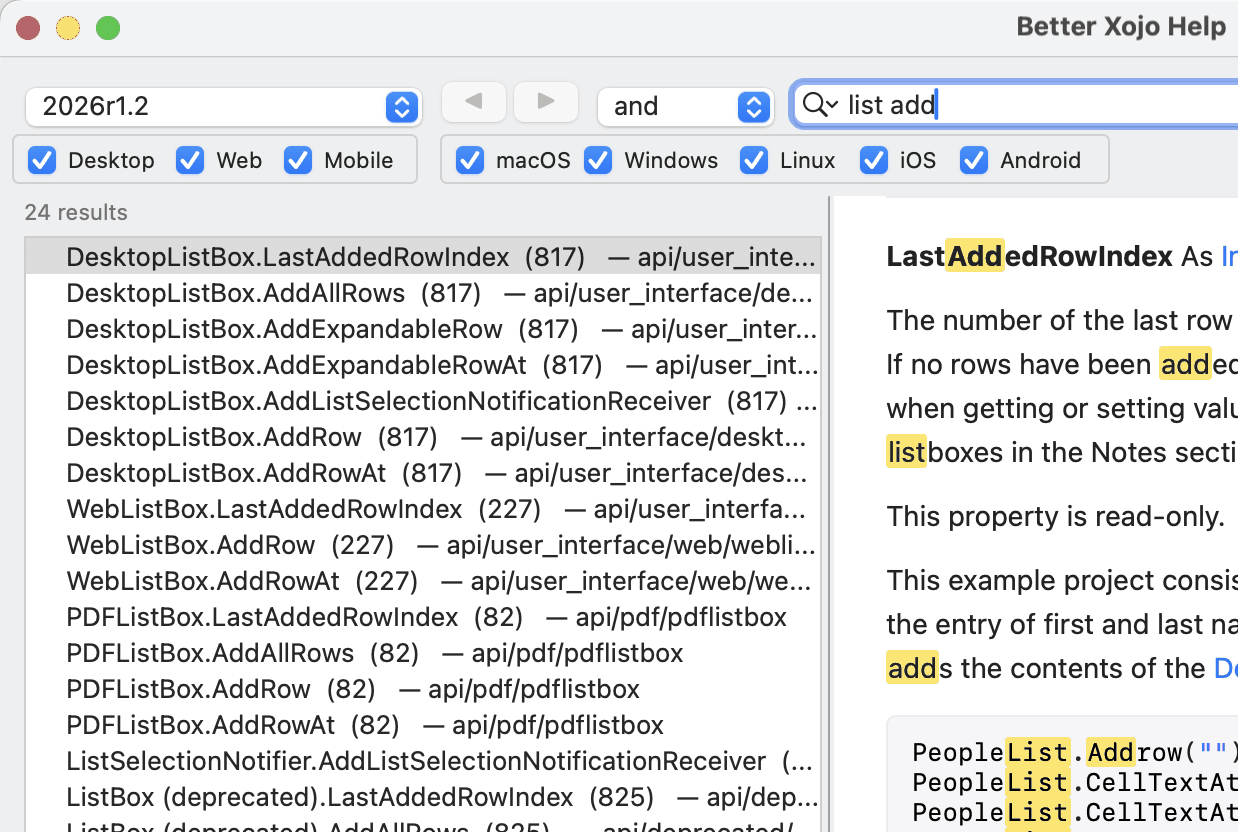
New
- Two groups of checkboxes, because Xojo's Compatibility table has two rows: project types
(Desktop / Web / Mobile) and operating systems (macOS / Windows / Linux / iOS / Android).
A page has to satisfy both. UntickWebandWebListBox.AddRowgoes — even though a web app
genuinely runs on macOS, which is why the two axes are kept separate. - The topic tree narrows too, not just the results. A folder stays while anything under it
survives. - Right-click either group for Check All / Check None. Choices are remembered between launches.
- Pages that say nothing about platforms — the language reference and the guides, 1337 of 2123 pages
on 2026r1.2 — always match, so no combination of boxes can hideString. - On the 2015–2019 documentation, which ships no Compatibility table, the filter falls back to class
names:Web…is web,iOS…is iOS, everything else always shows. Android is inert there, correctly
— it did not exist before 2020.
Fixed
- Page titles showed their HTML markup: the tree listed
<cite>Graphics</cite>verbatim. 24 of 2123
titles were affected.
Also
- You can read the documentation of a Xojo you can no longer launch. Every modern Xojo bundle
carries the whole set atXojo.app/Contents/Resources/Language Reference/docs.tgz, and that archive
is theDocumentationfolder. Untar it into
~/Library/Application Support/Xojo/Xojo/Xojo <release>/Documentationand it appears in the popup.
The README has the command. Sphinx-era releases only.
Download
Universal — Apple Silicon and Intel — signed and notarised. Attached below and in
Binaries/.
First time? Xojo does not install its documentation by default:
Preferences → General → Documentation → Install Local Documentation, once per release.