Contributing recommendations
In order to make collaboration easier, we think it best to always use the same version of Excel, as simply using another can lead to major changes in the text files.
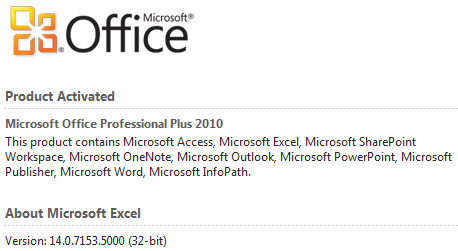
The main development is done using Microsoft Excel 2010, on Windows 7 x64 computer.
Because the tracker sheet contains many conditional formatting, pasting can quickly mess with the configuration. To avoid this, you should always use Special paste (in most cases, Formula and number format will match your needs).
🚧 Insert a screenshot here
When you update the formulaæ, please try to make things easy to copy or expand. For instance, when making a running sum, lock the beginning of your ranges and leave the end free.
Also think to apply your changes to all concerned cells. If your change impacted one of the monthly reinitialized columns, think of resetting the beginning of the range to match the first line of the month.
Some calculated data may make formulæ more complex, either for reading or because the computation requires some time. Moreover, those data may be used in several formulæ on the same line.
For such cases, technical columns are hidden at the immediate right of the table. To show them, select the columns before and after, right click the column header and select Unhide.
🚧 Insert a screenshot here
Do not hesitate to insert new columns to calculate data you need. Please, also think of hiding these columns again before committing.
This is forbidden for the time being: Excel sheets with macros have a tendency of being filtered by corporate firewalls. We want to keep this available to the many.
- If you updated the profiles for your tests, reset them to their initial state.
- Ensure grid is hidden, column and row headers are visible
- Ensure the technical columns are hidden
- Reset selected ranges
- Cfg:
D2 - Timesheet:
A1 - Active sheet: Timesheet
- Cfg:
- Save again
- Close the file and use the construct to deconstruct
Everything checked? You're good to go. Go on and commit!
Excel is paid software and it is not recommended to have two versions of it running on the same computer. An idea is to move the development to LibreOffice (#14) but will have to wait.
Updating the formulæ is a rather tedious work, especially for those which must be reinitialized monthly.
A good idea would be to supply only two lines (a sample classic line and a sample monthly summary line) and let the construct generate the whole sheet from them. This obviously requires some development on the construct but appears to be feasible.
The construct would then have two construct mode:
- the development construct would generate the Excel file with the sample lines only;
- the final construct would generate a ready-to-use Excel tracker.
