The construct
The time tracker is an Excel sheet but an Excel sheet is a binary. Git is better designed for text files, which an Excel file can be turned into, but editing an Excel file is easier using the software it was designed for.
The construct is just a tool to switch to and fro between the text files version (for pushing to Github) and the binary version (for easy editing).
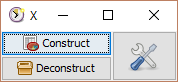
You can download it via the link in the sidebar, to the right of this page.
The construct is a runnable jar. It requires you to have ☕ Java 7 or higher on your path. Double-clicking it should do the trick.
If you have problems with the double click, you can run the following command:
java -jar timetracker-construct.jar💡 You can put the jar inside the directory without risk. Keeping all in one place will make things easier.
- Set the directory you cloned the xls-time-tracker project to. You can type it into the text field or click the
 button.
 - Click the

Constructbutton to build thetracker.xlsxfile from the files inxlsx_deconstructed(after agit pullfor instance) or
Deconstructto go the other way (before apush). Just make sure there are no file locked before clicking (you typically want to close the Excel file). - Presto!
If you are done contributing, you may wish to click 
Clear prefs before closing the construct one last time. This will remove the path to the project it has stored in your preferences. Small gain but if you are a maniac wanting to keep your machine clean, here is the way.
The tracker is not the only thing you can contribute to.
You can head to the xls-time-tracker-construct repository to fork it if you want to enhance it (or adapt it to your own needs). The code is under MIT license, so feel free.
