Repository navigation
VLC Redesign 0.2.3

🎨 Design by Juxtopposed
Every screen of this interface was designed by Juxtopposed. ▶ Watch the video: I Redesigned VLC After 25 Years · CC BY 4.0 · Juxtopposed does not endorse this project.
A new installer, drawn like the app
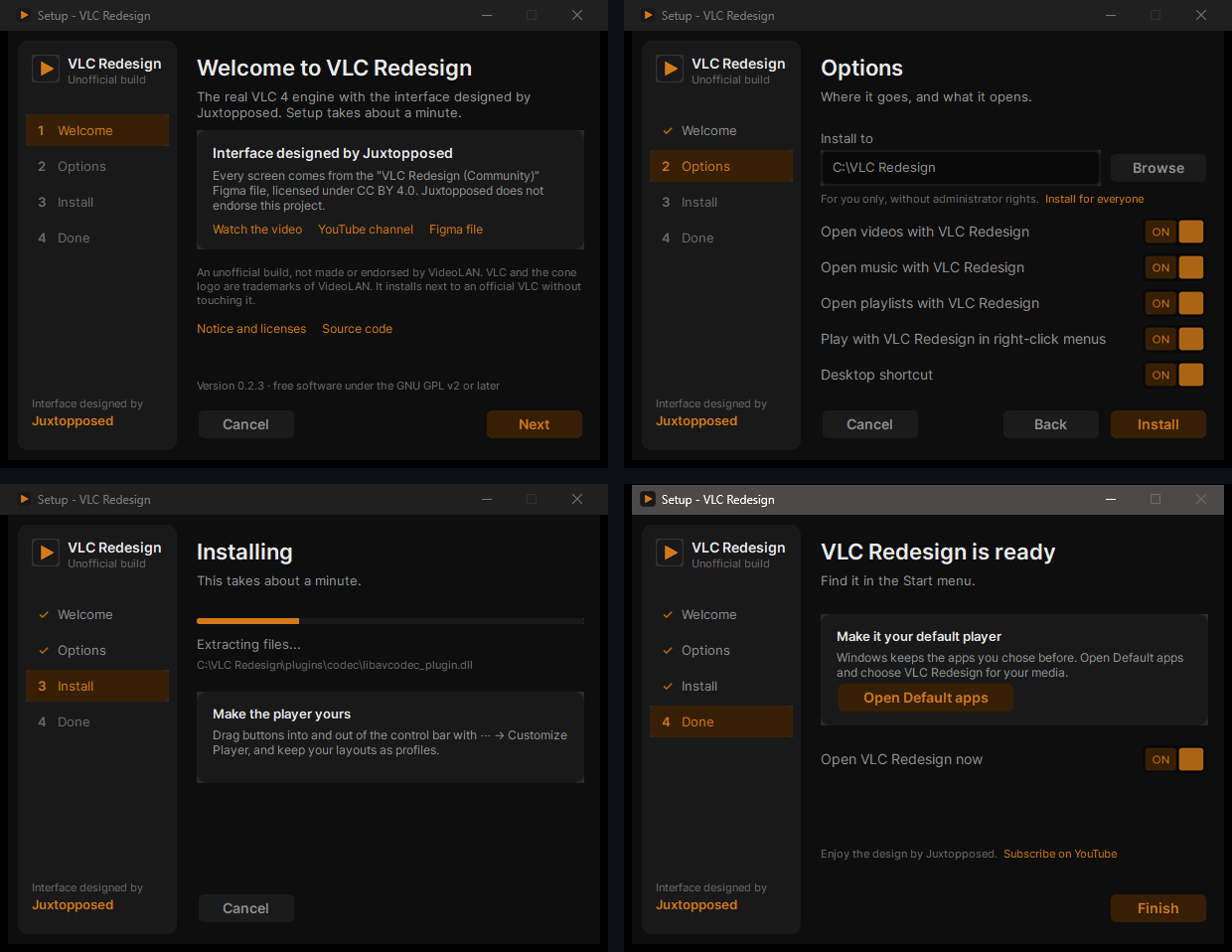
- The library's sidebar with the steps, the design's buttons, ON / OFF toggles and an orange progress bar; English and Hebrew.
- Open videos, music and playlists with VLC Redesign (the ~130 formats VLC plays), wherever you haven't picked another app; the last page opens Windows' Default apps for the rest.
- Play with VLC Redesign and Add to VLC Redesign queue in the right-click menu of files and folders, a desktop shortcut, and Install for everyone.
- Three clicks from Welcome to Done. An update keeps your choices; uninstalling gives every file type back to the app it had before.
Faster seek bar previews
Frames are kept, and while you hover the seek bar the frames around the pointer are decoded ahead: a sweep along the bar, or back, shows them at once.
Fixed
- Playback started paused at a time could show a time of hundreds of hours.
A wiki
Every screen and every option, with screenshots: installation, the player, the library, subtitles, audio and video, customizing the player, all thirteen sections of Settings, shortcuts and troubleshooting.
Already on 0.2.x? An installed copy offers this update by itself (⋯ → About → Check for updates).
vlc-redesign-0.2.3-win64-setup.exe |
Recommended: per-user install, automatic updates |
vlc-redesign-0.2.3-win64.zip |
Portable |
CHANGELOG · ROADMAP · Wiki · SHA-256 in SHA256SUMS.txt
Unofficial build, not affiliated with or endorsed by VideoLAN. VLC and the cone are VideoLAN trademarks. GPL v2 or later; source: the v0.2.3 tag.