Server Owner Guide
| Command | Description |
|---|---|
/wild |
Teleport yourself to a random safe location |
/wild reload |
Reload the WildRTP configuration |
/wild info |
Display plugin information |
/wild updates |
Check for available plugin updates |
/wild help |
Display the WildRTP help message |
/customrtp <player> <world> <startRadius> <endRadius> <originX> <originZ> [params...] |
Teleport a player using a custom RTP search |
/customrtp <player> <world> |
Teleport a player using a world RTP search |
/customrtp <player> |
Teleport a player using a RTP search |
| Permission | Description |
|---|---|
wildrtp.rtp |
Allows use of /wild
|
wildrtp.reload |
Allows use of /wild reload
|
wildrtp.updates |
Allows use of /wild updates
|
wildrtp.custom |
Allows use of /customrtp
|
wildrtp.cooldown.bypass |
Bypasses the RTP cooldown |
wildrtp.movetimer.bypass |
Bypasses the movement timer |
wildrtp.list.bypass |
Bypasses the world whitelist/blacklist |
wildrtp.list.bypass.world_name |
Bypasses the whitelist/blacklist for a specific world |
wildrtp.help |
Allows use of /wild help
|
wildrtp.admin |
Grants all WildRTP permissions |
For most servers, you only need to configure a few things:
global:
  min: 1000
  max: 2500
  shape: CIRCLE
This means WildRTP will search for a location between 1,000 and 2,500 blocks from the configured teleportation center.
The default AUTO strategy is recommended because it automatically chooses an appropriate location-search method based on the world.
If you want different settings for different worlds, use the custom section.
By default, RTP is centered around:
center:
  player: false
  x: 0
  z: 0
You can instead center RTP around the player:
center:
  player: true
When player: true, the configured x and z values are ignored and each player becomes the center of their own RTP search.
WildRTP supports different RTP settings for different worlds.
You can either keep one global configuration or override individual settings per world.
Example:
custom:
  survival:
    min: 1000
    max: 5000

  resource:
    min: 500
    max: 2000
    shape: SQUARE
Only the settings you define need to be present.
Missing values automatically inherit the corresponding global setting.
This makes it possible to have, for example:
- a large RTP area in your main survival world,
- a smaller RTP area in a resource world,
- completely different cooldowns or biome restrictions in another world.
WildRTP can restrict which worlds players are allowed to use RTP in.
Choose either:
list: blacklistor:
list: whitelistUse a blacklist when RTP should work in most worlds except a few.
list: blacklist
blacklist:
  - world_nether
- world_the_endUse a whitelist when RTP should only work in specific worlds.
list: whitelist
whitelist:
  - world
  - survival
An empty list disables that restriction:
blacklist: []
whitelist: []
Administrators or trusted players can bypass these restrictions using:
wildrtp.list.bypass
You can also bypass a specific world using:
wildrtp.list.bypass.world_name
Replace world_name with the actual world name.
WildRTP searches for a location that is suitable for teleportation instead of simply teleporting to a random coordinate.
You can define blocks that should not be used as unsafe terrain:
blocks:
  - LAVA
  - WATER
  - AIR
  - LEAVES
LEAVES is a special option that automatically excludes all types of leaf blocks, regardless of the tree species.
Specific biomes can be excluded:
biomes:
  - OCEAN
  - DESERT
Use:
biomes: []to disable biome restrictions.
You can restrict the vertical range of teleport locations:
y-min: 50
y-max: 200
Set either value to null for no limit:
y-min: null
y-max: nullWildRTP provides several strategies for finding safe locations.
strategy: AUTOAutomatically selects an appropriate strategy based on the world.
Recommended for most servers.
Uses the highest suitable non-air block.
This is extremely fast and works particularly well for normal Overworld and End terrain.
Starts at the minimum world height and searches upward.
This is useful for Nether-style worlds and worlds containing caves or large underground areas.
Starts at the maximum world height and searches downward.
WildRTP stops searching after a configurable number of unsuccessful attempts:
max-tries: 25Increase this value if your server has very restrictive conditions, such as many blocked biomes, protection regions, or unsafe blocks.
Be aware that higher values can result in longer searches when suitable locations are rare.
WildRTP can prevent players from repeatedly using RTP.
cooldown:
  enabled: true
  time: 5
The example above gives players a 5-second cooldown.
Players with:
wildrtp.cooldown.bypass
can ignore the cooldown.
You can also enable separate cooldown handling for each world:
per-world-cooldowns: trueThe movement timer prevents players from moving while WildRTP prepares their teleport.
movetimer:
  enabled: true
  time: 5
If the player moves before the timer finishes, the teleport is cancelled.
You can optionally play a sound when the teleport is cancelled:
sound-canceled: ENTITY_VILLAGER_NOSet it to:
sound-canceled: falseto disable the cancellation sound.
Players with:
wildrtp.movetimer.bypass
can bypass the movement timer.
WildRTP can provide feedback when an RTP search starts and finishes.
messages:
  start: false
  end: true
Titles can independently be enabled for the start and end of an RTP.
titles:
  start:
    enabled: false
    fadeIn: 0.5
    stay: 2
    fadeOut: 0.5
  end:
    enabled: true
    fadeIn: 0.5
    stay: 2
fadeOut: 0.5sound:
start: false
end: ENTITY_PLAYER_LEVELUPUse any valid Bukkit Sound enum.
WildRTP can automatically teleport players.
auto-rtp:
  onfirstjoin: false
  onjoin: false
ondeath: falseWildRTP can teleport players to another world instead of keeping them in their current world.
tp-in-other-world: falseSet this to a valid world name:
tp-in-other-world: survivalThe RTP search will then take place in that world.
WildRTP can optionally change the player's personal spawn point after teleporting:
set-spawnpoint: trueDisable it with:
set-spawnpoint: falseWildRTP can be extended with the separate WildRTP GUI addon.
The addon provides a graphical interface for RTP functionality without changing the core WildRTP plugin.
WildRTP supports both internal and external placeholders.
The complete placeholder documentation is maintained on the wiki:
[WildRTP Placeholders](https://github.com/LasaJoniHD/WildRTP/wiki/Placeholders)
force-close-inventories: trueControls whether open player inventories are forcibly closed when necessary during RTP processing.
prevent-spam: truePrevents a player from starting multiple RTP searches while another search is already running.
This should generally remain enabled.
debug: falseEnable this when troubleshooting WildRTP issues or investigating unexpected behavior.
It should normally remain disabled during regular server operation.
WildRTP currently supports:
| Plugin | Support |
|---|---|
| WorldGuard | ✅ |
| ProtectionStones | ✅ |
| Towny | ✅ |
| Residence | ✅ |
| GriefDefender | ✅ |
| GriefPrevention | ✅ |
| Lands | ✅ |
| Vault | ✅ |
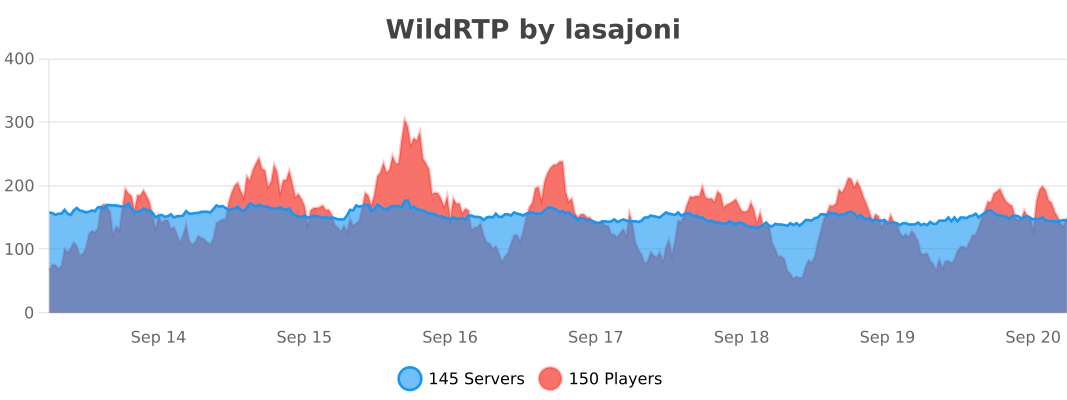
WildRTP publishes anonymous usage statistics through bStats.