MemorySafe 0.4.5

MemorySafe 0.4.5
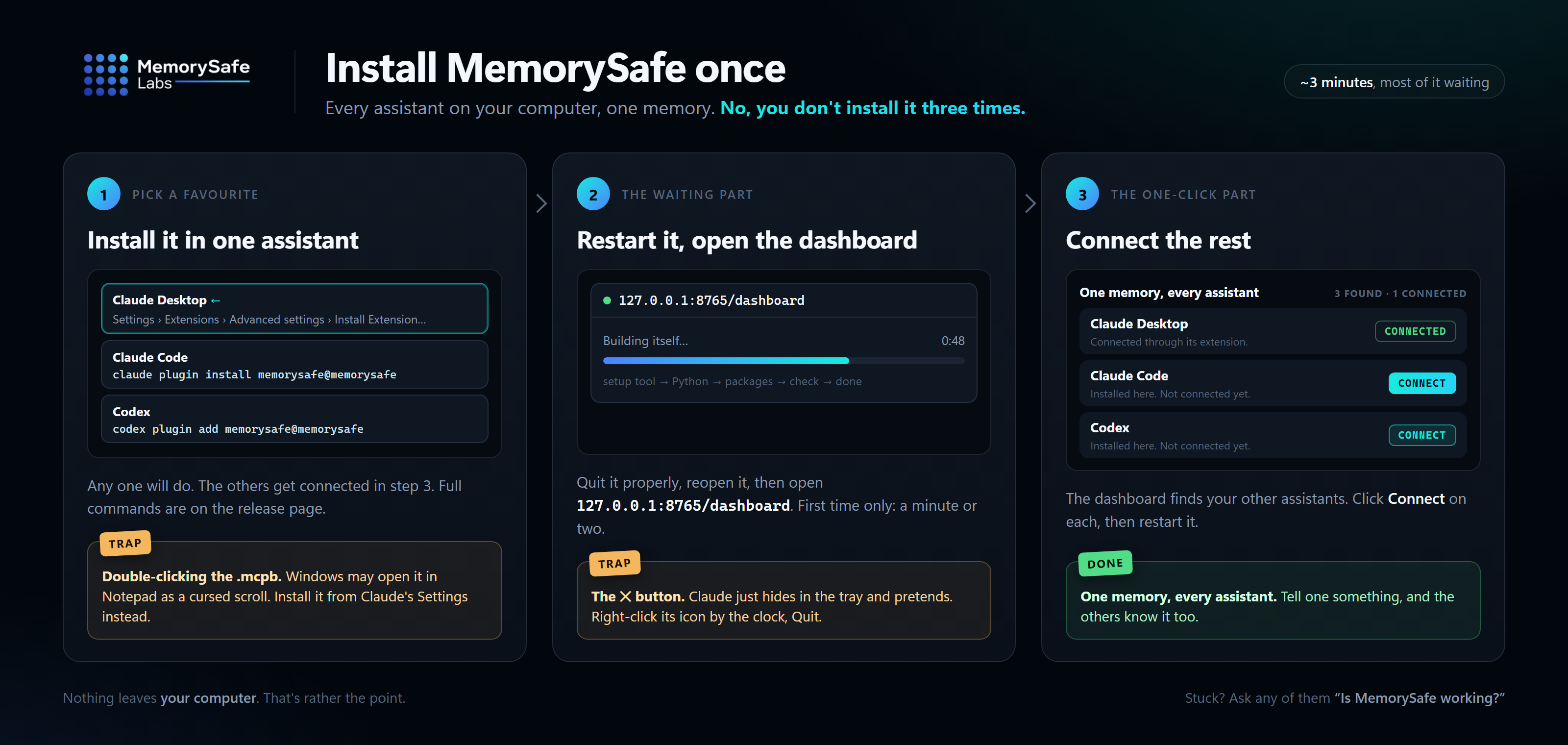
Install or update
Claude Code and Codex update themselves from the marketplace. New installs:
claude plugin marketplace add MemorySafe-Labs/memorysafe-plugin
claude plugin install memorysafe@memorysafe

codex plugin marketplace add MemorySafe-Labs/memorysafe-plugin
codex plugin add memorysafe@memorysafe
Claude Desktop has no claude command: download the .mcpb below, then in Claude choose
Settings → Extensions → Advanced settings → Install Extension… and pick the file. Don't
double-click it; Windows may open it in Notepad. Restart the assistant either way, then
open http://127.0.0.1:8765/dashboard to confirm.
Already using MemorySafe in one assistant? You don't need another install: the
dashboard connects the rest.
What changed
Report a problem now actually reports. It used to create a file and stop there. Its
confirmation appeared at the bottom of the page, the file sat in a hidden folder, and there
was no way to say what had gone wrong or where to send it. Now it asks what went wrong,
saves a report to your Downloads folder, and opens an email to contact@memorysafe.ca:
attach the file and press Send. The report holds status, counts, sanitized error
signatures and your description: no memories, no conversations, no keys. Nothing is sent
until you send the email.
Its messages tell you what actually happened. If your browser asks before saving, or
you cancel, the message still tells you where the copy on your computer is. If the
dashboard restarted while its page was open, it says to reload the page rather than to
restart your assistant.