MemorySafe 0.4.6

MemorySafe 0.4.6
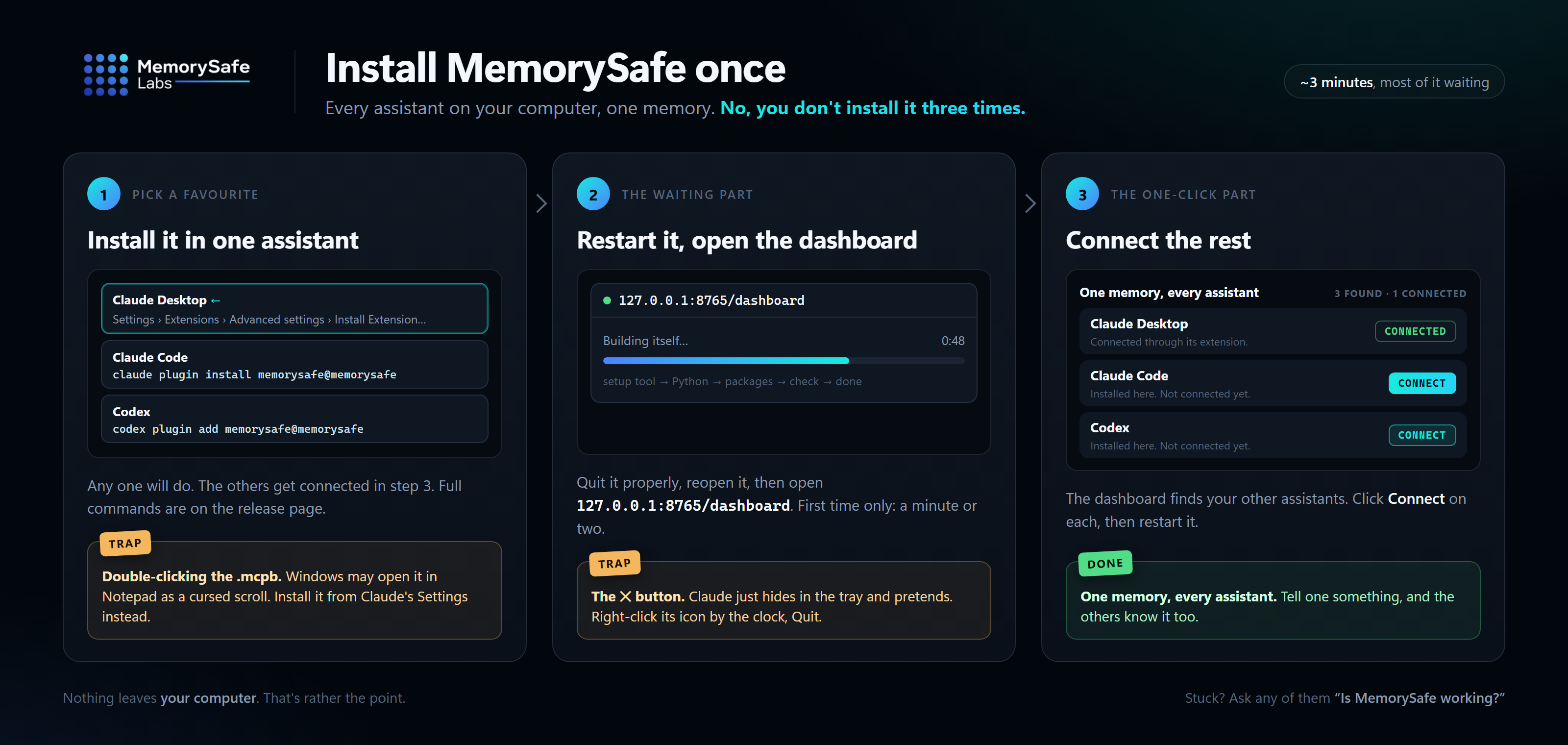
Install or update
Claude Code and Codex update themselves from the marketplace. New installs:
claude plugin marketplace add MemorySafe-Labs/memorysafe-plugin
claude plugin install memorysafe@memorysafe

codex plugin marketplace add MemorySafe-Labs/memorysafe-plugin
codex plugin add memorysafe@memorysafe
Claude Desktop has no claude command: download the .mcpb below, then in Claude choose
Settings → Extensions → Advanced settings → Install Extension… and pick the file. Don't
double-click it; Windows may open it in Notepad, and saving it from there breaks the file.
Restart the assistant either way, then open http://127.0.0.1:8765/dashboard to confirm.
Already using MemorySafe in one assistant? You don't need another install: the
dashboard connects the rest.
What changed
The doctor says which of your assistants reach MemorySafe. Ask your assistant to run
the MemorySafe doctor, or run memorysafe doctor, and it now names any assistant on this
computer that isn't connected, and how to connect it.
It also spots MemorySafe being loaded twice. In the Claude desktop app, a Claude Code
session gets MemorySafe from the desktop extension and from the Claude Code plugin, so
every MemorySafe tool is listed twice and each conversation carries about 1,800 tokens it
doesn't need. The doctor now says so, and which copy to remove: the Claude Code one if you
only use Claude Code inside the desktop app, or neither if you also use it in a terminal,
where the extension can't reach.
Installing says how to get the claude command. The Claude Code instructions said the
command was needed and stopped there, which left anyone without it stuck. They now give
the installer for each platform, and the step Windows leaves to you.