Repository navigation
AllInOneIME 0.6.0

Note: not yet signed or notarized by Apple. Install: open the DMG and double-click "Install AllInOneIME"; if macOS won't open it, click Open Anyway in System Settings → Privacy & Security. Download it only from this page.
注意:还没有 Apple 签名和公证。安装:打开 DMG,双击「Install AllInOneIME」;macOS 提示无法打开时,到 系统设置 → 隐私与安全性 点「仍要打开」。只从这个页面下载。
SHA-256: f8291d3b5691bc3391fd768acca8c1d33c70e47e03a1513ee792448b4851cb2a
English
Added
-
"Type results out" in the settings (off by default): a command's result (a translation, a polish, an answer…) is typed into the app character by character, like a person typing, at a speed set with a slider, from 6 seconds a character to 40 a second (16 a second by default), optionally speeding up and slowing down in short bursts like a person, with breaks after punctuation; pinyin picks still go in at once. Esc stops it; any other key types the rest at once and then goes on as usual; moving to another field stops it.
-
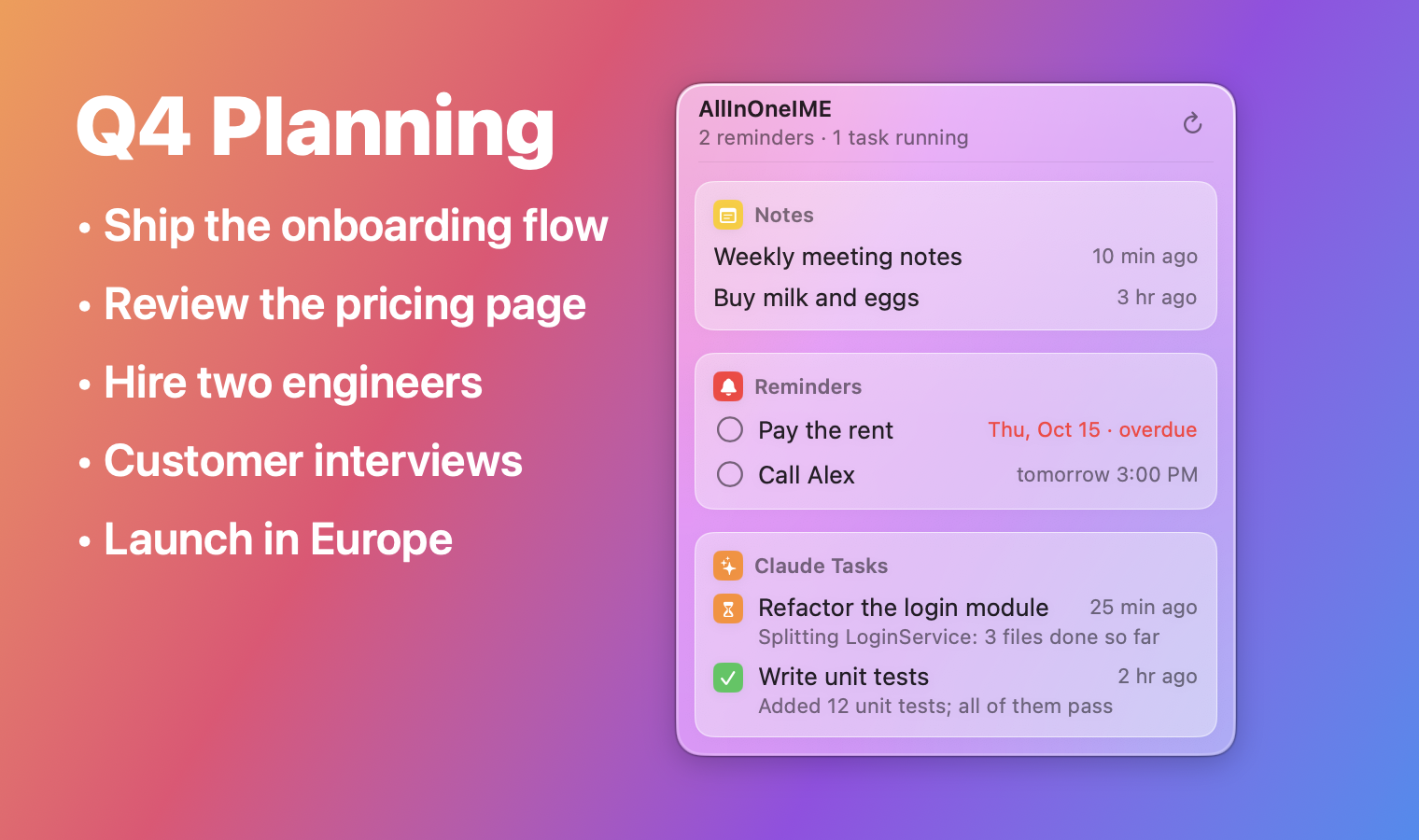
The menu bar panel is frosted glass: what's behind it shows through blurred, in light and dark mode; notes, reminders and tasks each sit on a card of their own, and rows light up under the pointer.
-
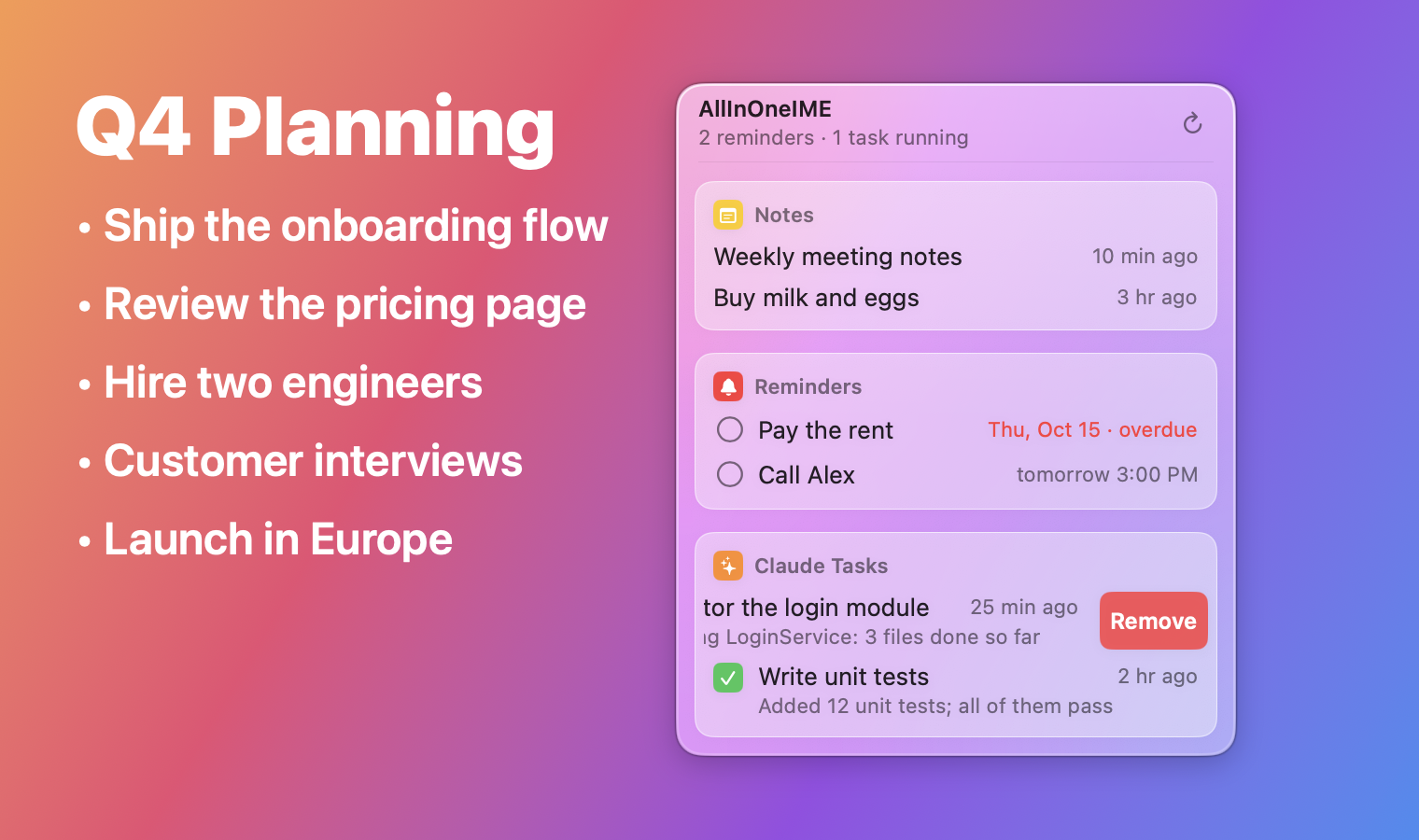
Swipe a row of the menu bar panel to the left with two fingers to show its Remove button, or swipe it all the way to remove it at once; with a mouse, right-click it. Removing only takes it off the panel: the note stays in Notes, the reminder in Reminders (not completed), the task in Claude Code.
Changed
- An API key goes only to the service it was saved for: switching a provider's base URL to another service (a relay) no longer sends it the key saved for the one before; save the key again for the new one. A key saved before this version is tied to the first service it's used with. A base URL over plain
http://is refused unless it's this Mac or the local network (Ollama, LM Studio). - Commands that run code (
@py,@js, custom run commands) inside pasted, dictated or given-back text stay text, with a notice: copying a web page with@py …in it no longer runs it.@calculateand plugin commands still run.
Fixed
@question(and custom AI commands) put every answer on one line, so code lost its line breaks and indentation; answers keep their lines now (code as plain lines, no Markdown fences). In a terminal (Ghostty, iTerm2, Terminal…) the answer goes in as a paste, so the shell or Claude Code takes the line breaks as text instead of running or sending each line; typed out, the characters are typed and each line break is pasted. This posts ⌘V, which needs the Accessibility permission (macOS asks the first time); without it the answer still goes in on one line there.@translateinto several languages highlighted the original (row 0), so ⏎ at once inserted the untranslated sentence; the first translation is highlighted now.- Tapping Shift with text selected deleted the selection in some apps; a Shift-click or ⌥-click that extends a selection switched between Chinese and English. Both leave the text alone now.
- Holding ⏎ or Space ran the command and then, with the key's repeat, inserted the result or sent the message
@imessageshowed; repeats are ignored now while a draft or result is up. - ⏎ in an empty API key field removed the saved key; it does nothing now, and Remove asks first.
@reminderhung on a long run of spaces after a number, and read a span (3-4点,三到四点) as the end time; it's due at the start now.- In Chinese mode,
@and a name in pinyin (@lisi) typed "@l" and the rest as letters; it types@李四now. - The settings window undid a change made from the input method's menu meanwhile; it reads the settings again, and fields saved on ⏎ are also saved when the window closes.
- A background Claude task that failed was looked at every 8 seconds for good; failed tasks count as done, and tasks only waiting for you are looked at less often.
中文
新增
-
设置里的「逐字上屏」(默认关):命令的结果(翻译、润色、回答…)像人打字一样一个字一个字打进 App,速度用滑块调,从「6 秒一个字」到「每秒 40 个字」(默认每秒 16 个),还可以打开「忽快忽慢」:一小段一小段像真人那样时快时慢;标点后面会停顿一下;打拼音选词还是马上上屏。打的时候按 Esc 停下,按别的键就把剩下的一次打完再接着处理这个键;切到别的输入框也会停。
-
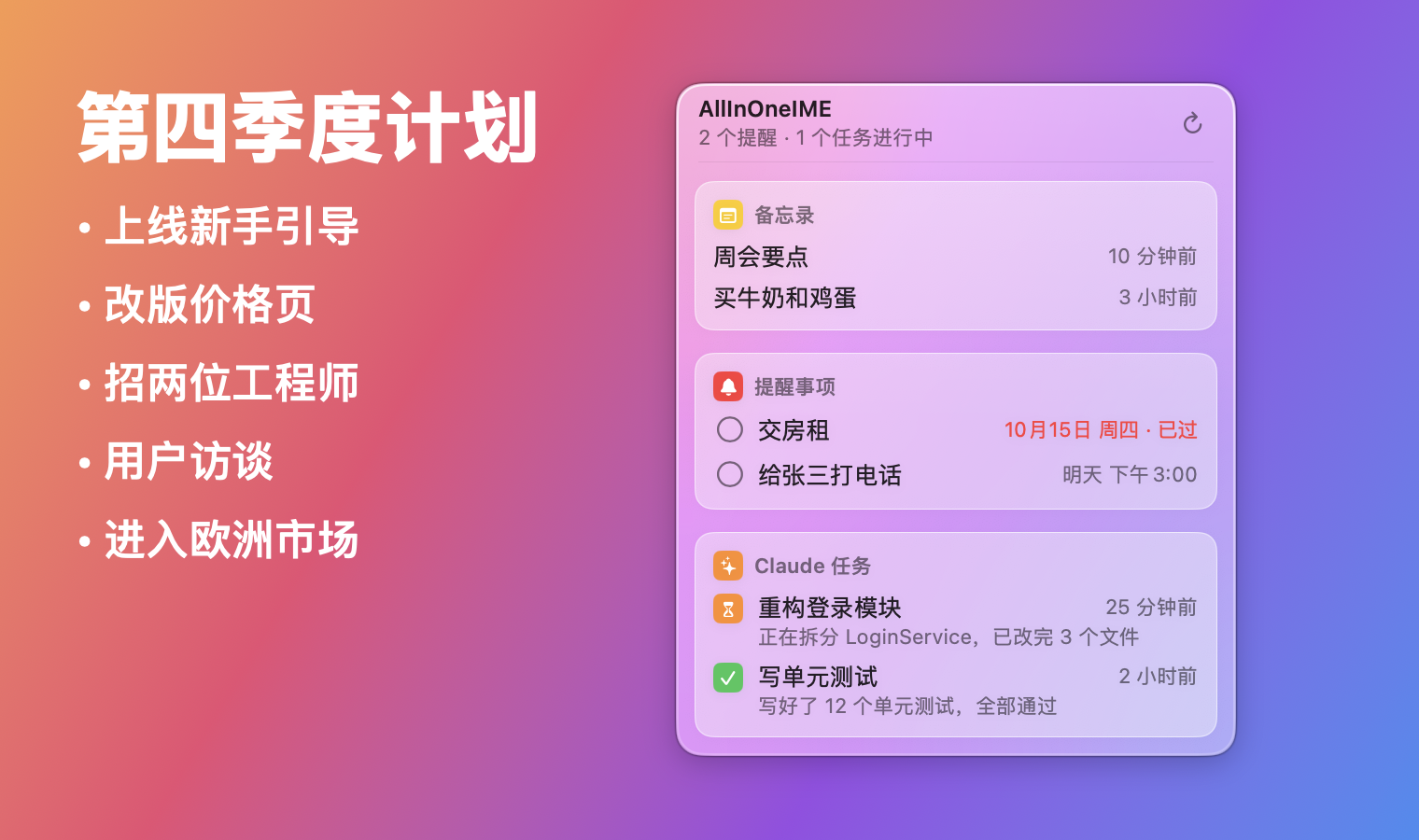
菜单栏面板改成毛玻璃:后面的内容模糊透出来,跟着浅色、深色模式走;笔记、提醒、任务各放在一张卡片上,鼠标移到一行上会高亮。
-
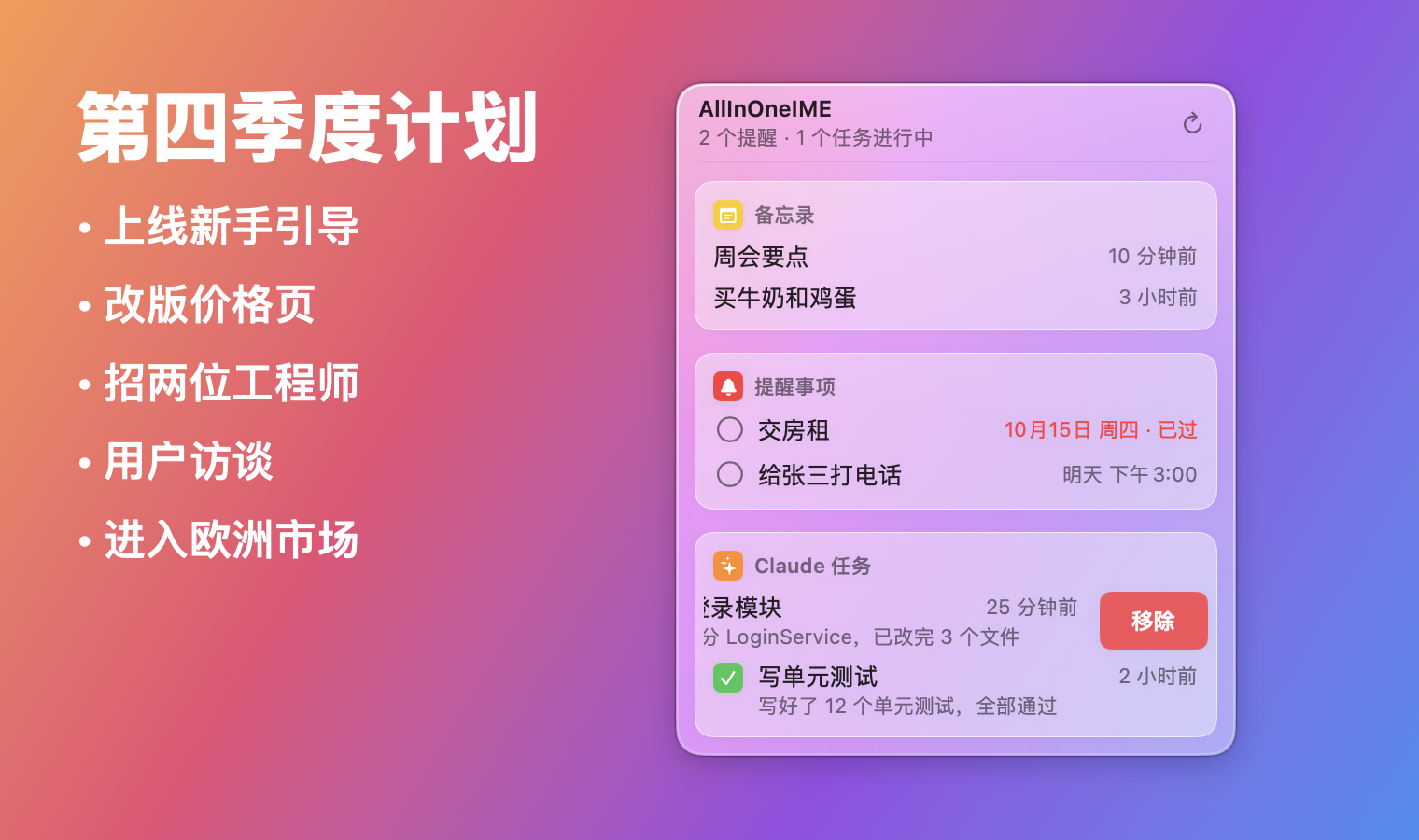
菜单栏面板里的一行,用两指往左滑露出「移除」按钮,一直滑到底就直接移除;用鼠标的话右键它。移除只是不在面板里显示:笔记还在「备忘录」里,提醒还在「提醒事项」里(不会被勾完成),任务还在 Claude Code 里。
改动
- API 密钥只发给保存时的那个服务:把某个服务商的地址换成别的服务(中转)后,不会再把之前那个服务的密钥发过去,需要为新的服务重新保存密钥。这个版本之前存的密钥,会绑定到第一次用它的服务。普通
http://的地址只允许本机和局域网(Ollama、LM Studio)。 - 粘贴、语音输入或退回来的文字里如果有运行代码的命令(
@py、@js、自定义的运行命令),会当成普通文字,并提示一下:复制的网页里带@py …不会再被运行。@calculate和插件命令照常运行。
修复
@question(和自定义的 AI 命令)的回答以前全压成一行,代码的换行和缩进都没了;现在保留换行(代码照原样分行,不带 Markdown 代码块标记)。在终端里(Ghostty、iTerm2、终端…)回答以「粘贴」的方式进去,shell 和 Claude Code 会把换行当成文字,不会一行一行执行或直接发送;逐字上屏时字照样一个个打,换行用粘贴。这要模拟按 ⌘V,需要「辅助功能」权限(第一次会弹出请求);没给权限时终端里还是合成一行。@translate翻译成几种语言时,高亮在第 0 行(原文)上,直接按 ⏎ 上屏的是没翻译的原句;现在高亮第一个翻译。- 选中文字时轻按 Shift,有的 App 里选中的文字会被删掉;Shift 加点击、⌥ 加点击扩展选区时,会切换中英文。现在都不会动文字了。
- 按住 ⏎ 或空格,命令运行后按键的连发会把结果直接上屏,或者把
@imessage等你确认的消息发出去;现在有草稿或结果时会忽略连发。 - 在空的 API 密钥框里按 ⏎ 会删掉已保存的密钥;现在什么都不做,点「删除」也会先确认。
@reminder遇到数字后面一长串空格会卡住;时间段(3-4点、三到四点)以前按结束时间算,现在按开始时间提醒。- 中文模式下
@加拼音名字(@lisi)会打出「@l」和剩下的字母;现在打出@李四。 - 设置窗口会把同时在输入法菜单里改的设置改回去;现在会重新读取设置,按 ⏎ 保存的输入框在关窗口时也会保存。
- 后台的 Claude 任务失败了,会一直每 8 秒查一次;现在失败的任务算作结束,只是在等你的任务也查得少一些。
