Repository navigation
AllInOneIME 0.6.1

Note: not yet signed or notarized by Apple. Install: open the DMG and double-click "Install AllInOneIME"; if macOS won't open it, click Open Anyway in System Settings → Privacy & Security. Download it only from this page.
注意:还没有 Apple 签名和公证。安装:打开 DMG,双击「Install AllInOneIME」;macOS 提示无法打开时,到 系统设置 → 隐私与安全性 点「仍要打开」。只从这个页面下载。
SHA-256: 7f2776296cade581652d902304b8159d9815012c4bba3519013563618cabf197
English
Added
-
Fuzzy pinyin: on the Input page, pick Chinese (pinyin) in the bar of input languages, turn on "Fuzzy pinyin" and pick the pairs you don't tell apart (z ↔ zh, c ↔ ch, s ↔ sh, n ↔ l, f ↔ h, r ↔ l, an ↔ ang, en ↔ eng, in ↔ ing, ian ↔ iang, uan ↔ uang): either spelling then finds the word. Applied in a second or two; a
rime_ice.custom.yamlof your own in the Rime user folder is never written over.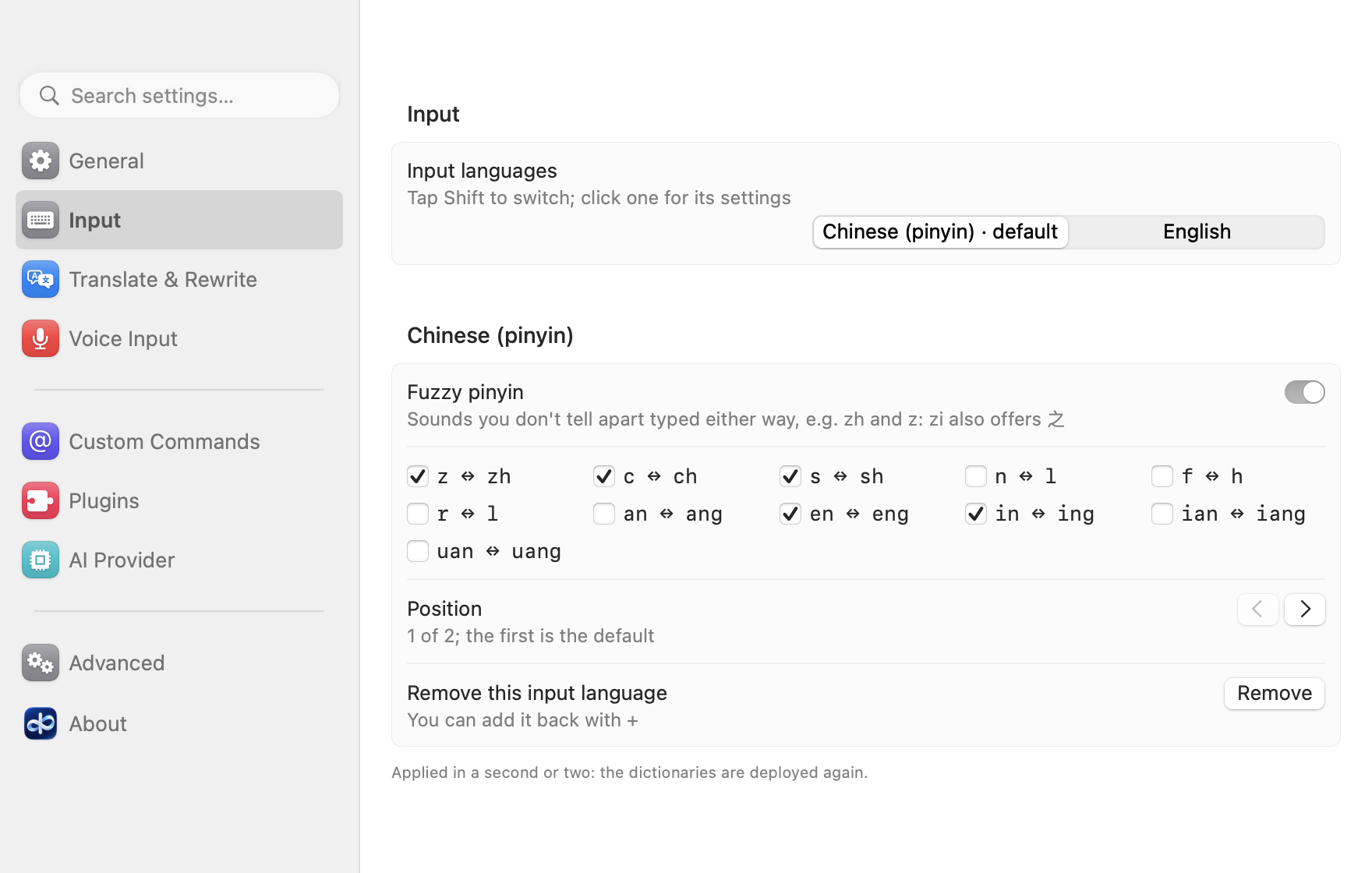
Changed
-
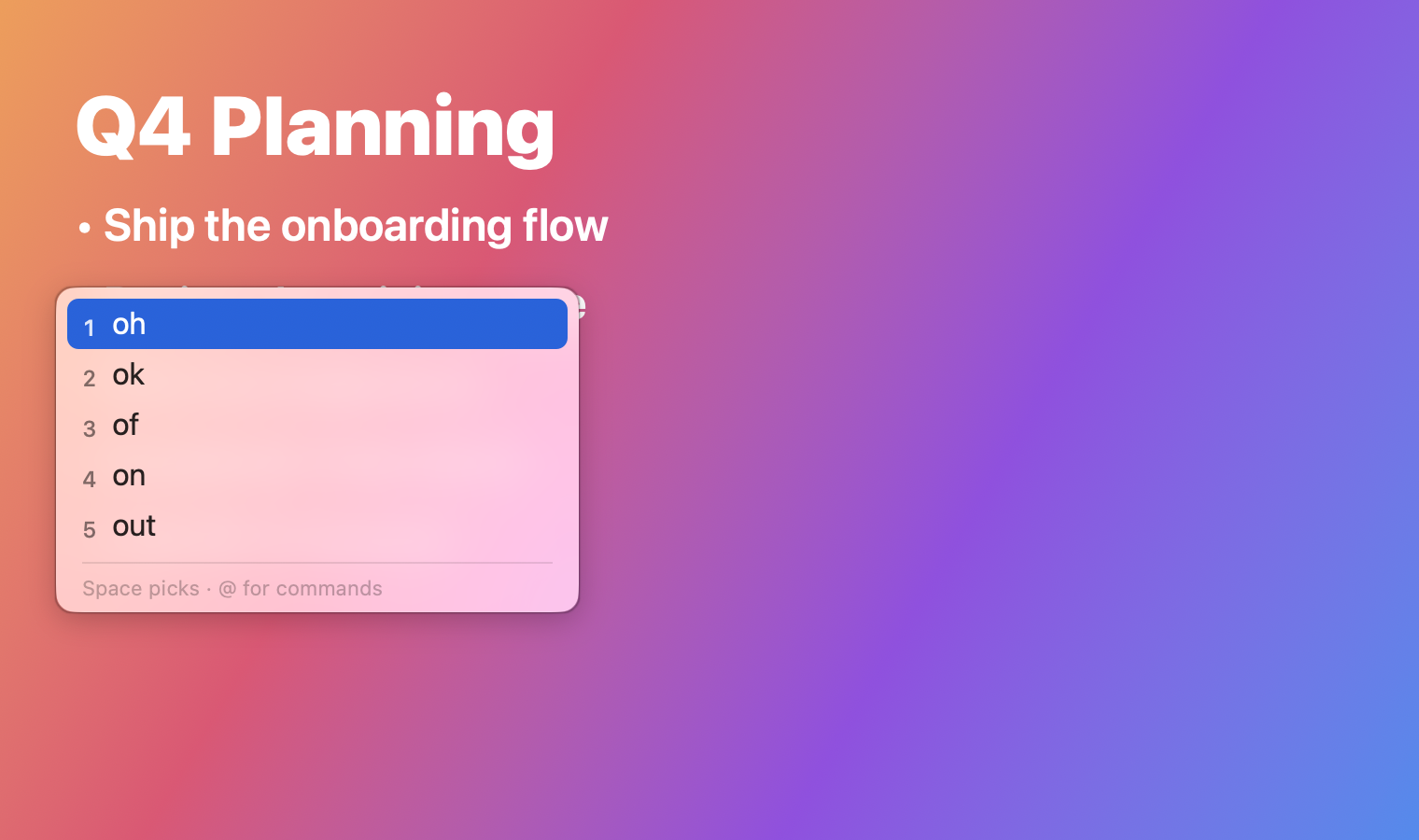
The candidate panel and the menu bar panel use the system's own glass, as its menus do: Liquid Glass on macOS 26 and later (Clear or Tinted, as set in System Settings → Appearance), a frosted material before; both turn solid with Reduce Transparency (Accessibility → Display).
-
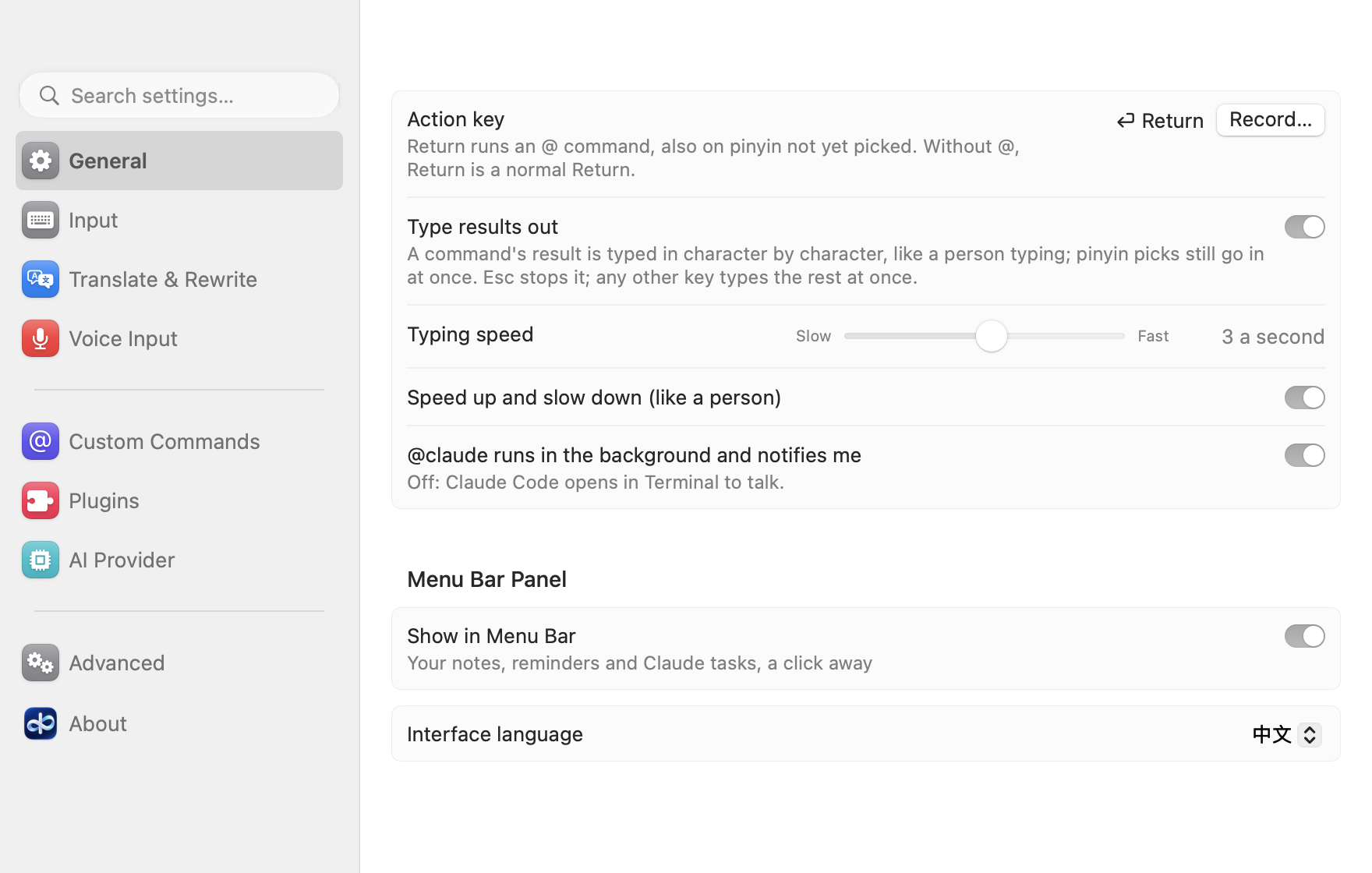
The settings window is laid out like System Settings: a sidebar with a search field and pages (General, Input, Translate & Rewrite, Custom Commands, Plugins, Voice Input, AI Provider, Advanced, About), each page's settings in grouped cards. It opens on the page you had last.
-
The plugin library comes from
plugins.allinoneime.com(the same signed files as before), and the settings window and the DMG's read-me link to allinoneime.com. -
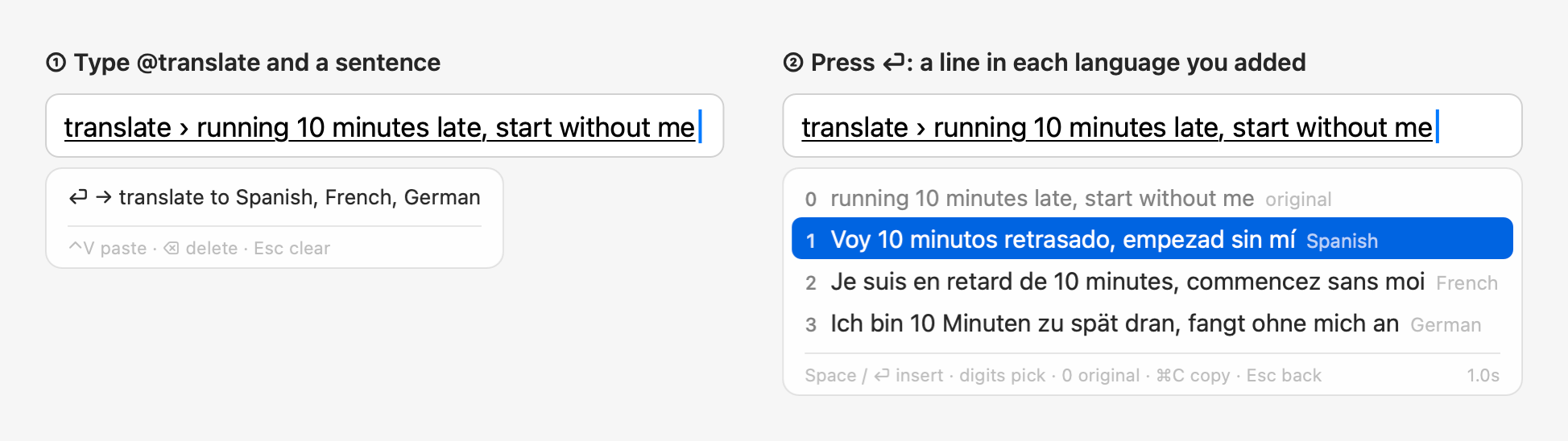
The English README and its screenshots are in English throughout: typing English, translating into Spanish, French and German.
Fixed
@imessagestill ran@py,@jsand custom run commands inside pasted or dictated text; they stay text there now, as everywhere else, with a notice.- With
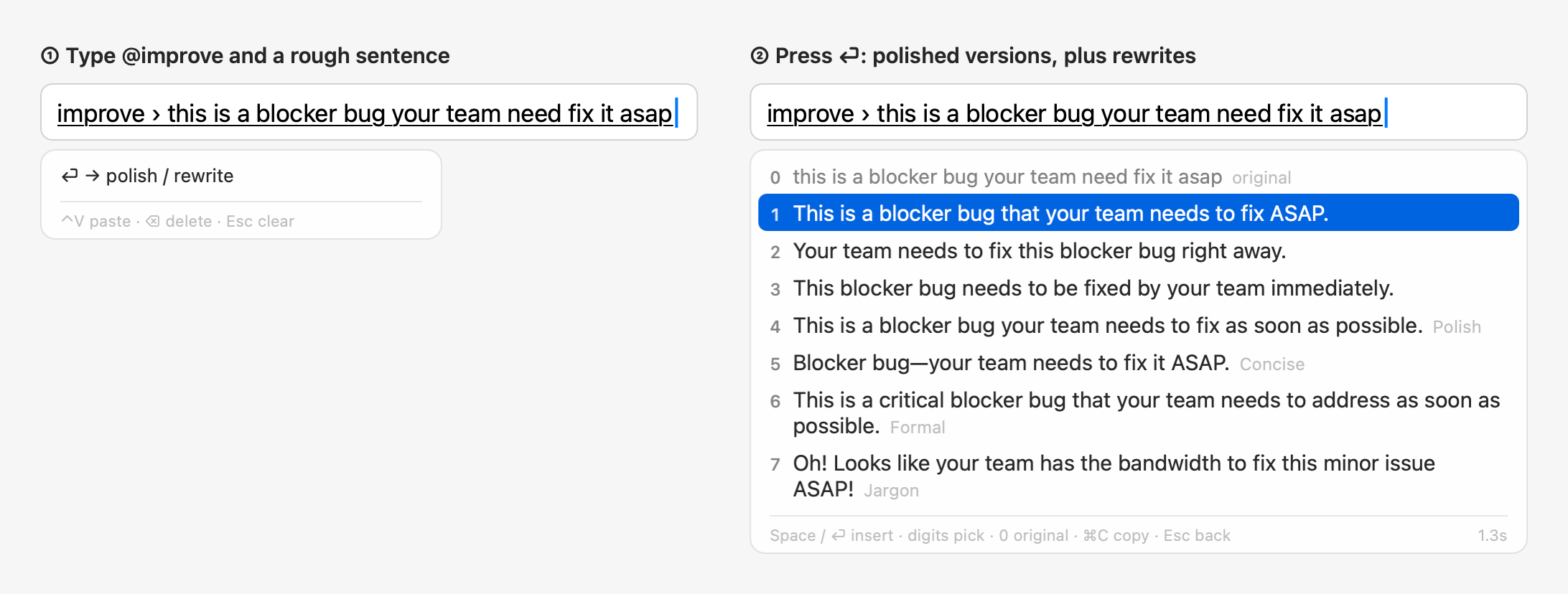
@translate @improve(or "@improve also translates") into languages such as Spanish, French and German, the rewrites came back translated: the Polish style even in the Polish language. They're in the language you wrote again. - With English as the only input language, the settings window no longer calls itself a pinyin input method, and Test Connection tries an English sentence.
- In an English interface, the Jargon line's note on your terms uses plain punctuation ("bandwidth = time and energy").
中文
新增
-
模糊音:在设置的「输入」页,在输入语言的分段条里点「中文(拼音)」,打开「模糊音」,勾上你分不清的几组(z ↔ zh、c ↔ ch、s ↔ sh、n ↔ l、f ↔ h、r ↔ l、an ↔ ang、en ↔ eng、in ↔ ing、ian ↔ iang、uan ↔ uang),两种拼法都能打出来。一两秒生效;Rime 用户目录里你自己的
rime_ice.custom.yaml不会被覆盖。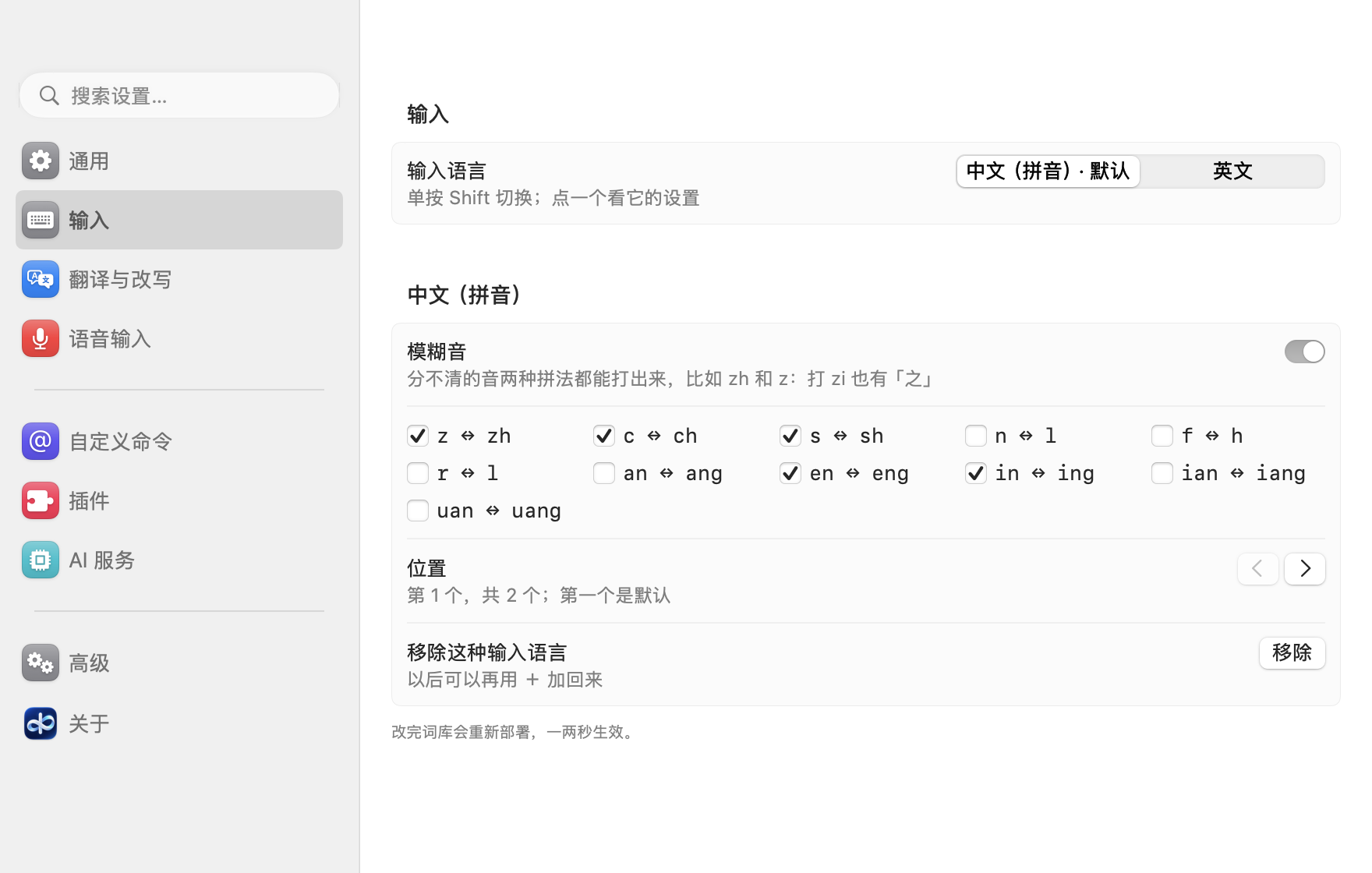
改动
-
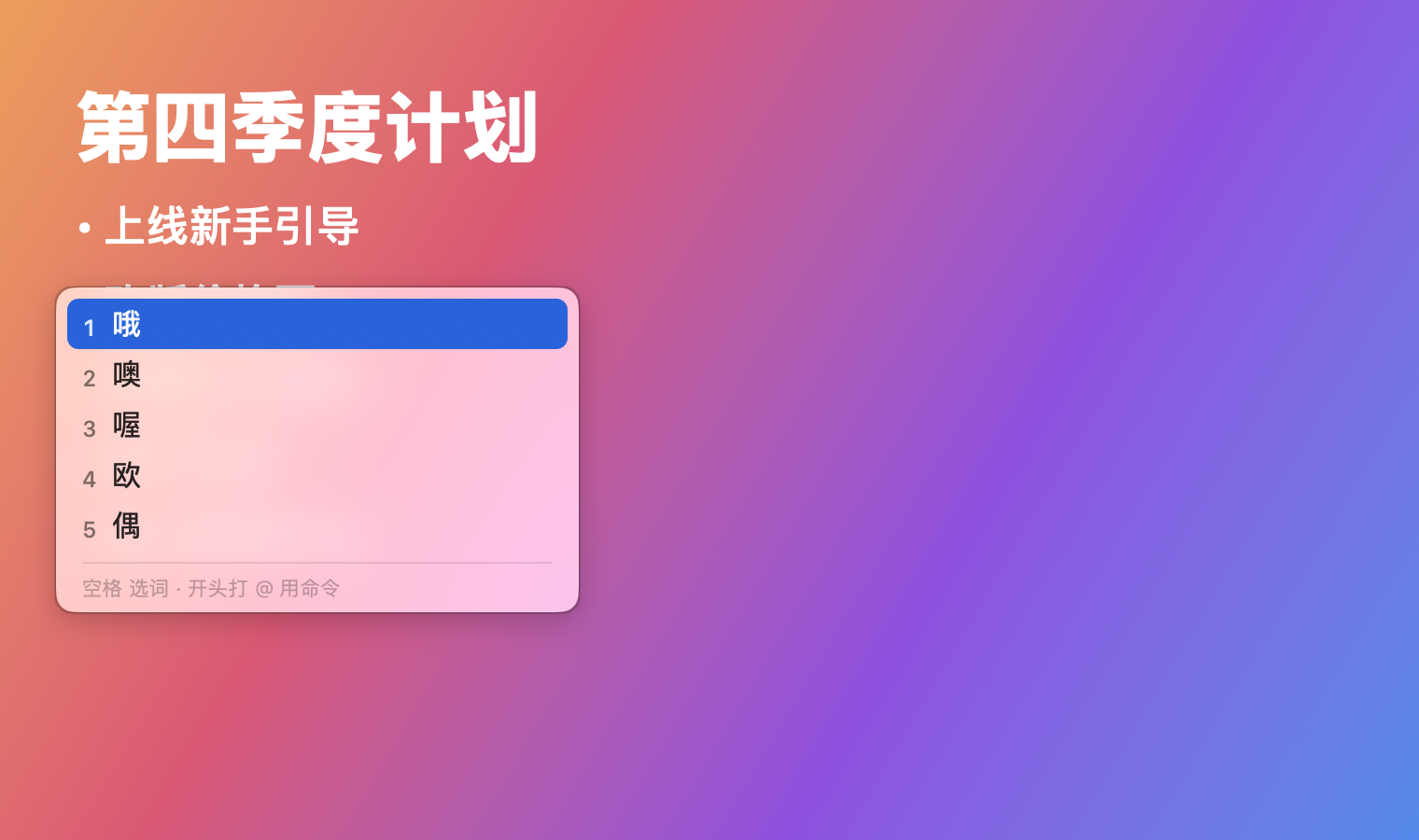
候选词面板和菜单栏面板改用系统自己的玻璃效果,和系统菜单一样:macOS 26 及以后是 Liquid Glass(跟着「系统设置 → 外观」里的「透明」或「着色」走),更早的系统是毛玻璃;打开「辅助功能 → 显示 → 降低透明度」两者都变成不透明。
-
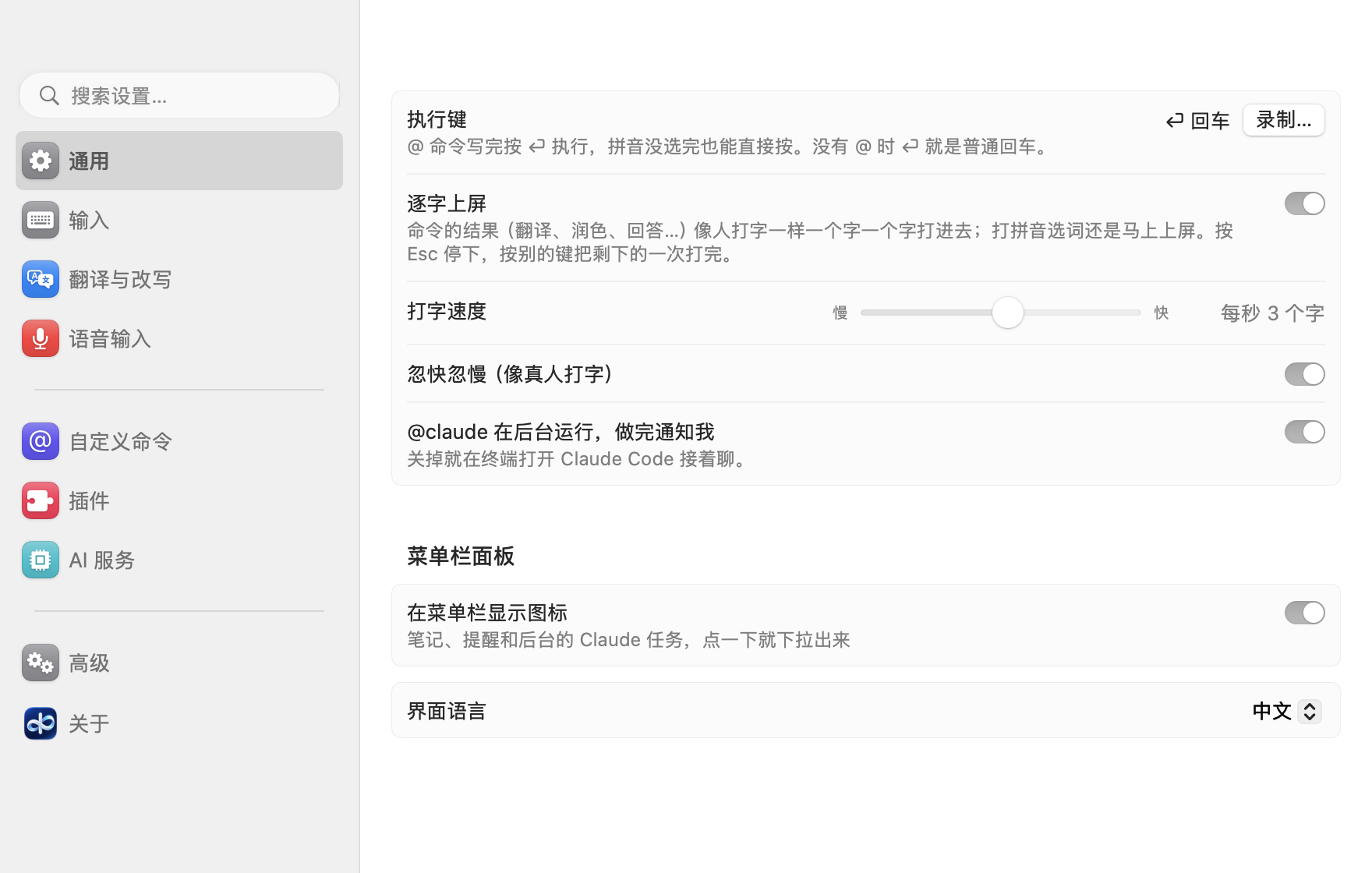
设置窗口改成「系统设置」那样的布局:左边是搜索框和分页(通用、输入、翻译与改写、自定义命令、插件、语音输入、AI 服务、高级、关于),右边每页的设置分组放在卡片里。下次打开停在你上次看的那一页。
-
插件库改从
plugins.allinoneime.com下载(还是原来那些签过名的文件),设置窗口和 DMG 说明里的链接改成 allinoneime.com。 -
英文 README 和截图全部改成英文:打英文,翻译成西班牙语、法语、德语。
修复
@imessage里粘贴或语音输入的文字中的@py、@js和自定义运行命令还是会运行;现在和别的地方一样当成普通文字,并提示一下。@translate @improve(或打开「@improve 同时翻译」)翻译成西班牙语、法语、德语等语言时,改写也被翻译了,「润色」甚至变成了波兰语(Polish)。现在改写又回到你写的那种语言。- 只把英文设为输入语言时,设置窗口不再说自己是拼音输入法,「测试连接」也改用英文句子。
- 英文界面里,黑话那行对你词表里术语的注释改用英文标点(「bandwidth = time and energy」)。
