2.25.2 — the window, rebuilt

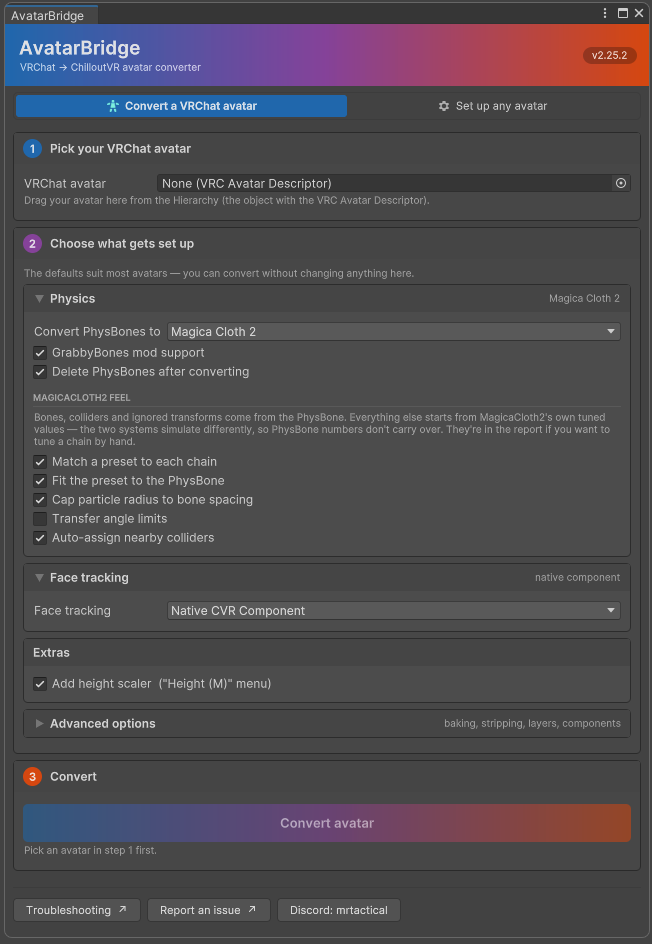
The window has been rebuilt. No conversion behaviour changed — every setting, tooltip and warning is the one that was there before, laid out properly for the first time.
Built the way its neighbours are
The ChilloutVR CCK panel and the VRChat SDK panel are both UI Toolkit. AvatarBridge was IMGUI, which is why it looked like a Unity default sitting between two designed tools — IMGUI can't do rounded corners, hover states or real layout. It's UI Toolkit now too.
Borrowed knowingly, with the source noted in the stylesheet: the CCK's card shape and its icon-and-label tab strip; the VRChat SDK's section header fills, its spacing scale, and its .dark/.light root class, which is a better way to support both editor skins than deciding every colour in C#.
Coloured as the bridge it is
VRChat's SDK panel is blue. The CCK's header is orange. Those are the two ends of what this tool does, so the banner runs a gradient from one into the other, and the step markers sample it: step 1 sits in VRChat's blue, step 3 in ChilloutVR's orange, step 2 between them. The active tab is tinted to its own end.
(Blue and orange are near-opposites, so a straight interpolation sags through grey-brown exactly where the two platforms meet. The ramp passes through a plum to hold saturation across the span.)
The report is usable now
Click a tally to filter. "9 skipped" shows those nine and nothing else; click it again to go back. Zero-count chips aren't clickable. The default view stays "everything that needs a look" — an unfiltered dump is hundreds of "converted fine" lines with the interesting ones lost among them, which is why "168 done" is worth a deliberate click rather than being the default.
Entries are laid out rather than concatenated. Each was one long sentence with status, category, subject and detail run together and clipped at the right edge, so the useful half was off screen. Now: a status stripe, a bold heading, and the detail wrapped underneath. Same information, skimmable.
Report an issue appears whenever a report does, not only when something went wrong — "it converted clean but the avatar is wrong in game" is a report worth having, and that was exactly the case where the button was missing.
Also
- Checkboxes sit left of their labels, so a column of them lines up.
- Dropdowns read "Magica Cloth 2", not "MagicaCloth2".
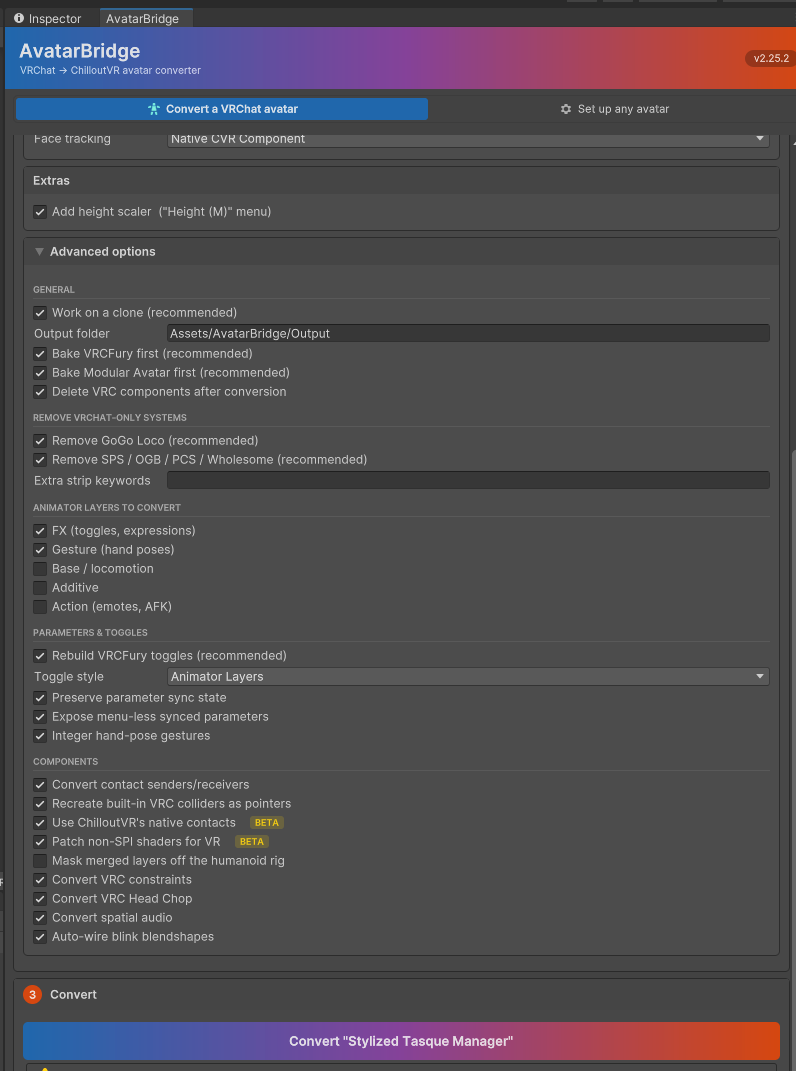
- Group headings in Advanced carry a rule; toggle rows highlight under the cursor.
- Both editor skins work — the light skin had invisible foldout arrows and unreadable status colours, neither visible from the dark one.
- The Discord button opens a profile card instead of copying a handle.
Under the hood
Two bugs worth naming because neither is the sort a compiler catches: rebuilding the panel from inside a control's own value-changed callback destroys that control while its event is still dispatching (deferred a frame now), and the tab strip was built once at window creation, so switching modes left the highlight on the tab you had just left.
Verified across all five build configurations — with and without each SDK, and with the DynamicBone path — and by checking that every field in the settings object is written back by some control rather than merely displayed. A toggle that shows but never saves is the failure a rewrite like this invites, and compilation says nothing about it.
Advanced options
The report, after a real conversion
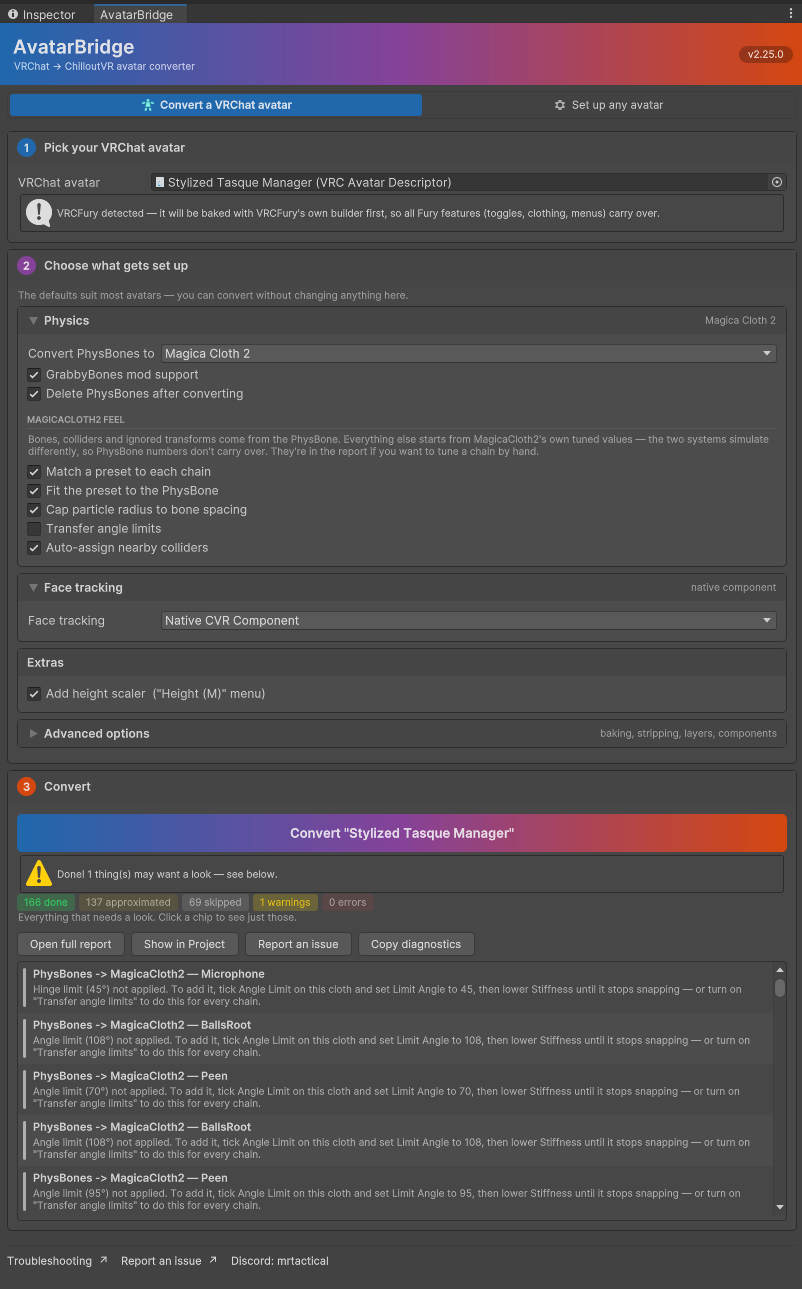
(Report shot taken on 2.25.0 — 2.25.2 adds a Troubleshooting button to that row and drops the duplicate link from the footer.)