Repository navigation
Home
onda is a pocket FLAC player built on the Freenove ESP32-S3 Display (FNK0104B). It plays FLAC files from the board's microSD card on the built-in speaker, or on headphones through an external PCM5102 DAC. The touch interface is inspired by Spotify and written with LVGL 9.5.
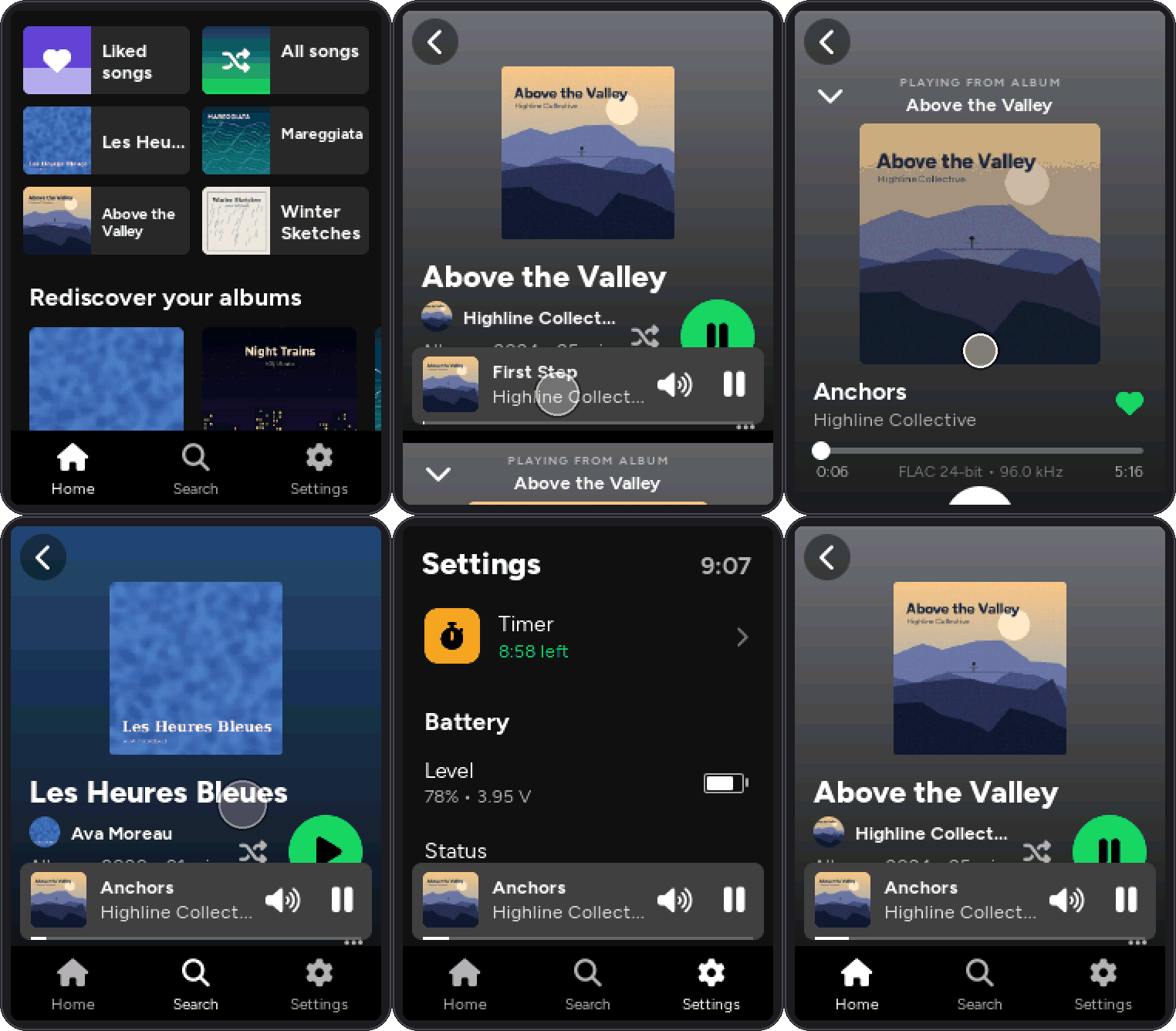
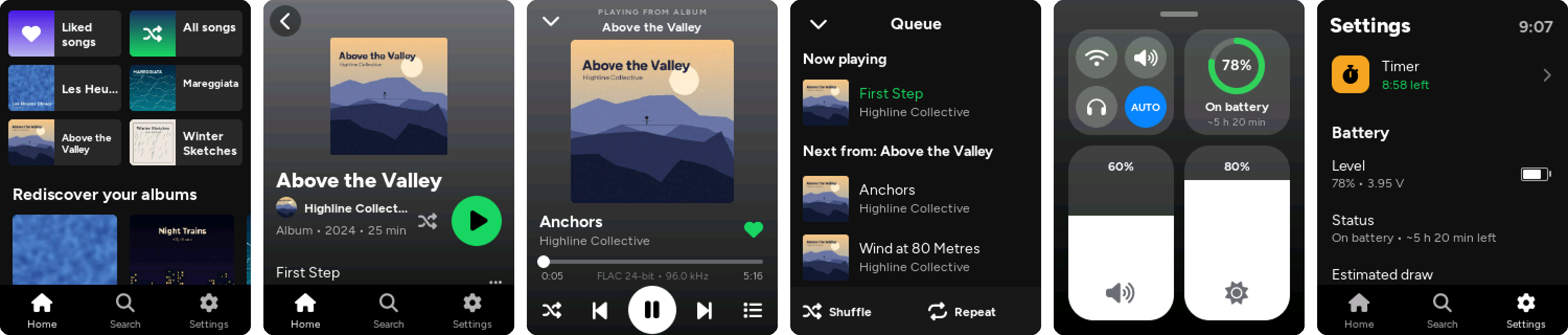
Screenshots come from a desktop build of the interface with a made-up demo library.
- Lossless FLAC playback, 8–32 bit, up to 96 kHz (176.4/192 kHz files are decimated to 88.2/96 kHz)
- Library built from your tags: albums, artists, genres,
.m3uplaylists, Liked songs, play counts - Headphones switch on by themselves when you plug them in, and the music pauses when you unplug them
- Control center (swipe up from the bottom edge): output, volume, brightness, battery, Wi-Fi
- Voice search on the device, without internet (experimental, off by default)
- Timer set to the second (pasta, highline) or stopwatch, with beeps over the music
- USB disk: over the USB-C cable the microSD shows up on your computer like a flash drive
- Wi-Fi web page to upload music, edit tags, fix covers and build playlists, with MusicBrainz lookup
- BOOT button works as a power button: screen off while the music keeps playing, play/pause, power off
- Battery level, charge detection and runtime estimate on a 3.7 V LiPo
- Resumes the same song at the same position after power-off, and even after a crash
- Interface in English or Italian
| Hardware | The board, the PCM5102 DAC, the headphone jack and the battery: wiring and pins |
| Building and Flashing | Arduino IDE or arduino-cli settings, configuration options |
| SD Card and Library | How to organise the card, which tags are read, playlists, covers |
| Using the Player | Screens, gestures, now playing, queue, control center |
| Battery and Power | BOOT button, screen timeout, auto power-off, charging, runtime |
| USB Disk | The microSD on your computer over the USB-C cable, without taking it out |
| Web Interface | File transfer, tag editor, covers, MusicBrainz, playlists |
| Voice Search | Searching your library by voice, offline (experimental, off by default) |
| Session Timer and Clock | The timer and where the time comes from |
| Language and Translations | Switching language and adding translations |
| Troubleshooting | Crash reports, no sound, detection problems, known limits |
| Architecture | How the firmware is put together, for contributors |
The wiki is generated from docs/wiki in the repository: to change a page, edit the file there and open a pull request.