Repository navigation
ftop 0.2.0

A redesign of how the panel looks, moves, and is set up.
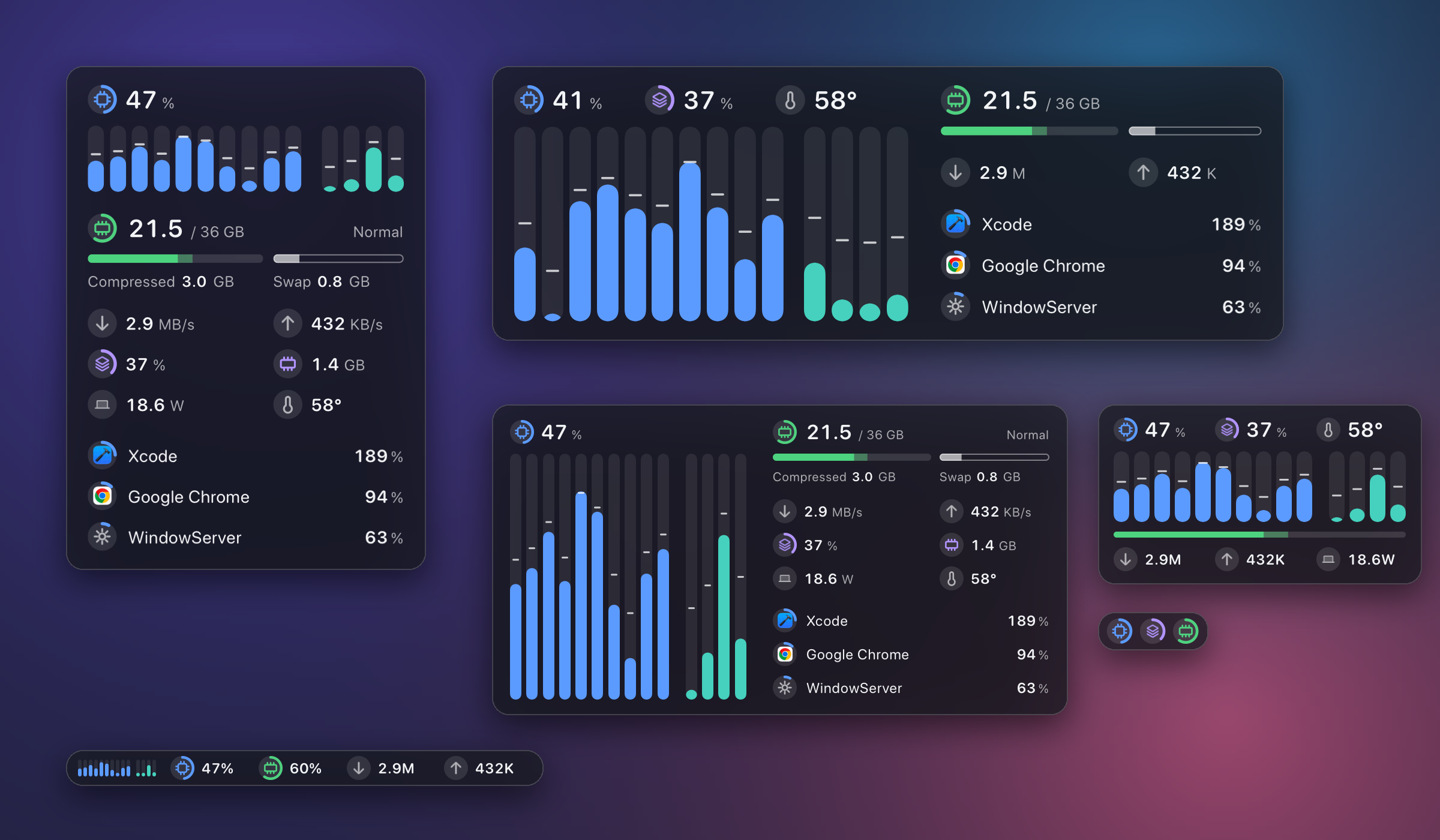
- One badge system. Every figure is led by the same round badge; a badge with an arc is a gauge. One type size per row, and almost no text. Core columns are capsules that ease to each new reading.
- Processes with app icons. Helper processes are folded into the app they belong to. Click a row for a card with its CPU, memory, and the processes inside it. Large windows continue the list in a second column and can rank by memory.
- A list that rests. A process takes its place the moment it becomes busy and leaves it slowly; apps trading the lead by a point no longer swap every second. A row passing its neighbor slides; one going further turns over where it stands.
- Settings in one place. Right-click the panel or the menu bar number for one block of round switches: what to show, behavior, colors, and under More the settings that have a value. The old menu and settings window are gone.
- A smoother snap. After a resize the window settles onto its layout in step with the display.
- Cheaper. The largest layout costs about 0.9% of one core and 52 MB (it was about 4% during development of the new process list); smaller ones stay under 0.8%.
- GPU and whole-machine power are on the panel; one temperature figure, labeled with where it comes from.
If you granted system processes: this version needs a newer helper. Run sudo ftop grant once more; until then ftop doctor says the helper is outdated and the list still works.
Install: 0.1.1 updates itself. Otherwise download Ftop-0.2.0-arm64.zip, unpack, move Ftop.app to ~/Applications, then follow the two commands in the README. Requires Apple Silicon and macOS 15 or later. The app is ad-hoc signed and not notarized.