Configuration
🌐 English · Deutsch
All configuration of the web app happens through environment variables, read from the .env file in the project root (during development) or from the process environment / a systemd EnvironmentFile= (in production). The BFF reads them at runtime via SvelteKit's $env/dynamic/private, so they never reach the browser. This page documents every variable. For first-time setup, follow Getting Started first.
These are required for the app to function.
| Variable | Default | Description |
|---|---|---|
DISCORD_CLIENT_ID |
— | OAuth2 Client ID from the Discord Developer Portal. Also used to auto-build the landing page's "Invite me" link (scope=bot+applications.commands&permissions=8) unless an invite_url branding override is set. |
DISCORD_CLIENT_SECRET |
— | OAuth2 Client Secret. Server-side only — never exposed to the browser. |
DISCORD_REDIRECT_URI |
http://localhost:5173/auth/callback |
Must be registered exactly as a redirect in the portal. In production this is https://your-domain/auth/callback. |
GATEWAY_URL |
http://127.0.0.1:6970 |
Address of the pdc_webdashboard cog's RPC gateway. |
GATEWAY_TOKEN |
— | Shared secret for the gateway. Get it on the bot with [p]pdcdashboard token. |
SESSION_SECRET |
— | Long random secret used to sign session cookies (HMAC). Generate with openssl rand -hex 32. |
Production safety: when running in production the app validates
SESSION_SECRETat startup and refuses to boot if it is missing or left at the default. This is intentional — a known secret would let anyone forge a session cookie.
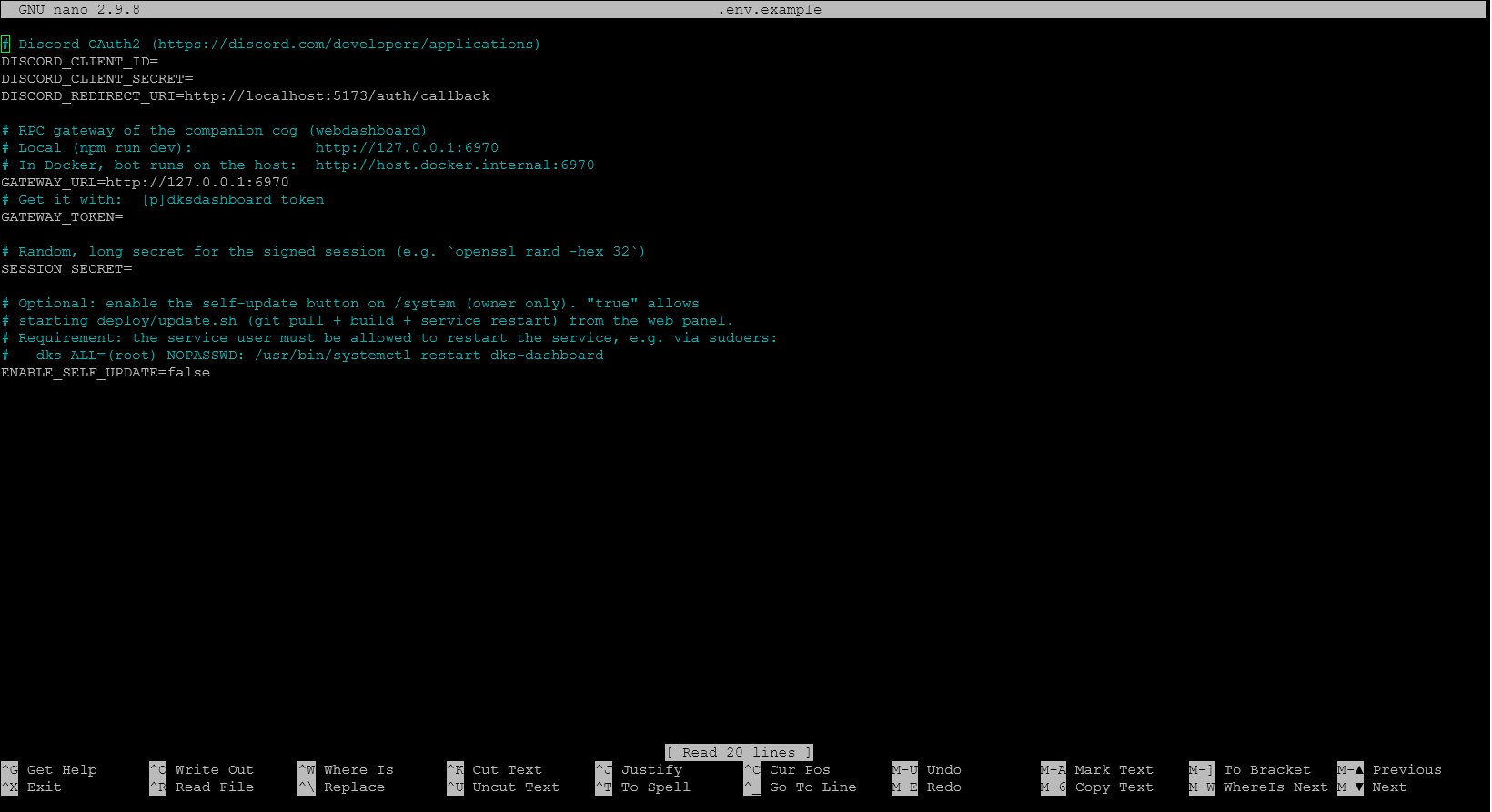
# Discord OAuth2 (https://discord.com/developers/applications)
DISCORD_CLIENT_ID=
DISCORD_CLIENT_SECRET=
DISCORD_REDIRECT_URI=http://localhost:5173/auth/callback

# RPC gateway of the companion cog (pdc_webdashboard)
# Local (npm run dev):              http://127.0.0.1:6970
# In Docker, bot runs on the host:  http://host.docker.internal:6970
GATEWAY_URL=http://127.0.0.1:6970
# Get it with:  [p]pdcdashboard token
GATEWAY_TOKEN=

# Random, long secret for the signed session (e.g. `openssl rand -hex 32`)
SESSION_SECRET=

# Optional: enable the self-update button on /system (owner only)
ENABLE_SELF_UPDATE=false| Variable | Default | Description |
|---|---|---|
ENABLE_SELF_UPDATE |
false |
Set to true to show the GitHub self-update button on the /system page (bot owner only). It runs deploy/update.sh (git fetch + hard reset, build, restart). |
The restart step needs additional OS permissions; see Self-Update for the recommended polkit rule. A read-only "Check for updates" button (running version vs. git remote) is always available to the owner on /system, independent of this flag.
Branding & SEO fields are not env vars. The Markdown bot description, the website description (
short_desc, used as the<meta name="description">and Open Graph description), the favicon (from the bot's avatar) and the optionalinvite_urloverride are all configured in the dashboard under/settings— see Web UI.
When the app runs behind an HTTPS reverse proxy (nginx, Caddy, Cloudflare, …), adapter-node needs to know the public origin and which headers carry the real protocol/host. Without these you get errors such as a 403 on logout (CSRF origin mismatch). Set them in .env:
| Variable | Example | Description |
|---|---|---|
ORIGIN |
https://your-domain |
The public origin the browser uses. Required for correct CSRF/Origin checks. |
PROTOCOL_HEADER |
x-forwarded-proto |
Header the proxy sets with the real scheme (http/https). |
HOST_HEADER |
x-forwarded-host |
Header the proxy sets with the real host. |
ORIGIN=https://your-domain
PROTOCOL_HEADER=x-forwarded-proto
HOST_HEADER=x-forwarded-host
These are standard adapter-node variables. The matching nginx config is on the Deployment page.
| Context | How .env is loaded |
|---|---|
npm run dev (Vite) |
Automatically loaded by Vite. |
node build (production) |
Not loaded automatically — adapter-node only reads real environment variables. Use node -r dotenv/config build, set -a; . ./.env; set +a, or a systemd EnvironmentFile=. |
| systemd / Docker | Via EnvironmentFile= or compose env_file: / environment:. |
This "node build does not read .env" gotcha is the most common production pitfall — see Deployment for details.
- Getting Started — step-by-step setup
- Authentication — what the OAuth2 / session secrets protect
- Deployment — production env loading, reverse proxy, Docker
-
Self-Update —
ENABLE_SELF_UPDATEin detail