Home
🌐 English · Deutsch
A modern, modular and secure web dashboard (frontend + BFF) for the PDC Red-DiscordBot. It is the counterpart to the companion cog pdc_webdashboard and talks to the bot over a token-secured JSON-RPC gateway.
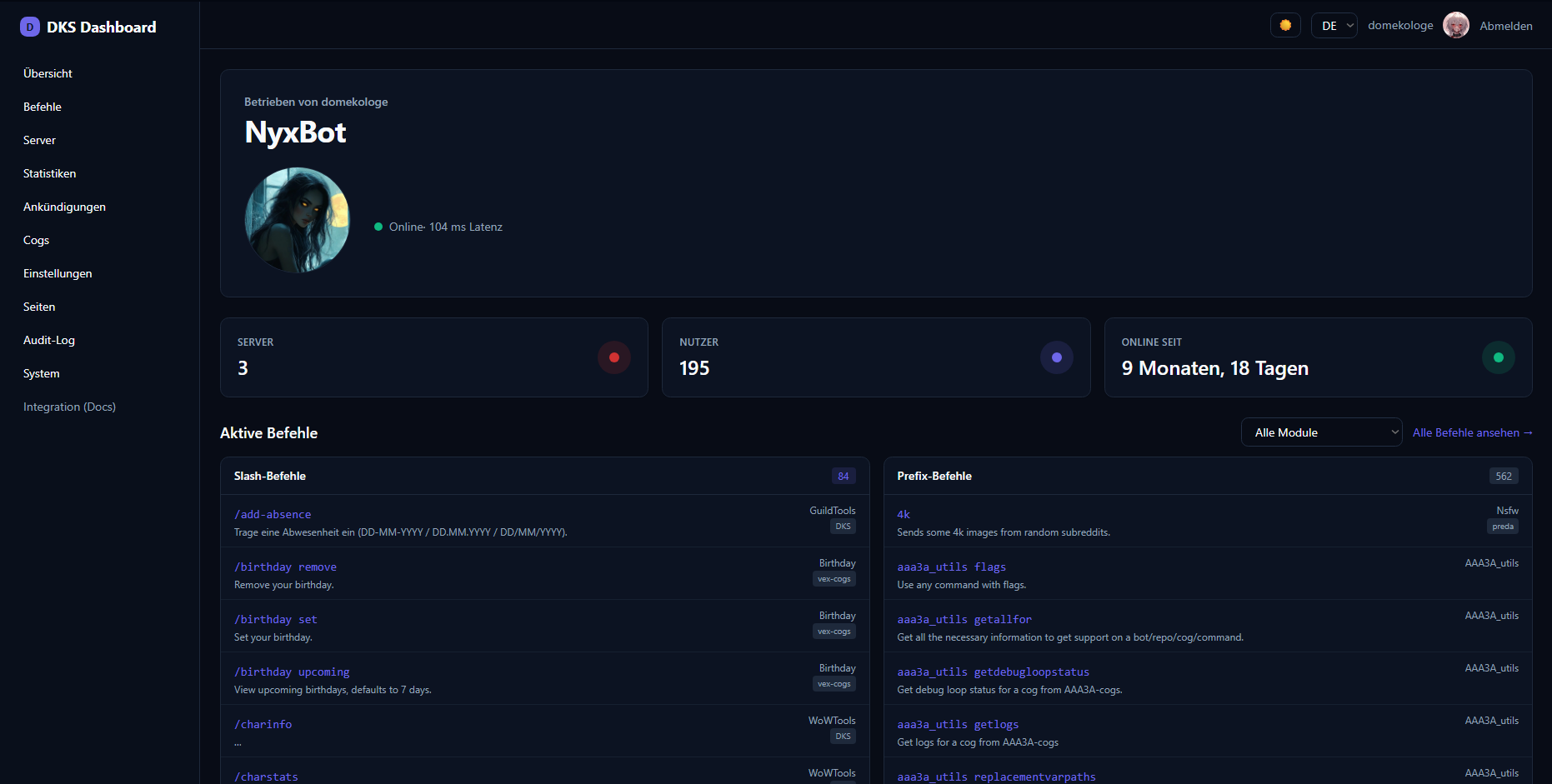
Stack: SvelteKit · TypeScript · TailwindCSS · adapter-node · Chart.js Auth: Discord OAuth2 (handled server-side / BFF) · signed-cookie sessions Languages: German & English (full UI translation, switch in the top-right)
git clone https://github.com/pd-codes/PDC_Redbot_Webapp.git
cd PDC_Redbot_Webapp
cp .env.example .env      # fill in values
npm install
npm run dev               # http://localhost:5173
Step-by-step: Getting Started → Configuration.
| Page | Content |
|---|---|
| Getting Started | Clone, .env, Discord OAuth2 app, gateway token, first login |
| Configuration | Every .env variable and what it does |
| Authentication | OAuth2 flow, sessions, permission levels, security model |
| Web UI | A tour of every page in the dashboard |
| Cog Management | Load/unload/reload, Downloader, Slash, Global panels |
| Statistics | The /stats analytics page (needs pdc_webdashboard_stats) |
| Custom Pages | Markdown pages, public/private |
| Deployment | systemd, Docker, nginx reverse proxy, gotchas |
| Self-Update | Updating the web app from GitHub via the panel |
| Page | Content |
|---|---|
| Architecture | Stack, BFF pattern, RPC gateway, request flow |
| Cog Integration | How a cog exposes widgets, panels and lists |
| API & Gateway | JSON-RPC methods, auth, permission levels |
Browser ──(OAuth2 login)──▶ SvelteKit BFF ──(JSON-RPC + token)──▶ pdc_webdashboard cog ──▶ Red-DiscordBot
                                  │                                       │
                             session cookie                        pdc_webdashboard_stats, your cogs …
The browser never talks to the bot directly — all secrets live server-side in the BFF, and the gateway only accepts localhost + token. See Authentication.
- WebApp repo: https://github.com/pd-codes/PDC_Redbot_Webapp
- Cogs repo: https://github.com/pd-codes/PDC_Redbot_Cogs
- Red-DiscordBot: https://github.com/Cog-Creators/Red-DiscordBot