Colab
Colab assigns one task to two models as equal seats. Neither seat outranks the other.
/colab auto
/colab on PROVIDER/MODEL
/colab off
/colab
- Both seats prepare independently at the same time.
- Each reads the peer proposal and debates disagreements or adopted ideas.
- Debate stops on agreement, a stable position, or the configured round cap.
- The plan is divided by capability, credential state, quota state, and task fit.
- Seats execute their shares concurrently with independent guarded toolboxes.
- One seat proposes completion and the peer performs an independent review.
- The runtime merges the result and records bounded usage and recovery notes.
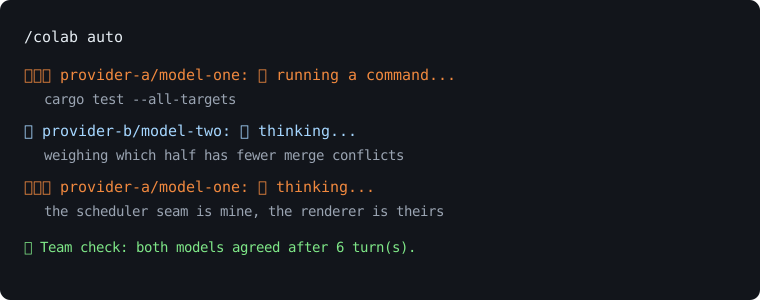
The transcript illustrates the compact two-lane progress view. Provider and model names are placeholders.
Reported quota is normalized per provider and model. Unknown usage remains unknown rather than becoming zero. A seat strictly above the delegation threshold can hand its assignment to its peer for that task without changing saved model choices.
A failure before action can trigger retry, credential reload, or a stand-in from another configured provider. If no team can be restored, the surviving seat can finish alone. After potentially effectful work, recovery avoids replaying a tool call that may already have succeeded, and completed rounds are preserved.
Planning, discussion, public rationale, activity, and peer observations live in an in-memory room for the collaboration. Peer observations are untrusted data and instruction-shaped notes are rejected. Secrets and internal markers are removed before display.
Reasoning off still shows concise seat activity. Reasoning on expands bounded provider-returned reasoning, public rationale, commands, and results. Hidden chain-of-thought is not requested for display or invented.
See Usage-and-Limits, Security, and Chat-Commands.