Releases: Perruer/skullclick
Release list
SkullClick 2.0.0 — ekill reborn for Manifest V3

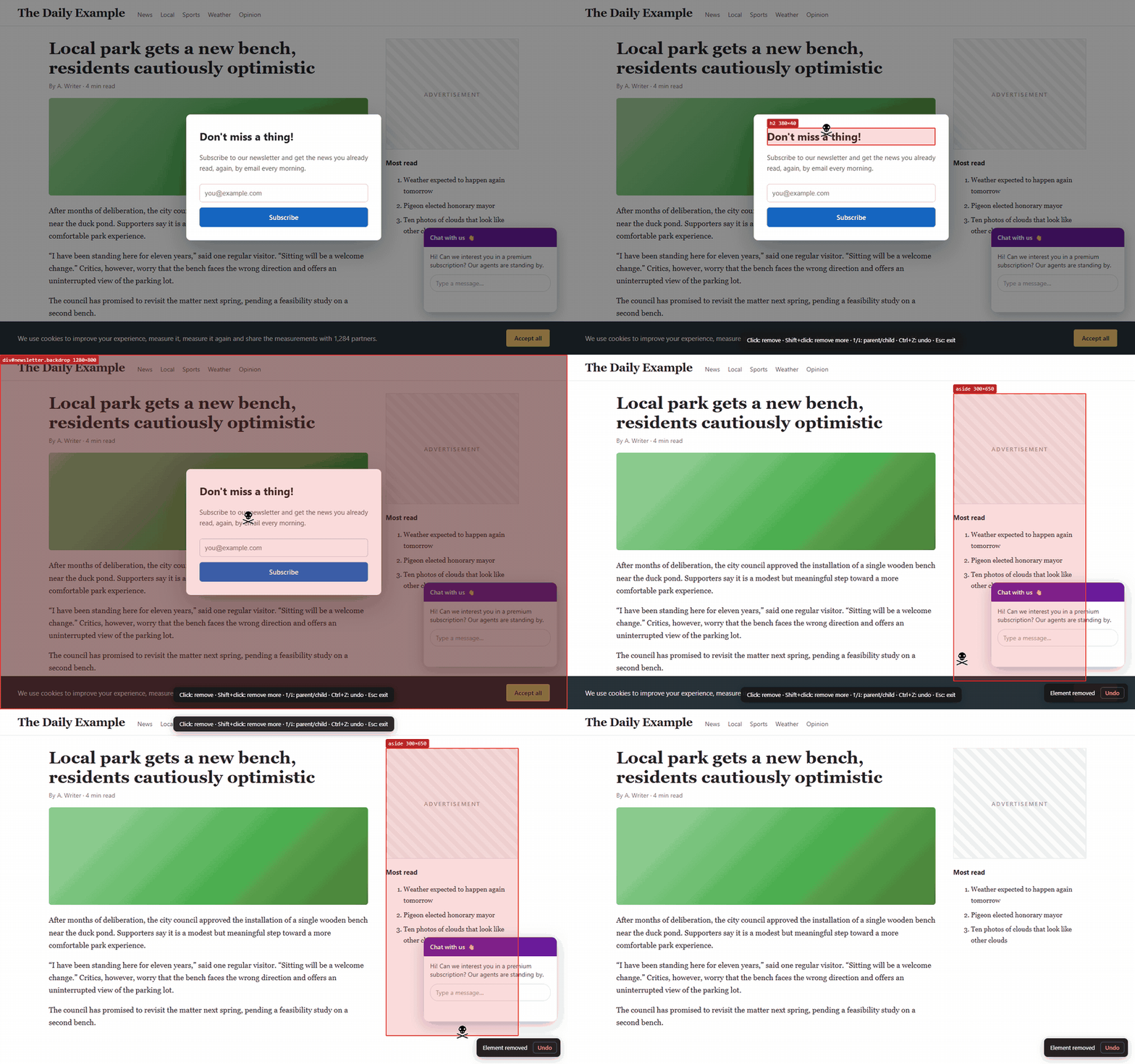
SkullClick removes ads, pop-ups, cookie banners and any other annoying element from a web page with one click. This is the first release: a Manifest V3 rewrite of ekill by René Hansen, which stopped working in Chrome after Manifest V2 was retired.
Install
-
Firefox: Firefox Add-ons
-
Microsoft Edge: the same steps as for Chrome below, at
edge://extensions -
Chrome, Brave, Vivaldi, Opera: download
skullclick-chrome-2.0.0.zipbelow, then:- Unzip it into a folder you will keep.
- Open
chrome://extensionsand turn on Developer mode (top-right). - Click Load unpacked and pick the unzipped folder (the one with
manifest.json). - Pin SkullClick from the puzzle 🧩 menu.
To update later: replace the files in the same folder and press ↻ on the SkullClick card. Settings are kept.
Highlights
- Alt+Shift+K or the toolbar icon → point → click: gone
- Undo with Ctrl+Z or the Undo button
- ↑ / ↓ select the parent / child element, Shift+click removes several elements
- Grudge mode: remembers removed elements and hides them on your next visits, per page or per site; hit list with search, export and import
- No access to websites unless you turn Grudge mode on; no data collection, no network requests
- Works on pages that swallow mouse events (e.g. Notion) and with strict CSP
- English and Russian interface, dark theme
Fixed from ekill
- Invalid selectors for classes/ids with special characters (rhardih/ekill#30, rhardih/ekill#34)
- Remembered selectors hitting the wrong element (rhardih/ekill#22)
- Picker not working on Notion and similar sites (rhardih/ekill#35)
- Counter only updated after reload (rhardih/ekill#33)
- Deleting a hit list entry removed a different one
Full list: CHANGELOG.md
Coming from ekill? SkullClick is a separate extension, so settings and the hit list aren't carried over. The default shortcut is now Alt+Shift+K (Ctrl+Shift+K opens the Web Console in Firefox).
Support the project
SkullClick is free and has no ads. If it saves you from pop-ups, you can support it on Boosty or with crypto (TRON, Ethereum/EVM, TON). The addresses are in the README.