Muster v0.1.5

Muster v0.1.5
Bug Fixes
- Quiz submission dialog no longer shows "Not submitted" for finished quizzes (wrong Moodle route used)
- Grades now include the max score: "13" → "13 / 13"
- Feedback no longer leaks raw HTML markup from Moodle
- Grades panel no longer stuck at "0/0 · no data" after re-login (launch sync now fetches grades + calendar)
- Empty-state illustration restored in the grades panel
New
- Downloads organized into per-course folders (e.g.
Downloads/Muster/FIT5215/…), toggle in Settings → Downloads
Downloads
| Platform | Type | File |
|---|---|---|
| 🪟 Windows | NSIS Setup (Recommended) | Muster_0.1.5_x64-setup.exe |
| 🪟 Windows | MSI | Muster_0.1.5_x64_en-US.msi |
| 🍏 macOS | Apple Silicon | Muster_0.1.5_aarch64.dmg |
| 🍏 macOS | Intel | Muster_0.1.5_x64.dmg |
✨ Muster v0.1.4 — Update Banner & Dynamic Versions
v0.1.4 adds a silent update check on launch with an in-app banner when a
newer release exists, makes the app version fully runtime-driven (no more
hardcoded version strings anywhere), and attaches structured system info
(reported from Rust, not a user-agent string) to feedback submissions.
✨ What's New
1. Update banner — know when a new version ships
On launch, Muster silently checks GitHub for a newer release. When one exists,
a banner appears inside the app (after login, on the dashboard): "New
version v0.1.5 available — tap to view". Tapping opens the release page; the
X dismisses it for the session. No update → no banner, zero noise.
2. Version numbers are no longer hardcoded
Previously the version shown in About, the login footer, the update check and
feedback had to be bumped by hand on every release — v0.1.3 shipped with a
stale v0.1.1 baseline. Now every version string comes from the runtime
(tauri.conf.json via getVersion): the About page, login footer (4
languages), update-check baseline and feedback attachments can never drift
again. The version is maintained in exactly one place.
3. Feedback carries real structured system info
Feedback submissions now attach a structured system report obtained from Rust
(get_system_info) instead of a raw browser user-agent string:
{
  "os": "windows",
  "arch": "x86_64",
  "osVersion": "10.0.26200",
  "isAppleSilicon": false,
  "appVersion": "0.1.4"
}
On macOS it reports e.g. "os": "macos", "arch": "aarch64",
"osVersion": "15.5", "isAppleSilicon": true. No UA parsing, no fake data —
exact OS family, kernel/product version, architecture and app version.
🐛 Bug Fixes
1. About page / login footer showed a stale version ❌→✅
The About page and the login footer (all four languages) could display an old
version when a release forgot to bump the hardcoded constant. Root-caused and
eliminated: version display is now fully runtime-driven (see What's New #2).
2. Update check could report the wrong baseline ❌→✅
The update-check baseline was a hardcoded constant that drifted (v0.1.2
shipped with a v0.1.1 baseline, which would have prompted a false "update
available"). The baseline is now the actual runtime version.
3. Feedback attached a confusing browser user-agent ❌→✅
Feedback used to send a WebView user-agent string (Mozilla/5.0 … Edg/…)
that looked fake and didn't identify the app. It now sends precise structured
system info from Rust (see What's New #3).
🪟🍏 Downloads
| Platform | Type | File |
|---|---|---|
| 🪟 Windows | 64-bit NSIS Setup (Recommended) | Muster_0.1.4_x64-setup.exe |
| 🪟 Windows | 64-bit MSI Installer | Muster_0.1.4_x64_en-US.msi |
| 🍏 macOS | Apple Silicon (M1 / M2 / M3 / M4) | Muster_0.1.4_aarch64.dmg |
| 🍏 macOS | Intel x86_64 | Muster_0.1.4_x64.dmg |
macOS first launch: right-click the app → Open (or run
xattr -dr com.apple.quarantine /Applications/Muster.app) to bypass Gatekeeper for unsigned development builds.
🐛 Muster v0.1.3 — Version Display Hotfix
v0.1.3 fixes version-number inconsistencies left over from the v0.1.2 release:
the About page and the login footer still showed v0.1.1, and the update-check
baseline was stale, which would have prompted v0.1.2 users with a false
"new version available" notice.
🐛 Fixed in v0.1.3
1. About page showed the wrong version ❌→✅
The Settings → About page (and the login-page footer, in all four languages)
still displayed v0.1.1. The version baseline is now v0.1.3 everywhere:
About page, login footer (zh/en/ja/ko), update-check baseline.
2. Stale update-check baseline ❌→✅
APP_CURRENT_VERSION had not been bumped for the multi-platform release, so
installed v0.1.2 users would always see a false "update available" prompt.
The baseline is now v0.1.3 and matches the installer versions.
3. README installer names synchronized ❌→✅
The English/中文/日本語/한국어 READMEs now reference the current installer
names (Muster_0.1.3_*) for Windows and both macOS variants.
🪟🍏 Downloads
| Platform | Type | File |
|---|---|---|
| 🪟 Windows | 64-bit NSIS Setup (Recommended) | Muster_0.1.3_x64-setup.exe |
| 🪟 Windows | 64-bit MSI Installer | Muster_0.1.3_x64_en-US.msi |
| 🍏 macOS | Apple Silicon (M1 / M2 / M3 / M4) | Muster_0.1.3_aarch64.dmg |
| 🍏 macOS | Intel x86_64 | Muster_0.1.3_x64.dmg |
macOS first launch: right-click the app → Open (or run
xattr -dr com.apple.quarantine /Applications/Muster.app) to bypass Gatekeeper for unsigned development builds.
🎉 Muster v0.1.2 — Multi-Platform Release (Windows & macOS)
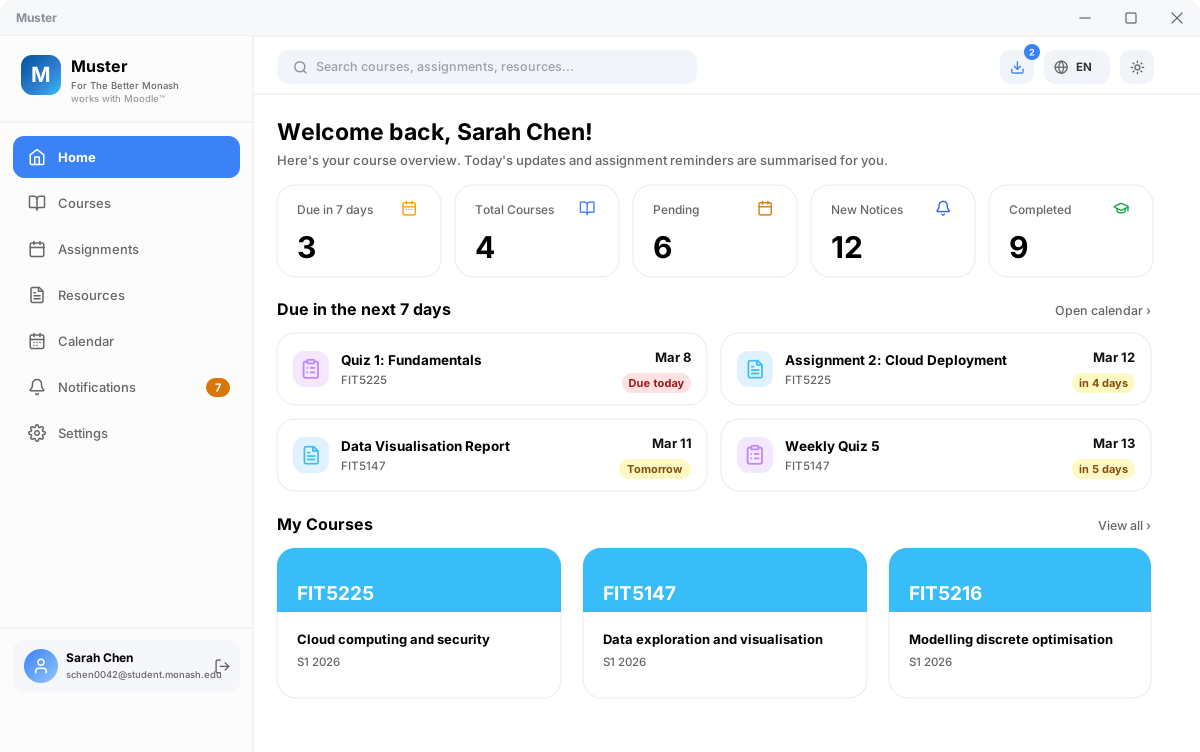
Muster is a modern, high-performance desktop companion for Monash Moodle. It aggregates your deadlines, course resources, grades, and announcements into a clean, lightning-fast native interface.
v0.1.2 is our first multi-platform release, adding official macOS application support (Apple Silicon & Intel DMG installers) alongside extensive reliability fixes, instant course loading, and accurate assignment tracking.
🌟 What's New in v0.1.2
1. 🍏 Official macOS Support (Apple Silicon & Intel)
- Native DMG Installers: Separate optimized builds for Apple Silicon (M1/M2/M3/M4) and Intel-based Macs.
- WKWebView Cookie Sync: Direct HttpOnly session extraction from macOS WebKit data store for seamless Okta SSO authentication.
- macOS Menu Bar Tray: Integrated status bar tray menu with a custom macOS monochrome template icon.
- Apple Keychain Integration: Session cookies and credentials are secure in Apple's native Keychain.
Tip
macOS First-Launch Note (Gatekeeper):
As an open-source student project, Muster binaries are self-signed. On first launch, macOS Gatekeeper may display a security prompt. Simply navigate to System Settings → Privacy & Security and click "Open Anyway" (or run xattr -cr /Applications/Muster.app in Terminal).
2. 🪟 Submission Tracking & Course Sync Fixes
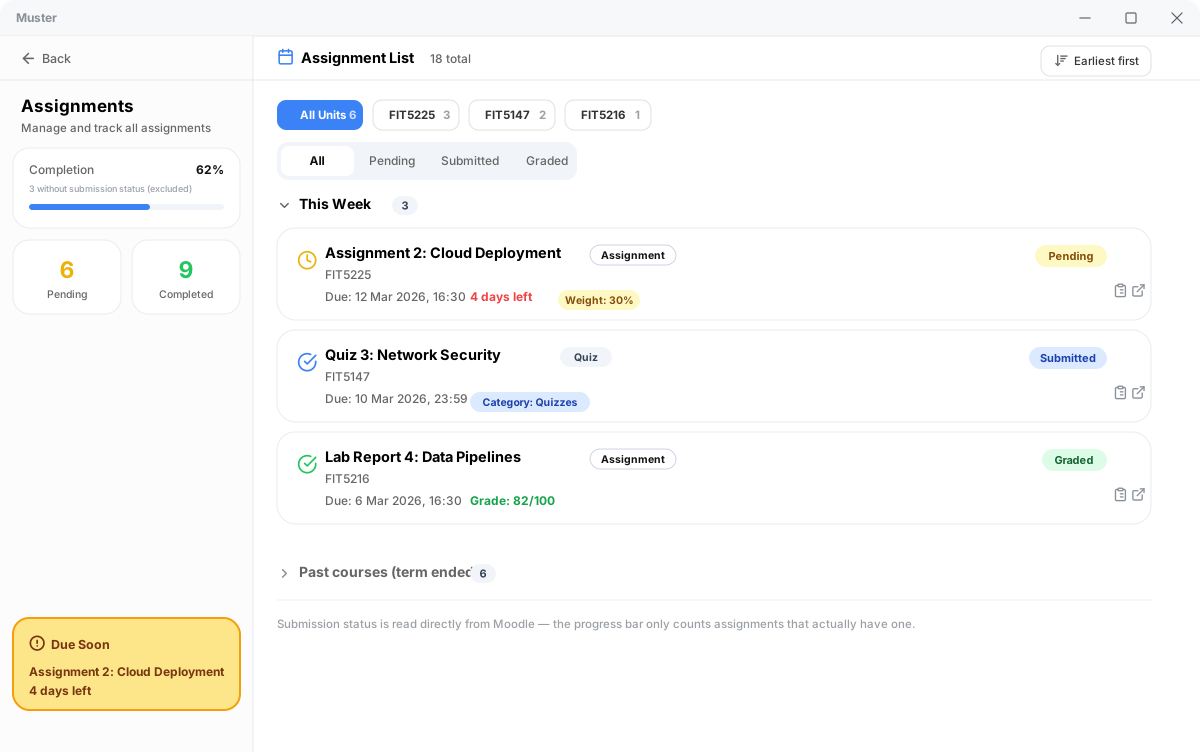
- Real Submission State: Assignments now reflect live Moodle submission state (Submitted, Graded, or To be submitted) instead of defaulting to pending.
- Quiz Integration: Quizzes and weightings are merged into unified deadline tables across all units.
- No Login Flash: Returning users go straight to the dashboard with zero white flash.
- Instant Tab Switching: All course tabs (Overview, Handbook, Schedule, Recordings, Contacts) are cached upon login for instant rendering.
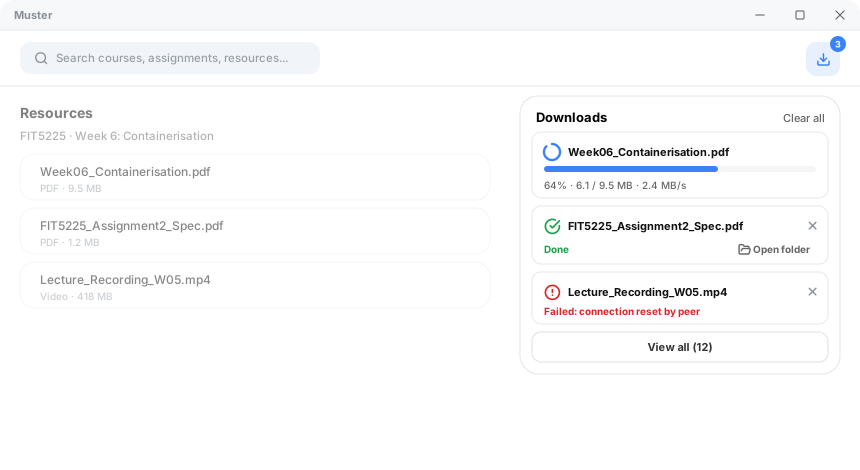
- Download Manager: Course resources download with live progress bars, transfer speeds, and direct "Show in folder" actions.
🖼️ Feature Walkthrough
📊 Consolidated Dashboard
📝 Assignment Tracker & Real Submission Status
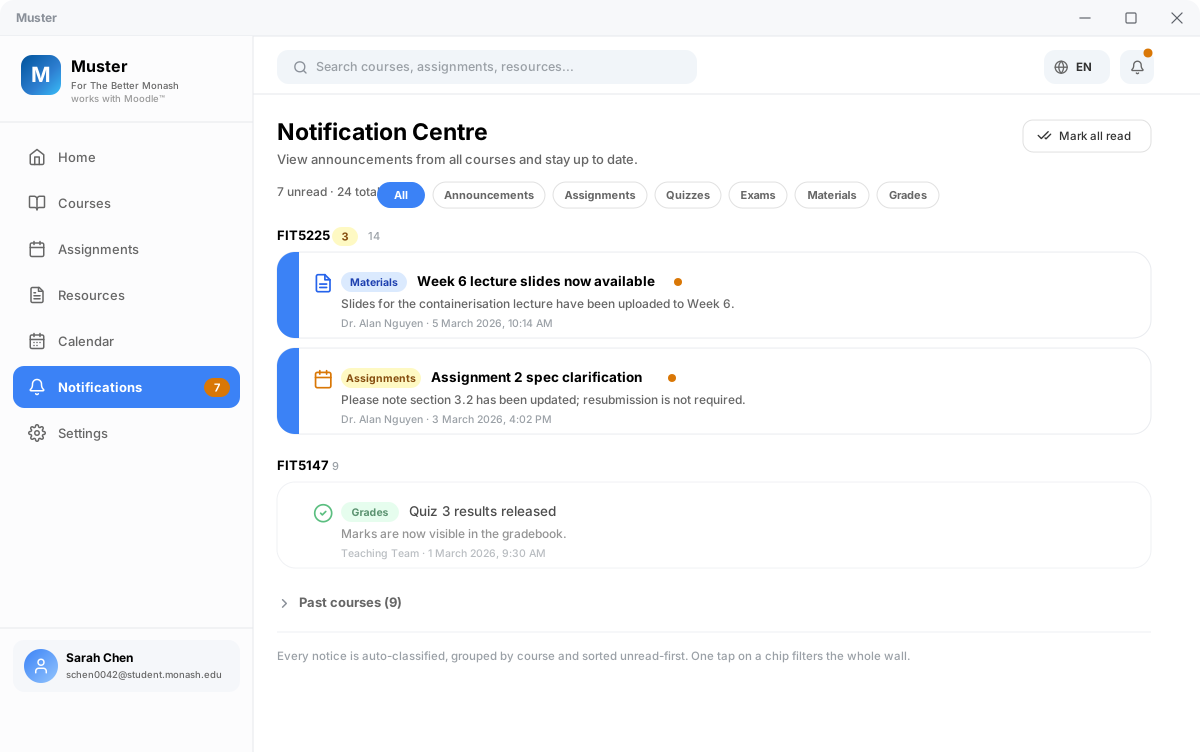
📢 Smart Announcement Centre
📥 High-Speed Download Manager
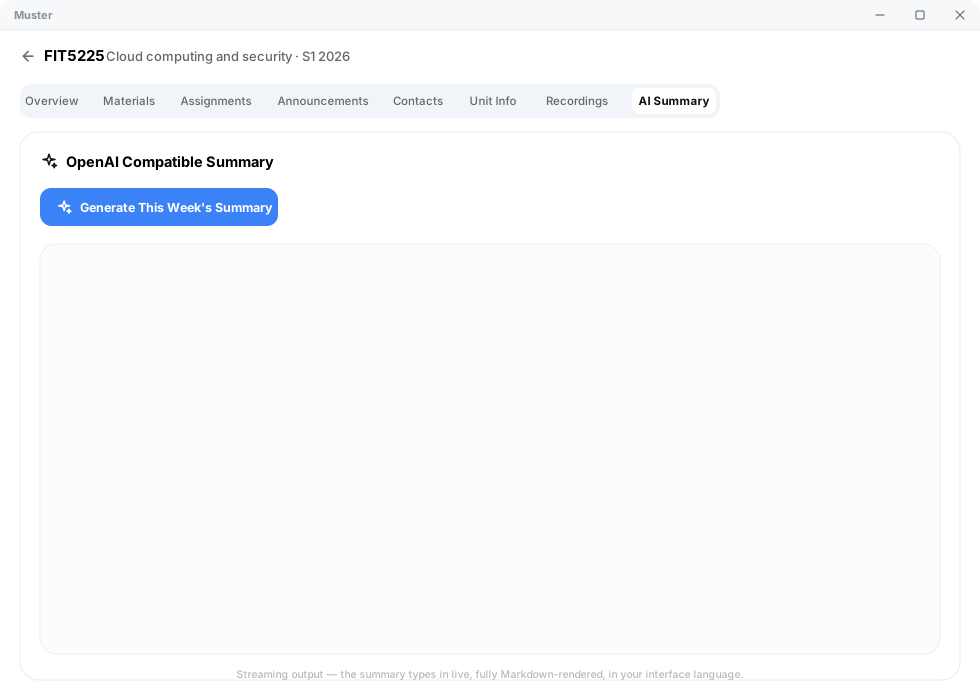
🤖 AI-Powered Course Summaries
📦 Downloads & Installation
| Platform | Architecture / Type | File Name | Status |
|---|---|---|---|
| 🪟 Windows | 64-bit NSIS Setup (Recommended) | Muster_0.1.2_x64-setup.exe |
✅ Stable |
| 🪟 Windows | 64-bit MSI Installer | Muster_0.1.2_x64_en-US.msi |
✅ Stable |
| 🍏 macOS | Apple Silicon (M1 / M2 / M3 / M4) | Muster_0.1.2_aarch64.dmg |
🧪 New |
| 🍏 macOS | Intel x86_64 | Muster_0.1.2_x64.dmg |
🧪 New |
Made with ❤️ for students by Poetrynan. Released under the PolyForm Noncommercial License 1.0.0.