Themes
Themes allow you to completely change the way Music & Melody's music player looks.
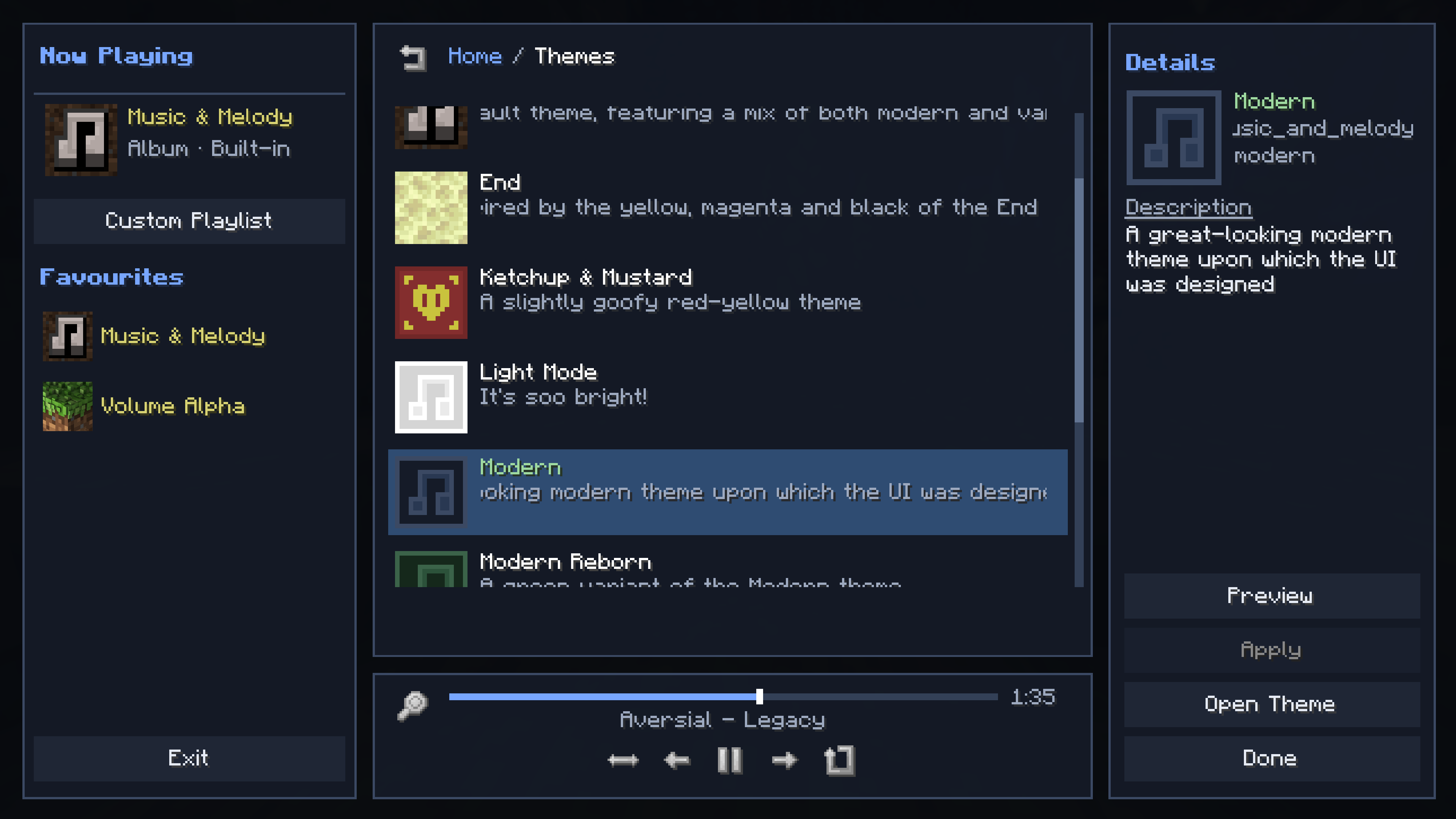
To change your Theme, simply open the Themes page, select another Theme, and click Apply. You can also hit Preview if you want to check a Theme out first.
Music & Melody includes several Themes to choose from out-of-the box. You can also support development to gain access to the exclusive Supporter Themes online catalog for additional pre-built options.
No features, including Theme customisation options, are locked behind supporting - it's just a little bonus to thank those that do.
The easiest way to get started making a theme is in-game.
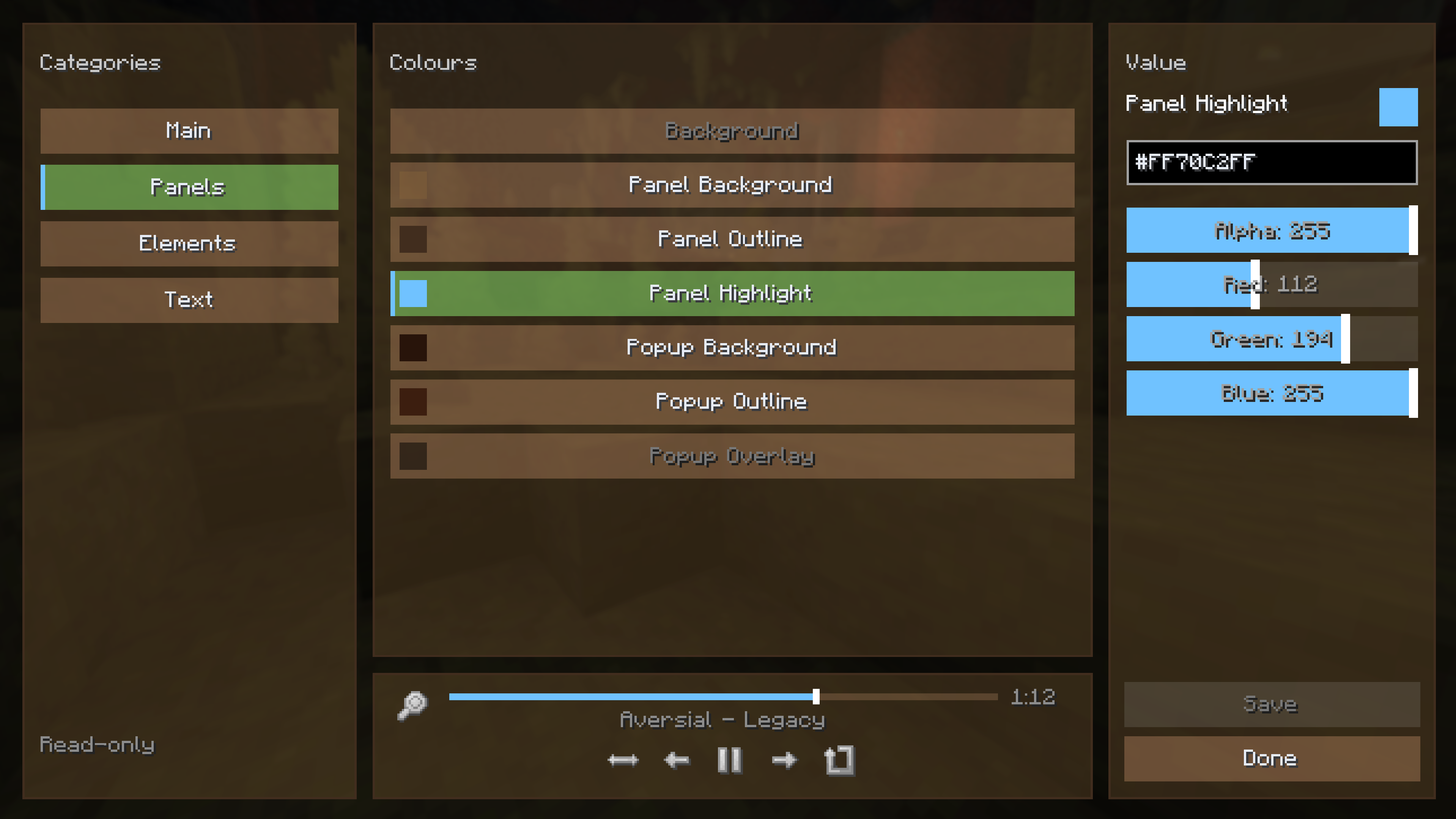
Here, you have 4 left side-panels - Main, Panels, Elements and Text.
When you've selected a colour to change, the right panel will display an ARGB colour-picker + preview. If you forget to save, you will be prompted before exiting the editor.
If you're a resource-pack developer (or a modder / modpacker, technically), you have the additional ability to override almost any music player sprite / icon / texture.
In order to have your overrides take effect when your theme is active, store your texture overrides in [theme_namespace]/textures/theme/[theme_path]/, with the file name matching the name of the texture you wish to override.
All sprites from here can be overriden: https://github.com/Rebel459/music-and-melody/tree/26.1/common/src/main/resources/assets/music_and_melody/textures/gui
The exception to these are:
- icon.png
- kofi.png
- discord.png
Additionally, you can override the button textures used in the music player menus
- button.png
- button_disabled.png
- button_highlighted.png
Note that for button textures, you will want their corresponding .mcmeta files else they will not render correctly. You can find those 3 pngs, and their mcmetas, here https://github.com/InventivetalentDev/minecraft-assets/tree/26.1/assets/minecraft/textures/gui/sprites/widget
music_and_melody:default
{
  "name": {
    "translate": "theme.music_and_melody.default"
  },
  "description": {
    "translate": "theme.music_and_melody.default.description"
  },
  "icon": "music_and_melody:icon.png",
  "panels": {
    "background": "#00000000",
    "panel_background": "#64000000",
    "panel_outline": "#FF232323",
    "panel_highlight": "#FF89DF81",
    "popup_panel_background": "#FF1E1E1E",
    "popup_outline": "#FF323232",
    "popup_overlay": "#82000000"
  },
  "elements": {
    "button_background": "#3CF0F0F0",
    "button_highlight": "#78C3C3C3",
    "button_disabled": "#1EF0F0F0",
    "outline": "#FFFFFFFF",
    "bar_background": "#82828282",
    "bar_thumb": "#FFC8C8C8",
    "button_textures": false
  },
  "text": {
    "description": "#FF8C8C8C",
    "header": "#FFC8C8C8",
    "disabled": "#FF787878",
    "selected": "#FF9ED9A0",
    "title": "#FFFFFFFF",
    "primary": "#FFE6EBF5",
    "primary_highlight": "#FFE6EBF5",
    "favourite": "#FFD7D272",
    "example": "#FF555555",
    "header_secondary": "#FF89DF81",
    "warning": "#FFFF8888",
    "shadow": true
  }
}