Repository navigation
0.2.0-alpha.1
Pre-release

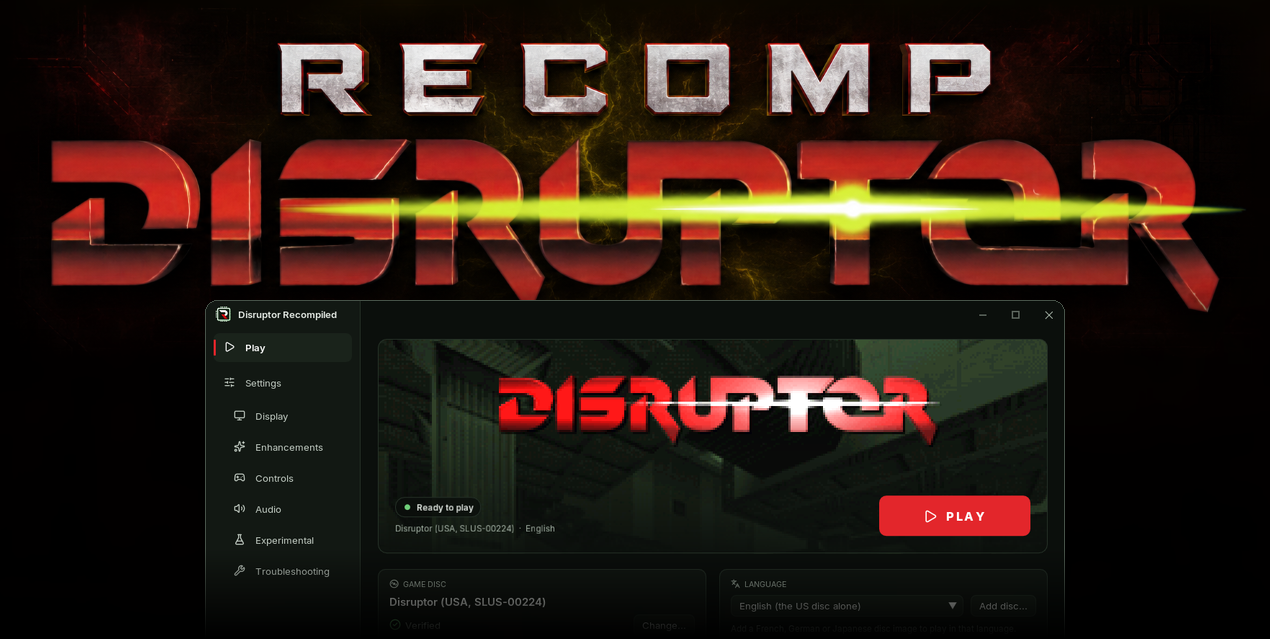
The biggest alpha so far: a new launcher that keeps the game up to date, a Linux build, 60 FPS gameplay from the first start, and a long list of fixes to the picture.
Download
| System | File |
|---|---|
| Windows 10 or 11 x64 | DisruptorRecomp-win-Setup.exe |
| Windows, without installing | DisruptorRecomp-win-Portable.zip |
| Linux x64, glibc 2.35 or newer | DisruptorRecomp.AppImage |
In this release
| Change | |
|---|---|
| New launcher | Installs the game, checks your disc and updates itself |
| Linux | An AppImage for Linux x64 |
| 60 FPS gameplay at first | The game runs at up to 60 FPS from the first start, doors and a ridden lift included |
| Smooth mouse turning at first | The view turns between the game's 256 steps, the sky and the sprites with it |
| Controls | Modern or Classic, the game's actions rebound to any key or button, a gamepad beside the keyboard |
| Picture | Anti-aliasing, an even distance fade, movies at their full width |
| Fixes | Walls beside you, bodies on the floor, textures, the level's end |
The Before and after page shows every change from the PlayStation version side by side.
New launcher
- DisruptorRecomp-win-Setup.exe installs the game for your Windows user, with shortcuts on the desktop and in the Start menu.
- DisruptorRecomp-win-Portable.zip plays without installing.
- By default the launcher looks for a new release at every start. It downloads only what changed when it can, checks each package by its SHA-256 and installs it when you press Restart and update.
- Saves, settings and save states live outside the program folder, so an update keeps them. Bring saves... copies the saves of an older copy.
- The home page shows art from your own disc, the state of the disc and what is new in this version.
- Settings sit in the side bar: Display, Enhancements, Controls, Audio, Experimental and Troubleshooting. Each page except Troubleshooting resets on its own.
- Help shows the whole player's guide inside the launcher.
Coming from 0.1.0-alpha.5 or older: install 0.2.0-alpha.1 once with the Setup or the ZIP, then press Bring saves.... Later releases arrive through the launcher.
Linux
- DisruptorRecomp.AppImage for Linux x64 with glibc 2.35 or newer: Ubuntu 22.04, Debian 12, Fedora 36 and later.
- The launcher updates the AppImage in place. Saves and settings are kept in
~/.local/share/DisruptorRecompData. - Tested under WSLg on Ubuntu 22.04 up to the save-name screen. A level has not been played on Linux yet.
60 FPS gameplay at first
The game runs at up to 60 frames a second instead of 30 from the first start. A settings file that already names the setting keeps that choice: switch it on in Enhancements.
frame-rate-60.mp4
Doors and a ridden lift now move on every frame. The game itself moves them on every second one.
door-steps.mp4
lift-ride.mp4
In-between frames reach 320 FPS on any display. Here at 120 FPS, played at half speed so a 60 Hz screen shows them:
in-between-frames-slow.mp4
Smooth mouse turning at first
The view turns between the game's 256 heading steps from the first start. It needs mouse aim and exact geometry, both on at first.
The sky backdrop turns with the world instead of jumping a whole step:
sky.mp4
Bodies and pickups turn with the world instead of jumping onto each other:
bodies-under-turn.mp4
A far corner is no longer thrown across the screen:
turn-clip-upload.mp4
Controls
- Choose Modern (WASD, left click fires, right click uses psionics, side buttons choose) or Classic (the original keys).
- Each of the game's actions can be moved to another key or gamepad button on the launcher's Controls page. Click it, then press the new one. The fixed keys, such as Escape, the F keys and B for fast-forward, stay as they are.
- A gamepad plays beside the keyboard and mouse, with an adjustable stick dead zone.
- The launcher's Controls page lists what each fixed key does.
Picture
Anti-aliasing (MSAA / SSAA), an experimental setting. MSAA smooths polygon edges, SSAA smooths textures and cut-out outlines too.
multisampling.mp4
Smooth distance fade, on at first. Walls fade evenly into the distance, not in twelve steps.
smooth-fade.mp4
Depth-sorted world is on at first too.
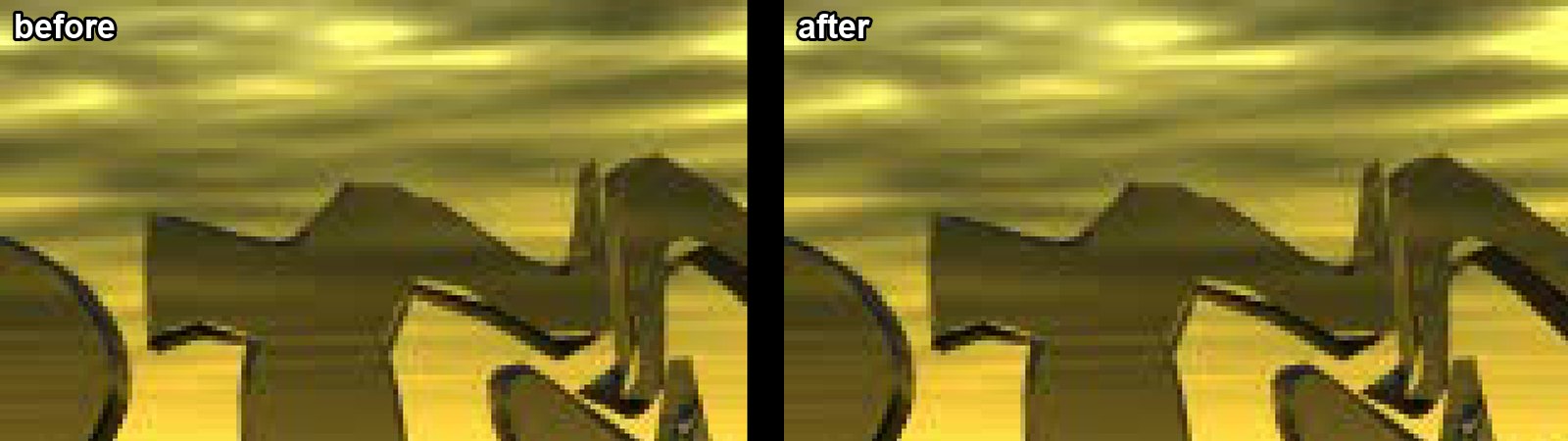
Movies and logos show all 320 columns. The last 8 used to be black.
Fixes
A wall right beside you is drawn whole, without holes, smears or a dark face over the scene:
wall-see-through.mp4
near-plane-upload.mp4
A body lying on the floor stays whole:
corridor-corpses.mp4
In widescreen, a level's end stays wide while the game fades its last frame:
level-end.mp4
In widescreen, pickups and bodies stay drawn until they leave the picture:
pickups-walk.mp4
- World textures no longer jump a texel as the camera moves.
- Gap filling fills only empty space, so no rims hang off the edges of objects.
- Shadows follow the picture's shape by themselves, the shadow setting is gone.
- The held weapon sits between whole pixels in widescreen.
- A state loaded mid-run no longer freezes the game.
- A number key you bind to an action no longer also picks a weapon.
- A wheel opens only on the key its choice is bound to. In the Modern scheme the Up and Down arrows step through it while you have not bound them to an action.
Replay capsules
- The Debug tab lists your capsules with a picture each, and plays one under the mouse.
- Ctrl+F12 records a capsule, F12 loads the newest.
- A new Texture coordinates view shows how textures are laid on the world.
Under the hood
- The installer, the archives and the update packages are signed with Sigstore, with SLSA provenance. The Verify section below shows how to check one.
- The project is under the MIT license, with a security policy, CodeQL, OpenSSF Scorecard, zizmor for the workflows and Dependabot.
- Building needs CMake 3.24 and Python 3.11 or newer. The launcher builds on Linux with GCC 13 and newer.
- The framework's 24-bit margin is set per title, from upstream.
Install
Your own Disruptor (USA, SLUS-00224) disc image is needed.
Windows 10 or 11 x64
- Download DisruptorRecomp-win-Setup.exe and run it.
- It installs the game into
%LocalAppData%\DisruptorRecomp, with shortcuts on the desktop and in the Start menu. - Your files are kept in
%LocalAppData%\DisruptorRecompData. - Or, without installing, unpack DisruptorRecomp-win-Portable.zip into a folder of its own and run
Disruptor Recompiled.exe. - The portable copy needs the Microsoft Visual C++ x64 Redistributable.
- The portable copy keeps your files in its
datafolder.
Linux x64, glibc 2.35 or newer
- Download DisruptorRecomp.AppImage.
- Make it executable:
chmod +x DisruptorRecomp.AppImage - Run it.
- Your files are kept in
~/.local/share/DisruptorRecompData.