Repository navigation

Download
| System | File |
|---|---|
| Windows 10 or 11 x64 | DisruptorRecomp-win-Setup.exe |
| Windows, without installing | DisruptorRecomp-win-Portable.zip |
| Linux x64, glibc 2.35 or newer | DisruptorRecomp.AppImage |
Coming from 0.3.0-alpha.1 or 0.2.0-alpha.1: the launcher offers this release by itself.
In this release
| Change | |
|---|---|
| French and German discs | Textures, shadows and the pause menu as on the PAL versions |
| Linux | The game can save |
| Launcher | Its last message beside Play, a Report a problem button under Troubleshooting |
French and German discs
Mission 1's floor and stairs have their textures. The game placed the US pictures by the PAL disc's tables, which are made for its own pictures:
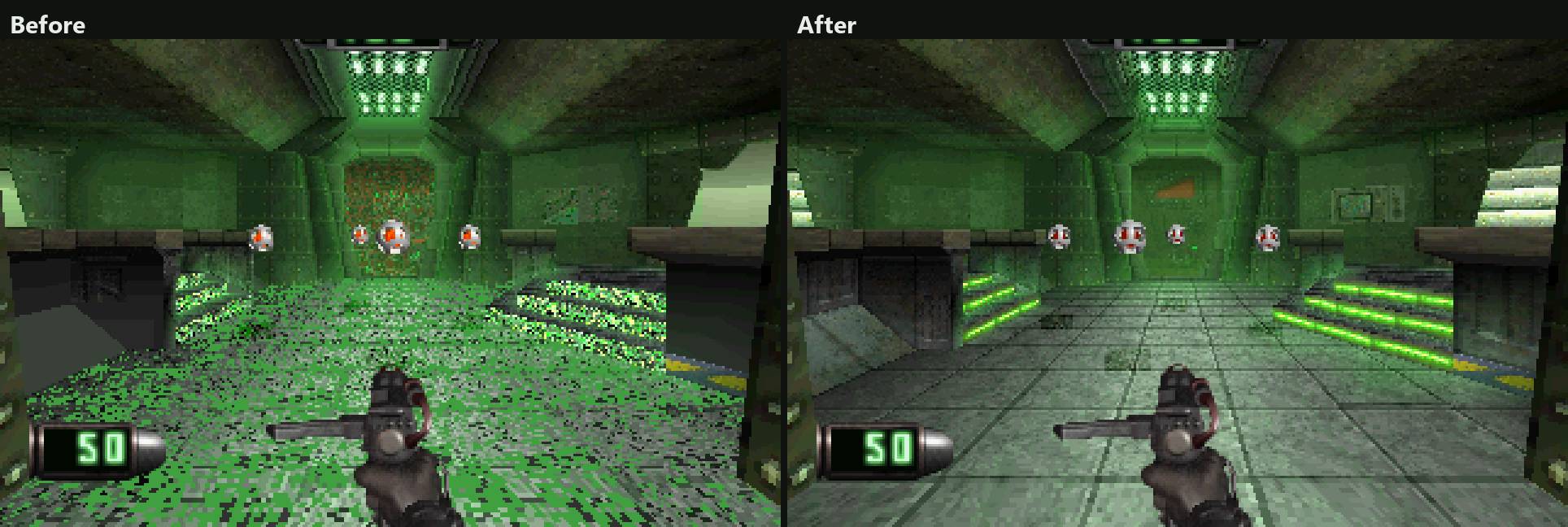
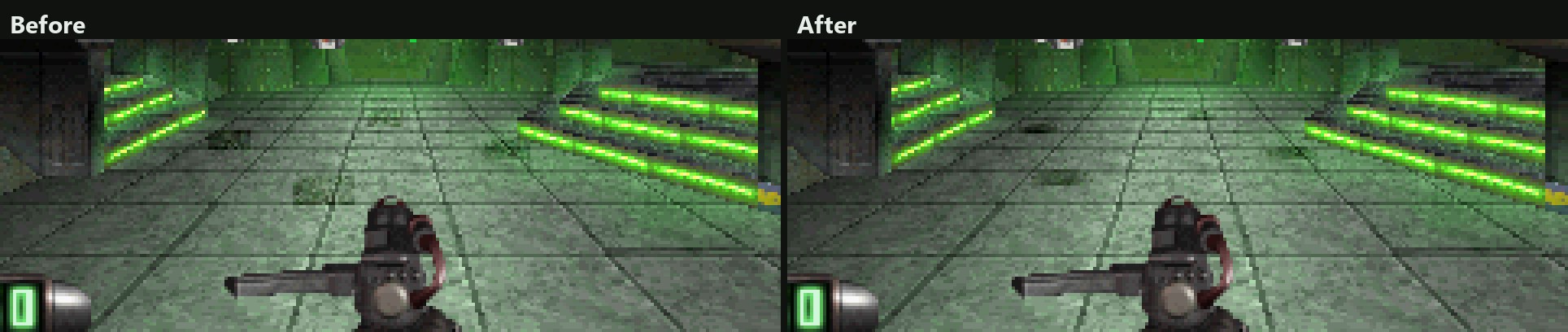
The drones' shadows are round again:
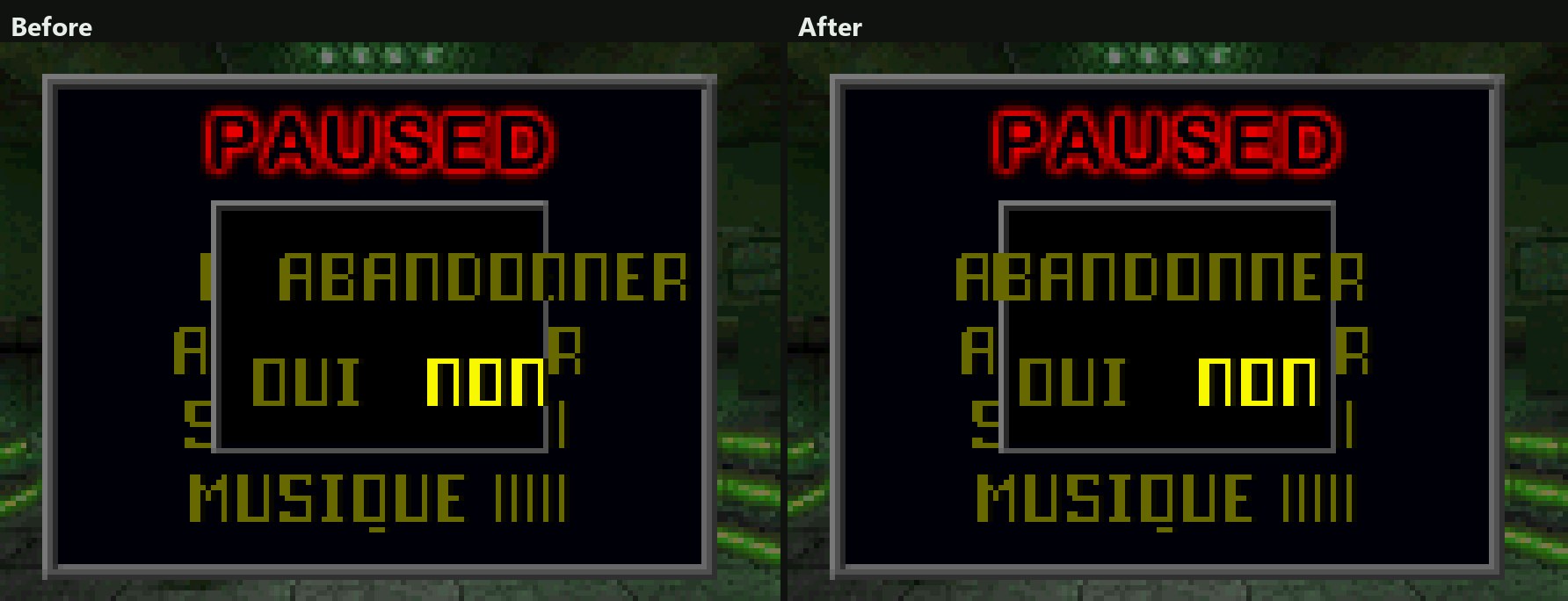
The pause menu's quit question and its answers stand where the PAL version puts them:
Linux
- On Linux the game can save. The AppImage kept the memory cards inside itself, where nothing can be written, so the game said GAME SAVES UNAVAILABLE.
- The memory cards are now in
~/.local/share/DisruptorRecompData/saves, beside your other files.
Launcher
- The launcher shows its last message in the banner, beside Play.
- Troubleshooting has a Report a problem button of its own.
- The portable ZIP no longer has Play Disruptor.cmd. Start the game with DisruptorLauncher.exe.
Version numbers drop the -alpha label from this release on.
Install
Your own Disruptor (USA, SLUS-00224) disc image is needed.
Windows 10 or 11 x64
- Download DisruptorRecomp-win-Setup.exe and run it.
- It installs the game into
%LocalAppData%\DisruptorRecomp, with shortcuts on the desktop and in the Start menu. - Your files are kept in
%LocalAppData%\DisruptorRecompData. - Or, without installing, unpack DisruptorRecomp-win-Portable.zip into a folder of its own and run
Disruptor Recompiled.exe. - The portable copy needs the Microsoft Visual C++ x64 Redistributable.
- The portable copy keeps your files in its
datafolder.
Linux x64, glibc 2.35 or newer
- Download DisruptorRecomp.AppImage.
- Make it executable:
chmod +x DisruptorRecomp.AppImage - Run it.
- Your files are kept in
~/.local/share/DisruptorRecompData.