Repository navigation
Releases: Ripcu/OpenDock
Release list
OpenDock 1.2.0

OpenDock 1.2.0 improves recovery, configuration safety and everyday controls, and replaces estimated AI quota widgets with official account readings.

- Native Dock recovery after unexpected exit, with a manual restore action.
- Valid configuration backups, preserved damaged files, profile import/export and visible local diagnostics.
- Searchable widget catalog and accessible profile buttons.
- Clipboard search, up to 10 in-memory favorites, pause and preserved text formatting.
- Weather, media, download and CPU polling stop when their widgets leave the profile.
- ChatGPT/Codex quota comes from the official app-server every 60 seconds, with manual refresh, reset times and stale-data labels.
- Claude quota comes from documented Claude Code status line fields; local reads every 5 seconds. Connect it in Settings. Cached readings are not falsely marked fresh.
- Optional Developer ID signing and Apple notarization workflow for maintainers.
Universal Apple silicon + Intel binary. Requires macOS 14+. Spanish interface. The binary is locally signed and not Apple-notarized; approve the first launch in System Settings → Privacy & Security.
The included regression suite passes 13 tests. Codex account readings were verified live. Multi-display behavior still needs physical hardware testing, and Claude quotas depend on new observations from a signed-in supported Claude Code account.
SHA-256: 671689a64ab4652dbf64a30c6fcd0ebc793ee927aa0faec7037ed183f625baa0
OpenDock 1.1.0
OpenDock 1.1.0 adds 12 widgets and makes the dock work on every display, in any position and in several styles.
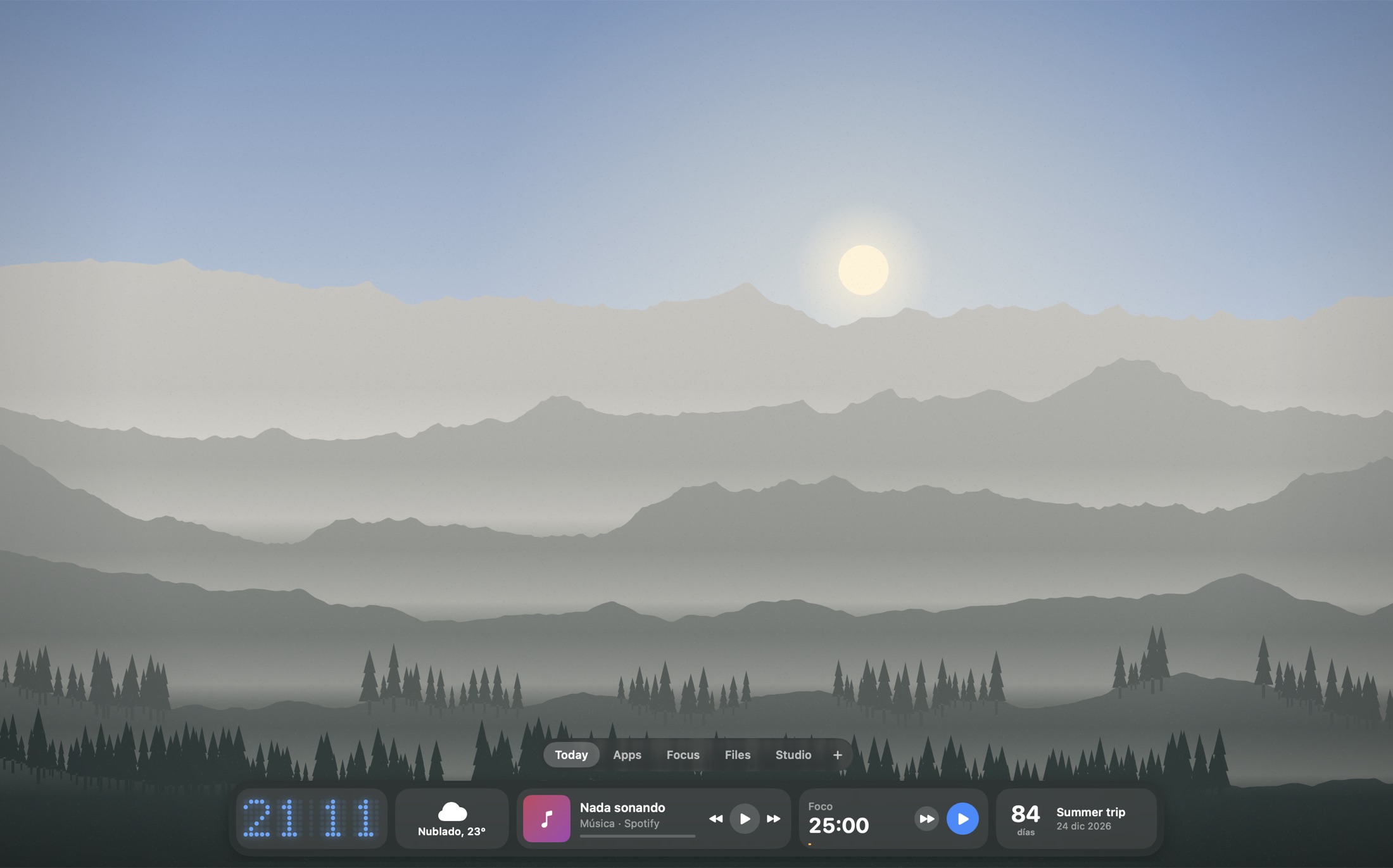
New widgets
- Clipboard history: the last 30 text items, kept in memory only. Items that password managers mark as concealed are skipped.
- Quick note: a short note right in the dock.
- Recent downloads: drag files out, send them with Blip or add them to the shelf.
- App switcher: every open app, with hide and quit.
- Converter: units and currencies, for example
100 usd euror5 km mi. - Mail: unread count, shown only while Mail is running.
- Photo frame: rotates images from a folder, with no Photos permission needed.
- Run a Shortcut: runs any shortcut from the Shortcuts app.
- Countdown: days until a date.
- GitHub: pull requests waiting for your review, and notifications.
- Linear: issues assigned to you.
- Stripe: revenue over the last 30 days.
Dock
- Stay on the main display, or follow the pointer across displays
- Left, center or right position
- Glass, dark, blue, purple or green style
- Adjustable corner radius
- Option to keep the profile tabs always visible
Install
-
Download
OpenDock.zipbelow, unzip it and moveOpenDock.appto/Applications. -
The app is not notarized. On first launch, open System Settings → Privacy & Security and click Open Anyway, or run:
xattr -dr com.apple.quarantine /Applications/OpenDock.app
Universal binary for Apple silicon and Intel. Requires macOS 14 or later. The interface is in Spanish.
SHA-256 6201d9be7675cfbbcc0b44828bdef82cb134a3cf5c7d108a4ae2ec2ebd285d8e
OpenDock 1.0.0
The first public release of OpenDock, a native replacement for the macOS Dock with live widgets and switchable profiles.

Highlights
- Replaces the macOS Dock and restores it when you quit
- Profiles you switch by hovering over the dock
- 38 widgets: apps, calendar, Pomodoro, now playing, weather, system stats, Spotlight file search, Claude Code and Codex usage and more
- Send files with Blip from the dock, file search and the shelf
- Smart hide: the dock moves out of the way when a window reaches it
- Universal binary for Apple silicon and Intel, about 5 MB, no dependencies, no telemetry
Install
-
Download
OpenDock.zipbelow, unzip it and moveOpenDock.appto/Applications. -
The app is not notarized. On first launch, open System Settings → Privacy & Security and click Open Anyway, or run:
xattr -dr com.apple.quarantine /Applications/OpenDock.app
Requires macOS 14 or later. The interface is in Spanish.
SHA-256 fbab91370e75f073ea083e46af06043d4c35074cb421941a069e4e94130facc5