Repository navigation
KiCad Compatibility
| Item | Detail |
|---|---|
| File Format | KiCad 7 board format (version 20221018) |
| Opens In | KiCad 7, 8, 9 and 10. Newer versions convert the file when it is saved |
| Contents | Tracks, vias, board outline (Edge.Cuts), rotor copper polygons and solder mask openings, and on the stator the lead-cutting suggestion: lines and circles on F.SilkS and B.SilkS (no KiCad text; the lead names are drawn as strokes) |
| Project File |
Stator.kicad_pro next to Stator.kicad_pcb, Rotor.kicad_pro next to Rotor.kicad_pcb: the board's design rules (see below). KiCad opens a board with the project file of its own name |
| Libraries | None needed: no footprints, symbols or 3D models are referenced |
| Nets |
TX, SIN (2) and COS (1), so KiCad's ratsnest and DRC understand the coils. A dual stator has six: SIN_1, COS_1, TX_1, SIN_2, COS_2, TX_2 by default |
| Layers |
F.Cu and B.Cu (Top, Bottom); a 4-layer stator (every dual stator) also has In1.Cu and In2.Cu (Inner-1, Inner-2) |
| Vias | Through vias, or with VIA_TYPE = "blind" KiCad's blind via between the two layers each via joins (a buried pair uses the same token) |
| Title Block | Filled in automatically on every board |
| Saved Again | A board opened and saved again in KiCad 7 to 10 still reads the same in the repository's own tools (the output pictures): Generators/resources/KiCadReader.py parses KiCad's format and does not depend on the order or line layout of what KiCad writes, nor on KiCad 10 naming the nets instead of numbering them |
| DRC | Checked against the board's own rules from its project file. Clean apart from the expected track_dangling reports at the TX ends (two per coil set: the coils have no terminals yet) and what the run itself warned about. The CI checks this in KiCad 8, 9 and 10 on every board |
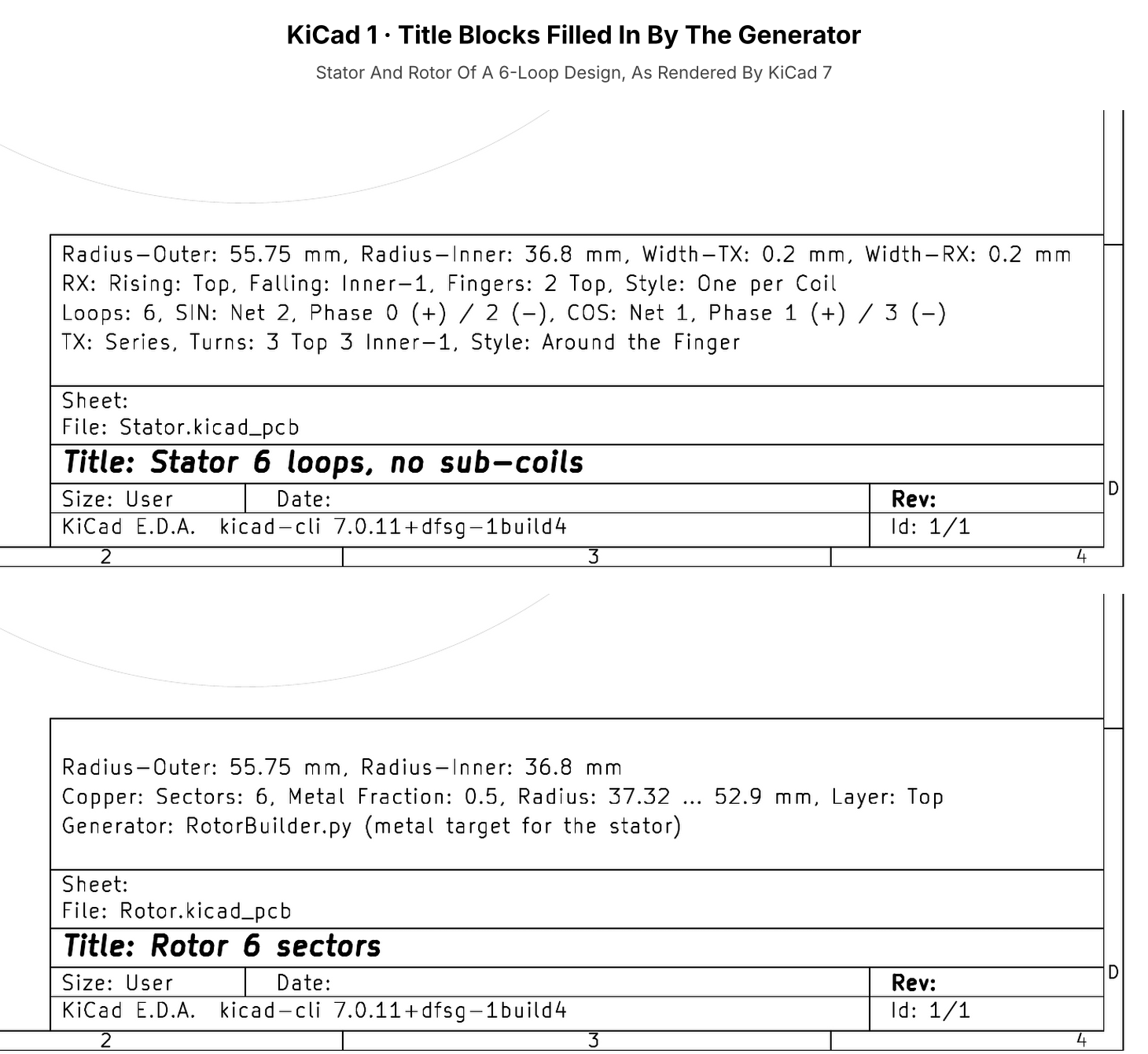
KiCad 1. The title blocks of a generated stator and rotor, filled in Keyword: Value style.
Because every TX turn is on the same net, KiCad's DRC cannot detect a TX turn touching another TX turn. The generator runs this check itself near the vias of go-around and stitched windows, and reports the smallest gap it found between different turns. A TX without such vias (such as the default single-layer TX) has nothing to measure there: the summary says "not measured" and gives the gap of the nominal pitch (pitch minus trace width).
KiCad keeps a board's design rules in its project file, not in the board file. So next to each board the generator
writes the project file of the same name, which holds the rules the board was made with: the clearance between nets is
MIN_CLEARANCE_MM, and the smallest track width, via diameter and via drill are the smallest the board holds. Each is
written as the board's minimum (File > Board Setup > Design Rules > Constraints) and as the Default net class, which
every net is in. KiCad's DRC then checks the board against its own sizes, not against KiCad's defaults (a clearance of
0.2 mm, holes of at least 0.3 mm and, in KiCad 10, tracks of at least 0.2 mm), so what it reports breaks the board's
own rules. Copy the project file with the board: without it KiCad falls back to its defaults, and a board with blind
vias of 0.4 / 0.15 mm, 0.15 mm traces or a MIN_CLEARANCE_MM below 0.2 shows errors for them. The rules say what
the board needs, not what a board house can make: check them against your board house's limits. The generator also
checks its own clearances against MIN_CLEARANCE_MM and reports the smallest gap it found.
Every pull request opens every reference board, and a fresh board of each generator, in KiCad 7, 8, 9 and 10, and runs
KiCad's DRC in 8, 9 and 10 (KiCad 7's command line has no DRC). The number of reports of each kind on each board must
stay as recorded in .github/kicad-drc-baseline.json; see Regression Testing.
A KiCad plugin built on the same code is planned (see Future Upgrades).

| Previous | Next |
|---|---|
| Output Pictures | Regression Testing |